Tag Archive for 'Video Tutorials'

FX Fundamentals- Filters

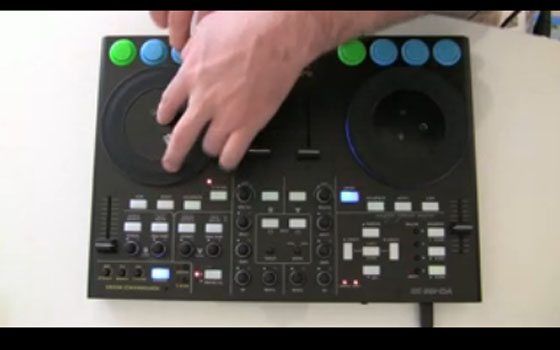
In response to the handy feedback icon you see on your left hand side of this site I will be starting a “FX Fundamentals” series and go through many different uses of FX that you can use inside Traktor or any other software. First on the list is filters, the work horse of a dj’s effects arsenal. Along with a basic overview of the different filter options, I will go into multi mapping a single knob to many parts of a filter and layering 2 filters for even more effective results. Check out the video bellow for the scoop.

Continue reading ‘FX Fundamentals- Filters’

Super Knobs

superman-logo-5000767.jpgWith a limited number of physical knobs to control an ever increasing number of software goodies you need to find a way to get more out of your control surface. Using a single knob to control more than one parameter is one of the best ways to do that. A good example of this is the effects section of my VCI-100SE. Each effect in Traktor has 4 knobs and 4 buttons but my vci-100 only offers 2 knobs per effect. How can this be effective? Super knobs!

Continue reading ‘Super Knobs’

Oxygen 8 Controllerism Layout

Oxygen 8 controllerism juggle routines

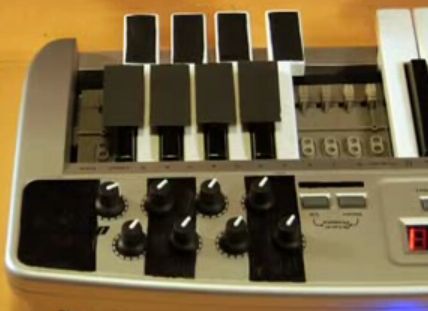
The manufacturers don’t want you to know this, but the truth is you don’t have to plop down $1,500 for the latest Allen & Heath mixer or $3,000 on a JazzMutant Lemur to do creative things with MIDI and DJ software. Sure, having a brand new DJ controller with all kinds of bells and whistles will get you excited about trying new ideas, but you might get more mileage out of something at a fraction of those prices. There are many inexpensive two-octave keyboards that offer mappable controls in a small footprint. Perhaps you still have an M-Audio Oxygen 8 ($149.95 for the Oxygen 8 V2; www.m-audio.com) lying around from your first foray into music production. Take it out and imagine how you might DJ with it. Think of how each knob and slider might best control two or more songs on the fly. It’s actually a lot more realistic than you might imagine, so let’s turn the zillion-selling Oxygen 8 into a controllerist’s dream rig. Continue reading ‘Oxygen 8 Controllerism Layout’

How to Set Up in a Club

img_0872-version-4.png

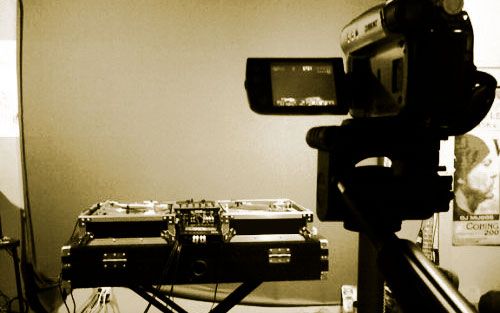
Many of you out there are new to the game and starting to get gigs with your digital dj equipment. As a few readers have pointed out, frequently that gear does not really mesh well with the bread and butter setups clubs have installed. Showing up and plugging in equipment can be a nerve racking affair to begin with but if there is one thing MORE scary- its your first 30 dj gigs. So, if you want calm nerves and smooth sets with digital dj gear your going to need a game plan.

For the past 5 years I have setup my laptop, sound card and midi gear in hundreds upon hundreds of clubs around the world. From a traditional Tico dance hall in Costa Rica to techno clubs in Berlin, there was always a way to make it work. Here are a few helpful things I have learned upon the way.

Continue reading ‘How to Set Up in a Club’

Dj with a Guitar Hero Controller

ean golden

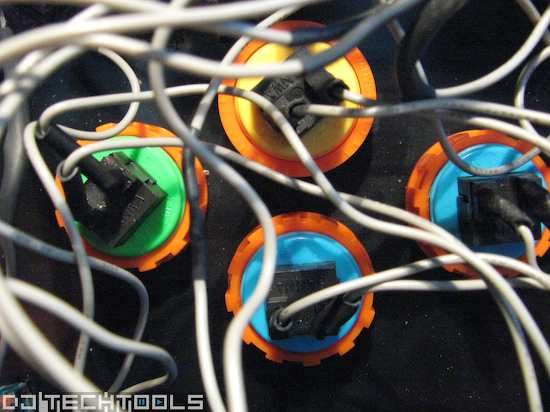
Arcade buttons are cool

but taking a plastic guitar into the crowd and taping away a solo is some next level fun. In the past 5 years I have experimented with just about every piece of midi gear out there so now its time to raid the game controller closet and continue to find new ways of mixing 2 songs together. The crazy thing is how well cue point juggling techniques translated to the Rock Star guitar. It may seem like a limited controller but with 5 buttons, a 2 way strum bar and some whammy action you can do a lot with a little. I tried every guitar made for guitar hero and in the end this Rock Band edition for the PS3 works the best and offered the most flexibility. Want to try it yourself? Yes, I will be posting pre-set files and instructions soon so you can get your own air guitar button tap on.

Link: DIY Guitar Hero instructions

4 Dj Sound Cards under $200 (updated)

At this price point there should not be much of a difference right? Well, one thing we do not like around here is assumptions without any real evidence or experience to support that assumption. So, while writing a new column for Remix magazine about sound cards I took it upon my self to try and find out what separates a $100 sound card from a $800 one. After talking to all kinds of “experts” and engineers and after sifting through mountains of marketing propaganda I had a really hard time really finding any quantifiable differences. This reality is hard for us to accept in a society that places a high value on the price tag of a product. “Its $1000, so its got to be the best right?!”
Continue reading ‘4 Dj Sound Cards under $200 (updated)’

Controllerism with Serato Scratch Video

seratovideo.jpg

I am happy to report that several writers here at dj tech tools are now going to be offering insight, recommendations and reviews on the emerging dj-video world. Although it remains to be seen if people really want to embrace this upcoming trend, the technology is starting to look exciting. One of the most promising programs is Serato Scratch Live Video. Its an $180 optional plug-in for the Scratch Live platform that works seamlessly with Rane’s TTM-57SL. Check out the following video for more info and to see what it looks like when we apply a little controllerism to music videos.

Continue reading ‘Controllerism with Serato Scratch Video’

NEW VCI-100 mod and the “super” crossfader

img_0204.jpg

As many of you know, I have been working on a special layout for the VCI-100 that is in the beta stages. You can download, test and give feedback on the current version here. In the mean time I stumbled on this crazy midi mod that got me REALLY excited (which is rare) so I wanted to share it. I mix externally with the vci-100 so all the central controls are dedicated to effects. However sometimes I need to quickly cut out a song and I have been using the input faders to do that by engaging the reverb to 100%. Each channel fader engages the reverb, fades in the mix and then at the top freezes the effect. So, if you quickly flip the fader up you get a really clean cut with a cool reverb tail. Then I was thinking instead of 2 faders, what if the cross fader did the same thing for both decks but in opposite directions? So when you move the cross fader to the left the right decks cuts out with a adjustable reverb trail and when you move it to the far right the left deck cuts out with a reverb tail? Continue reading ‘NEW VCI-100 mod and the “super” crossfader’

Controllerism juggle routine w VCI-100

Here is a basic juggle routine I have been working on with my customized VCI-100. Its a free-form mash up of Rock the Bells and a classic Ray Charles song.

-Ean Golden