Tag Archive for 'Traktor Pro'

Get more Controlls- Modifier basics

Every knob, button and fader on your controller has a function assigned but there are still more things you need control over! What to lose? How do you cram in more functions? Then it hits you- wait a minute, some of these buttons I only use a few times during a set, what if they could serve 2 purposes? Fortunately, Traktor pro introduced a powerful feature that makes it easier to do that. Lets take a basic look at modifiers and show you how to make a jog wheel work for both scratching and track browsing.

Continue reading ‘Get more Controlls- Modifier basics’

VCI-100 Pro Edition Video


What would a TechTools mapping be without a you tube video? Well it wouldn’t be up to our standards, so we made one to explain the new features of our VCI-100 pro edition. A few things in terms of work flow have changed so if you downloaded the TSI file from this post on Monday then watch the film to get a good run down. Like what your seeing? Want to make a few changes or suggestions? Get off the bench, join the forum and jump in the game buddy!

VCI-100SE + Traktor Pro = sweetness!

12 months ago I set out to create a mapping for our readers that would tap into the hidden powers of Traktor 3 without requiring a giant controller interface. Using the VCI-100 as a template, I designed a layout that made working with controllerism creative, fun and straight forward by combining many functions on single buttons knobs and faders. That work caught the eye of Vestax and became the VCI-100 special edition controller, which 100 lucky people own today. After that limited run sold out almost immediately we created a firmware upgrade kit and overlay package that allowed regular VCI-100’s to upgrade their own controllers and get the special edition performance.

With Traktor Pro, Native instruments has included many of our custom features including direct FX selection and dual filters into their software directly. This allowed me to duplicate and even improve on all of the functions that we created for Traktor 3 but with one major difference. The new mapping will work with every single VCI-100 out there including firmware versions 1.2 and 1.3! That means if you own ANY VCI-100, you can download the TSI file and try out our performance concepts of our VCI-100SE layout for free.

Continue reading ‘VCI-100SE + Traktor Pro = sweetness!’

how do I work this thing?

We are getting emails and even phones calls left and right from people asking about using Traktor Pro. for those of you that downloaded the demo and are not quite sure how to get started with the basic transport controls- this video is for you. I go through  button by button and show how to use the basic transport controls in Traktor Pro which include:

  • moving around inside the song
  • Setting a cue point
  • storing a cue point
  • mapping it to a hot bue
  • creating a beat grid
  • using loops

The good news is that using Traktor pro is actually much more streamlined than previous versions. You just need to know what is what, so check out this video for some simple answers.

Traktor Pro Tour

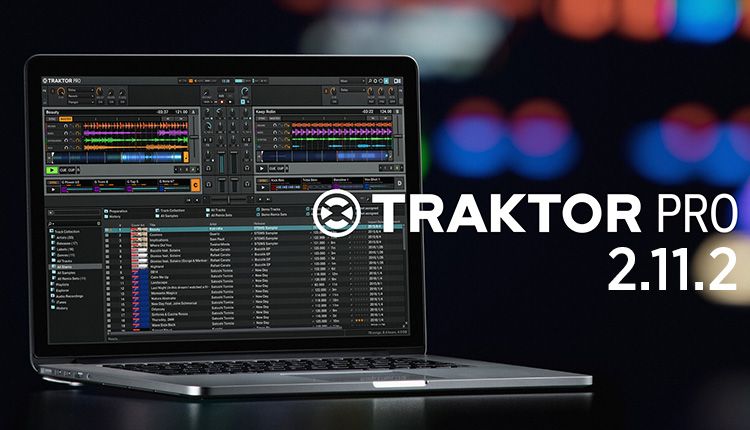
Native instruments has announced the newest release in their dj line today. It is called Traktor Pro and will replace Traktor 3 and Traktor Scratch with one unified piece of software. Owners of the audio 8 will still be able to control Traktor Pro via time code but every user will now enjoy the same features and share a common software. The underlining technology behind Traktor has been re-written, unified and improved on a number of different fronts that have resulted in some important changes.

I had the fortune of spending a lot of time with the Traktor team in Berlin this year working with the new software as it was developed and during beta testing. This has gave me the chance to understand more about the concepts that went into the new version and work with the new features extensively.

Continue reading ‘Traktor Pro Tour’