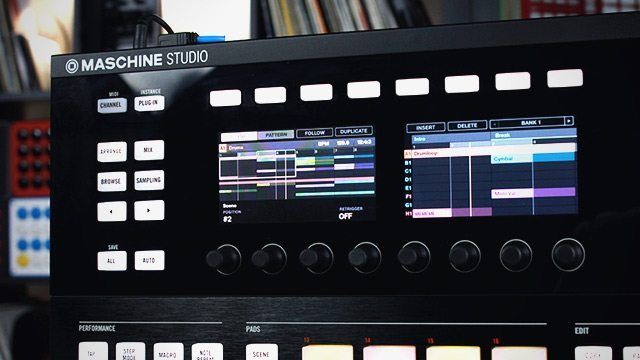
Native Instruments came out swinging today with a double punch, updating the Machine software and launching the brand new Maschine Studio controller aimed at taking over even more of your production workflow. The hardware is large and in charge with jog wheels, double LED screens and full control over all editing features. On the software end of things, Machine 2 edges towards a DAW with included synths, compression, and even a unique-sounding drum synth engine. Check out all the details and our exclusive walk through video inside.
MASCHINE STUDIO
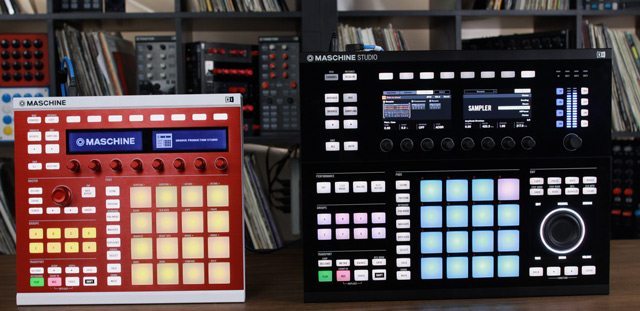
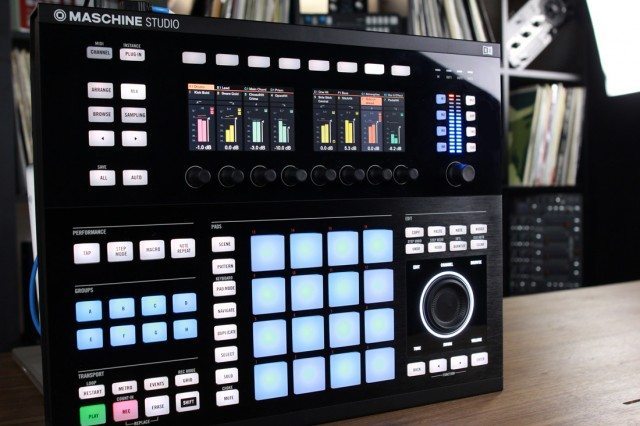 Dubbed the Maschine Studio, the extra large controller adds two full color LCD screens, VU meters, and an editing jogwheel for massive workflow improvements aimed at eliminating laptop interaction. The jogwheel makes browsing and editing a bit easier than in previous Maschine iterations, and makes it significantly easier to edit volume, tempo and swing for samples and groups. While the Maschine Studio continues to be a software-integrated solution and not a standalone unit, expanding the units overall size reveals perviously buried shift-menus. As you can see the studio version is quite a bit larger than the Maschine Mk2, but the layout and design remains balanced and managable.
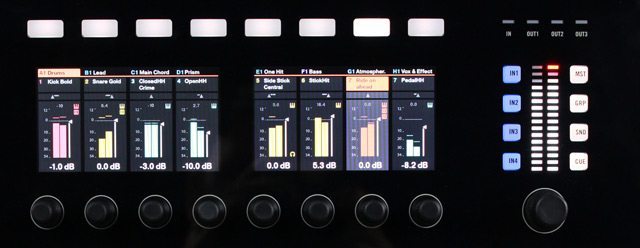
  The VU meter and the surrounding level section lets the user monitor all volume – from individual samples to master volume – and also acts as the controls for monitoring other inputs when an audio interface is plugged in as well. This speaks to the overall enhancement of the combinations mixing capacity, which is vastly improved from the previous versions.
  The physical pads haven’t been changed from the improved versions found on the MK2 controllers, but the unit does have a significantly increased I/O section on the rear, including one MIDI input, three MIDI outputs, and two foot switch inputs. We love the clever feet/wings that enable easy angling without added hardware.
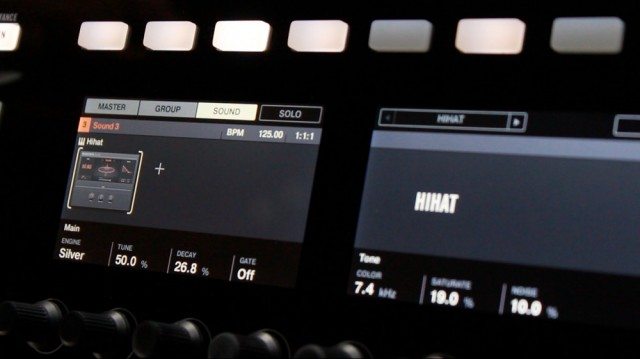
 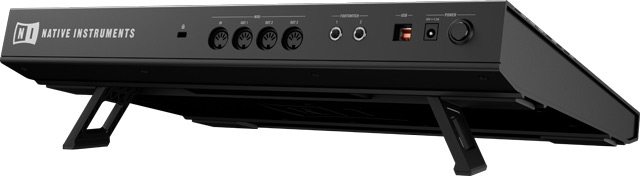 The LCD screens absolutely stand out on this controller – they’re high resolution, multicolor, and respond smoothly with every adjustment that you make in the software or on the unit. Our only complaint is that they are so lifelike, that we want to touch and press them like an iPhone which isn’t possible.
 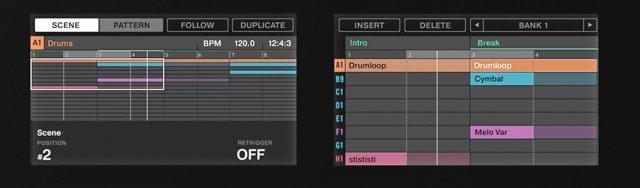 Native Instruments spent a lot of time figuring out how to deliver high-end LED displays, so it would not be a surprise to see other products include similar-looking displays in the future. Imagine a hypothetical Kontrol S4 MK3, with multi screens displaying all stripe information and metadata right in the controller.
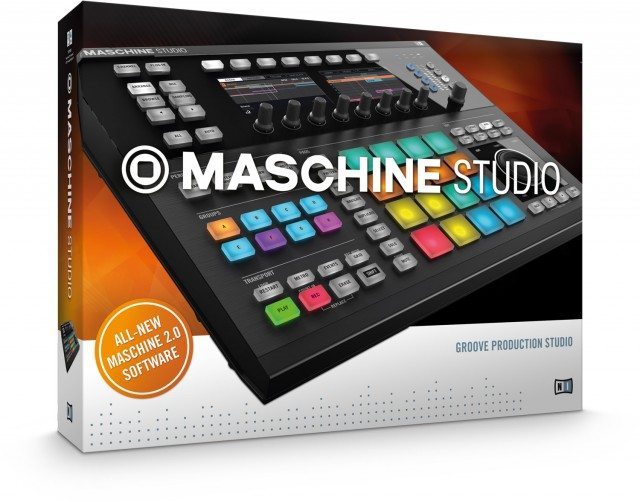
MASCHINE 2 SOFTWARE
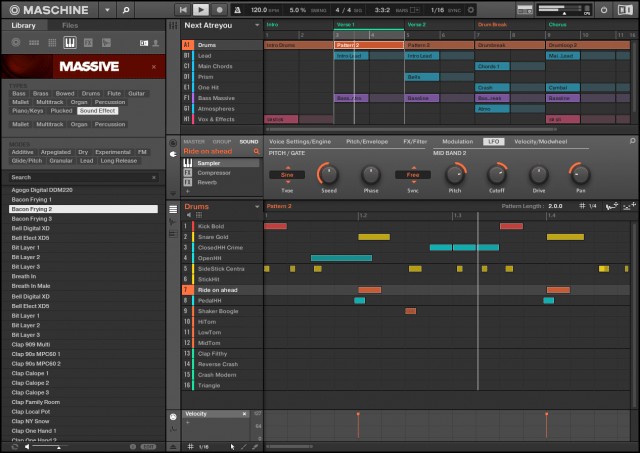 The entire Maschine line will get a complete software update in November as well, meaning that even if you’re not excited by the new hardware, you’ll benefit from the software improvements. There’s a whole litany of changes in the software that casual users and power producers can both get excited about. First up, the entire code of the software was rewritten from scratch, including a brand new audio engine. The new multi-core engine means that users get side-chaining, faster load times, more concurrent VSTs and dynamic routing just to name a few. There’s also now a dedicated mixer page, and unlimited groups or insert effects. We’re guessing with these updates, NI is hoping to win over some DAW users that might incorporate more of their studio work flow directly inside of Maschine. Not that dis-similar to the popular Ableton Push, this new studio configuration is starting to look like a studio instrument of the future for hip hop and electronic producers alike.
 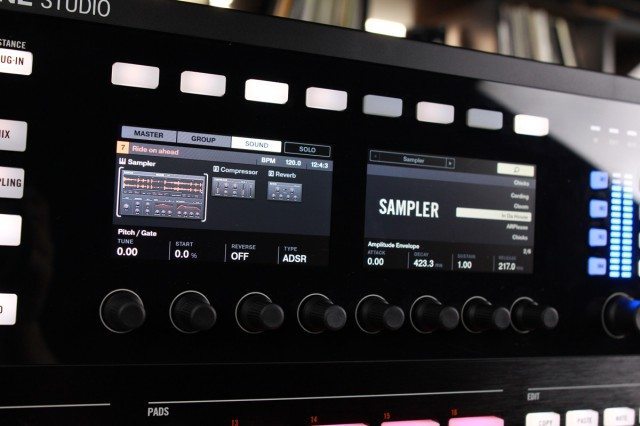 Native spent two years designing five drum synth plugins exclusive to Maschine for this release – in the hopes that the synths will give the software a uniquely identifiable sound, similar to many classic drum machines. The synths allow full adjustments of all of the controls of the drum (pitch, decay, tone) at a synthesis level – not after the fact. While there are not any specific emulations of popular analogue drum sounds like the 909, you do have the same level of granular sound control over some very rich sounds in a digital domain.
Please note: the software visible in the video is in beta – some graphical parts of the software are not yet finalized. How do I get it? The software will be a paid upgrade for current Maschine users, starting November 1st for $99/ €99 / ¥ 104,800, but anyone who purchases a Maschine between October 1st and the launch gets a free upgrade to version 2.0.