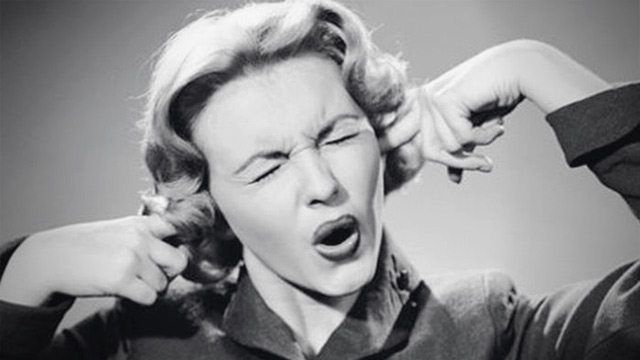
Have you ever heard ringing in your ears after a gig? If the answer is yes, then you suffered from temporary hearing loss. Chances are that your ears will recover, but over time this abuse adds up and eventually leads to serious problems – the worst of which could include severe hearing loss and the end of a career. Fortunately there are three simple things you can do to save your ears without changing the way you DJ at all!
First, I must give credit to the inspiration for this article: Johannes Krämer. Johannes is Richie Hawtin‘s personal sound engineer. He’s traveled the world making sure that Richie sounds perfect at every gig – while still keeping his hearing when performing! Along with doing engineering for other DJs and bands, Johannes brings 20 years of experience to the table. The following form a longer conversation about hearing loss – so I will summarize the three main tips Johannes gave me.
It’s also worth pointing out that DJs are very unique performers in that they have to wear two different hats: the front of house engineer (making sure the mix is balanced) and the performer. Without sound engineers (many small club and bar gigs are like this), the dj has to keep his ears in tune with the room in order to make sure everything stays on point.
1) DON’T DRINK AND DJ
“If I see a DJ take two or three shots during a set, I know for sure that he will eventually end up deaf. It’s only a matter of time.” – Johannes
I know this is a bit of a party pooper tip, but the fact is that alcohol impedes your ability to perceive when the sound is too loud. Simply put, while drunk you will do serious damage and not even realize it.
The Science: While the concept of “cocktail deafness” has been around for some time, there’s a fair amount of medical evidence that supports the claim that the more inebriated you are, the more you lose your hearing, meaning that you’ll turn up the track to compensate. One such study (The Acute Effects of Alcohol on Auditory Thresholds) reports:
Our results showed that there was a positive association between increasing breath alcohol concentration and the magnitude of the increase in hearing threshold for most hearing frequencies. […] Alcohol specifically blunts lower frequencies affecting the mostly 1000 Hz, which is the most crucial frequency for speech discrimination. In conclusion alcohol does appear to affect auditory thresholds with some frequencies being more affected than others.
2) TURN DOWN THE MONITORS BETWEEN MIXES
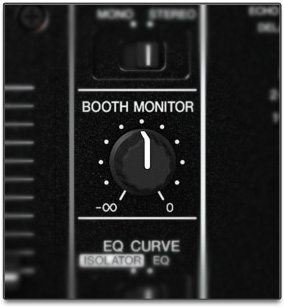 For DJs, most hearing damage does not occur from loud noise itself, but from the amount of time you are exposed to that noise. By modulating noise levels in the booth, this is going to dramatically reduce a DJ’s noise liability and allow the ears to recover during a set.
Consider using a DB meter (see tip 3) to assist you in figuring out what a safe working environment in the DJ booth should be in terms of noise.
The Science: Keeping the total amount of time you’ve got the monitors blasting at you will keep you below the maximum safe repeated exposure time for loud noises – see this page on the CDC to get a better idea of how short these max times can be at high volumes!
Booth Levels are subjective but here is a general rule of thumb: Run the monitors loud enough to cancel reflections during the mix and then turn them down to the point where they serve as a local fill.
3) USE AN EXTERNAL DB METER
 Once exposed to noise for a little while, the brain has a very hard time judging what is loud. This gets worse over time with more exposure as the set goes on. Therefore, without a tool for objective metering it’s nearly impossible to keep a check on your volume.
I recommend that Rich run his monitors at the following levels while mixing:
- 100DB in a open air concert
- 103 Db in a club with a low ceiling
- 106 Db if there are really bad reflections
Then, once done EQing or mixing, I recommend turning the monitors down to 90db for regular listening. – Johannes
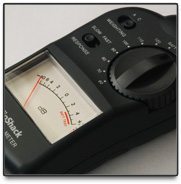
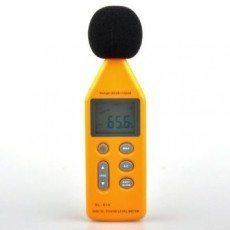 If you’re looking for a great and simple DJ meter, the one pictured at right is relatively cheap (around $23 on Amazon) and does the trick. This is a bit of an advanced tool to have in your DJ booth – but it could save your ears just that much more.
A lot of DJs will prefer to use their phone to check DB meters and there are some solid apps out there that do just that. Be warned -microphones on mobile devices can sometimes perform poorly when it comes to detecting low end noises and distinguishing levels greater ~100db, so they’re not precision tools. For iOS users, we can recommend the $0.99 SPL Meter by Studio 6 as a good simple mobile meter.
There you go, three tips on how to stay more healthy as a DJ. Do you have any during-gig hearing protection tips?
Here are a few more articles we have written in the past about hearing loss:

Ean Golden is the founder of Dj TechTools and a worldwide Dj specializing in controllers and new performance technology.
Follow Ean on: Twitter Facebook SoundCloud YouTube