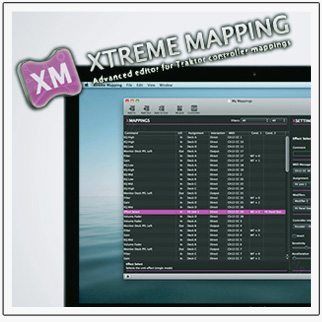
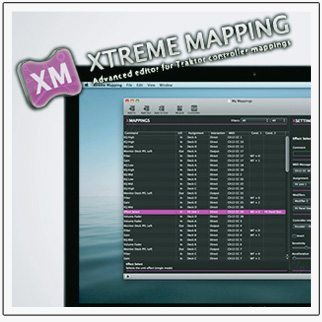
Xtreme Mapping is an advanced MIDI mapping editor tool for Traktor and has just recently updated its software (now version 1.4) to be compatible with the Kontrol Z2 and other new Traktor 2.6 commands and features (also back compatible to Traktor 1.2.7) while also fixing a few minor bugs. In case you were wondering, the software is only compatible with Mac OS X, sorry PC users.

If you’re thinking, this sounds cool and all but why do I need this? Well, as someone who’s been using Xtreme Mapping, I’ve found some of the many useful features of the software include: the ability to copy and paste commands within a mapping or to/from different mappings, the safety of having an undo command, the ability to change the assigned MIDI channel to a group of commands, the ability to change the mapping assignment for a group of commands, and the helpful “wizard” tools they’ve created. The latter allow the less experienced MIDI mapper to easily get started making their mapping ideas come to life by providing a simple step by step interface to setting up FX, mixer, track deck, and Remix Deck mapping controls.

Overall, I’ve found that Xtreme Mapping makes Traktor MIDI mapping more time efficient such that I can focus on the fun of designing and playing rather than the manual labor of creating and editing each command line that you’ll find in Traktor’s Controller Manager.

(Editor’s note: Chris/Flashflooder is the DJTT mapping specialist who executes and maintains such crazy mappings as the MF3D DeckGratMotion and theVCI-400 SE Flashflooder)

To coincide with the launch of version 1.4, Xtreme Mapping is running a 50% off sale for the software ($3.99/€3.59, regularly $7.99/€6.99) until Sunday, November 25th.

More Info:

I Loved This Article >


  • bidders

    I love this app, a great little program, it helps brilliantly if you want to pinch bits of other people’s mappings to add to your own be it from a map for your controller or another. If you own traktor you should treat yourself to this app. The full screen display is great for really being able to see where you are at with your mapping.

  • Jason

    Been waiting for this update…But it Looks like they forgot to add the new Macro FX…

  • http://www.facebook.com/people/Matthias-Debernardini/100000159096584 Matthias Debernardini

    So will I be able to map out the remix decks to my midi figher pro?

  • Flashflooder

    They’re in there, you just need to click on “Traktor Compatibility” under the Xtreme Mapping top menu, select Traktor 2.6 as the version, add the new macro effects into the list and then close and reopen the software

  • Flashflooder

    Yeah but unfortunately you’re still limited to only controlling the four slots instead of all 16 clips in an active remix deck just like in Traktor’s controller manager

  • Jason

    Thanks. Just needed a restart.

  • http://twitter.com/cento_mila centomila

    I’ve made an hackintosh only for this app :p

  • http://www.facebook.com/antony.davies1 Antony Davies

    Not seeing any reduction in price in the UK app store. It’s £5:49 so where is the reduction?

  • Shawn Doyle

    same for the US version its currently $7.99

  • Mizurah

    Any chance at an update of this software for Serato DJ?

  • Djbliz

    Got the Z2 and unless I can map it to serato I’m going to have to return it!
    REALLY Don’t want to that!

  • http://www.facebook.com/logan.austin.92 Logan Austin

    Is their a version of this or possibly a similar software like this for windows, if so please let us window’s dj’s know!

  • This fake

    Can you make a tutorial about the modifier funktion? I don’t get it well…

  • http://www.facebook.com/rob.cifre Rob Bamboo Cifre

    Great application. I use it all the time. My only beef is that it doesnt connect directly to the s2/s4/f1 u need to work on it, save then load it into traktor. with that being said… I HATE THE TRAKTOR CONTROLLER MANAGER WINDOW! It’s nice to go full screen duplicate copy paste and drag stuff around. I think it’s worth it. It doesnt play nice with a few bugs/workarounds i have in certain mappings. (making a knob do a faders job)

    It’s worth it though good app. Other then those 2 beefs, the app is awesome.

  • ADAT

    You know you can resize the editor window now. They just didn’t make it a bullet point in the T2.6 release notes.

  • Dj emilioh

    ??

  • http://twitter.com/djrobticho DJ Rob Ticho,Club mU
  • http://www.arkaei.com/ arkaei

    this app is brilliant, but the fact that they haven’t yet managed to release a windows version is disappointing. oh well – at least my old macbook has a purpose now.

  • chrillmusic

    could i use this to make stewe’s isolator mapping for x1?

First Time?

This site is dedicated to digital DJs. We develop performance tools and teach cutting edge techniques that enable creative expression. Visit tutorial videos on youtube, equipment reviews in the blog and a very helpful community in the forum. New articles every Mon, Wed, Fri.

RSS DJ TechTools Forums

DJ History: Spring 1979′s Issue of D.J. International

Read More...