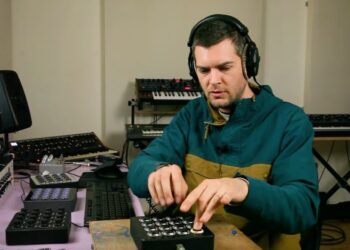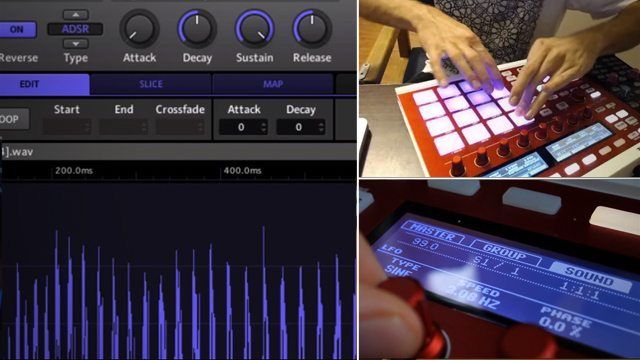
Breaking down a song into playable samples isn’t always easy – but since our own Mad Zach does it all the time, he’s made a tutorial on how to get started building a routine from a song with Native Instruments’ Maschine. In the video, Zach first takes it back to the basics, and then reveals some of his favorite advanced sampling techniques to really make a performance dynamic and versatile. Watch the full episode after the jump!

Keep an eye out for two other videos in this series coming soon with Zach showing how he makes similar routines in Ableton Live and Traktor Remix Decks. If you’ve got questions, let us know in the comments!

Think that you might want to check out a Maschine MkII after watching this vid? They’re in the DJTT webstore now


  • Michielygil

    This is great! I basically do the same cutting up songs with start and end points, but especially those variation and modification tips come in handy to give it more character! I wonder if you could also do a good tutorial on how to prepare, import and grid loop samples for remix deck use. I prepare loops occasionally but I don’t always get good results gridding so I can use remixs decks in Sync mode. I normally import the loop in a track deck, grid it and save to the collection, but I feel this isn’t the right way of doing it. Any tips on that?

  • Preset

    Thanks just what i needed help with , more pls

  • http://twitter.com/koningwoning Eric Woning

    Hmz – I think it would have been as least as helpful to show what kind of sounds you should look for…. juicy bits is just a bit too generic. Maybe it could have been more helpful for some people to say something about having a good range of sounds (low / mid / high) and showing that with a number of songs?

    Also – if you take a sample from your harddisk it’s ALWAYS in Oneshot mode. The first thing you want to do is put it in ADSR mode (page 2 by head – I’m at work now :) so when you hit the pad you don’t hear the whole song, just how long you hold down the pad (just put Sustain to 100% and the rest to 0%)

  • http://www.facebook.com/chrismjennings Chris Jennings

    Nice touch having the 3D changing colors in the background. :)

  • SKZ

    Can I do this on Maschine Mikro ?

  • supree

    couldnt agree more!

  • Supree

    Awesome! hope theres more video on maschine!

  • ViVa-Vanquish

    Can i Use My “Korg Kontrolpad” with the Maschine Software?
    please let me know ^.^ :D)

  • Guest

    you’re right about the oneshot mode but I skipped that step and decided to add it as a comment in the annotations instead, thanks for the reminder!

  • monoaural

    and again… always very inspiring…
    thanks zach.!!

  • Mad Zach

    I’m putting together a similar tutorial on remix decks for next week :)

  • http://www.facebook.com/people/Jeroen-Krieger/1101447983 Jeroen Krieger

    Is it possible to do this with the old Maschine controller?

  • I-squared

    No, you can only midi-map very few features in Maschine, the pads not included.
    You can’t buy the software without the hardware anyway.

  • RockingClub

    Don’t think so… AfaIk it’s not possible to map any Maschine software function to any controller.

  • http://www.facebook.com/mike.abb Mike Abb

    well done homey — well done

  • Lassi

    King Zach does it again. Thank you sir.

  • Fbrand

    Is it this easy on the Mikro?

  • http://coco.fm/layo-bushwacka-break-up-benga-dishes-the-dirt-on-himself-guetta-supports-rihanna-and-how-to-create-live-remixes-with-maschine/ Coco.fm | We Know Music » Layo & Bushwacka! break up, Benga dishes the dirt on himself, Guetta supports Rihanna, and how to create live remixes with Maschine

    [...] up a great little tutorial on how to create live remixes with Native Instruments’ Maschine. (full story) Comments commentsPowered by Facebook [...]

  • Gokari

    Yeah! Really the only difference between MKI & MKII is the colored pads. (There’s also a different knob on the MKII, but that doesn’t stop you from doing any of the above.)

  • Mad Zach

    I went in and added annotations to clear up your questions and suggestions :) hope that helps!

  • Mad Zach

    thanks Mike :)

  • Mad Zach

    yes for sure

  • Rutger Willems

    Can’t wait! and loved this one (makes me want to have a mashine even more)

  • sumzero

    the beauty of maschine is the tight integration between the hardware and the software. there are very few points where you’ll need to touch a mouse or keyboard. pretty much everything can be done on the hardware.

  • Guest

    Can i use my “Korg padKontrol” with Machines Software? Please let me know :)

  • ViVa-Vanquinsh

    Well then whats some Good Software for the Korg Padkontrol? or thats good with any Drum pad? im a newbie But im Learning haha Thank you Btw for the Response.

  • robjac

    So so so helpful.. I have been dissecting your ableton sound packs for maschine for quite some time now. Mad Zach for the win

  • http://www.facebook.com/akins.powder Akins DjZero Powder

    You should make a quick video on how to do all of that in Ableton with a Midi Fighter

  • Cwes

    Exactly what I needed! Thanks Zach! Would you mind at sometime doing this with the Maschine Mikro? Thanks again, really helpful.

  • http://www.facebook.com/people/PaulHolland-DoubleDutchdj/100001027166218 PaulHolland DoubleDutchdj

    Simple but very effective, feeling inspired now. Thanks man

  • http://www.facebook.com/mablack88 Matt Allen B

    I followed the instructions for looping with no luck… is there something I might need to do extra or am I stupid?

  • Dandyrandy88

    that was sick! i want that remix. the little bit that you made in this vid is so sick! i want it! where can i get it?!

  • MellonHead

    you may have to do more of it with the mouse, but they run the same software so yes!

  • gigglekey

    Best. Video. Yet.

  • JFlashE

    Is there a video where you show the same technique in Ableton? J

  • Megowan

    Oo, totally should apply looping more to my drum samples. Looking forward to your first release on chronologic! :)

  • http://www.facebook.com/tin.void Tin Void

    Great Article!!!, helps a lot really, although I’m waiting for the one about Traktor Remix Decks.

  • DJ797

    Thanks Mad Zach, I gust got my Maschine last week and have been stumbling through it. This I will now try tonight.

  • calkutta

    cool,but yo,this is notta’ ‘stand-alone controller like normal/ or ‘older’ drum machines ala’ MPC or Dr.Rhythm boxes?…can this be done all in just ‘maschine,with no computer?’-sorry if this is an off-topic question,but i am curious to purchase,thanks in advance.

  • Sleeb

    Hey Zach! I love your tutorials and soundpacks. It would be nice if you did a tutorial on how you make the soundpacks in ableton. As it’s a great mystery to me how you set them up as an instrument (or what it’s called, still new to Ableton).

  • http://www.facebook.com/people/Jeroen-Krieger/1101447983 Jeroen Krieger

    Okay cool, i’m definitely gonna try this out :D

  • http://twitter.com/RIP_KING Rifkizzle

    good stuff my dudes! Maschine is really a great piece of kit with an awesome workflow

  • http://twitter.com/sinfm Sinfm

    yes, but some of the tweaking must be done with the mouse.

  • http://www.facebook.com/profile.php?id=1137292039 Ronald Edwards

    This is one of the reasons I picked up a Maschine Mikro. Too many cool factors were pointing toward getting one. While it’s true the Mikro is less of an all-in-one kit, it appears every other feature on the Maschine is in the Mikro… which I have no problem with because I’m already using the computer, I have a keyboard controller with dials and sliders and pads (oh my) and I don’t have any illusions that the drum machine is hooked up to the computer at all times.

  • DJ Obvi

    was thinking the same thing!

  • DJ JD

    you’re the f’n man zach!

  • DJ TeeOh

    I been missing the useful stuff like this from DJTT. THANKS!!

  • DJ TeeOh

    Yes it can. The software will work fine in standalone. Problem is, finding the software since the software and Maschine come packaged. The Maschine operates just like any other drum machine but has a computer based software to help you expand what you do. Biggest difference I love is seeing the pattern markers as you create and have a big screen to work with. if you never tried one, hit a local shop and try it out.

  • DJ TeeOh

    You mean sampling in Ableton? Ableton has tutorials built into the program under the help menu. It will walk you thru it. They also have a youtube video explaining how to.

  • http://monimega.com/blog/2012/11/19/how-to-make-remix-deck-sets-with-traktors-loop-recorder/ NUTesla | The Informant » How To Make Remix Deck Sets With Traktor’s Loop Recorder

    [...] week Mad Zach showed off how to build remix routines in Maschine, but with our Traktor users in mind, he’s made this new tutorial for a different style of [...]

  • Crackgamebillgates

    Yeah man this is exactly what I’ve been looking for… Basic creative ways to remix and also amazing for live performance

  • Crackgamebillgates

    Lol forgot to thank you for it! Cheers man

  • Djay sleprock

    Much easier using the Masch Remix app which allows you to use the Maschine just like the F1, you have 4 deck control plus effects.

  • http://iwanst58.wordpress.com/2012/11/20/10/ Dj E1 evolution remix

    [...] How To Create Sample-Based Remixes With Maschine [...]

  • http://www.djtechtools.com/2012/11/19/how-to-make-remix-deck-sets-with-traktor%e2%80%99s-loop-recorder/ DJ TechTools  |  How To Make Remix Deck Sets With Traktor’s Loop Recorder

    [...] by madzach on November 19th, 2012 23 Comments Last week Mad Zach showed off how to build remix routines in Maschine_kmq.push(["trackClickOnOutboundLink","link_50ad364e10416","Article link clicked",{"Title":"how to [...]

  • http://www.facebook.com/Meph.One Devin Merlini

    it’s basically the same concept and in my opinion works a little better because it’s beat warped. take your audio file, beat warp it to your bpm then right click it and select slice to new midi track. select the timing you want it sliced in and which device you want it dropped into (my preference is always the drum rack/default) and viola!!

  • http://www.facebook.com/Meph.One Devin Merlini

    you can do this same thing in ableton with your pad kontrol and have that pitch effect at your finger tips on the xy pad instead of taking up a pad slot for a pitched hit. take your audio file, beat warp it to your bpm
    then right click it and select slice to new midi track. select the
    timing you want it sliced in and which device you want it dropped into
    (my preference is always the drum rack/default) and viola!! it’s the same thing.

  • http://www.facebook.com/Meph.One Devin Merlini

    you should check out my korg padkontrol scratch video demo on youtube under msngr415…the pad kontrol is a highly overlooked midi controller.

  • http://www.facebook.com/Meph.One Devin Merlini

    also this works best in ableton running as a vst/au that way you can beat warp your specific track and reload it into machine so that it is in better time with your bpm for recording purposes. i still do this in maschine from time to time when i want to use the keyboard playability on the samples but i find it to be pretty close to abletons “slice to midi function” so i’ve been doing that more often.

  • http://twitter.com/djshiva DJ Shiva

    That was really informative and inspiring! Thank you! I just got Maschine recently and haven’t quite figured out how my workflow will go with it. This gave me some awesome ideas!

  • http://www.djtechtools.com/2012/12/07/holiday-gift-guide-for-djs-and-producers-2012-edition/ DJ TechTools  |  Holiday Gift Guide For DJs and Producers: 2012 Edition

    [...] out there – but we do know that even die-hard Ableton enthusiasts like our own Mad Zach often quickly take to the software_kmq.push(["trackClickOnOutboundLink","link_50c1ba5020d46","Article link clicked",{"Title":"often [...]

  • http://monimega.com/blog/2012/12/07/holiday-gift-guide-for-djs-and-producers-2012-edition/ NUTesla | The Informant » Holiday Gift Guide For DJs and Producers: 2012 Edition

    [...] system out there – but we do know that even die-hard Ableton enthusiasts like our own Mad Zach often quickly take to the software and its [...]

  • http://mixdynamix.com/how-to-build-live-remixes-with-maschine/ [HOW-TO] BUILD LIVE REMIXES WITH MASCHINE | Mixdynamix

    [...] via djtechtools [...]

  • http://www.grooveschool.co.uk/?p=1349 GrooveSchool – How To Create Sample-Based Remixes With Maschine

    [...] DJ Tech Tools [...]

First Time?

This site is dedicated to digital DJs. We develop performance tools and teach cutting edge techniques that enable creative expression. Visit tutorial videos on youtube, equipment reviews in the blog and a very helpful community in the forum. New articles every Mon, Wed, Fri.

RSS DJ TechTools Forums

Review: Hot Hand USB Wireless MIDI Controller

When it comes to MIDI controllers, physical motion can be a hard type of input to understand and access - especially when it's completely disconnected from a physical controller. What if there was a controller that simplified motion - not quite as complex as Read More...