

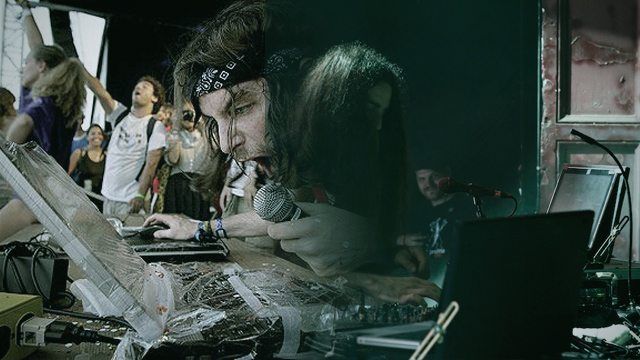
The great irony of DJ equipment protection is that one of the most dangerous places to take your gear is to the exact place that you want to be going to – your gig. Be it an after-hours tech house rager, a weekly wobblefest at your favorite venue, or even a mere wedding reception, the hazards of playing out are there. But don’t fear – we’ve got some great ideas for things to do to make sure that your DJ kit comes home with you ready to play the next show.

We’ve decided to divide up our gear protection advice into three sections: before, during, and after a gig. You’ll want to make sure that you take the right steps to not only defend your possessions from the worst possible disaster, but you’ll also want to make sure you’re prepared for when your defense fails and you’re scrambling to restart your computer/unplug USB cables/get the music back on.

Before The Gig

Prepare Your Backups

We’re starting with one of the best pieces of advice we can give:  if you’re playing a gig, bring backups. Absurd redundancies be damned, if your normal setup isn’t working, you want options. We recommend:

  • Bring a Bootable Clone Of Your HD: This will allow you to boot into your setup on any similar laptop, so if you’re on the road and need to play an emergency set on your tour manager’s MacBook, no problemo.
  • Put Your DJ Sets Into The Cloud: If you were to lose your harddrive, having your sets ready to download from the internet could be a lifesaver- consider using Dropbox, Amazon Cloud Drive, or Google Music to keep your tracks ready to redownload.
  • Bring a Mix CD – This might seem archaic in the digital age, but if you’ve got a CD with you, odds are that you’ll be able to play it in a jiffy in nearly any DJ booth.

Don’t Bring Your Gear Naked
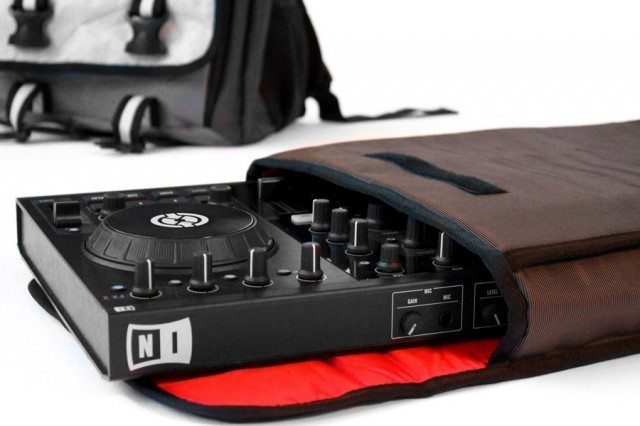
Last week I saw a resident DJ carry their Kontrol S4 into a San Francisco club under their arm, completely bare. Don’t be this DJ! No matter what you’re carting around, put it in something to keep it safe. Whether this is a gig bag, a flight case or coffin, or even just a simple backpack is up to you.

A good bag (like this one!) should hold almost all of your kit, including a laptop, controllers, soundcards, and anything else you might need.

Scout The DJ Booth

Like any good warrior, know the battlefield. If you’re playing in a brand new venue, and you’ve never seen their booth before, go check it out the night before! It’s a great chance to plan out how you’ll fit your setup into the booth and see what kind of gear rearrangements you might need to make. Plus, this is a great chance to network with the management and other DJs since you’re not busy working!

DJ Insurance

This one is for the folks who really think that they’re going to get their gear stolen or damaged – consider insuring your gear (including your expensive laptop). We’ve actually written about DJ insurance in the past, so check out our article from 2009!

Make A Packing Checklist

You might laugh, but writing down a list of things to remember to pack into your bag is the best way to ensure that you have everything with you. You should use this list when packing before you head to the venue, but it will also come in handy later, when you’ve finished playing your gig (see below).

During the Gig

Elevate Your Gear
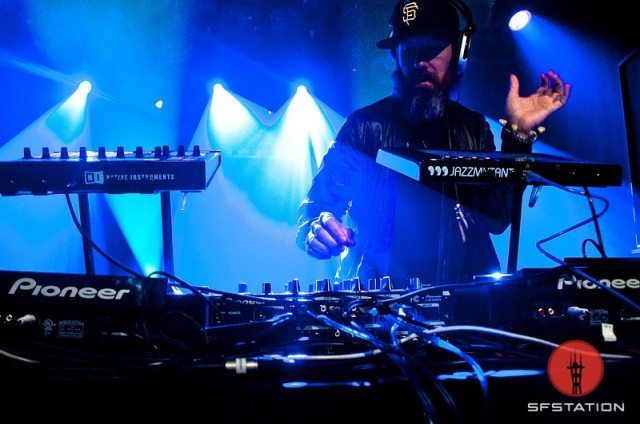
Photo Credit: Alex Akamine / SFStation

If possible, you always want to raise your gear up away from the lowest area of the booth. The reasoning behind this is simple – drinks fall in a downward trajectory (be it from your hand, or from a table, or the guy coming to ask you if you have any hip hop). If you can get your laptop and controllers higher up, it’s less likely that they’ll get in a liquid liquor loss situation.

  • Most Ideal: put your laptop and controllers on stands. If there are elevated CDJs with their own stands, consider removing one or both of them if possible to use that space.
  • Second Best: Put your laptop and controllers on top of turntables/CDJs. Bring some square pieces of foam for this (see below photo). This should be done with care for the equipment underneath – read this article about protecting turntables for careful instructions. 
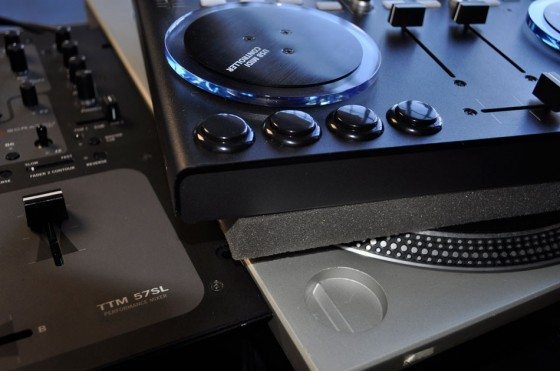
  • Worst: Put your DJ gear lower than the turntables and mixer – you’re asking for a disaster!

Laptop Protection
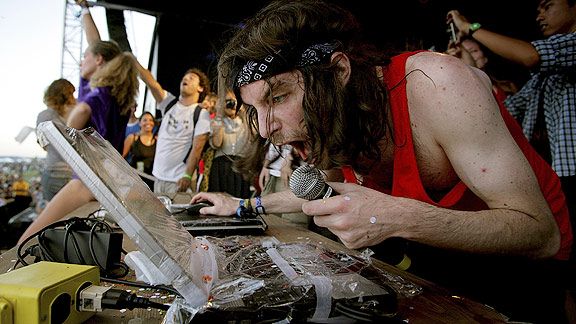
For most digital DJs, the laptop is the most crucial element in a setup – the source of all sound – and as such it deserves special protection. If you’re like Greg Gillis (Girl Talk, above), and find yourself often in the middle of a large crowd prone to spilling alcohol and sweat, you might consider wrapping your laptop in saran wrap for ultimate protection. However, this can be a serious hazard in terms of your laptop overheating, so let’s consider some other laptop protection options.
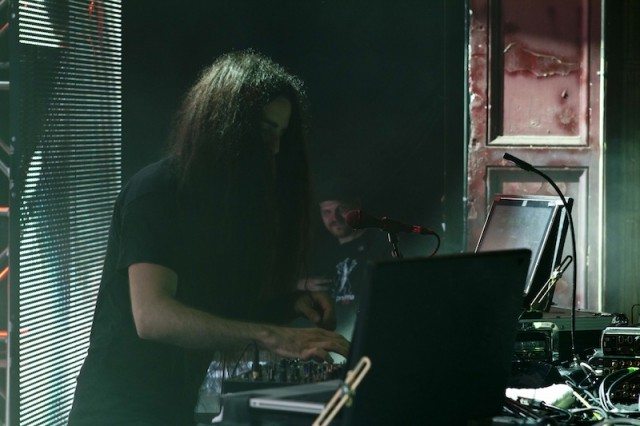
The other king of laptop protection is Bassnectar, who actually uses custom metal cases that open and shield his laptops from incoming objects (glowsticks, water bottles, etc). While this is also probably overkill for most of you, do consider positioning your laptop to use the walls of the DJ booth to create a similar shield if you’re expecting inbound projectiles.

Use a sturdy stand (like this one!), and make sure it actually tightens and locks into position – under no circumstances should you skimp here unless the words “falling laptop” don’t make you cringe.

Finally, a good way to add one more layer of protection to your laptop is to get a keyboard cover, like this one that KB Covers makes that actually comes with the Traktor keyboard shortcuts printed on it!

Be a Booth Nazi

This one can be hard, but one of the best ways to keep your gear safe is to be extra-vigilant about what goes on in the DJ booth. It’s ok to say no to people coming up to you: No, you can’t come in the booth; No, you can’t keep your drink on the booth, etc. You don’t want to be a party pooper here, but when it comes down to it, your gear is worth it.
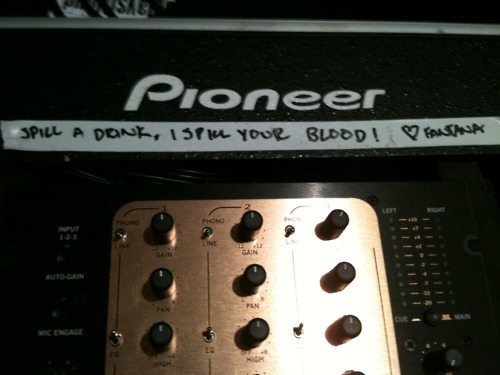
Our best advice here is to make friends with the in-club security (if there is any) and asking them to keep an eye out for you and your gear. Often times they can help you by running interference on patrons who are insistant about breaking your booth rules, and when you’re in the middle of a set it’s great to have someone who can lend you a hand in this respect.

Think Like A Roadie: Use Gaffer’s Tape
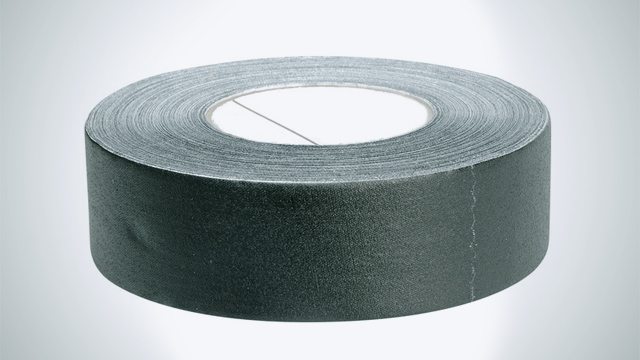
If you find your gear perching a bit too precariously, consider bringing along a roll of gaffer’s tape (thanks, Amazon!) and taping down your controllers, laptops, or perhaps most importantly, your audio, USB, and power cables. The last thing you want is your soundcard’s USB connection to get snagged and pulled out.

Ean takes great pride in a simple custom USB snake that he made for his setup, which ensures that his USB cables stay connected to his hub- a source of constant irritation. You can make one yourself just by taping together all of your USB cables into a hub! DIY at its finest.

Protect Your Most Important Asset

It’s time to talk very briefly about protecting the one thing you can lose very quickly but can’t buy again at Guitar Center: your hearing. Hearing loss is no joke in the DJ world, so be sure to bring and USE two very valuable tools:

    • Regular earplugs (for before and after your sets): Other DJs are gonna be blasting the place, and there’s no sense in getting ear fatigue before you even get a chance to play.
    • In-Ear monitors or musician’s earplugs: We’ve written before about IEMs, (see our wrapup of the best here & buy an excellent pair here), but if you don’t have the cash for them, consider getting a special pair of earplugs for musicians that evenly block sound across the spectrum, allowing you to DJ with them in (At only $12, Etymotic Research High-Fidelity Earplugs are a major upgrade from the cheapo foam plugs).

After Your Gig

Nice job! You’ve finished your gig, and now it’s time to pack up your gear. This is when you’re going to lose most of your stuff if you’re not careful – you’re excited, ready to party with your head in the clouds. Take a moment to remember to get all of your items in order before you start celebrating your amazing set.

Use The Checklist!
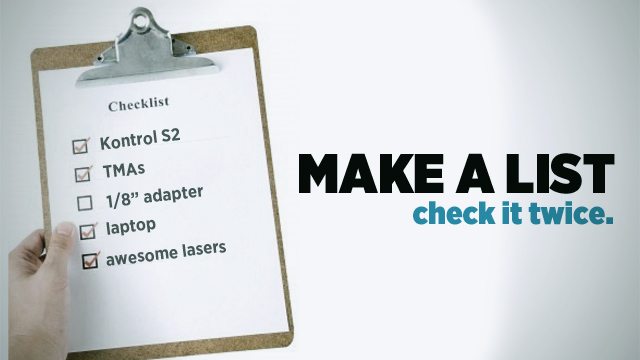
Remember the checklist we made you make before your gig? Now’s the time to pull it out and use it. We also recommend making the process of packing a consistant one that you’ll always remember – for instance, always start with your laptop and its cables, then your controllers and their cables, and then your sound card, and so on. Making this a post-gig routine will insure you don’t slip up and leave something important!

Check the Booth For These!
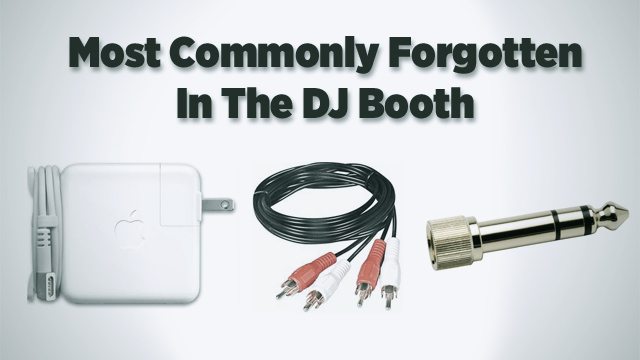
Take a minute and bust out your flashlight app on your smartphone and do a through search of the booth, especially for those smaller things that we all are known to forget. I can’t even count how many 1/8″ headphone adapters I’ve left in a club mixer.

What To Do With Your Gear?

Now you’ve finished playing, and you want to hang out and party- what do you do with your bag full of DJ equipment?

  • Least Secure: Secure the bag in the DJ booth. If someone wanted to steal some DJ equipment, where do you think they’d look?
  • Second Best: Carry it with you. It’s a bit of a pain (especially if you’re lugging an NS7 around!), but at least you know where your stuff is.
  • Best: Get the manager to lock it up for you. If you can find the man or woman in charge, leaving your gear locked in the club’s backroom or office is usually the best!

Remember that gear getting stolen happens to everyone, just last month in LA, Shiftee got his needles and slipmats stolen! For real, who steals slipmats?

What tips do you have for making sure your gear stays secure? Share in the comments below! 

I Loved This Article >


  • Anonymous

    Great article, and some extremely sensible advice. If only I’d remembered some of it at 5am after far too many drinks a few times in the past, I’d have 15 pairs of decent headphones now! ;)

  • http://davepermen.net davepermen

    I have a very short checklist (not written, but in my head), just for the TINY things. power cords, audio cables and stuff. those tiny things you don’t notice if you don’t have them (and the power brick of my laptop has TWO parts, so i have to verify, manually, BOTH for being in my bag).
    that, for me, is the most important thing. i failed to have all those small parts with me as needed too often… :(

  • http://twitter.com/Buszkers Buszkers/JuNouMiCrew

    I just left my aiaiai’s at the club…

  • Anonymous

    Ouch! I’ve done it SO many times. Not saying I’m a drunkard or anything, but it’s so easy to do :d

  • ivanzilch

    what about decksavers when transporting controlers? im thinking of getting decksavers for my s2 just to protect the knobs/faders during transport – is it really necessary or would padded sleeve like pictured in the article would suffice?

  • http://twitter.com/wearekjs KJs

    I have a checklist saved on my phone that I tick off before and after the gig.

  • http://twitter.com/KLOSELINE KLOSELINE

    my man sampology got his white serato record stolen whilst digging in his record box. then when going to watch who took it someone stole his mpd! All this happened right before he started his set!

  • Dj-Ricey

    NO! Do Not put your shit on top of the turntables, their not that kind of table and you will fuck up one of the most iconic bits of kit a Dj has ever used! Especially with the news of the technics being discontinued. Respect your Olders!!

  • Anonymous

    Its how I got my first pair of headphones! LOL jk :p

    Great Article… Thankfully, I have never lost anything YET*
    My untreated-unmedicated OCD is finally paying off, big time! lol :D

  • David Mathews

    I was thinking this as well… and I am not a turntableist. Especially if you are the kind of person to slam you buttons!

  • http://www.facebook.com/people/Chris-Wunder/100000962952568 Chris Wunder

    I would murder everyone lol

  • Ecka

    should have remembered the dj check
    list before showing up at a gig without the cd controllers for serato..I was listening to some cds on my cdj the day before..

  • Woahbotica

    Great article, I wish this had been out a couple years ago, since I had to learn some of those lessons the hard way! Gaff tape has been the #1 accessory to all my mobile setups, I tape everything down to make it look clean, esp weddings. You can tape on walls, tables, and your wires and its easy to remove without ripping off paint or leaving any residue like duct tape does. 

  • http://www.facebook.com/Gavintech Gavin Varitech

    Exactly! I was about to say “put your laptop on top of my 1200′s or CDJs in my booth and SEE WHAT HAPPENS NEXT” but you beat me to it.

  • Spacecamp

    Hmm, I’ll clarify in the article, but it’s still a common practice that can be done correctly. We actually wrote a whole article about it: http://www.djtechtools.com/2010/02/09/please-remember-the-turntables-too/

  • ggly

    Very good article! I spend as much money on protection gear as my DJ gear. I have a UGD headphone bag for my hdj1000, a Gator bag for my mixtrack pro, macbook and headphone, and a Decksaver for my X1!

  • ggly

    Very good article! I spend as much money on protection gear as my DJ gear. I have a UDG headphone bag for my hdj1000, a Gator bag for my mixtrack pro, macbook and headphone, and a Decksaver for my X1!

  • Guesty

    There is some really bad advice in this article..you need to remember context of situations and who you are writing to.

     While it may be common practice to stack a specific piece of gear for a DJ on top of standard *installed* gear ie tables, CDJS in cramped booth enviroment…the context of that situation is a headliner/resident who has been paid for and booked needing room to earn that paycheck – Sure a owner/promoter is gonna give someone THEY SOUGHT OUT AND RESPECT the ability to move things in the booth to perform.

    But thats it… setting things on other expensive things or moving heavy akward CDJs off custom built stands ABSOLUTELY does not translate to the every week local situation of most of these readers and quite frankly could get people socially alienated or physically h u r t.

    In the local scene whether house party, weekly at a dive or monthly local promoters event most of  the gear short of the PA is almost freaking guaranteed not to be promoter/venue owned and installed and not cared about BUT owned by a fellow DJ’s performing who value there shit just as much as you. Having said that… you do say DEFEND your gear because its nice and expensive.. so what do you thinks gonna happen when you set your controller ontop of my m5g’s that I can’t get original gold parts for anymore and have had since you were playing with power rangers? im gonna throw the controller into the wall, and if you say “no its ok I have foam” your head will follow. Bottom line it is NOT there intended use and how the hell is setting something square on a round spinning platter good advice??? Square peg round hole Doesnt work …sounds like an amazing way to jack up my tonearm with a metal corner. While unlikely it could happen – and after all that potential is all it should take for me to remain vigilant by your logic… bad booth layout or not you have no right ever ever ever to disrespect someone elses gear… IF they aren’t around for you to ask permission its not OK. its not an excuse. Or if some local promoter has a pride and joy custom made hanging CDJ mounts what do you thinks gonna happen when you undo custom shit? This is where some of the “wtf are you doing kid why are you trying to make this party your personal studio space and if your a DJ why the fuck cant you just play on these decks like the rest of us and not screw with everything that doesnt belong to you” stigma type controller arguement starts

     as someone who doesnt use a controller the things i take away from your article is dont a let controllerist near your shit and protect your booth!!! but thats context for ya.
     

  • http://www.facebook.com/DJORYAN Ryan Merrifield

    Great article, been thinking of buying a flightcase which will hold my macbook pro and a controller whilst still allowing me to use them

  • http://WWW.REVERBNATION.COM/LEWISLACE L E W I S L A C E

    I used the elevation technique and definitely had to use my checklist at my gig last week. Crowded, college bar is no place to be comfortable having your gear laying around.

  • http://www.facebook.com/people/Paul-Ivanov/100000722050727 Paul Ivanov

    Its very useful article! Thx!

  • http://www.facebook.com/people/Paul-Ivanov/100000722050727 Paul Ivanov

    Its very useful article! Thx!

  • spaz

    It’s not about forgetting my headphones as much as breaking them. I don’t like playing with them on. Only cueing. So I tend to crack the joints in them. I’ve broken Sonys, techs, pioneers, wesc, and I’m about to try the sol…. It seems I should get those metal hdjs. Blah. I hate in ear ones too. I get past needing them mostly so I’ve gotten used to scratching without them. But they are nifty when cueing rock or off beat jams.

  • Aviax

    One Thing I’ve done is label my macbooks power adapter with both my real name, and my DJ name, since everyone owns a white macbook adapter…

  • TigrEagle

     Great read guys. While most of this stuff is kind of a no-brainer, it’s amazing how quickly you can forget the most basic of things when it’s too loud to hear yourself think, things aren’t going as planned and you’re stressing out… 
     As far as gear protection goes, here’s a really cool DIY way to make some cheap sturdy cases: Go to Salvation Army and find some vintage luggage. The OLD stuff, that looks like you’re getting ready to board a flight in the 70′s. Then take an exacto-knife and strip out everything that’s in there. After that get some spray adhesive and nice foam from Home Depot. If at all possible get the egg-crate style foam and layer it nice and thick. You want it to close snuggly so your controller doesn’t flop around in there. If at all possible get the egg-crate style foam; like one of those floor mats to sleep on. This is a great alternative for those who can’t afford expensive protective cases for their gear. If done right you won’t spend more than $20 on this project.

  • Dj mikias

    Hi man, i have decksaver for my s4 and if you dont have lightcase, than get deck saver. Worth the money

  • Owen

    although you do make a valid point, you cant put gear ontop of a turntable unless theres a hard cover on it if at all, you come across as your stereotype dinosaur asshole DJ and that kind of ruins the point you are trying to make

  • http://www.facebook.com/ian.v.jones Ian V Jones

    After leaving 3 Mac Book power supplies at 3 different venues in one week I decided to cable tie a power supply to my bag! The only down side is my bag needs to be near my set up but I have never left any power supplies at a gig since!

  • http://www.djnightlife.com DJ NightLife

    I don’t see how backing up my music on dropbox would save my life before a gig? First I’d need a pro account to have enough storage and it would take ages to recover.

  • Austin Angeldust

    Essential article. Thumbs up. It’s not nice learning the hard way.

  • Samuel

    there’s tricks how you can max out the free dropbox account. im at 23 gigs now – - free….

  • http://www.djnightlife.com DJ NightLife

    How can you get over 8?

  • Quenepas

    The same way less is more in music, well it’s the same on the gear. It is really vital to check where you will play to bring just what you need. Another tip is to drink and party AFTER your set, preferably after you have put all your stuff in a safe place. Parties can get pretty wild and when the liquor starts pouring in it aint the best time to be looking for stolen stuff. 

  • http://www.facebook.com/xdubbaxbubbax Stephen Dub Bub Almada

    this is the best article ive read!! time to get some inear monitors!

  • Dustandechoes91

    As a college DJ, I’ve had so many close calls with drinks. A lot of times I’ve been at frats where you have to set up everything on a bar, and if you have your stuff spread out someone might serve a drink over your hardware. 

    Also, I highly recommend Windex brand electronic wipes. They use anti-static pads, and leave behind no residue, and don’t make microscratches on screens. Perfect for getting the droplets of alcohol out from between the buttons. All other brands i’ve used were absolute shit.

    A huge tip that I offer as an electrical engineering student that I have yet to see another DJ do(there are probably plenty out there): get yourself a set of alligator clips. Don’t have the right adapter? Make one with the clips. These were on my school supplies list for an EE lab class, and they’ve saved me a few times while DJing. They are small enough to fit in some holes, and can open wide enough to gran onto 1/4″ plugs. http://www.amazon.com/SE-Clip-Test-Lead-Piece/dp/B0002KRABU/ref=sr_1_3?ie=UTF8&qid=1328637102&sr=8-3

  • Seratocereal

    In the digital age, CD’s are STILL digital.

  • http://www.facebook.com/alexandergowers Alexander Gowers

    I find a mnemonic helps me remember better than a check list.

    Also gotta love a Kensington lock on the laptop, most people don’t carry wire cutters and they are on every laptop and every controller worth buying!

    It the er-15s that are the in ear protectors and are invaluable, it reduces volumes but doesn’t muffle music, you can even DJ with them in and avoid cueing at ear bleeding levels and chat comfortability in any club.

    Best advice is redundancy, however you do it, have a backup. Be that a CD, Mp3 USB dongle or a friends laptop with your tracks on. Having a laptop with two drives is also genius, I would recommend a SSD too so you can reboot in under 30 seconds.

    If you have a prepared set order you can close you laptop and put it some where safe and auto load the next track on each deck, avoiding having it anywhere potentially fatal.

  • Rich Moog

    Hey Ivan, I have a decksaver on my S4 and put that in a padded sleeve bag by Fusion Bags! They sent it me to test and its great. I had their production bag before but now the (not sure if released yet) sleeve and the decksaver are perfect!

  • Hans Daigle

    I think you forgot to talk about iCloud for the music backup! It back up all your iTunes musics up to 25k songs!

  • http://grooveslanger.com/2012/02/08/worldwide-wednesday-02-08-12/ Worldwide Wednesday 02.08.12 | Grooveslanger Dance Multimedia – Electronic dance music podcasts, news & events

    [...] Protecting your DJ gear DJ TechTools [...]

  • Mylestec

    If you have a bag with compartments for each piece of your kit, it is much easier to remember your shit at the end of the night making sure each compartment has something in it….. when I first started to gig with my digital setup I packed and unpacked the bag at home when sober over and over until it became second nature… now it is rare I forget anything… even when totally smashed

  • Mylestec

    Not good advice at all… The platter rotates… and when peeps get mad into button smashing their controller goes all over the place and into the tone-arm, which is the most fragile part of a 1200.  I always cringe when I see a controller DJ put their equipment on a platter… so disrespectful!

  • Mylestec

    prepared set order as backup = professional… actually playing from a prepared list without excruciating circumstances = failed DJ

  • Guesty

    Us dinosaurs are just mad we have to babysit you all night.

  • Xaviersteel

    As a dj who works on every spectrum, my advice would only be in regards to your collection, personally i have a master collection at home, that i “borrow” from for gigs, etc, esp. since each gig can drastically vary from one to the next, this way I only carry/bring my most relevent stuff out (for those of u who are curious) i use several 64GB usb sticks (you have to use HIGH SPEED usbs) and have serveral collections ready to go at all times (the reg. stuff). You need to have a well managed collection in order to pull this off without added aggravation. good luck

  • Tom

    yea me to… lost my HDJ2000 that way

  • electromarcus

    Well Done! But I miss something. What happens with your Data if your Laptop was stolen? Normally a thief will take your Laptop and sell it anywhere, but if you have some nice (unreleased) Productions on your Laptop, now anyone else has this stuff ^^ I know there is no way to a System Encryption on Mac Systems (only Containers), but an Windows User should think about that (TrueCrypt).

  • electromarcus

    Well Done! But I miss something. What happens with your Data if your Laptop was stolen? Normally a thief will take your Laptop and sell it anywhere, but if you have some nice (unreleased) Productions on your Laptop, now anyone else has this stuff ^^ I know there is no way to a System Encryption on Mac Systems (only Containers), but an Windows User should think about that (TrueCrypt).

  • http://www.facebook.com/profile.php?id=565885017 Nilesh Parmar

    Great read, and soooo true

  • http://www.funkyhousemusic.com/2012/02/15/protecting-your-dj-gear-the-ultimate-guide/ Protecting Your DJ Gear: The Ultimate Guide | Funky House Music | FHMDC

    [...] Article: Protecting Your DJ Gear: The Ultimate Guide Share this post on your networks Related [...]

  • http://www.facebook.com/people/Steven-Wilkinson/778825761 Steven Wilkinson

    Some advice I’ve used a few times when dealing with expensive gear that seems fitting here would be to bring a stainless mesh bag and a bike lock to lock your gear up in the booth/wherever you need to leave it.

  • http://twitter.com/1000cutts 1000 Cutts

    Enjoyed that article – incoming projectiles ha ha…Makes you think though $2000 Mac laptop, $1000 S4 – all kaput because of some drunk ass snaggletooth staggering around your booth going on about Rianna or Eric Prdz

    http://www.facebook.com/1000cutts

  • http://www.facebook.com/profile.php?id=100001820031066 Justin Kuey

    But I have 25,001 songs…

  • http://www.facebook.com/profile.php?id=100001820031066 Justin Kuey

    You could use filevault

  • Foo

    MacBooks don’t have the ability to boot from USB. So no, you won’t be able to play an emergency set on your tour manager’s MacBook.

  • wongaling

    Yes they do, don’t bother arguing… I’m posting this from work… I’m an Apple Technician

  • http://www.djtechtools.com/2012/07/18/building-a-digital-dj-emergency-kit/ DJ TechTools  |  Building A Digital DJ Emergency Kit

    [...] written in the past about preventing emergencies – check out our article from earlier this year on protecting your DJ gear!  GA_googleFillSlot("640×240"); utmx_section("Related Content List") /* [...]

  • http://www.djtechtools.com/2012/12/07/holiday-gift-guide-for-djs-and-producers-2012-edition/ DJ TechTools  |  Holiday Gift Guide For DJs and Producers: 2012 Edition

    [...] ya decks! We’ve discussed at length on DJTT about many ways to keep DJ gear safe_kmq.push(["trackClickOnOutboundLink","link_50c2568996917","Article link clicked",{"Title":"many [...]

  • http://www.djtechtools.com/2013/01/14/the-dj-jesus-pose-a-joke-or-a-secret-dj-weapon/ DJ TechTools  |  The DJ Jesus Pose: A Joke, Or A Secret Weapon?

    [...] Knowing how to protect your DJ gear_kmq.push(["trackClickOnOutboundLink","link_50f3ccc94d3bb","Article link clicked",{"Title":"Knowing how to protect your DJ gear","Page":"The DJ Jesus Pose: A Joke, Or A Secret Weapon?"}]); [...]

  • http://www.djtechtools.com/2013/02/04/how-to-avoid-serato-face-solving-dj-screen-gazing/ DJ TechTools  |  How To Avoid Serato Face: Solving DJ Screen-Gazing

    [...] level could be dangerous – read the “Elevate Your Gear” section in our article Protecting Your DJ Gear_kmq.push(["trackClickOnOutboundLink","link_510f6b90be7e4","Article link [...]

  • http://twitter.com/MalagongMusic Braingineer

    keep your equipment secure? i just go kingston-lock-mad with all my gear, i’ve got like seven of those. It was pretty funny, in the last gig i performed at, someone tried to yank off the kingston from my x1, he couldn’t go back enough to be able to pull it, so he tripped over the stairs next to the booth. lucky him that that particular steps only had 3 steps hi. lol.

  • http://www.djtuto.fr/2013/02/28/comment-eviter-le-serato-face/ Comment éviter le « Serato Face » | Dj Tuto

    [...] the booth level could be dangerous – read the “Elevate Your Gear” section in our article Protecting Your DJ Gear to find out [...]

  • http://www.gimbei.de/dj-tools/how-to-pack-a-digital-dj-bag/ How To Pack a (Digital) DJ Bag – DJ AgeGee

    [...] Read More: The Ultimate Guide to Protecting Your DJ Gear  [...]

  • http://www.djtechtools.com/2013/04/01/how-to-pack-a-digital-dj-bag/ How To Pack a (Digital) DJ Bag | DJ TechTools

    [...] Read More: The Ultimate Guide to Protecting Your DJ Gear  [...]

  • http://www.vincentcox.com/how-to-pack-a-digital-dj-bag/ How To Pack a (Digital) DJ Bag | DJVC | Vincent Cox

    [...] Read More: The Ultimate Guide to Protecting Your DJ Gear  [...]

First Time?

This site is dedicated to digital DJs. We develop performance tools and teach cutting edge techniques that enable creative expression. Visit tutorial videos on youtube, equipment reviews in the blog and a very helpful community in the forum. New articles every Mon, Wed, Fri.

RSS DJ TechTools Forums

DJ History: Spring 1979′s Issue of D.J. International

Read More...

