Last week we looked at ten ways to get into digital DJ software for less than $100. Let’s take it to the next logical step and add some cost effective hardware controls to the software and really get into DJing on the computer. Today Ean and Chris will go through the best options for purchasing controllers from $50-$500, and look for the best value.

BASIC CONTROLLERS

Ok, the software thing is going great but now you want a little more than just a keypad to trigger effects and mix between tunes.The time has come to add a digital control surface called a “MIDI controller”. Much like a remote control for the TV, today’s best USB DJ controllers are just giant remote controls that tell DJ software what do, while providing a large tactile playing surface.

The good news is that all the DJ software mentioned below are “MIDI-Enabled” so that means any controller that is “MIDI-Compliant” will work with it. This opens up a lot of low cost music controllers that were not intended for DJing but will work just fine for getting started.

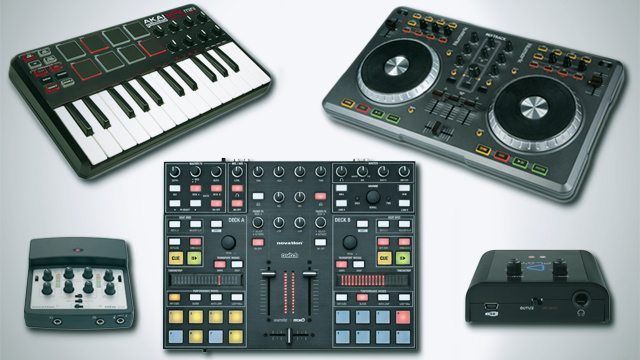
Here are, in our opinion, the most notable examples of the best MIDI controller options for DJs: from low to high price.

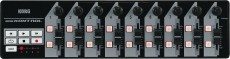
Korg Nano Kontrol/Nano Pad

Cost: $39 each

Good For:

  • Adding lots of controls on the cheap
  • Small footprint

Not So Great:

  • Build Quality
  • Controls are a bit of a squeeze (Kontrol)
  • Pads aren’t very responsive (Pad)

Bottom Line:

The Korg Nano series is undoubtedly cheap and cheerful; they won’t last the rigours of being thrown around but they are handy for stay at home setups. The Nano Key is a bit of a waste though, as it doesn’t really add anything that your computer keys don’t already do.


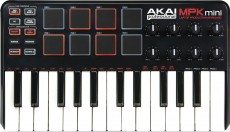
Akai MPK Mini

Cost: $69

Good For:

  • Keys, pads, and knobs all-in-one
  • Handy form factor
  • 25 keys gives plenty of control

Not So Great:

  • The knobs have very short caps that can make them tricky to use
  • The pads are okay at best

Bottom Line:

The MPK Mini is a great controller for the price, as it’s small but pretty sturdy, and although it’s not designed specifically with DJs in mind it does have potential.

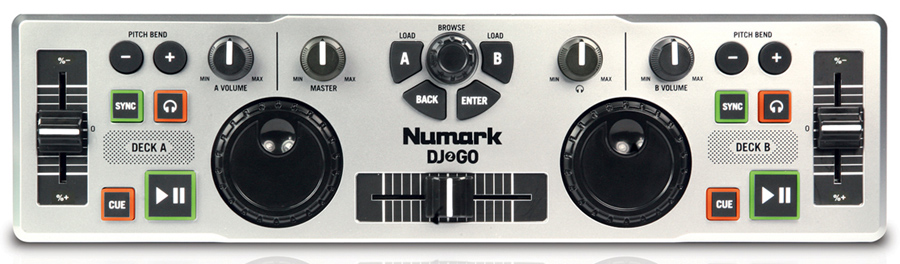
Numark DJj 2 Go

Cost: $49

Good For:

  • It’s ‘DJ shaped’
  • Mobile DJs

Not So Great

  • The unit’s not very controllerist friendly
  • The dials aren’t up to much and feel cruddy

Bottom Line

If you’re in the market for a low budget controller you’ll probably have seen the DJ2GO. It’s not terrible, but its traditionalist design feels like a bit of a throwback. Actually… it’s pretty terrible. We’re listing it because it’s something many of you will likely consider.


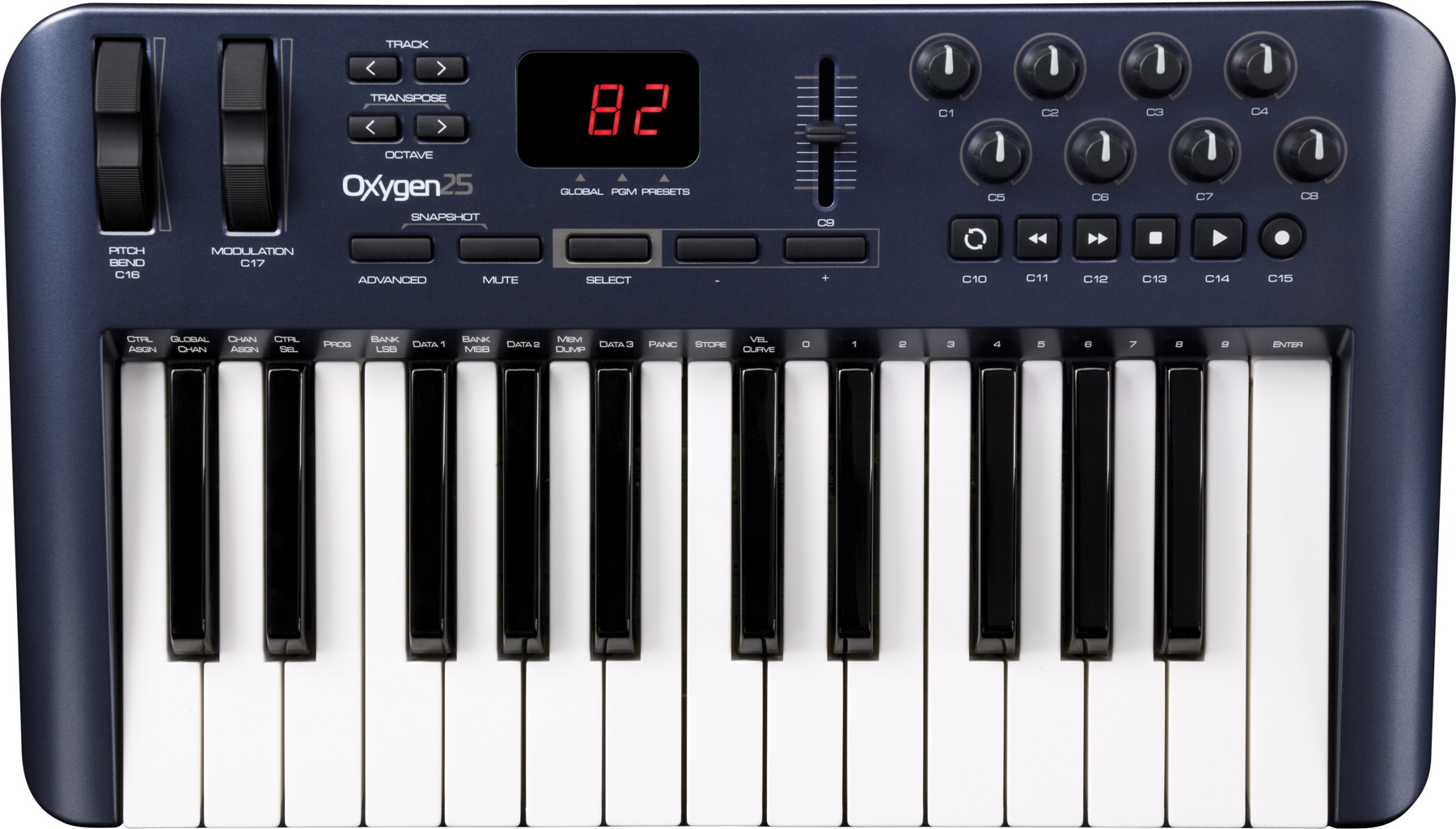
Oxygen 25 Keyboard

Cost: $99

Good For:

  • Sturdy design
  • 25 full-size keyboard keys
  • Pitch and mod wheels
  • Pretty good knobs

Not So Great:

  • Not designed for DJs
  • No pads

Bottom Line

The Oxygen 25, previously known as the Oxygen 8, is something of a classic among controllerists on account of its low cost and high potential. It’s definitely worth a look, and will likely outlast the smaller, flimsier gear above.


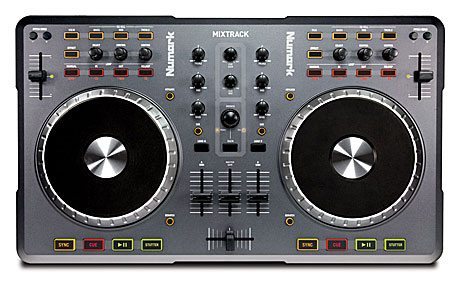
Numark MixTrack

Cost: $130

Good For:

  • Actually looking like a DJ controller
  • Large platters
  • DJ focused controls

Not So Great:

  • Generally light on build quality
  • Platters aren’t very good for track control

Bottom Line

The Mixtrack is actually a pretty decent attempt at a super-low budget DJ controller. It won’t set the world alight and I doubt it’ll last forever, but it has all the right controls.

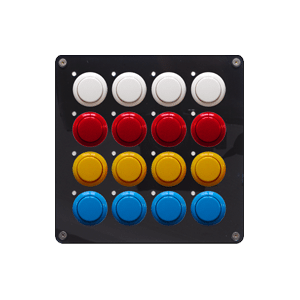
DJ TechTools Midi Fighter

Cost: $179

Good For:

  • Extreme tactile satisfaction
  • Customization options

Not So Great:

  • Pinning your whole DJing control to it

Bottom Line

Okay, obviously the Midi Fighter is a DJ TechTools creation, but we hope you can trust our objectivity. The Midi Fighter uses professional quality buttons, but in all honesty 16 buttons without labels might not quite cut it when it comes to controlling everything your software has to offer. That won’t stop us from mentioning it, though – get your very own here!


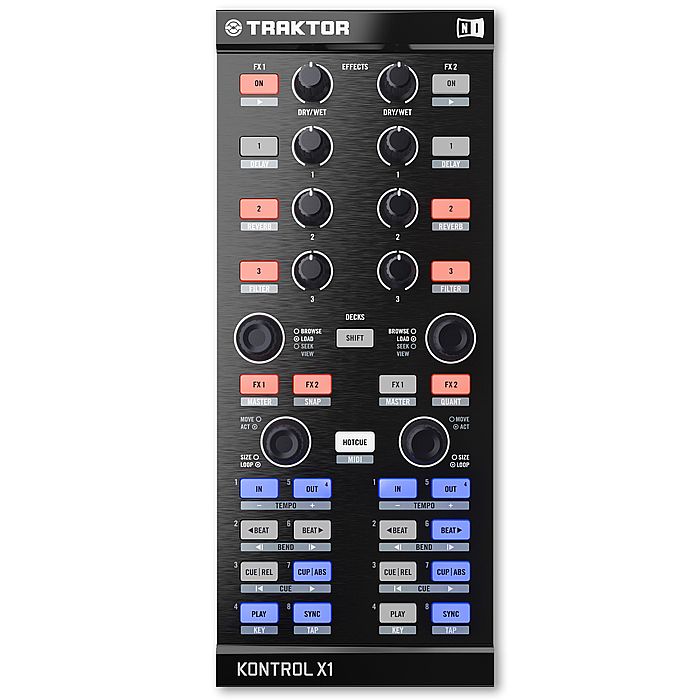
Native Instruments Kontrol x1

Cost: $199

Good For

  • Excellent build quality
  • High resolution controls in Traktor and Serato

Not So Great

  • Limited control surfaces in a cramped interface
  • Better as an accompanying device

Bottom Line

The Kontrol X1 is a great feeling unit, but it feels like it’s designed to be the companion to something that controls your actual decks. Price per control ratio is high, but it’s a quality unit with awesome default Traktor and Serato mappings. It’s also a pretty decent deal at $199!

DJ SOUNDCARDS UNDER $220

If you are ready to start doing some DJ pre-cuing then you will need to add a USB sound card with 2 stereo outputs: one output goes to the speakers and the other is used for headphones. With the controllers above and a low cost sound card, you are still in for less than $400 with software. Below, we take a look at the best DJ soundcards under $220.
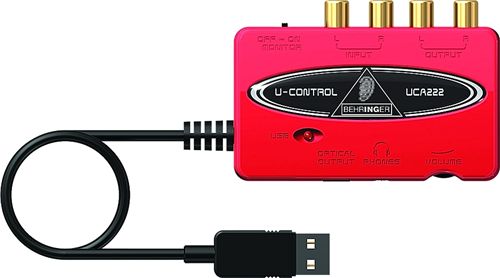
Behringer UCA222

Cost: $40

Good For:

  • Extremely low price

Not So Great:

  • All round quality

Bottom Line:

The Behringer UCA222 is unbelievably cheap, but it sort of shows; the chassis sometimes splits and the audio quality is just okay. It works, but if you can, then just wait a little longer and upgrade.


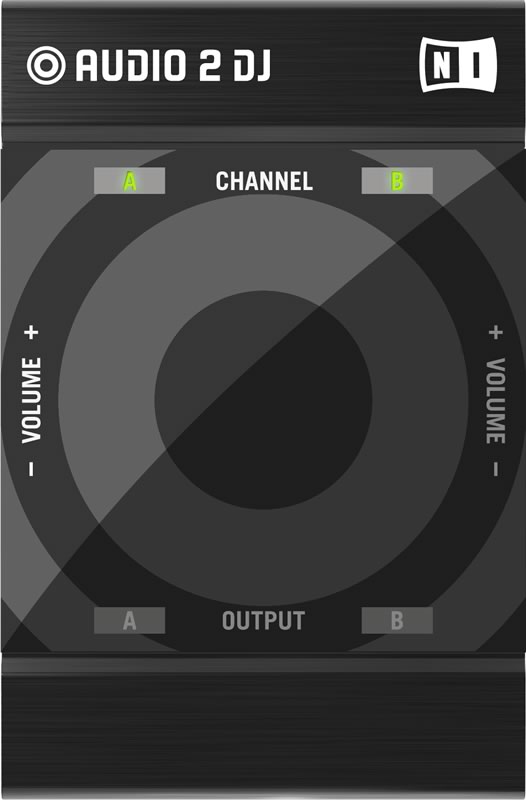
Native Instruments Audio 2

Cost: $99

Good For:

  • Tiny but sturdy unit
  • Sound quality is excellent

Not So Great

  • Extremely limited connectivity

Bottom Line

The NI Audio 2 sounds really good, but has nothing in the way of inputs and just stereo 1/4″ sockets for output. If it’s all you need then it’s all you need, but you might need more for your setup. Either way, at just $99, it’s a nice piece of kit to have if you’re just starting out – grab one for yourself here.

 ReLoop Play
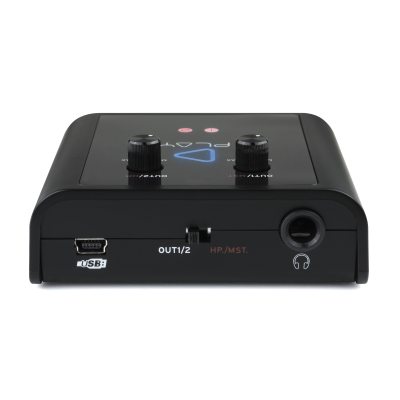
Cost: $90

Good For:

  • Getting separate RCA outputs

Not So Great

  • No inputs

Bottom Line

For total, honest disclosure here, I need to tell you the only contact I’ve had with the Play is at trade show level. I can’t, therefore, really recommend that you do something either way – but I can tell you that the Play is tiny, seemed to work just fine, and provides more flexible I/O than the Audio 2 for less money.

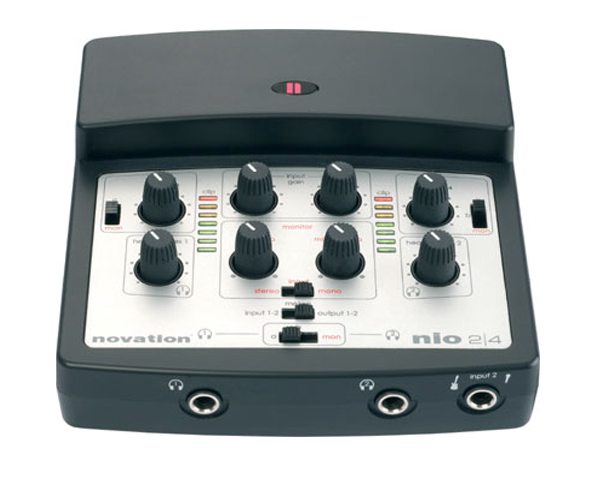
Novation Nio 2|4

Cost: $220

Good for:

  • Sturdy build
  • Very low latency
  • Phantom power input
  • Free effects plugins

Not So Great:

  • Confusing top controls
  • A shame not to have four inputs

Bottom Line:

The Novation Nio is really sturdy, and features special firmware that allows FX routing to be extremely low latency (handy if you’re going down the Ableton Live or similar route). Novation chose to trade four inputs for two, one with phantom power (through-cable power to allow condenser mics to work), and whilst it is cheaper, it’s not much cheaper than the Native Instruments Audio 6; if you’re planning on going DVS at some point soon, this isn’t the best card for you.


THE ALL IN ONE SOLUTION

If you know that tactile control and a sound card are going to be essential then it might be wise to skip straight to an “all in one” DJ controller that is equipped with software, hardware and a sound card for one price.  Here are our three favorite beginner DJ controllers under $500:

Vestax Spin/Typhoon

Cost: $270

Good For:

  • Plug and go on the cheap
  • Looks like a DJ controller

Not So Great

  • Limited control
  • Limited quality

Bottom Line

Spin is designed for Mac and ships with Djay, whereas Typhoon is cross-platform and has Virtual DJ LE. Other than a paint job they’re basically the same controller, and they have a feel of ‘my first VCI-100’ about them. They are fun, but they lack controls for things like effects.

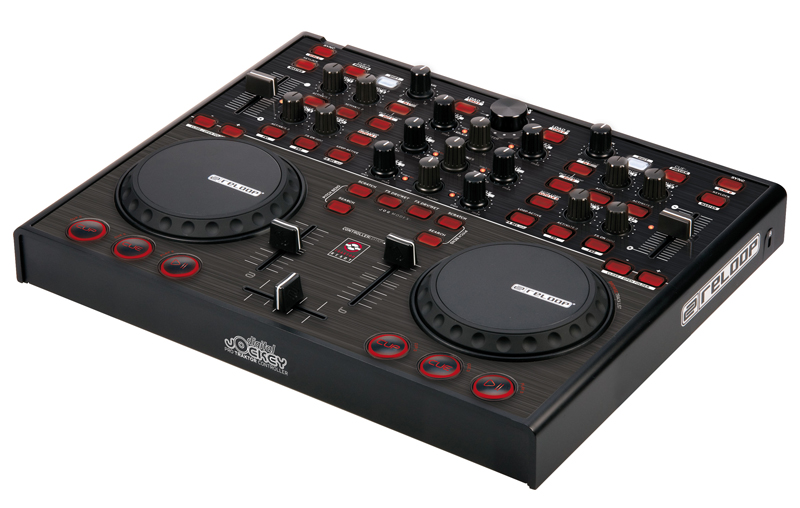
Reloop Digital Jockey 2 Interface Edition

Cost: $300

Good For:

  • Decent build
  • Nice looking
  • Sensible layout

Not So Great:

  • Slightly squashed up design
  • Buttons aren’t ideal

Bottom Line:

The Reloop DJ2 is a surprisingly decent controller – you might immediately get controller envy when comparing it to their newer DJ3, but the DJ2 has plenty of controls and ships with Traktor LE, which is a short upgrade path from Traktor Pro. There’s a lot of controller for the money, but it’s also quite small so you might feel like you’re a bit squashed in.

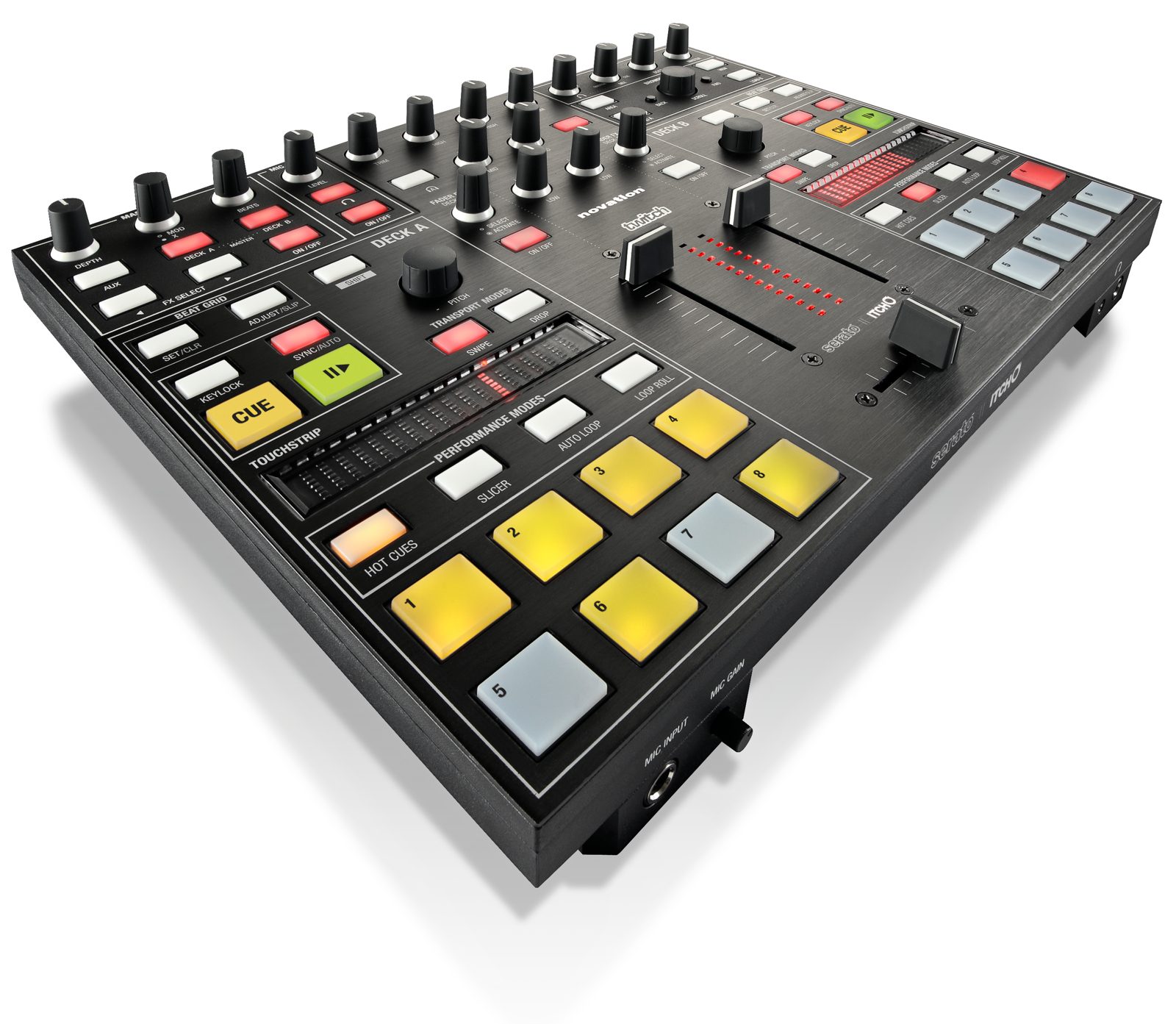
Novation Twitch

Cost: $499

Good For:

  • The very cool slicer mode in Itch
  • Generally professional feel

Not So Great:

  • Some build quality issues
  • No platters might be weird for some

Bottom Line:

Twitch is a controller unto its own, as although it has plenty of competition it also has enough USP to ensure it stands out. Where it really works is the cool features developed for Itch, including the excellent integration of slicer mode. We actually sell them in the DJ TechTools store!


CHOOSE YOUR PATH CAREFULLY!

Most popular DJ solutions today start at $500 and up but there are lots of ways to get started for less. Just keep growth in mind if possible. Pick components that are modular and software that leaves room for growth so that as your demands increase, you can re-use and integrate the components you already have.

Using an external sound card is sometimes smart, because when you want to upgrade your controller you wont need to spend money on another controller with a sound card built in. If your eventual goal is to use Traktor Pro or Serato Scratch Live/Itch then it might be wise to start with their “junior” or light versions. By starting there, the work and experience you put in now wont be wasted when moving to an entirely new DJ platform. Much of the time spent in digital DJing admin is preparing music – cue points, grid information, comments and so on – so switching platforms can be a very time consuming down the road.

Did you miss part one of this series? “DJ Software Options for Beginners: Free to $99” highlights the best DJ software for those out there looking to get started mixin’. 
  • http://twitter.com/NotSoSiniSter NotSoSiniSter

    The DJ 2 Go has a good idea, just very poorly implemented. No one is going to be beatmatching when your pushing the portability factor that far. Keep the Jogs, crossfade, Play/Cue buttons, sync, and headphone cue. I don’t understand why they would ever put pitch bends on this thing, and a browse section. After they have the essentials covered, just fill the rest of the thing with blank buttons for the DJ to decide what to do with. It would be ok solo, pretty snazzy if you throw a 2nd controller into the mix. :) 

  • http://www.eastendlideejay.com/DJNews/archives/157 DJ Options For Beginners: Part 2 | The DJ Daily Insider

    [...] Last week we looked at 10 ways to get into digital dj software for less than $100. Let’s take it to the logical next step and add some cost effective hardware controls to the software and really get into DJing on the computer. Today Ean and Chris… Read more [...]

  • BaseBurner

    I think several things to consider early on is how it looks(it the club), how easy it is to set up and how portable it is… sadly you are going to struggle to get gigs if you turn up with some set up that ether looks like a toy or has like a million cables/ USB hubs… most gigs your going to get to start with are warm up gigs. You will just scare the main dj if he turns up and half your bedroom is set up and it takes 20 mins to change over. Promoters know this and you’re not worth the hassle… honestly try learning how to use CDJs. That way you can put you laptop away before the change over and make less hassle for the DJ that is the main attraction to the night. Also it gives you a way of playing to fill in for those “hey could you just play a couple of tracks while we change the stage over” moments. 

    To save space try external mixing… why bring a mixer in to a club that has spent sometimes several grand on a top of the range mixer? It also looks more professional using the clubs mixer. You need to break through the stereotype of laptop djs being inexperience and uncooperative. note: Ean started with the m-audio oxygen 8, my experience of using an oxygen 8 is that its solid and people react well to seeing it used. It comes across as more subtle and complex, like you are more of a music scientist as opposed to some guy with an all in one controller because you can’t be bothered to manually beat sync. Midi-fighters have the same effect.

    also take a look at this:

    http://www.youtube.com/watch?v=FeevazoXGMg

  • Anonymous

    Nice article. But what are the supposed “build quality issues” with Twitch? I have been using it for six months and think it is the best controller out there at the moment bar none. It doesn’t deserve a “beginner’s controller” tag (indeed, due to its non-standard workflow, it might actually NOT be the best controller for a beginner).

  • http://www.facebook.com/people/Mark-Huigen/100001851257183 Mark Huigen

    I’d like to mention that the Reloop Digital Jockey 2 has a VERY WEAK set of Cup-Cue-Play buttons!!!

    I’ve had that thing for about 1,5 years and the buttons are all worn out, sometimes they respond and sometimes they don’t. It started just once in a while but got more frequent over time! It gets quite exiting when your at a gig remapping your controls to something else then your regular play button just to finish your set! The worn out unit was my excuse to BLESS MYSELF with an S4 ;-)

  • guest

    Because those of us that beat match without sync want a portable backup controller that has pitch bend on it…

  • Chris Cartledge

    Hi Phil, in all honesty I think the line faders are pretty poor, and if I recall Ean doesn’t think much to the knobs. I’m glad you like it though – if you think it’s the best controller on the market, then considering the price surely you’d also be inclined to agree that in fact it *is* an ideal MIDI controller for a beginner? By your logic beginners should use *bad* controllers. 

  • Gapout

    I would have to agree with Chris on this one, regarding a beginner DJ.  I think Twitch is ideal for beginners as it is such a different work flow.  For any DJs that have been around for a while, you get used to a certian work flow that feeds off CDJs/Vinyl.  With the twitch you are completely throwing that away and traditional DJs would have a hard time to getting used to the new setup.  With a new DJ there isnt that previous workflow already in their mind.  For myself, played with vinyl in the 90s and CDJs in the past…there is no way i could go without Jogs, It may take up a lot of space but i like the tactile feel of using actual Jogwheels.  Switching from CDJs to S4 was a bit daunting…switching from CDJs to the twitch…would not have been an enjoyable experience for me and i think i would just get frustrated…but i could be wrong and end up loving it waaaayy more than expect…that was a risk i was not willing to take.

  • Agrawal Mohit100

    I really love the profession of a DJ. I am very much inspired by the rates and the gadgets. it is really a very impressive job and i am also looking my future in this field ahead. refer the following link: http://messageonanecklace.com/articles/good_gifts.html

  • Campark43

    Tip for the people moving from Vinyl to Digital, I find the most realistic jog wheels are on the Vestax Tyhoon, in the category $50-500, and at a price of $250 new it’s hard to beat.  As I moved from Vinyl to Digital, the  jog wheels are the most important aspect for me.  Added a kontrol x1 for effects and hot cues/sample deck control.  In my opinion a pretty nice set up without breaking the bank. 

    Sound card in the Typhoon is not up to par, high latancy, poor sound quality, so expect to shell out another 100 for at least a Traktor audio 2.

    Really if you have the money, all at once, get a kontrol s4, and your done.  Slong as you like the jogs, and you get the full version of software.  VCI-400 looks like the new champ, although the mappings are slowly coming out.

    You can buy a lot of mid end stuff and have a butt load of wires and compatibility problems, and in the end, end up with a VCI-400.  Or just buy the end result and save a lot of money.  We are all dreamers, u know you will want the best, cause your going to play the big shows sooner or later, right?

  • jprime

      Having run Twitch through it’s paces for a couple of months now, my feeling is that it’s build quality is top notch.  The knobs are great, very tactile – awesome feel.
      The line faders are nice and smooth, however they are a mite ‘loose’ meaning there is a bit of play in there somewhere.   I can see where someone again could nitpick – but the fact remains that they slide up and down very well – which is their primary function, tactile-wise they feel…well….like faders.  ;)

      This is by far, bar none, hands down the best controllers I have ever had the pleasure of playing. 

      I can appreciate that some folks demand perfection and really appreciate the different views on it, so I can see how some would shake their heads at faders being a mite loose, or knobs not being tall enough…..but a wise, well respected touring DJ once told me “Don’t complain about the gear you’re playing on – just tear it the fuck up regardless, wether it’s 2 cassette decks, or the best new decks.”

      Great articles as always, and I love the discussions :)  Happy New years!

  • Anonymous

    Fair play, I think nothing about it deserves the label “poor”, but each to their own. But for beginners? I still think there’s value in learning the two-decks-and-a-mixer paradigm first because it’s what you’ll find in DJ booths and so it’s more transferable. So in that respect I feel Twitch’s non-standard workflow is best for those who know what they’re doing. My logic has nothing to do with quality, all users deserve the best quality possible :)

  • http://www.facebook.com/brikha Emil Beatsnatcher Brikha

    I’ve been DJing for almost 20 years now, going from coins as weights to manipulate BPM on my vinyl player, to Technics 1210, to CDJ’s, VCI-100, S4 and now finally… I’ve landed on the king of all kings, Novation Twitch.

    Looking beyond the obvious subjective controller masturbation fantasy that the Twitch is for me, Novation have been bold, brave and very forward thinking with this machine. I honestly love the lose faders, I through them up and down like a mad man, never liked the ergonomics of using a cross fader.

    But it’s two aspects of the Twitch that makes it unique and perfect for a tap happy DJ controllerist, the absence of jog wheels which are replaced with super sexy and intuitive touch strips which brings me to the second point, making room for the delicious pads which I’ve now mapped for deck C and D in Traktor for heavy abuse. Having 4 switch modes on those buttons gives you a total of the ass whopping 64 pads! Add Mr Cartledge’s super hot effects mappings and you will never look at another controller again. I love love love it!

  • J450N N4ME

    M-Audio XSESSION Pro has got to be the most important cheap controller in the universe. You add that thing to any of the above mentioned little guys and your starting to get awesome.  I use 2 Kontrol X1s with my XSESSION Pro- total control of loops effects and transport and a 4 channel mixer.  Not even the $700 price range has figured out that plenty of us are competent enough to want to control 4 decks.  If m-Audio figured out how to make this thing for $75, why aren’t there any other low cost/ midi only 4 deck mixers out there?

  • King Jason Ray

    I found when I went to Guitar center to demo an S4 that I would still want an X1, maybe even 2 of them.  S4 is AWESOME, don’t get me wrong but I feel it would still need a nano-suplement of some kind.

  • http://www.facebook.com/people/Jay-Stone/1511045356 Jay Stone

    twitch is too advanced to be a beginners piece.

  • Shergs

    The Korg Nano Kontrol was my first controller and it did a damn good job of keeping me busy for the first 6-12 months before I could make a bigger investment. 

  • http://www.facebook.com/profile.php?id=1518584826 Matthias Duyck

    When considering buying a cheap(100 dollar) soundcard, then take a look at the maya44 usb (from lots of manufacturers, msi for example).

  • SamuraiTheta

    What about the Mixtrack Pro in the All in one Category????

  • Thomm Moore

    I’m using (and have been for some time) an Akai MPK Mini and Numark DJ2GO, both mentioned in the article. Yeah the build quality is a bit shoddy BUT, with taller knobs and some clever mapping in Traktor you can do an awful lot for £110 – a brilliant starter pair…seriously.

  • DJ LINK2U

    Hi, Great article.

    Although my deck has now somewhat evolved to the upper range, I still use 2 additional features that are in these budget ranges.

    1) The KORG MINI KAOS PAD;
    pro: 100 effects – ready to go on a  responsive X-Y pad
    con: no midi, gain demands a creative setup 

    2) The Icon iDJ;
    pro: great little (contradiction) midi controller all-in-one, with layer remapping possibilities, so lots of possibilities. Works great with high-end DJ software like Traktor.
    con: cramped, less sturdy design & materials

    Just my 5 cents.

    Happy New Year all,
    DJ (HYPR) LINK2U.

  • Lew

    I was surprised by its absence as well, especially as it has an advantage over the standard Mixtrack of also being compatible with Serato Intro.

  • coke

    Can you enlight me on this “super hot effects mappings”?

  • Andre Cato

    Hey Phil, I do agree, but then again, this article is all about an opinion, as we all have, and there (in my opinion) is no right or wrong… Beginners will love it because of its pre-set mapping and simple divine love for Itch, but I have to say, I agree with Chris, the build quality is not a pinch on products now touching our industry like the VCI-400, that are able to be used as a hockey stick during the day and controller for WHATEVER you choose at night :) ahhahahahaha.

    You are certainly one of the experts out there for Digital Gear, but Phil, you gotta remember there are some pretty abusive DJs out there that don’t look after their kit, in clubs or their personal gear… I still love my HDX’s!!! But don’t think most would still even work these days from most users around the world :)

    Twitch is awesome, but so is most gear if looked after, loved and its amazing what you see some artists getting out of gear that most users simply abuse and trash!

    What I love about discussions like this is the different interpretations everyone seems to have on the same gear, topics etc…. Happy new year to Techtools and to you Sir Phil, love all your work from 2011 and hope you all continue to share the love in 2012.

  • http://www.facebook.com/people/Dusty-Bacon/100000290647447 Dusty Bacon

    I’m a beginner/intermediate with a setup that cost me around $492 dollars (retail after shipping and tax for all three components) that does SO much more than any of the options above.  On my Windows 7 lappy running Traktor 2 I use a reloop play with a midi-sport UNO to connect into my Behringer DDM4000, midi-mappable, 4 channel mixer.  
    The DDM4000 is a knob, button, and fader fest and all except the effects and headphones sections can be midi-mapped.  I’ve been able to incorporate multiple mappings and really the only thing it can’t do is jog-wheel/pad mappings.  
    Even while it’s controlling 4 decks in Traktor you can output your sound through it into speakers with balanced xlr outs and also while it’s fully switched to midi you’ll be able to use the on-board effects to alter the master output.
    In addition to all the above, it still functions as an inexpensive, standard four channel mixer with lots of on-board effects, mic, sampler, etc.  With four channels each with a line and switchable phono/line input another dj can plug in while you’re spinning and be ready to go when you’re done.
    It’s a rack-mounted mixer but I have trucked it all over the place and it seems fine.  It sets up fast and has a relatively small footprint.  I even slightly modified an Ikea kitchen storage platform to be its stand since the dimensions fit the DDM4000 perfectly!
    I’ve been using it for four months now and am very pleased.  I started with a mixtrack pro and the only thing good about it was that it was cheap.  Though Behringer’s build quality isn’t excellent, I’d say this is a far sight better than a “beginner” all in one, a stripped down auxiliary controller, or something out of the past.

  • Anonymous

    Too true Andre, not much touches the VCI-400 for tank-like build quality, not S2, S4, Twitch…

    But for me, portability and weight are just as (if not more) important, as all-in-one digital gear is used out of the club as much as in it. I think Twitch (and for me, the S2 as well) get the balance spot on in that respect.

    As you say, it’s all just opinion, and also, a product is only as good as the first thing on it that breaks! 

    I always just try to share personal experience, and as I am lucky enough to road-test much DJ gear in real DJing situations, I feel it’s something valuable I can share. 

    For me, Twitch has been exemplary (so far) and nothing looks set to break – despite having dropped it several times and taken it around Europe by plane.

    HNY to you all here too – Andre, Chris, Ean, DJTT… all the best for 2012 :)

  • Anonymous

    The dealers I work with sell many more Mixtrack Pros than anything else at that end of the market. It’s definitely popular.

  • +Minus

    The mixtrack is great. Ive had mine for a year now still goin strong just got my axiom49 though Im still figuring it out…I dont think im using it to its full potential

  • http://www.facebook.com/profile.php?id=1015222018 Neilster De-man

    i tested it out , its overpriced and only good for at home , take it to a club if you progress and your in deep trouble, I would for the apc 40 and a NI sound card if your starting out , then progress to Pioneer or a Xone 

  • synthet1c

    here’s an idea, why not remap the volume as bass eq, and the pitch sliders as volume? change the pfl buttons to shifts and map the headphone volume as a headphone crossfader normally and volume when shifted, then you can squeze a few more essential controls out of it, I fit about 30 different controls on the 2go in vdj, but instead I chose a icon idj, same size but much more controls and touch sensitive jogs

  • DJRy4n

    woah no Hercules products in this… wtf?

  • satans homie

    Yesterday i was playing with my Twitch, had a spoonful of soup, when back to touch the unit, touched the metel bezel top part and shocked myself, and it fried my twitch… LITTERLY, took it back today.  Its a fun and cool thing to use, but itch sucks and so does the quality of the build for twitch. Unfortunate!

  • Zman2994

    how about a numark mixdeck, or the new mixdeck express (under $500)?

  • http://MikeDailor.com/ Mike Dailor

    As far as build quality goes, the faders are pretty sloppy and it is nowhere near the tank-like league of something like the Numark NS7. That said, it’s the most amazing controller I’ve yet had my hands on and I totally love mine.

  • Terrac

    I love some of the suggestions, but I think the prices are a bit off.  I’ve looked everywhere and the cheapest i’ve been able to find an APKMini is around $90 without shipping and tax.  Anyone know where they got the pricing from?

  • http://www.facebook.com/profile.php?id=1527525415 Christopher Lee Sanchez

    i was wondering the same thing i seen it cost $100 at guitar center.so i dont know where they got 69, but i would like to know where, i was on the verge of buying one

  • DonmecZ

    Agreed! I mean…. yeah their jog resolution kinda sucks (mk4 and mp3e2 & rmx) and their buttons are fisher price at best… but you cannot beat the pricing… and for begginers, hercules units are mad affordable and a good starting point to learn the basics.

    peace

  • Alexander Rivera

    Hercules Set 4, My friend.

  • Edvard Hübinette

    How can you not mention the built-in soundcard in the MTP?

First Time?

This site is dedicated to digital djs. We develop performance tools and teach cutting edge techniques that enable creative expression. Visit tutorial videos on youtube, equipment reviews in the blog and a very helpful community in the forum. New articles every Mon, Wed, Fri.
Subscribe with one million others

Featured Article

DJ TechTools Traktor Kontrol S4 Mapping

The long awaited Traktor S4 Mapping is here and totally FREE. Continue reading for a full video and the download link.

Categories:

RSS DJ TechTools Forums

  • Drake - Take Care 2nd Preview
    Second preview of my first production on Ableton Its slowly getting there Views and opinions? please ... […]
  • traktor s2 and midi fighter question
    hi, i want to add a midi fighter classic to my traktor s2, is this possible. and how would it be setup? thanks […]
  • elusive effects assistance
    is there any way to duplicate some of the effects that Hawtin, Carola and Dubfire use in their sets with just traktror&S4? most specifically the... […]
  • Good stand to hold up my S2??
    Anyone know of any really sturdy "laptop" stands. A stand that I can tilt the face downward a bit so I don't have to lean over and one that I can... […]
  • Which Stylus/Cartridge?
    I have just bought my self a single Technics 1210 Mk II turntable. I am looking to use this deck to record my vinyl onto my HDD and potentially in... […]