

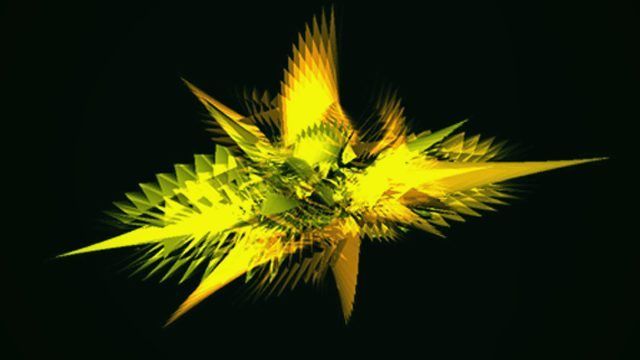
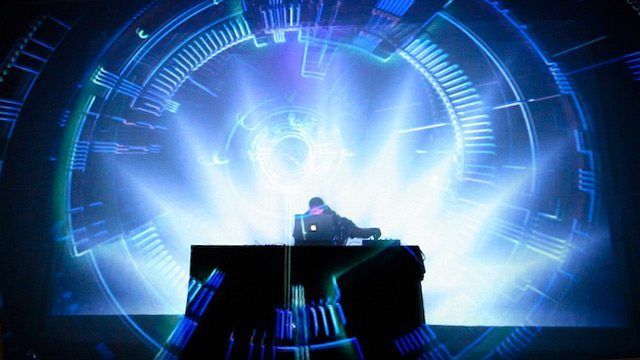
I remember mashing my keyboard to bits when Winamp launched over 15 years ago with its trippy, keyboard controlled graphics. Now projected displays in tandem with DJing are popping up at many headliner shows, and even in bars and smaller clubs. In this article, we’ll look at music visualizers you can use to hypnotize your audience and an introduction to Video DJing (VJ) software for some next level displays.

Chances are we’ve all used a music visualizer with a media player, but visualizing your DJ set for your audience means finding a way to routing the audio output of your DJ program into the visualizer. The easiest way to do this is with an external sound card (I’m using the Presonus Audio Box, see our round-up from last year). With an external soundcard, sending the audio source from your DJ program of choice is as easy as plugging two outputs from the mixer into two inputs and then selecting the input in your soundcard’s mixer program. Arguably the best scenario for routing audio input is to have two computers, one running your music with an output to a second computer, which runs the visualizer and is connected to your display.

You can also use an internal mixer program like Soundflower to re-route audio within your computer. Internal mixers, however, will add significantly to your system overhead so make sure you have the processing power and test extensively before rocking it at your next gig!

The final step is connecting the visualizer to your chosen display. All of the visualizers reviewed allow for at least two displays (where you can work on the visualizer and view the output on another display) and an output resolution of at least 1024×768 or higher, so make sure your screen or projector is up to scratch.
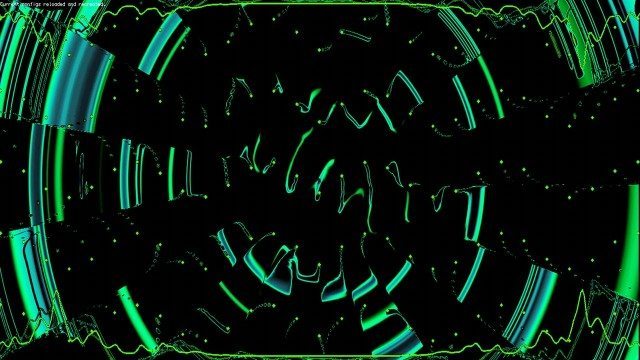
G-Force

Price – $30
Platform: Windows, Mac.
Customizable patterns? Yes, experience recommended

Sound Spectrum’s G-Force offers plugin versions for media players and standalone apps that receive audio input, and allow you to change pattern types, colors and effects through keyboard commands. You can also upload images and videos that play in sequential order. G-force is a set of good entry level visualizers that have a Winamp feel, some better looking than others, straight out the box. If you’re up on your geometry or know how to read through code, custom display scripts can be written in a .txt file to combine patterns and create different transitions between material, but the syntax is anything but straight forward. (A reader points out that technically it’s against EULA guidelines to use this in a broadcast setting, so while this rarely enforced, use at your own risk).

It’s also worth noting that SoundSpectrum make a few other visualizer plugins – Aeon, WhiteCap, and perhaps most interestingly, the slightly cheesy WinterWonders 2011, complete with snowflakes and winter scenes moving in time to your tracks.

Screen capture from a VXSu patch (http://www.djtechtools.com)

VSXu

Price: Free
Platforms: Windows, Linux
Customizable patterns? Yes

A favorite in the demoscene crowd, VSXu is another option for Windows and Linux users (a Mac version is promised). VSXu is unique in it’s ability to treat the visualizer as an object: you can change the viewing perspective, zoom in/out of a pattern and change the absolute position of the program within the screen. VSXu player is a real-time visualizer that takes audio-in and creates some pretty particle and mesh graphic patches based on a built-in audio analysis system (aka Spectral Analyzer). VSXu Artiste lets you create patches in a Max MSP-type environment that you can use with the VSXu player, and even supports timeline actions to play in combination with your set. Still have to work to develop your own transitions and it does not support video, but a good start for Windows/Linux users.

An example of Quartz Composer visualization

Quartz Composer

Price: Free
Customizable patterns? Yes, programming experience recommended

Quartz Composer is a visual programming language used to make the visualizers found in iTunes and provides the architecture for many other audio applications, like Serato. It’s very stable, you can find a lot of visualization scripts online and it can even be used with a video mixer like CoGe to accept MIDI input. Mac users with more time and a tight budget can apparently route some of the built-in visualizers in iTunes to receive audio input. If you want to get your hands dirty, sign up for Apple’s Developer and download Xcode in order to edit QC files (.qtz).

Using audio input as a data source in visualizers make for an easy show but will always suffer from “noise” present in some songs, sounds that are in the background of the track. Most visualizers use a combination of spectral analysis and filters to isolate things like bass tones or snares to make up for this. Interacting with the program while playing, to change patterns or colors for example, also presents potential catastrophes; the wrong key stroke in the wrong program could derail your entire set.

Video DJ/VJ software
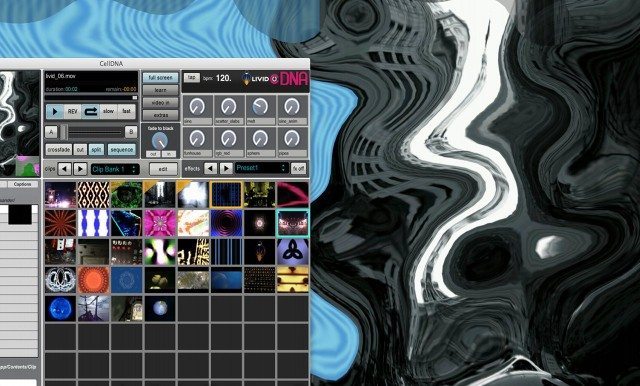
Screenshot from a Live DNA session midi synced to Traktor

Video DJ programs like VirtualDJ ($299), Arkaos ($383), VDMX 5 ($300) or Resolume ($448) to name a FEW let you make detailed visual compositions that are synchronized to your performance, that can be controlled from a MIDI controller and often accept both audio and MIDI inputs. These come fully featured with timed transitions, effects and effect patterns that you can save ahead of time, eliminating the need to create your own presets or patterns or to stay glued to the program when you switch back to your DJ app.

Cell ($89) is a good example of a basic yet powerful and intuitive video mixing tool that comes as both a standalone app and VST plugin. Cell has MIDI learn features for triggering clips and transitions with a controller and allows you to create sequences and shows ahead of time to play with your set, but does’nt support audio or MIDI clock in.

Livid’s new incarnation, Cell DNA ($149 — see photo above) features a BPM sequencer that can receive MIDI from other applications that send MIDI clock out (like Traktor), a 32 preset effect back, video cross-faders and MIDI controllable knobs in addition to the clips and transitions. Most everything can also be triggered via MIDI using Max for Live, in sequence with your audio files. You can also control multiple instances of the program from other computers over the internet and display to up to 4 screens at a time!

Before you make the leap, remember you’ll need a bunch of videos to make a great set (though some VJ programs like VDMX 5 also support Quartz Composer files), even more processor power or another computer, and some inspiration. SoftwareVJ lists many of the VJ options and will help you compare stats between them.

Know of any incredible music visualizers or VJ programs that should be in this list but we haven’t found? Let us know in the comments and we’ll add them! 
  • http://www.djayggregator.com/2011/11/14/blinded-by-the-lights-music-visualizers-and-vjing/ Blinded by the Lights: Music Visualizers and VJing | Djayggregator

    [...] with DJing are popping up at many headliner shows, and even in bars and smaller clubs. In… Read more Go to Source Share this on: Mixx Delicious Digg Facebook [...]

  • No
  • http://www.facebook.com/cjthedj C.J. Crawford

    There’s a program I downloaded called Noise Cradle. Has a lot of effects and you string them together in a similar way to how Audio Mulch works. Pretty cool.
    I just checked their website and it’s only showing a logo, Maybe they are out of business?

  • http://www.facebook.com/cjthedj C.J. Crawford

    There’s a program I downloaded called Noise Cradle. Has a lot of effects and you string them together in a similar way to how Audio Mulch works. Pretty cool.
    I just checked their website and it’s only showing a logo, Maybe they are out of business?

  • http://twitter.com/denisb Denis Braekhus

    Resolume needs mentioning. OSX/Windows and is pretty much the Traktor of the VJ-world. Awesome power with a somewhat intimidating UI (at first). 
    http://www.resolume.com/

  • koffa

    Also have to give a shout out to Resolume. Usually my go to program for VDJ:ing, also good that it has midi-in, so I can sync up Traktor on my laptop with Resolume on a buddys, or my seccond laptop…

  • http://www.facebook.com/profile.php?id=100001138444109 Mutis Mayfield
  • http://www.facebook.com/luma.beamerz Luma Beamerz

    You should take a deeper look into CoGe: http://cogevj.hu

    It has well Quartz Composer support as you mentioned, but works in the “standard” way too.

  • Just Friday

    As another cross-platform free stuff, you have onyx vj, wich works on Adobe AIr : http://www.onyx-vj.com/

  • Anonymous

    Hate to be a party pooper but you cannot use Sound Spectrum’s products in public without their permission.   http://www.soundspectrum.com/legal/eula.html

  • http://twitter.com/GRiNSERGRiNSER Reinhard Buchinger

    Uhm, aren’t you missing some of the most commonly used ones?
    I’m thinking of Resolume and Modul8…
    Also vvvv and Processing can be pretty useful for doing visuals besides of Quartz Composer.

  • Gummybear

    yeah. i like gforce and whitecap but soundspectrum’s pricing is ridiculous. $30 for what is essentially a screensaver, and all you get is one years worth of updates? and I can’t use it in public?

    i purchased both a few years ago but they will not be getting any more of my money.

  • Anonymous

    Hi Reinhard, this article did’nt go super deep into VJ programs but those are all good options. Processing a little tricky for most tho….

  • Anonymous

    Hi guys, this article was only supposed to give a lay of the land of visualizers and VJing is a lead-out, as the next step in creating compelling displays. We could write several other pieces on this, thanks for all the recommendations! vvvv looks sick.

  • Anonymous

    Hi guys, this article was only supposed to give a lay of the land of visualizers and VJing is a lead-out, as the next step in creating compelling displays. We could write several other pieces on this, thanks for all the recommendations! vvvv looks sick.

  • Anonymous

    Hi guys, this article was only supposed to give a lay of the land of visualizers and VJing is a lead-out, as the next step in creating compelling displays. We could write several other pieces on this, thanks for all the recommendations! vvvv looks sick.

  • Anonymous

    hmmm, how transparent! Thanks for letting us know.

  • Anonymous

    hmmm, how transparent! Thanks for letting us know.

  • Anonymous

    hmmm, how transparent! Thanks for letting us know.

  • Anonymous

    hmmm, how transparent! Thanks for letting us know.

  • Anonymous

    Yes, this is the program I was most excited about. Really cool, low overhead, could get lost in it for hours.

  • Anonymous

    Yes, this is the program I was most excited about. Really cool, low overhead, could get lost in it for hours.

  • Anonymous

    Yes, this is the program I was most excited about. Really cool, low overhead, could get lost in it for hours.

  • Anonymous

    Yes, this is the program I was most excited about. Really cool, low overhead, could get lost in it for hours.

  • http://www.facebook.com/pierre.moreno Pierre Moreno

     typo on first line: 

    “its” not “it’s”

    Great article though :)

  • Anonymous

    I agree with you, Reinhard & koffa, Resolume is pretty powerful VJ tool! I hope we get to cover this more soon

  • Scootermcdoodiepants

    You forgot to capitalize the “t” in typo.

    Great comment though!

  • Scootermcdoodiepants

    You forgot to capitalize the “t” in typo.

    Great comment though!

  • Scootermcdoodiepants

    You forgot to capitalize the “t” in typo.

    Great comment though!

  • Scootermcdoodiepants

    You forgot to capitalize the “t” in typo.

    Great comment though!

  • Scootermcdoodiepants

    You forgot to capitalize the “t” in typo.

    Great comment though!

  • Koolzuurhoudend

    I’d like to see something like VJTechtools on the web.
    Its really hard to get information about VJing if you are new to it. But this is because VJ artist are using very different ways to compose their Visuals.
    Mostly they have a lot of film and video background and know how to use video editing software.
    If you can generate your own video sources your visuals will be much more unique.
    Playing back visuals like the Winamp ones is not what i’d call a good visual.

    One thing to mension is the trend of object mapping:
    looks very nice and involves parts of the room to create a unique visual performance.
    I think there was a post on DJTT about Amon Tobin’s live performance.
    http://www.youtube.com/watch?v=WWai4UZ0OqI

    On Mac I think Modul8 is “the thing”
    http://www.modul8.ch/

  • Koolzuurhoudend

    I’d like to see something like VJTechtools on the web.
    Its really hard to get information about VJing if you are new to it. But this is because VJ artist are using very different ways to compose their Visuals.
    Mostly they have a lot of film and video background and know how to use video editing software.
    If you can generate your own video sources your visuals will be much more unique.
    Playing back visuals like the Winamp ones is not what i’d call a good visual.

    One thing to mension is the trend of object mapping:
    looks very nice and involves parts of the room to create a unique visual performance.
    I think there was a post on DJTT about Amon Tobin’s live performance.
    http://www.youtube.com/watch?v=WWai4UZ0OqI

    On Mac I think Modul8 is “the thing”
    http://www.modul8.ch/

  • Audiomontana

    BOMB  < check it out.

  • Audiomontana

    BOMB  < check it out.

  • Greatmesk

    why is there no Virtual DJ on the list??? Dont you know its one of the best Video DJ solutions?

  • Greatmesk

    why is there no Virtual DJ on the list??? Dont you know its one of the best Video DJ solutions?

  • Greatmesk

    why is there no Virtual DJ on the list??? Dont you know its one of the best Video DJ solutions?

  • http://www.facebook.com/profile.php?id=1010658012 Matt Aurisy

    Ummm…Resolume is the most powerful and seems like you’ve missed that one.

  • http://www.facebook.com/profile.php?id=1010658012 Matt Aurisy

    Ummm…Resolume is the most powerful and seems like you’ve missed that one.

  • http://twitter.com/GRiNSERGRiNSER Reinhard Buchinger

    Of course, you could write pages about this topic.
    I was just wondering why some of the more popular ones were missing.

    “Know of any incredible music visualizers or VJ programs that should
    be in this list but we haven’t found? Let us know in the comments and
    we’ll add them! ”
    Just do your thing ;-)

  • http://twitter.com/GRiNSERGRiNSER Reinhard Buchinger

    Of course, you could write pages about this topic.
    I was just wondering why some of the more popular ones were missing.

    “Know of any incredible music visualizers or VJ programs that should
    be in this list but we haven’t found? Let us know in the comments and
    we’ll add them! ”
    Just do your thing ;-)

  • http://twitter.com/GRiNSERGRiNSER Reinhard Buchinger

    Of course, you could write pages about this topic.
    I was just wondering why some of the more popular ones were missing.

    “Know of any incredible music visualizers or VJ programs that should
    be in this list but we haven’t found? Let us know in the comments and
    we’ll add them! ”
    Just do your thing ;-)

  • http://www.facebook.com/jagraybush Jordan Graybush

    its mentioned tool

  • http://www.facebook.com/jagraybush Jordan Graybush

    its mentioned tool

  • speakerhandz

    What about if i “dont” use any DVS software, and use rekordbox with cdj and mixer? how can i route the sound to activate a visualizer software?

  • Greatmesk

    where is it mentioned? i dont see it?

  • Ob.
  • http://twitter.com/Tigrisshark Lasse Meyer

    We talked about this thing (especially the Quartz Composer Side of it) earlier this year. Didn’t seem to be too much interest in it back then. For those interested, I uploaded my Quartz Patch back then under:
    http://www.djtechtools.com/forum/showthread.php?t=26540

  • Selektro

    I personally use a few Max For Live devices including Vizzable

    http://www.maxforlive.com/library/device.php?id=536

    I can streamline video/effects within ableton DJ sets.

  • Selektro

    I personally use a few Max For Live devices including Vizzable

    http://www.maxforlive.com/library/device.php?id=536

    I can streamline video/effects within ableton DJ sets.

  • Selektro

    I personally use a few Max For Live devices including Vizzable

    http://www.maxforlive.com/library/device.php?id=536

    I can streamline video/effects within ableton DJ sets.

  • Selektro

    I personally use a few Max For Live devices including Vizzable

    http://www.maxforlive.com/library/device.php?id=536

    I can streamline video/effects within ableton DJ sets.

  • Selektro

    I personally use a few Max For Live devices including Vizzable

    http://www.maxforlive.com/library/device.php?id=536

    I can streamline video/effects within ableton DJ sets.

  • Selektro

    I personally use a few Max For Live devices including Vizzable

    http://www.maxforlive.com/library/device.php?id=536

    I can streamline video/effects within ableton DJ sets.

  • Selektro

    I personally use a few Max For Live devices including Vizzable

    http://www.maxforlive.com/library/device.php?id=536

    I can streamline video/effects within ableton DJ sets.

  • Tony

    I always used to check out djtt as it had some really good articles that could be used by every day djs of late its got more and more esoteric to the point were sometimes the articles dont grab me enough to bother reading them.Sorry but since people like ean have stopped making real world useful articles its got a bit boring,the dj equivelent of the guitar solo!

  • Scott McCall

    My brother and I wrote a vj tool called XNTH. I am currently running it on the same laptop as traktor and maschine and it works flawlessly. XNTH is a realtime 3d visual synthesizer. We decided to take a completely different approach to VJing.
    Xnth is a beat driven visual synthesizer. It is amazing.

    here’s a clip from The Music Box, Hollywood. The display is a huge LED wall. here’s the link:
    http://vimeo.com/13778363

    we are just now starting to sell the software. A demo is available for download of course! (PC only):
    http://www.xnth.eu

    Don’t let this comment pass by without checking it out. Cheers!

  • Scott McCall

    I should mention that the thing about XNTH that makes it so cool, is like an audio synth, you get endless presets out of what’s buyilt in to the synth. You can make tons of cool visuals without even having any videos or images of your own. Of course, adding your own stuff is the way to go, but I am always amazed at the new things I create with only a handful of avi, jpg and 3d models..

    XNTH should definately be on this list because we could use some well deserved exposure. XNTH has been in development since 2004 by 2 guys with a passion for music and computer graphics :) (my brother and I are in the image below)

    http://www.xnth.eu (DL demo here)
    http://www.vimeo.com/channels/xnth (a bunch of xnth video clips)

  • Anonymous

    Hey, I was at that party :)  Software looks cool, seems pretty expensive, but I’ll give the demo a go.

  • MFx

    As a former VJ I played around with Resolume for a while in their early stages….due to time issues i quited the vj game…In my opinion Resolume is the best prog at this moment. It’s powerfull and has a realy dedicated team that keep improving the program. Having a vj or vids playing in combination with the lights and the music is the best possible way to create a mood.
    Another good way to create a good show is if a dj and vj hook up and create a show together….
    If you want to see some nice showreels look on the resolume site under footage…

  • http://www.facebook.com/profile.php?id=100001138444109 Mutis Mayfield

    Check my answer few lines down. I posted two interesting resources about this.

    Cheers!

  • Lauti

    Cool, I’ll give it a look

  • http://www.facebook.com/people/Scott-Mccall/674351147 Scott Mccall

    if you have any questions, hit me up! scott@xnth.net

  • http://www.facebook.com/people/Scott-Mccall/674351147 Scott Mccall

    cool man. just with the demo content you can make so much stuff. the demo content is actually useful!

    Pricing is on par with arkaos and resolume…
    We may release another lower price version soon so don’t let the price scare you..

    scott@xnth:disqus .net

  • http://www.facebook.com/people/Scott-Mccall/674351147 Scott Mccall

    cool man. just with the demo content you can make so much stuff. the demo content is actually useful!

    Pricing is on par with arkaos and resolume…
    We may release another lower price version soon so don’t let the price scare you..

    scott@xnth:disqus .net

  • http://www.facebook.com/people/Scott-Mccall/674351147 Scott Mccall

    cool man. just with the demo content you can make so much stuff. the demo content is actually useful!

    Pricing is on par with arkaos and resolume…
    We may release another lower price version soon so don’t let the price scare you..

    scott@xnth:disqus .net

  • http://www.facebook.com/people/Scott-Mccall/674351147 Scott Mccall

    cool man. just with the demo content you can make so much stuff. the demo content is actually useful!

    Pricing is on par with arkaos and resolume…
    We may release another lower price version soon so don’t let the price scare you..

    scott@xnth:disqus .net

  • http://www.facebook.com/per.jakobsen Per Jakobsen

    Sorry.. but I’m a little confused here.. Is there a visual effect that ‘just’ takes the sound/music as input that already has prebuilt visual effects that randomly changes.. 

  • http://www.facebook.com/per.jakobsen Per Jakobsen

    Sorry.. but I’m a little confused here.. Is there a visual effect that ‘just’ takes the sound/music as input that already has prebuilt visual effects that randomly changes.. 

  • http://www.facebook.com/per.jakobsen Per Jakobsen

    Sorry.. but I’m a little confused here.. Is there a visual effect that ‘just’ takes the sound/music as input that already has prebuilt visual effects that randomly changes.. 

  • http://www.facebook.com/per.jakobsen Per Jakobsen

    Sorry.. but I’m a little confused here.. Is there a visual effect that ‘just’ takes the sound/music as input that already has prebuilt visual effects that randomly changes.. 

  • http://www.facebook.com/people/Oli-Ver/100001017980197 Oli Ver

    For anyone serious about vjing I can say vdmx is easily the best software out there, not only can you load quartz composer files into it but you can also make your own custom effects and plugins in quartz composer then load them into it as well.

    I create my own 3d animations that I then trigger and manipulate via midi from ableton live or osc from my ipad. For anyone interested in seeing what you can do in vdmx have a look at my website where I have many audio visual and projection mapping videos.

    1000errors.com

  • Jdrada
  • http://www.facebook.com/profile.php?id=768354692 Dustin Smith

    A lot of these are great – but to be honest, running Milkdrop on Winamp gives you the easiest (and some of the best) plug and play visualizations. If you don’t want to split a line off your mixer you can use a mic as a line-in. You can even add custom logo sprites on top if you want.

  • owen

    I don’t think you should have called him a tool because he missed one sentence. Theres no place for rude assholes on this site. Everyone is just here to help and no question should ever be met with such a response. TOOL 

  • Anonymous

    Something I’m working on with Quartz Composer

    http://www.youtube.com/watch?v=VGTHaLL6i0s

    My first prototype from a few weeks ago, not really useable as it is but I’m almost there now.  Still making lots of improvements, gonna take it out soon once I’ve sorted a few problems.

  • Anonymous

    Something I’m working on with Quartz Composer

    http://www.youtube.com/watch?v=VGTHaLL6i0s

    My first prototype from a few weeks ago, not really useable as it is but I’m almost there now.  Still making lots of improvements, gonna take it out soon once I’ve sorted a few problems.

  • Anonymous

    Something I’m working on with Quartz Composer

    http://www.youtube.com/watch?v=VGTHaLL6i0s

    My first prototype from a few weeks ago, not really useable as it is but I’m almost there now.  Still making lots of improvements, gonna take it out soon once I’ve sorted a few problems.

  • Anonymous

    this is just the article i’ve been waiting for!! my friend and i have been looking into using vjing as a component of our set for a while now. the whole area of vjing seems to be a minefield of expensive programmes with dated and extremely complicated looking GUI’s. i look forward to researching these suggestions:)

  • http://diskjockeyblog.com/blinded-by-the-lights-music-visualizers-and-vjing.html Blinded by the Lights: Music Visualizers and VJing | Disk Jockey Blog

    [...] Blinded by the Lights: Music Visualizers and VJing November 16th, 2011 I remember mashing my keyboard to bits when Winamp launched over 15 years ago with its trippy, keyboard controlled graphics. Now projected displays in tandem with DJing are popping up at many headliner shows, and even in bars and smaller clubs. In… Read more [...]

  • Meerkat82

    resolume is not worth mentioning – they have gone steadily backwards since version 2 and seem to have sacrificed creativity for the sake of technological advancement (2D Vs, 3D effects)

  • Owen

    video dj / vj section. First sentence. 

  • Owen

    video dj / vj section. First sentence. 

  • http://ax11.myopenid.com/ Tom

    I’ve got a better idea. Engage a VJ and only a VJ to perform live and replace the DJ by some Winamp plugin that does auto playlist generation and beat matching!!1!

    …haha, only serious,

    Tom (VJ, DJ and live act)

  • http://www.gaiagallery.com/artists-self-representing/prints/modern-prints/soundala-play-music-visualizer-approved-for-itunes-app-store/ Soundala Play Music Visualizer Approved for iTunes App Store :: Gaia Gallery

    [...] [...]

  • Riko Roos

    I personally think that Video on a ‘Music driven party’ is well overrated. Did visual some time ago with Resolume, vvvv and the most powerful but discontinued software Pilgrim Pro. All i discoverd during these times and still discover when i dj is that people stare at the screens and get paralyzed by the picture overdose instead of dancing. So in my conclusion the comment ‘get a VJ and have winamp playing a playlist’ is not too wrong here…
    If any of you attended the latest DJ Shadow or Amon Tobin show you should know what i am talking about: most stunning visuals i have ever seen but nobody dancing or remembering the music without getting the ‘sound only album’.

  • http://www.djban.com.br/noticias/softwares-para-vj-e-music-visualizers/ DJBan – Music Visualizers: DJs também podem ser VJs

    [...] originalmente publicado no blog DJ TechTools. Adaptado e traduzido por Thiago de [...]

  • http://www.facebook.com/profile.php?id=595941699 Mateo Ferley Yael

    I use Isadora (cross platform node programming based software)
    It’s more complex than resolume or modul8, but way more powerfull as well.

    I also do all the midi routing of my own made midi controllers with it.
    You can import 3d models, quartz composer effects, use live cameras and mix multiple video layers to make some stunning visuals.

    You can check some examples in our website http://www.yaeltex.com.ar
    sorry but is only in spanish, hope you can find something

    Great article!

  • http://www.facebook.com/sebastian.rattansen Sebastian Rattansen

    Nice article.

    I really like the idea of adding visuals to my mixing, but have no idea and am not very technical. Ideally it would be some piece of software that linked straight into Traktor. Anyone know of something like this?

  • Project N

    I have the DDJ-S1, with an external soundcard built into the mixer. Is it still possible for me to work a visualizer with a single computer? Or do I need two, and route 2 outputs from the mixer. (the balanced XLR outputs to the sub, and RCA output to the 2nd computer)

  • Anonymous
  • ????????? ?????????

     
    Hey, DJTT! What about FLxER? Powerful and easy to use free software for all platforms(incl. Linux, iPhone and iPad) based on Java and Adobe flash technologies! I found it at LPM2011 in Minsk…it`s pretty awesome
     

  • Izo

    anyone knows what visualizer is this:
    http://www.youtube.com/watch?v=QXioECt2SQg

  • rex

    No mention of just using winamp w/ milkdrop. Simple, cheap and easy. Out your mixer into you laptop, set winamp to linein. Done.

  • Fezzstenton

    I’ve been using modul8 for a few months now out a gigs, it’s great at setting up quick scenes and reacting to the audio in different ways, well worth a shot, and it’s great for beginners. I’ve started to reach limitations with it tho, and am planning on switching to resolume soon . 

  • http://vizzart.wordpress.com/2011/12/14/music-visualizers-and-vjing/ Music Visualizers and VJing « VIZZART

    [...] viaMusic Visualizers and VJing. Like this:LikeBe the first to like this post.   Leave a comment [...]

  • Howardhope

    sorry this has really interested me but i am only human, and need to clarify how one would mix through traktor with an S4 and send audio/midi signals to another computer running the visual software?

  • Saccadic Rush

    Reading this article with mixed feelings as a VJ who edits and composits video loops live in his performances. I’ve been programming my own presets for milkdrop at an early stage, and then using Resolume 2.4, later Avenue a lot to create unique, live video sets.

    So I feel like using programs for ready-made or sound reactive visuals that you connect to your DJ set is a little like me stitching a finished audio set in Ableton and then pressing the play button while I do my VJing on top. Thats not DVJing. 

    And in the same way, using automated solutions on top of your audio set isn’t VJing. I feel like you don’t stay clear enough on that in this article. Plugging your Mixer into Winamps Milkdrop won’t make you a DVJ. 

    There’s a lot of things to learn and master in proper VJing, so big up to anyone who is a good DJ and builds his own video & animation sets on top of that! But francly it isn’t even easy to get proper credit and pay for the tons of work good VJing can be, so the last thing we need is DJs popping up to say “I’ll do the visuals too, I can plug the mixer to my line in”.

    On the other side – there is close to zero good resources on VJing on the web. I’ve been learning by doing. Seeing articles about the possibilities in VJing and the proper gear on DJtechtools could be amazing – just don’t treat it like you can be a plug-and-play-VJ on the side of being a DJ please…

  • Saccadic Rush

    The thing to aim for is either -real- DVJing, operating your video & audio set at the same time (and I’m not talking about automated solution) – or even better:

    Having a good DJ and a good VJ work together!
    You could be amazed ;)

  • TotesMyGoats

    I recently downloaded Resolume 4 (Demo Version) and started messing about with it. It’s a powerful program that obviously has a learning curve. I wanted to make use of 2 projectors I have, however I’m learning very quickly that it’s going to be virtually impossible to DJ/Mix on my Traktor/S4 and try to go midi-mode for Resolume control at the same time. Seem’s like to use Resolume you need a dedicated VJ with a midi controller/personal laptop, and a separate DJ spinning the tunes on a separate laptop/controller. Maybe I can convince one of my mates to take up VJing :)

First Time?

This site is dedicated to digital djs. We develop performance tools and teach cutting edge techniques that enable creative expression. Visit tutorial videos on youtube, equipment reviews in the blog and a very helpful community in the forum. New articles every Mon, Wed, Fri.
Subscribe with one million others

RSS DJ TechTools Forums

Copyright Concerns For Digital DJs

The world of intellectual property law is quite relevant to musicians, especially DJs and producers that sample other people’s material in performance and composition. In this article, we provide some general tips for navigating this confusing, potentially treacherous landscape, so read on as we explain the basics behind laws that apply when remixing in your bedroom or playing a mashup routine live.

Please be aware that this article is written from the perspective of United States law.

