Here at DJ Tech Tools we understand and promote the idea that a very important part of being a DJ is your image, because how people relate to you and what they expect will set the boundaries for what people will allow you to get away with (and how you can push and subvert those boundaries!). With that in mind we’re going to be looking at how you can focus, refine, and promote your image in some upcoming DJ Tech Tools articles.
Remember our article on how to ‘win’ at Soundcloud (click here!)? Funnily enough it was around the time Charlie Sheen was in the news a fair bit. It showed a few things that Soundcloud does that you might not consider straight away, and we’ve decided to follow up with even more power user tips. Rather than poke around ourselves we decided to go straight to the horse’s mouth and ask Soundcloud’s own David Adams how you can use Soundcloud to improve your DJing.
Audio Tweeting
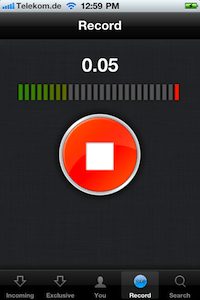
 Audio blog, audio messaging, audio tweeting. Whatever you want to call it, SoundCloud is an ideal way to push out a quick audio message to the web – you can easily use our Record function to record your audio tweet to your SoundCloud profile. Accessible via the website or SoundCloud app for iPhone or Android, the record feature enables anyone to capture sound on the move and then, in the embeddable waveform player, share it anywhere and tag locations – it’s a simple case of configuring your social networks and opting to share your audio tweet; you can even check the stats of your audio tweets or make comments on them!
Tech Ed’s Note – A picture tells a thousand words and we’re not sure how many pictures a sound can conjure, so 140 characters is categorically less interesting than a 15 second sting of your latest controllerist moves and a shout out to your latest gig, right?!
Interviews
Going back to the many uses of our Record Function, why not switch things up a little and conduct a few informal interviews on the fly – become a journalist for the day like the winners of our Camden Crawl competition (check out the interviews here), if you’re out on tour consider interviewing a bunch of different artists, grab an audio snippet of their tour experience and share it between both sets of fans!
Tech Ed’s Note – We really are all in this together, stronger when we collaborate, and so on; having something to share with two fan bases is an excellent way to get out there! You’ll also get some valuable experience with the often bizarre world of interviews – and who knows, you might find journalism’s a love you never knew you had! Just don’t go putting me out of a job. Please.
TakesQuestions
TakesQuestions is all about social audio in the form of Q&A. It’s an exciting and unique way to engage with fans. The concept was first conceived and tested at Midem Hack Day with Imogen Heap and due to huge demand we decided to launch SoundCloud Labs to showcase experimental apps + features made by SC developers and extend the idea into a fully customizable, easy to use web app. TakesQuestions works best for artists that are engaged with their fans, have a strong twitter following and ideally have an iPhone or Android phone. Simply set up a TakesQuestions account, wait for your fans to submit questions to you, then record an interactive response using the record function on your iPhone or Android phone!
Tech Ed’s Note – We love this – you could even invite fans and collaborators to take part in some call and response type musical trickery!
Take Requests!
No, not another experimental web app, but a few simple ideas for you to take requests for your next gig – perhaps encourage fans to submit audio snippets of them requesting their most favourite track and explaining why they love it. You could even request that fans submit audio clips of anything to you, and use these in a set to really engage with your fan base. Tim Exile recently took full advantage of our record function and hosted a live, interactive jam session for SoundCloud global meetup day where he asked fans to record and upload sounds which he then manipulated, mixed and worked into the music, live that evening. Imogen Heap also reached out to her creative fanbase and asked them to record and upload sounds via SoundCloud to be incorporated in her next single, which she then released two weeks later.
Tech Ed’s Note – We see controllerism as the ideal way to engage your audience – sounds have never been so quick to turn into our own and for that, personalising your set based on fan participation is an amazing idea. Maybe you could even do it on the fly at a gig!
Search for samples
 Sticking with the crowdsourcing theme, you too can seek out sounds and samples using SoundCloud. When you upload tracks, you can choose to protect your work with a conventional copyright or opt instead for a Creative Commons license. Naturally, this means not only that you can upload works, but that SoundCloud has become a rich repository for CC-licensed work to use as video soundtracks or samples. Back when this launched, we created a drop box for Creative Commons-licensed works before proceeding to showcase all the submitted tracks at a party!
Premiere your new album
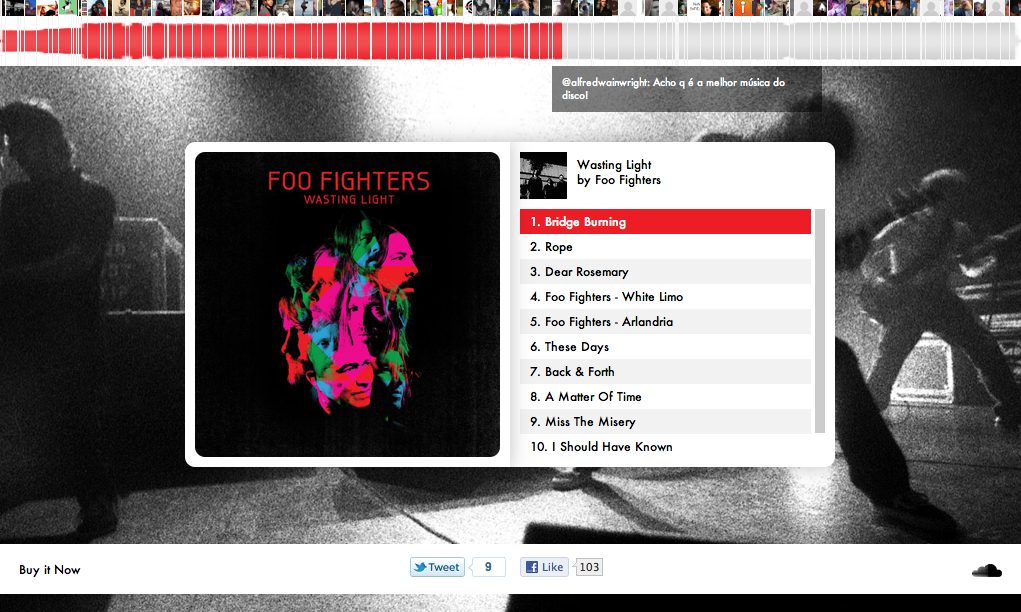 There’s nothing quite as exciting as an album premiere. As a fan, it will be the first time you’re able to listen to your favorite artist’s new record. As an artist, you’ll finally be able to hear what your fans think of all those late nights in the studio. But what makes a good album premiere online?
Fans are looking for a very simple, aesthetically pleasing, premiere player that they can listen to from anywhere. Artists need a structure that maximizes both the viral reach and sale of the record. We’ve created a nice mix of both. It’s called SoundCloud Premiere. Used by the likes of Beastie Boys and Foo Fighters, the Premiere app is a simple and effective way of showcasing your new album.
Tech Ed’s Note – Controllerism makes you an artist – whether you are creating an incredible multi layered mixtape or taking your art to the next level and want to make a totally controllerist album, you can really regain the wow factor that pieces of work lost when tapes and CDs fell to digital downloads.
Throw a contest into the mix
 Previously used by the likes of Ministry of Sound, Chase & Status, Local Natives and Röyksopp, we offer a variety of different options to running a contest, each with their own different benefits to suit your needs. You can set up a group, embed your stems onto a landing page and include a dropbox widget linked to the group for submissions like this example from Two Door Cinema Club, or you could take it one step further and utilise our Remix App, which allows you to fully customize the whole experience and add all sorts of engaging social features like voting and sharing, check out this great example from Soulstice.
Not only do we have a super effective platform for contests, we also have a huge community of audio creators just waiting to get their hands on your stems, you can even promote your contest in our dedicated Remix Competitions Forum.
Tech Ed’s Note – Live remixing can really take your DJing and controllerism to the next level, so even if you’re not creating tracks yourself you’d do well to get over and have a look at these remix contests!
So there we have it: another seven expert tips to help give your DJing a boost. Do you have any that haven’t been mentioned? Share them – and let us know who, what, and where the next thing you want tips on is!
Original header art based on photo by: Lin Mei