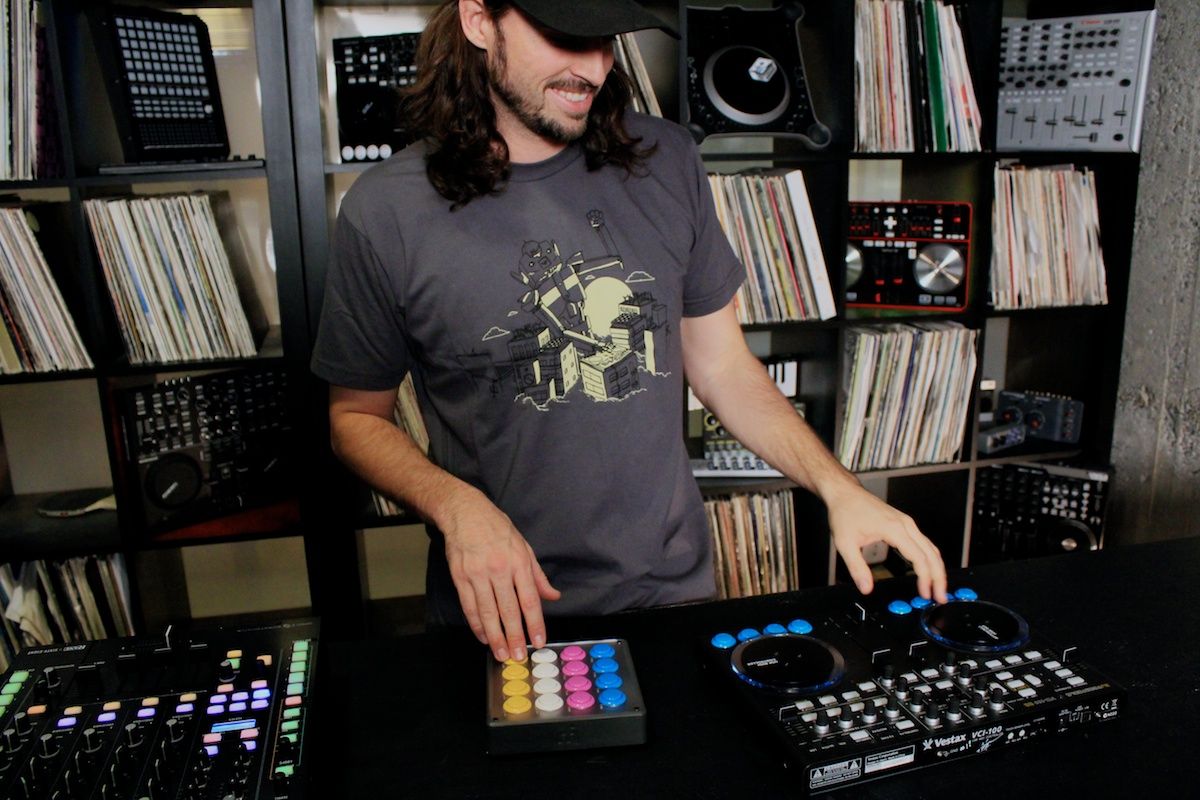
With only 2 days left before the big holiday, we have a special gift for all Midi-Fighter owners. In the video above you will see several new features released in our newest firmware update including support for a special Easter egg that has been in the hardware all along :) Follow me after the break for a tutorial on how to add a LED that pulses to the beat. Its the perfect DIY project for the holiday break.

LED MOD!


In that video, we demonstrated how to trick out your midi-fighter board with a special LED that responds to MIDI beat clock. Just tell Ableton or Traktor to send midi clock out to your newly modded controller and it will automatically pulse with the beat!

UPDATE YOUR FIRMWARE
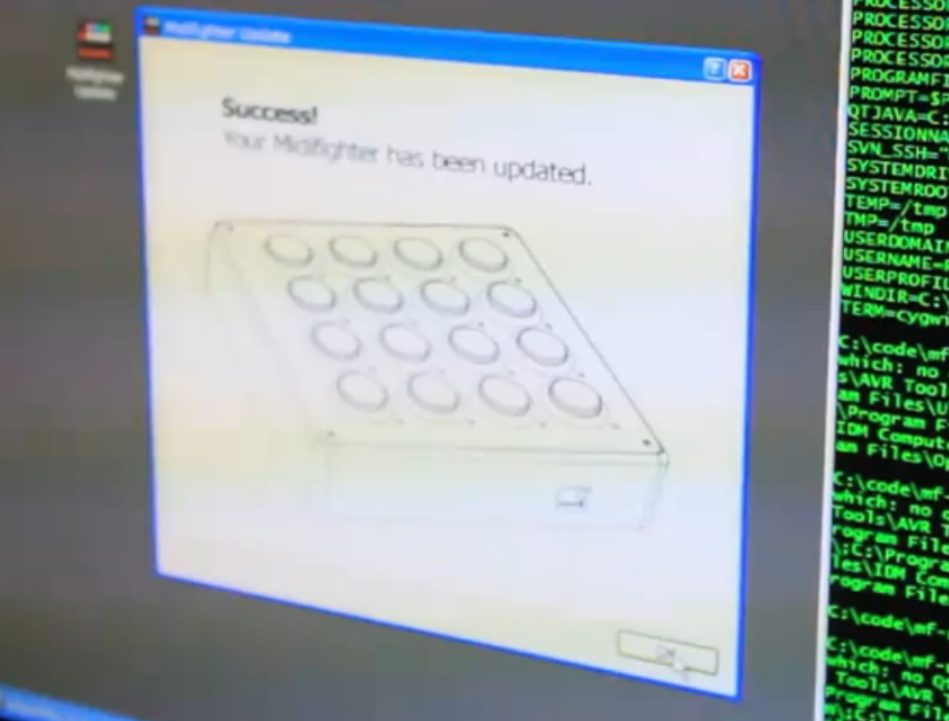

To get the new features including 4 banks mode, the beat pulse LED and super faders on the analogue expansion ports. Just click on the link below. For now, its a Windows only installer, but a MAC version will be available on Midi-Fighter.com next week.

DOWNLOAD THE FIRMWARE UPDATE PROGRAM HERE (WIN ONLY)

You may have seen a new T-Shirt that I was sporting in the video, well  its one of 3 brand new styles we just printed (including the winner of our T-shirt contest!) and they are all available in the web store now.


  • MIDIKID

    amazing! thanks !

  • Herb Strike

    when are those t’s on sale they don’t seem to be on the store yet?

  • Herb Strike

    ignore that haha found them they look awesome printed.

  • http://www.LQP.se Emil Beatsnatcher Brikha

    Great update and nice to see some dynamics put into the video as well.

    I wish I could build those awesome custom machines!

  • Euphoric F

    Nice article,
    but there´s another way to get an “visual beat effect” on any led on any other controller-led just by adding a Midi-Out on the Controller-LED for the Beat-Phase-Monitor. The cool thing about that is, that you actually could use 2 or 4 leds for each deck.

  • http://huh.com Roubignol

    Wow, where can i get those invisible usb cables you’re using on that pic ?
    :)

  • Andrea

    This is Awesome :D Thanks Ean…can you post the song in the video?

  • James

    windows only?!

  • Carl

    Hey Ean, DJTT.

    Wicked article.
    I was wondering though, wouldn’t it be possible (if say, one was capable of doing SMD soldering), to just solder the 220ohm resistor in place next to the atmel chip, instead of shorting the connection and putting the resistor on the led?

    At any rate, thanks a bunch for the mod, I’ll be sure to pull that trick off when I get around to ordering a fighter.

  • weltraumpapst

    nice.. cant wait to do the led thing..
    is the URL in the video right? in the browser it shows midifighter.com, not midi-fighter.com

    anyway the MF site is down..

    i’m only getting this..
    “We’re sorry, but something went wrong.

    We’ve been notified about this issue and we’ll take a look at it shortly.

  • BennyJr

    Looks good. Im gonna need a midi figter now…lol

  • http://listn.to/lafindumonde Str8upDrew

    Is that a Rane 68 is see there???

  • http://soundcloud.com/djawave Awave

    Looks good. However, is there going to be any more support for the VCI-100 SE?

  • NUJAK

    That intro was dope!

  • http://www.eangolden.com Ean Golden

    [quote comment="41876"] wouldn’t it be possible (if say, one was capable of doing SMD soldering), to just solder the 220ohm resistor in place next to the atmel chip, instead of shorting the connection and putting the resistor on the led?
    [/quote]
    Yes- that is the cleanest way to do it but not a lot of folks have that capacity :)

    [quote comment="41875"]windows only?![/quote]
    Mac version will be uploaded next week!

    [quote comment="41882"]Looks good. However, is there going to be any more support for the VCI-100 SE?[/quote]

    yes- we just uploaded a new HD firmware for the SE a month ago and a new TSI will be coming after the new year.

  • Anonymous

    Good stuff Ean…. Loving how you turned a shiesty old man house track into some glitch!!! thats where its at!

  • http://turntablepoetry.com/blog djproben

    Are there any tsis that take advantage of four banks mode?

  • Cincystar4tweny

    Hey I’m really excited to try the new firmware I got my midi fighter 2 weeks ago. I have tried updating the firmware on 3 different computers and they all say failed to enter boot mode ehile the midi fighter is in boot mode with checkered lights. I really don’t want to take the mf apart and manually connect the boot and reset because I have the silicone case any one have any ideas on what else to do? I have tried different USB cables and tried different ways of the update process nothing works

  • RCUS

    Finally!!! thanks so much DJTT!

  • dual citizen

    so do I need to upgrade firmware to make the led bpm thing work?

  • dual citizen

    also, this is awesome!!!!

  • Nico

    Does the LED mod work for the Midifighter MK1 also? The board looks a little different…

  • D-Kem

    Tried the firmmare update on both Midifighters but no joy. Both showing in Bootloader mode but the updater doesn’t find them. Anyway Merry Xmas DJTT. I wil wait for the Mac installer and see if i have more success with that.

  • D-Kem

    gonna give Flip a try instead.

  • AndrewJ

    I’m having the same problem as D-kem it shows that it is in bootloader buy it doesn’t say that it is in the update. any idea why?

  • FUFR

    Same problem here as Andrew and Dkem.

    I can’t find the special screwdriver to open my MF either, but that’s another problem :)

  • frogstar

    sweet, this will work perfectly with my glow in dark mod!
    Thanks djtt!

  • D-Kem.

    Hi Guys. Flip worked great for me. Follow the instructions in the forum.

  • PQ

    song? =)

  • http://www.djmastercourse.com DJ Ben

    Nice one DJTT – wicked job, sick intro!

  • FUFR

    [quote comment="41919"]song? =)[/quote]
    Nero – you and me (Danger remix)

  • FUFR

    Found my screwdriver !

  • http://www.subnoise.ch/abuse/blog Chief Thomson

    this really makes fun! amazing mods…

  • OhNoNolan

    Hey Ean,

    How many Midi-fighters have you guys broken figuring all this awesome stuff out? (the thing about shorting a connection made me wonder) Just curious of the casualties.

  • dichtsinn

    [quote comment="41894"]Hey I’m really excited to try the new firmware I got my midi fighter 2 weeks ago. I have tried updating the firmware on 3 different computers and they all say failed to enter boot mode ehile the midi fighter is in boot mode with checkered lights. I really don’t want to take the mf apart and manually connect the boot and reset because I have the silicone case any one have any ideas on what else to do? I have tried different USB cables and tried different ways of the update process nothing works[/quote]
    Got the same problem :(

  • FUFR

    even the manual reset thing did not work out for me
    *scratch*

  • Cincystar4tweny

    Hey ean,
    I posted an issue I had with the firmware update a couple days ago and I was wondering if the dj tech tools team is aware of the issue and is working towards a solution.I do not own a Mac and I really don’t want to take apart the mf and mess with the board you should know they aren’t cheap to replace if it shorts out. There are a couple people having the same issue where the updater is not recognizing the boot mode please reply back and let me know what’s up.

  • Fatlimey

    I am responsible for the midifighter updater. Can I ask which version of windows you are using? Sour it be Widows7 64-bit?

  • Cincystar4tweny

    I tried on both 32 and 64 neither worked

  • FUFR

    Windows 7 32 bit here.

  • http://www.deepbass.com/portfolio Fatbat

    My Midi-Fighters neither have the place to put the LED nor the extra space to short out (or put the resistor). What’s up with that?

  • Nico

    [quote comment="42007"]My Midi-Fighters neither have the place to put the LED nor the extra space to short out (or put the resistor). What’s up with that?[/quote]

    Neither does mine. Are you talking about the first generation of Midifighters?

  • frogstar

    same issue with the bootloader mode on the midifighter not working

  • Fatlimey

    Found out the problem with the bootloader discovery. When you drop the MF into botloader mode it appears to the computer as a different device, a “DFU” device that requires a driver (did nobody notice Windows finding a new device?). I will generate the INF file needed and try to get that added to the Win32 installer.

  • FUFR

    [quote comment="42072"]Found out the problem with the bootloader discovery. When you drop the MF into botloader mode it appears to the computer as a different device, a “DFU” device that requires a driver (did nobody notice Windows finding a new device?). I will generate the INF file needed and try to get that added to the Win32 installer.[/quote]

    Thank you!

  • Cincystar4tweny

    Much appreciated mon

  • http://blancodisco.com benny blanco®

    Ean/Fatlimey/Anyone,

    I’ve tried the LED Mod on my newer edition board (190 of 500) with two different LEDs and I’m not getting the LED to emit at all. I know I’ve shorted the thing properly (did it with just a soder joint), but no matter which way or side of the board I insert the LED light, it never Illuminates on the beat. I know I have Traktor configured properly and the MIDIfighter in/outs selected properly as well.

    It looks like I may have created a small scratch/chip on the ‘left’ port where the longer stem of the LED is suppose to go on the MidiFighter side of the circuit board (closer to what looks like a ’1002′ component). Not sure if that is causing the issue. But the rest of the MidiFighter operates as it should.

    Any Ideas?

  • Fatlimey

    A fresh build of the Midifighter Update for Windows is available that hopefully fixes the “Can’t find a Midifighter” problems. Visit the forum thread here to try it and report back if it works for you: http://www.djtechtools.com/forum/showthread.php?t=22461

    There is also a thread for help and advice on LED installation beginning here: http://www.djtechtools.com/forum/showthread.php?t=22453

  • KaiPoplar

    I am incredibly surprised that a midi-fighter update program has not yet been released for mac. It is a complete pain in the ass to try and download Xcode and then Mac Ports and do it manually. Xcode takes up 3.5 GIGABYTES of space… with all the DJ and production software that I have on my computer it is completely unfeasible to try and download this and do it manually.
    When can I expect a midi-fighter update program for macs? In all honesty, this should have been released at the same time as the Windows version, seeing as Macs are a preferred choice as a computer for many DJs.

  • Sww1235

    hey ean

    i was wondering what program you guys use to get the live tractor screenshots and compile the videos. its a really cool fx.

  • Anonymous

    [quote comment="42302"]Blah blah…
    When can I expect a midi-fighter update program for macs? In all honesty, this should have been released at the same time as the Windows version, seeing as Macs are a preferred choice as a computer for many DJs.[/quote]

    In all honesty, your powers of observation failed you…

    [quote comment="41886"]Mac version will be uploaded next week![/quote]

    [quote comment="42012"]Neither does mine. Are you talking about the first generation of Midifighters?[/quote]

    Yeah, I guess I am. I ordered two, #48 and #49 of the first 300, but have yet to actually put them together. A fine example of it not paying to be an early adopter and to wait for the second gen of any new tech that comes out.

  • http://www.deepbass.com/portfolio Fatbat

    D’oh, and I forgot to fill out the damn info to not be anonymous :(

  • Armando

    considering the pc version came out before the mac version should tell you why mac’s are better than PCs ;) no virus love, thus I still poke the internet unprotectedly <3

  • Evan

    Given i’m not very tech savvy is there any chance that the LED mod will come as an “optional extra” that can be purchased on future midi fighters? I can see myself attempting it and ending up with a fancy paper weight.

  • Rockson

    Any news on the MAC update?

  • Fatlimey

    Mac version of MFUpdate is now ready for testing. Drop by our Forum thread, get a copy and try it out:
    http://www.djtechtools.com/forum/showthread.php?p=205808

  • Jergo

    Hey i was considering doing the LED mid however just wondering if i were to put the led on the bottom of the MF like Ean has one the yellow button MF, where would i go about connecting the 220 ohm resistor to the led or would i have to connect it to the top of the board while the led is on the bottom?

  • Fatlimey

    [quote comment="42595"]would i have to connect it to the top of the board while the led is on the bottom?[/quote]

    Because the resistor must be in series with the LED, it’s pretty much going to have to go on the same side of the board as the LED.

  • http://djtechtools Frank

    Hi I’m Frank!

    Ive just bought a vestax typhoon! Im happy to get it but i’m also worried at the same time because i can’t get to make it work like i want.

    Can u help me to configure??

    About Technical:

    - Vestax typhoon
    - Traktor Pro 1.2.4 version
    - New MacBookPro

    Ive downloaded typhoon tsi from vestax webside and obviously iVE IMPORTED TO traktor Pro.

    - i DONT know how to configurate audio setup/ output routing/ controller manager!
    - Ive configurated the MIDI on my mac in multichannel audio mode:

    1. back center
    2. side left
    3. top from left
    4. top from center

    About output routing (mixing mode internal) ive to choose between: .
    1 back center
    2. side left
    3. top from left
    4. top from center as well…..

    About output (mixing mode external) ive to choose between:
    1. Output channel A to D and Output preview and output send (so i also have to put back center ..side left..)

    So i would like to listen trough the headphones and the speakers with RCA cable!

    typhoon is recognized by the audio setup and manager controller ( typhoon in all ports)

    What ive to change???

    Thank u very much

    Frank

  • DoubleD

    why does the led flash on the offbeat…..kinda weird and anoying to me

  • dj stylus

    why does the led pulse video not show the actual soldering of:
    1. the led to the board
    2. the short.
    us inexperienced soldering novices need this detail..
    please add this detail to the project video so we can complete this and not damage the board

  • Charles

    Ian is Dj Jesus!

  • Jeffrey Olson

    try looking at the midi fighter 3D it features that and much, much more

  • Rand0mh3r0

     I know i thought the same thing. Im not going to blindly solder something with out know exactly what im looking for.

First Time?

This site is dedicated to digital djs. We develop performance tools and teach cutting edge techniques that enable creative expression. Visit tutorial videos on youtube, equipment reviews in the blog and a very helpful community in the forum. New articles every Mon, Wed, Fri.
Subscribe with one million others

RSS DJ TechTools Forums

Copyright Concerns For Digital DJs

The world of intellectual property law is quite relevant to musicians, especially DJs and producers that sample other people’s material in performance and composition. In this article, we provide some general tips for navigating this confusing, potentially treacherous landscape, so read on as we explain the basics behind laws that apply when remixing in your bedroom or playing a mashup routine live.

Please be aware that this article is written from the perspective of United States law.