As a long time music producer who began looking at alternatives to Ableton for digital DJing, I came across DJTechTools.com about 6 months ago and instantly became a fan. While Ableton is great for many reasons, you will definitely felt it’s limitations after building a dj set with over 300 tracks. Even on a small scale Ableton is limited as a DJ tool because it lacks cue points, decodes all MP3s into WAV files, and requires a lot of tedious warping.
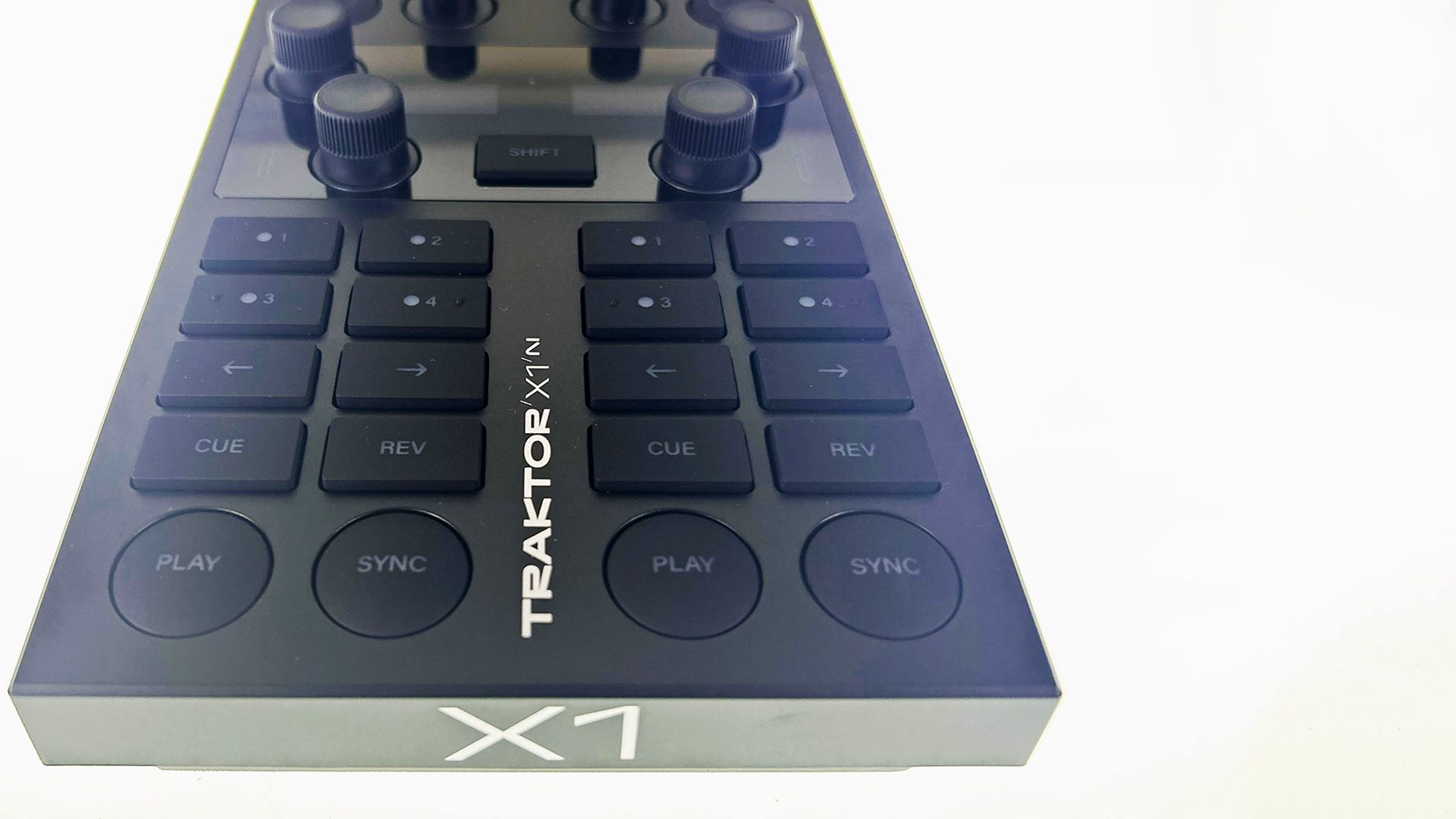
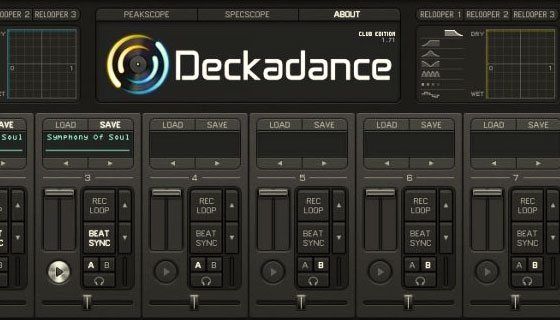
After reading up about alternatives on DJTechTools.com, I decided on Traktor because it sounds great, has awesome effects and integrates perfectly with the X1. The downside of Traktor however is Beat Gridding, which is only slightly less tedious than Ableton Warping. After more research I came across Deckadance, an often-overlooked DJ application for Mac and PC from Image Line (the makers of FL Studio)In this article we will look at the strengths and weakness of this program and see how far its come in 3 years of development.
5 REASONS TO CHECK OUT DECKADANCE
1. NO TRACK PREP REQUIRED
Yes, you read that right. Can you imagine getting a track and being able to use it moments after putting it on your laptop? It makes DJing fun again, you can throw down a set easily, test out new material, and avoid carpal tunnel by not having to do all the tedious prep that many of the other applications require. (Editor’s notes, Traktor’s Auto gridding functions perform equally well although it takes longer to analyze each track)
2. DOWNBEAT BUTTON
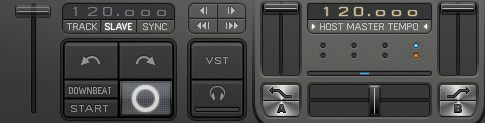
When loading a track into the deck, the software engine automatically places markers in front of the peaks. The analysis is usually pretty right on – if not, it’s actually effortless to modify the markers or do it in real time. This might sound contradictory to Reason #1, but it’s not – try it out and you’ll see.
Have you ever played a track that had a long break and then the kick comes in off what should be the 1-count? It’s a little early or late? The Downbeat Button lets the DJ specify which beat is the downbeat on the fly – which makes mixing tracks together in time and beat matching so much easier.
3. STANDALONE or VST
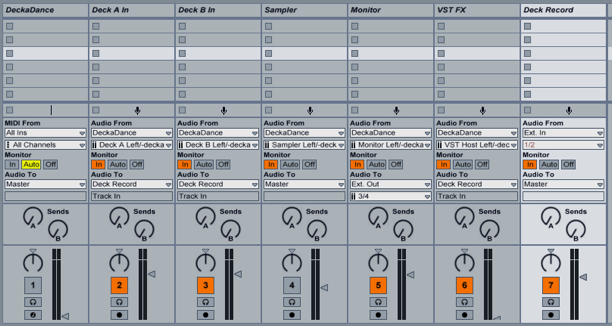
I use DD as a VST inside Ableton, where there are racks set up linked to smart knobs on a Native Instruments X1. This is a very stable setup and I’ve had no problems to date. It’s a little tricky to get the routing setup so you can cue, so to save time here’s how you do it:
Channel 1: DeckaDance plug in
Channel 2: Deck A Input
Channel 3: Deck B Input
Channel 4: Sampler input
Channel 5: Monitor Input
Channel 6: VST outputs
Channel 7: Deck Record – used to record my mixes (instead of the built in feature in DD)
All channels except 5 are routed into Channel 7.
4. SOUND QUALITY
DD sounds great! I have many interfaces – Alesis Multimix, Apogee Duet, Audio 2 DJ, Vestax VCM-100, Hercules RMX – and the music sounds amazing over all of these interfaces.
5. SUPPORTS MANY CONTROLLERS / MIDI MAPPING
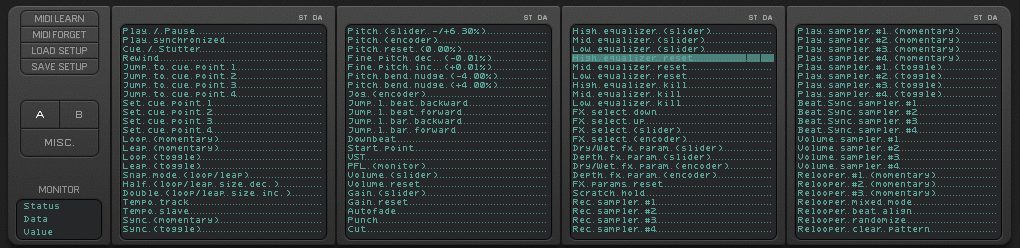
DD comes with native support of many controllers plus it lets DJs use a variety of timecoded vinyl products. In other words, you’re not locked into any hardware. You can choose your soundcard, and choose your controller. If your controller is not supported, you can easily midi map the controller of your choosing.
AND THE NOT SO GOOD…
1. ONLY TWO DECKS
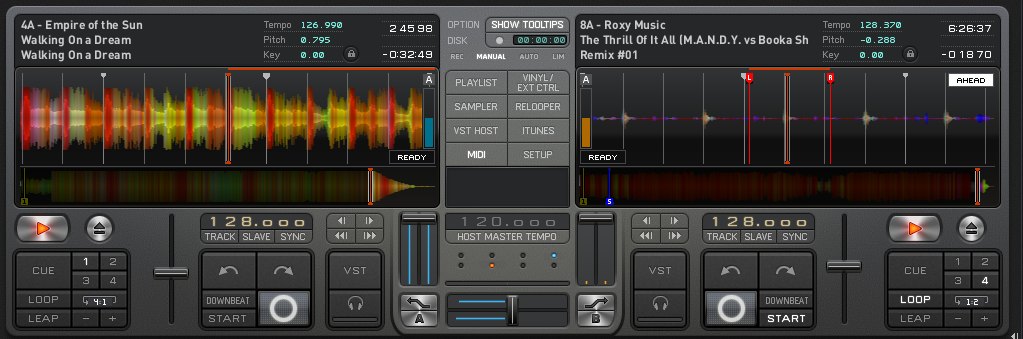
DD only provides 2 decks for DJs. This isn’t terrible given that there are 8 built in samplers. However, while the samplers do offer flexibility on some level that’s sort of overkill in a way that I personally don’t find entirely useful… or at least I am not that dexterous as a DJ! In an ideal world it would be great if it had 4 decks total and 4 samplers.
2. CANNOT SEND CLOCK TO THE MASTER WHEN USED AS A VST
The reason I raise this issue is that I use DD as a VST within Ableton. It would be a killer app if it could send clock to Ableton, which would then unleash the power of using Ableton clips on time with DD mixing. Unfortunately you can’t do that yet. I have tried various tricks like using dummy clips to trigger and control DD but it’s a clunky and unreliable setup.
So while there are some benefits to using DD as a VST, it’s not really capturing the full possibility… Then again, I don’t even know if it’s possible for a VST to control the master clock!
3. EFFECTS

The built in effects and their interface isn’t that great. For example you have to scroll through them and use and X-Y control for wet/dry/amount etc. DD can load and run VST effects. My work around is to use Ableton effects set up as smart knobs.
4. Quantize and SYNC Lock
While you can sync up the BPM and PHASE of 2 tracks there is no way to keep them always locked together like you can with Traktor. For example, if you re-start the track off beat, pressing sync a 2nd time is required to get things back in phase. Quantized beatjumps, another huge saver for djs is also missing.
5.Midi-Mapping
Midi-Mapping is supported but does not allow for any serious customization or deep features.
CONCLUSION
While not perfect, there are a lot of reasons to at least check out Deckadance. Though it’s not entirely perfect, the benefits of not having to beat grid or warp, the ability to be spontaneous, that it runs inside Ableton, and is a lot of fun to play make this my digital DJ app of choice. I also think Image Line is really on the right track – with some tweaks DD has the potential be a serious contender in the digital dj market.
About The Author:
Contributing writer, Manish Sehgal, has released a number of records in the mid 90s as Essa 3, Submerge, Acronym City, En Guy, and City of God. Manish is Co-Founder of Nov8rix Inc, which helps artists get their own custom iPhone and iPad apps, and The RTE Group, an artist management company and booking agency. Manish also DJs as Loopscious, download a free electro-house mix here www.loopscious.com.
![ROLI’s Seaboard RISE 2: seamless integration into the expressive world of MPE [REVIEW]](https://s11234.pcdn.co/wp-content/uploads/2023/11/Screenshot-2023-11-16-at-5.02.41-pm.png)