Prepping Acappellas in Traktor

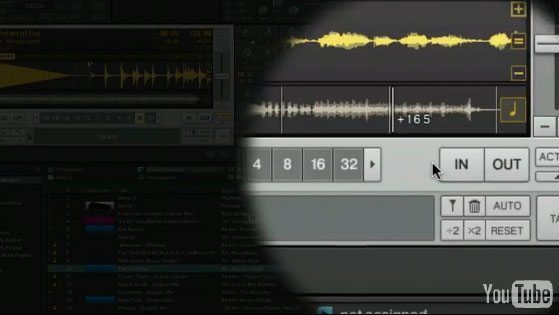
Today we get back to the basics with a good old fashioned Traktor tutorial. After months of requests, we finally address a common problem- how to get the BPM for and beatgrid an acapella. If you have any questions, post them in the comments and we will update the post.

30 Responses to “Prepping Acappellas in Traktor”

  1. fusion

    July 22nd, 2010 at 11:41 pm Quote

    Awesome, once again another truely helpful tutorial!

  2. WilliamVII

    July 23rd, 2010 at 12:58 am Quote

    Very nice, but where are the MP3s and more info?

  3. SirchOne

    July 23rd, 2010 at 1:06 am Quote

    great stuff man.. i really want to start doing some more remixes when playing live. thanks, very helpful :)

  4. The Happy Few

    July 23rd, 2010 at 1:32 am Quote

    This is a usefull video indeed!
    But where can the MP3’s be found?

  5. Dj JoeSnug

    July 23rd, 2010 at 3:10 am Quote

    Ean…thanks for all your info…you are so on a different level when it comes to stuff like this in traktor…thanks!!!

  6. Anonymous

    July 23rd, 2010 at 3:34 am Quote

    http://www.filestube.com/6ac49add68bd4fcc03ea,g/ACAPELLA-ADAM-FREELAND-WE-WANT-YOUR-SOUL-ACAPELLA-MP3.html

  7. Exigence

    July 23rd, 2010 at 4:58 am Quote

    Any way to get the mp3 through Mediafire or someplace I don’t have to enter my email?

  8. Anonymous

    July 23rd, 2010 at 5:48 am Quote

    this is awesome ean! thanks for the help

  9. ridim

    July 23rd, 2010 at 5:58 am Quote

    Ean great article

    just what i needed to keep me busy untill my MF arrives..

  10. andy

    July 23rd, 2010 at 7:06 am Quote

    Great tutorial. very simple and super useful!

  11. Dj Nvidia

    July 23rd, 2010 at 7:56 am Quote

    Pretty cool, I have always wondered about how to use Acapellas in my sets…

  12. meh

    July 23rd, 2010 at 9:12 am Quote

    Pretty cool, I have always wondered about how to use Acapellas in my sets…

    try beatmatching and mixing them, sorta like a DJ or something.

  13. Anonymous

    July 23rd, 2010 at 9:20 am Quote

    haha +1 @meh

  14. lhaksdf

    July 23rd, 2010 at 10:01 am Quote

    Pretty cool, I have always wondered about how to use Acapellas in my sets…

    try beatmatching and mixing them, sorta like a DJ or something.

    hahahaha this one really made me laugh

  15. Richard

    July 23rd, 2010 at 10:48 am Quote

    Great tutorial there Ean. Gonna Tweet it

    Anyone who needs Free Acapellas & Dj-Tools, just Google ‘acapellas4u’

  16. DJ Trademark

    July 23rd, 2010 at 2:41 pm Quote

    Good tutorial.

    I do a lot of live mashup sets with just instrumentals and acapellas, and I use a little different technique to get everything sounding good.

    Use your favorite production application (Ableton, etc.) I personally use logic for all my production, so here’s the BEST way to get everything synced up.

    Everyone knows Traktor is great because you can use a beatgrid for loops, syncing, etc. This makes using instrumentals extremely easy. However, like you said, acapellas are a little tougher.

    Use some kind of BPM counter (There are a lot of good widgets out there for Dashboard) and figure out the average BPM. Doesn’t have to be perfect.

    Open Logic and drop your acapella in. If you have the original song, find it and look for instances where the Beat hits on a word or syllable. That will be your starting point.

    Trim the acapella to that, then drop it at the beginning of a measure or bar. Apply the round-a-bout BPM you found in the tempo window, then open up ultrabeat, any drum loop will do. Now is the tough part. Turn on ultrabeat so it plays with the track you’re working with. Keep playing it through until you find a spot where it starts to not sync with the acapella. Adjust accordingly in the tempo window until you get a perfect tempo throughout the whole acapella.

    Once you find the correct tempo, go back into Ultrabeat and turn it off. Then, grab a 4-bar loop and drag it to the “1″ measure position of the entire track. Before you loop the drum, make sure you have stretched out the acapella from the starting point backwards. To do this, click on the bottom left of the actual track and simply drag.

    Now, to make everything perfect, loop that 4-bar drum as a 32 bar loop. This will allow Traktor to make a beat grid. Then, place the acapella track right after the drum loop. Now, when the track is bounced and imported into traktor, you’ll have a long drum intro followed by your synced acapella equipped with a beat grid.

    You can even beat juggle from the drum to the acapella with hotcues, a nice effect for blending into another song.

    Hope this is a good alternative.

  17. Pieter Christiaens

    July 24th, 2010 at 12:19 am Quote

    As Dj Trademark said, its a lot easier to do it with a daw like ableton first, determine your bpm and stuff, warp it, and then export it with a simple 32 bar kick loop or if you like a real drum loop.
    Then I set the load marker at the beginning of the acapella.

  18. Ericko

    July 24th, 2010 at 3:47 am Quote

    acapella must be in the same key to sound good?

  19. calvin01

    July 24th, 2010 at 6:35 am Quote

    thanx for this.i’ve tried copying exactly what you did ean with a fairly easy to mix acapella(ruffneck ‘everybody’)but it wont set a beat grid.it says grid in the cue menu and is white but theres no grid??.im using the latest v of traktor.any suggestions

  20. DJ Moonie

    July 24th, 2010 at 7:10 am Quote

    Calvin01,

    Traktor should set a grid if you have a bpm set, and have at least one grid marker. Are you sure you have a bpm set against the track ?

  21. calvin01

    July 24th, 2010 at 8:26 am Quote

    yeah.i followed the tutorial which ean set the bpm in the window then selected the grid marker.but no grid??

  22. calvin01

    July 25th, 2010 at 2:04 pm Quote

    i’ve tried it on others with no problems.gonna render it to a new file and try again.thnx for your help moonie

  23. Urban Fabric

    July 26th, 2010 at 1:06 pm Quote

    Seems simple enough…

    Ken_UF

  24. Vicious

    July 26th, 2010 at 5:50 pm Quote

    What to do when you’re trying to figure out the bpm of, let’s say, a 70’s reggae tune when the band has a very chilled attitude towards metronomes and the like. A lot of tunes I’ve been trying to mix waver randomly at +- 5 bpm???

  25. home theatre design

    July 27th, 2010 at 11:37 am Quote

    Traktor is pretty sweet software. I’m only playing with the trial version at the moment but I’m going to purchase this app. Great tutorial too by the way.

  26. KILLMeDJ

    August 4th, 2010 at 8:15 pm Quote

    Just a small addition to Trademark’s post.
    As well as a drum intro I find if I actually place a small clap through the whole acapella I can more easily adjust the tempo manually, say if you want to mix it over a slightly less rigid type of track.
    from the audience perspective they wont notice a clap adding to the original track, keep it small so only you notice. setting the beat grid in Traktor will work better too.
    Also if you do a set using CDJ’s and don’t have the luxury of auto sync, you’ll find having a small clap
    through the vocal will make life way easier.
    Love your posts BTW Ean!

Leave a Reply

  1. Quote selected text

First Time?

This site is dedicated to digital djs. We develop performance tools and teach cutting edge techniques that enable creative expression. Visit tutorial videos on youtube, equipment reviews in the blog and a very helpful community in the forum. New articles every Mon, Wed, Fri.
In the Store
 

Categories:
Follow us:
You're going to need Flash 8+ and JavaScript to use this site. How'd you get this far without it?

Dig through the Crates

Readers are Saying

  • Grizu: Ha, ha, didn’t know Damion Davis is working at Fritz. Somehow I completely missed out this event and didn’t...
  • Sanje: @ EanGolden So what you’re sayin’ is that the MC6000 is a “pass” in these regards because it...
  • Ean Golden: The only way to get CDJ quality scratching out of a controller is to have a direct connection from the Software to...
  • Sanje: @ dj johnny aftershock Lookin’ for advice here. I need a midi/mixer with analog mic ports, good sound (sound...
  • EDM.ZEN: [quote comment="29996"]And ive found this guy. very good to protect yo VCIs in any bag, i think. didnt buy it yet(...

RSS Hot Topics in the Forum