A recent DJ TechTools round up of soundcards sparked some queries about whether latency is a bigger problem on Mac or Windows machines, or if it’s a moot issue these days. Latency is a murky issue with many factors affecting it: the number of audio channels and effects being used, CPU power, and more. However, one of the most important factors is the audio driver at work. To get a better handle on what the differences are when creating audio drivers for both Mac and PC, we asked a couple of third-party audio hardware developers who produce products for both platforms.

THE DILEMMA

In the interest of full disclosure, we should own up that most of us at DJ TechTools are die-hard Mac users. In our years of testing different computer-based audio systems, both the observational and anecdotal evidence suggest very strongly that—all other factors being equal—Mac systems since the improvement of Core Audio in Mac OS 10.2 produce lower latencies than Windows systems. We understand that with a great PC running optimally, latency can easily be negligible for DJing and live music performance, but let’s look into the differences.

Mac computers run OS X, which includes Core Audio, a built-in programming environment for generating, recording, mixing, editing, processing and playing audio on the computer. While some audio hardware developers for Mac choose to include their own audio drivers with their products, many of them simply use Core Audio and can achieve low latencies. Windows systems include DirectSound and a USB class audio driver. However, when latency is a factor most hardware developers use third-party ASIO drivers to achieve lower latencies for their products.

Generally speaking, ASIO drivers are no less capable of delivering low latencies than Core Audio, a stance backed up by Steve Macatee, Director of Product Development at Rane Corporation. “We consistently see ASIO and Core Audio performing with the same high quality and low latency,” he said.

BRAIN DRAIN

So what’s the problem with Windows for audio? For small-staffed audio companies, some of it comes down to personnel hours available for testing and coding. The potential for PC audio may be for naught if the developers are too overworked to tap into it.

Speaking on behalf of the Novation Software Development Team, Dave Hodder, Product Development Engineer for Focusrite/Novation, explained that “The Mac development path is well defined, so you can focus almost immediately on writing the audio engine itself. On Windows, there are several ways to make a driver, and they don’t focus on high-performance audio, so there’s a lot more work to do before developing your audio engine. But the Windows development tool chain is arguably better than the Mac’s. Analyzing a crash dump after a ‘blue screen of death’ is a joy compared to the Mac.”

Macatee cites problems with ensuring compatibility and optimal performance for the endless number of PC hardware configurations among Rane’s customers. “Apple only has 6 pieces of hardware you can buy, and they only evolve every so often,” he said. “In the Windows space, there are thousands of combinations of hardware you could have. From a testing perspective, it gets extremely complicated pretty quickly.”

A company the size of Microsoft has a puncher’s chance of getting its software to play nice with every available hardware configuration. But in the grand scheme of things, any pro audio company—including Rane—is tiny by comparison, yet still has the same number of possible hardware configurations to contend with. This can lead to headaches for both the audio gear developer, and you, the end user.
For one recent example, Macatee cites Intel’s new series of i3, i5 and i7 processors, which have software emulation of USB 1.1 that he says isn’t working very well. “Some of our older hardware devices are USB 1.1, because 1.1 still works fine with a certain number of audio channels,” he said. “But they’re changing technology faster than we can keep up. We hate to disappoint customers who are upset about a new computer they bought that’s supposed to be the newest, latest thing, yet we’ve never heard of it, never seen one in a lab.”

KERNELS OF TRUTH

If ASIO is as good as Core Audio, and the people writing Windows audio drivers can manage to make them work with every possible hardware combination, then Windows latency should be the same as Mac, right? Perhaps not.

Hodder describes for the layperson why extra latency may be unavoidable on some Windows machines. “There’s a difference in the way the OS handles task scheduling,” he said. “On Windows, a degree of cooperation between the drivers on the system is required. If any one of them doesn’t play by the rules (which are not enforced by the OS), the performance of the entire system is degraded (DPC latency). This interference from other drivers can mean your driver performs poorly on some systems—no matter what you do! The Mac architecture does not suffer from this problem, making performance a bit more predictable.”
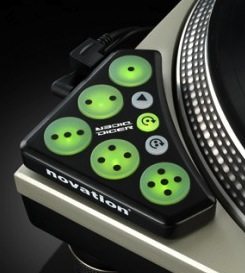
There’s also a discrepancy when it comes to MIDI, where on a Mac, MIDI drivers run in user mode separate from audio. “This means that unlike kernel mode drivers, they are much easier to develop and cannot bring down the whole system by crashing,” Hodder said. Writing third-party MIDI drivers isn’t always necessary, as both platforms include drivers for class-compliant devices. Hodder gave the example of the Novation Dicer as one where built-in drivers suffice, and the Novation Launchpad as one that needed a separate driver for high-performance features such as refreshing its many LEDs.

SYMPATHY FOR THE DEVIL

Macatee is on point when he says: “It’s a difficult task for Microsoft to make a software operating system for a hardware device that can be built by anybody and has to support all known applications in the world. That’s no small feat.”

The conventional wisdom on this topic is that Macs generally perform better than PCs with audio latency, and the sheer complexity in the Windows universe seems to have lead to this. As with many topics, the conventional wisdom can be correct, exaggerated, or flat-out wrong depending on the circumstances. But still, there are reasons why it is what it is. It also seems to be a touchy subject; of the dozen or so companies we contacted about this story, only 3 responded, with M-Audio declining to comment.

In any case, the goal here is to inform, not to make any choices for you. There may be no correct way to go when you’re deciding between Mac vs. PC for audio.

A PC can certainly save you money, and I understand the hardships of being broke. Personal observation will show you that a larger number of professionals at the top of their game use Macs. Is that only because they can afford it?

Windows defenders will often tell you there’s nothing wrong with PCs if you make sure the system is running optimally. I agree with that, but therein lies the rub. You would never recommend buying a cheaper car that runs great as long as you’re a decent mechanic and don’t mind spending a lot of time working on it… would you? Of course, Macs are prone to problems as well, but my feeling is that the professionals you see using Macs for music prefer to spend their time working on their craft, rather than their computer.

Additional Reading:

Round Up: Soundcards for Less Than $200

Five Tips for a Glitch-Free Laptop Performance

  • Rambo

    Nice info…
    Let the Windows user read this in cool heart..

  • DONdon

    as the article said…it pretty much comes down to money :D

    i am a windows user but i would use MAC as well if i just had the funds :D

    great article

  • http://www.holotropik.com holotropik

    I switched to Mac a year ago and my life has been so boring :( not much happens with the Mac. My stress levels when it comes to actually creating and playing music has reduced greatly.

    I did not realize the hate battle out there of Windoze vs Mac until I started to learn more about the Mac stuff…there is some serious flaming going on that’s for sure.

    But at the end of the day the fact that Wondoze has to work on the multitude of hardware combinations says a lot about it I suppose. i just got sick of spending good money on a Windows box (same amount as a Mac) and then have to spend way too much time getting it to work reliably and consistently.

    Now I don’t have to care about the machine. If I get an urge to create or play it’s always there ready to go with no problems. Not once in the whole year have I had an issue with any of my gear….that is well worth the money in my books.

    I really don’t understand the money argument. The prices for a Mac are the same as for a PC here with the same specs. Yet the Windows box is no where near the same quality. Anyway why would you buy a $500 Windoze box and expect it to work??

  • http://www.soundcloud.com/elektrofreaks Jazz.co

    Interesting article. “Like with many topics, the conventional wisdom can be correct, exaggerated, or flat-out wrong depending on the circumstances.” Have a look at this article comparing latencies in Cubase between OS X and Win7. You WILL be suprised:

    http://www.dawbench.com/win7-v-osx-1.htm

    I wonder if there is a way to actually check latencies in DJ software and not just take peoples word on it!

    J.

  • Anonymous

    hi

    [quote post="6611"]Of course Macs are prone to problems as well, but my feeling is that the professionals you see using Macs for music prefer to spend their time working on their craft, rather than their computer.[/quote]

    this is one truth conclusion. I started making music with a PC and now I am on the Mac. I know a lot of how to fix the PC, to build one etc. And for sure it is always like you have a halfway broken car you can fix. Especially when you are doing 3D art rendering or Animation.

    And then on the other side. The Mac it is not the best computer but it works and works like the horse halflinger, not the fasted ones but reliable. I use a digirack 003 and there are so much difference of the audio driver and the latency it is amazing, compared to the core audio. The 003 is so bad programmed on a windows PC it is unbelievable in my opinion.

    [quote post="6611"] Have a look at this article comparing latencies in Cubase between OS X and Win7. [/quote]

    that is impressive, but who works with cubase on an mac ;)

    greetz

  • n4Sphere

    I forgot to add my name the last post was mine.

  • Mr.Nicklebe

    [quote comment="32576"]I really don’t understand the money argument. The prices for a Mac are the same as for a PC here with the same specs. Yet the Windows box is no where near the same quality. Anyway why would you buy a $500 Windoze box and expect it to work??[/quote]

    Where do you live that charges insane prices like that for a PC?!

    Macs here in the UK are priced excruciatingly high in comparison to a similar speced PC. The PC I built for myself cost around half the price of a Mac desktop and would out perform said mac in every respect, games, rendering (I’m an animator), and general use.

    I have nothing against macs however. I used them at uni for most of the time and being in the art scene I know rather a lot of people who use them. I don’t see a lot of DJ’s at parties on macs, this is probably the money issue mentioned in the article though.

    Back on track; the article was great. I knew a little about audio on macs and PCs and also knew that macs had the edge most of the time.

    ASIO does get annoying sometimes and it would be nice to not have to use it. However even if I did have the money I don’t think I’d purchase a mac. The main reasons being still the trademark apple extortionate price tag and the fact I don’t think I’d even use it that much beyond DJ’ing.

  • http://www.nem0nic.com nem0nic

    I have the funds, and I’m provided an Intel MBP by work, but I emphatically chose Windows over OSX for just about everything. It just seems like for the kinds of things I do regularly, OSX gets in my way much more than Windows does. This is especially true when it comes to customizing an OS install for a specific task.

    The argument about “professionals at the top of their game use Macs” is spurious as well. While it might be true in the increasingly shrinking large format recording facility, Mac based ProTools studios are a legacy phenomenon that began when there wasn’t a viable computing option. In industries that handle massive amounts of streaming audio and video (like the broadcast industry), you’ll never see a Mac. All of those servers (and typically editors as well) are running Windows or embedded Linux. And unlike offline studio work, server based broadcast facilities need 100% uptime. If Apple were clearly superior, they would have made inroads into the server market by now, but they haven’t despite having a suitable product available (Xserve) for 8 years.

    I’ve worked closely with both operating systems in a professional capacity for the last 23 years. I certainly feel that Apple computers have their place in the market. Their hardware is generally quality stuff. But the assumption that OSX is absolutely better for handling audio or video doesn’t transfer into the entire production industry – just a subset of it.

  • Zain

    Having worked on both for audio, there are pro’s and cons for either side. My opinion is Windows was known for generally being less reliable and was therefore not recommended for use in live performances. This though can be attributed to the amount of people that own PC vs those with MAC and those with PC’s complaining about poor performance and crashes.Since digital djing and production have become more common place, developers are doing a much better job writing code for the windows platform making much better to work on than before. There are still some things though I like about working with MAC like not needing drivers for controllers(most anyway)and how some AUs sound a little better than VST equivalent on PC

    For me the biggest reason for new producers moving to Mac is because most of them were taught to produce using Logic and stayed with it.It might be different somewhere else but here(South Africa) most schools teach using Logic

  • Ma$tor Gee

    mac ftw

  • http://www.bentosan.net BentoSan

    I was so close to reading a mac until i heard that lots of users that are using the latest run of i5/i7 units are having GPU related crashes, no matter if they are running the mac OS or boot-camped with windows. Apple as per usual has not commented on the issue. So i am waiting for a fix on this before i lay down any money to buy a new macbook pro.

  • http://www.somethingawful.com z0r

    i agree with what the article is saying, but it misses one of the most important points: you can use a windows machine for literally ANYTHING, since 90% of software is written for linux, whereas with a mac, you might have problems if you like playing videogames, for example.

    for a dedicated DJing / DAW machine a mac would probably be the better choice though.

  • http://www.somethingawful.com z0r

    eh sorry, i meant “…written for windows…”, not linux, not sure how that brainfart ended up there :)

  • Paddy

    I used Windows for about 17 years (started djing on it bout 5 years ago)and finally ported to Mac about 4 months ago and was really impressed by the amount of time I used to spend fine tunning my previous notebooks for Traktor (on XP since vista and windows 7 trashed my latency).

    Some might say Macs are expensive but, what’s the cost of a live crash or hicup? what’s the time cost of fine tuning a pc and general maintenance?
    I know both systems aren’t perfect, but I’d rather pick one that let’s you focus on what you get paid for, not getting ready for it

  • Anonymous

    Wow, that article shamelessly favors Macs. What happened to fair and unbiased reporting?

    The benefits of a PC for Dj’s:
    Performance similar to a Mac at a significant discount (getting a similarly spec’ed PC at literally half the price is not unusual)

    The benefits of a Mac for Dj’s:
    Typically more luxurious build quality (not to suggest they’re more durable, just that dump trucks aren’t as luxurious as Porsche’s)
    Configured for live audio performance right out of the box.
    Fewer software pitfalls (less to go wrong in software)

    The downside of a PC is that it isn’t setup to be used in a performance audio situation when you pull it out of the box. With the crap manufacturer’s load onto their machines now, I don’t feel they’re setup to do anything right when you pull them out of the box.

    But that doesn’t mean they’re inappropriate for performance audio. With an afternoon’s worth of work an experienced user can partition his system drive, load a fresh OS, lean it down, then back it up so that if anything ever goes wrong in software he can just restore it (instead of trying to fix anything). With all of the tutorials out there a novice could make this happen in a day or two.

    And that’s the real point this article should have made. If you’re an experienced PC user, save yourself a grand by buying a PC and doing and afternoon’s worth of work. If you’re not and you feel that your time is more valuable, put the extra money in and buy a Mac.

    The car analogy isn’t perfect, but people like it and it’s close enough. We’re talking about the difference between a WRX or an Evo-X vs a Porsche. The Porsche will perform great from the factory, has a rather luxurious interior, and is a name that people drool over. However, you can get a WRX or an Evo-X that costs considerably less and can hold its own if not beat the Porsche going round a track. No, nothing on it will be hand-stitched like the Porsche (or have a backlit keyboard like the Mac) and when people see the car they think you’re a ricer (nerd) instead of one of the elite (mac owner). Which is certainly the reason you see big name stars sporting the big brands– image is part of their career. But if you get down to the bottom line, you don’t have to pay the premium to get that performance.

  • Raskal

    … and Linux? ;)

  • DJ Phaidon

    This article will be the most popular and posted on article of the year by default. Let the war ensue. I use both, but when it comes to DJ’ing, OSX is the way to go from what I’ve seen.

  • http://djnsm.com DJNSM

    I don’t like Mac culture at all but the Core Audio is pretty important.

    http://technology.isacult.com/how-to-talk-to-a-windows-audio-geek-about-apple/

    Talks about Apple and MIDI/audio. Some good links.

    As for Linux. One day! I use a lot of linux, audio is way out, video is even further (hmm, maybe the 500 distro on a few core kernel variants is not helping?)

  • mostapha

    The fact of the matter is that OS X is just plain better. Delete this if you must, but unless you flat out can’t afford a grand and really want a laptop…or specifically want a netbook, there is no reason to not buy a Mac.

    I just hope apple does’t screw over the Mac platform the way they seem to be trying to drive iOS (iPhone, iPod Touch, & iPad) into the ground for people who care about open systems or now privacy.

  • http://urbstar.com URBSTAR

    Good article to read while drinking my morning coffe…..!

  • http://twitter.com/dodotek Felipe Dornelas

    I’ve used both Mac and PC for live audio. And I can tell this: Mac is definitely the best. IMHO.

  • http://soundcloud.com/balkadan Balkadan

    Interesting article, I’m happy to see the comments haven’t evolved to the usual PC vs. Mac flame wars. +1 to the DJ TechTools community!

    I started out on a Dell laptop and moved to a MBP a year ago. The Dell was actually a fine machine for almost everything (even while running Vista) but I had to work for days in order to crack the right driver combination that will sustain my set-up (not to mention always turning off my wifi while DJ’ing).

  • Nick

    cool info indeed,but i hope you dont expect me to switch to Mac after i read this thread…..
    C’MOOOOOOOON……..

  • Zhadow

    It’s interesting how you compare Asio VS. Core Audio. I think that Rane makes a good point in hardware combination, Microsoft has a much more harder work. Also in comments I saw people asking about Linux. As your analogy, you’ll need to be a really good mechanic for that car.

  • Anonymous

    if u know how to utilize your pc, its actually better then a mac. I wonder if people use Linux? that would be way awesome..

  • http://www.dj-nvidia.com/ Dj Nvidia

    I agree with the article almost 100%. Esp, when it comes to price, if you were to buy a Dj worthy PC it would be around the same price as a mac.

    What I think some commenters are forgetting, the article isn’t only talking about OSX but OSX in combination with the mac hardware. That type of “made-for-eachother” combo results in a great reliable product.

    I won’t lie, my mac has crashed (never during a set, only when I plug/unplug a bunch of things at once; before/after a set), but that is a rare occasion. I make too much money per set to gamble with a PC, and being a Dj & law student, I don’t have the time to continually work on my PC (even though I do have the know-how)….

    Sorry PCs, when comes to ease of use and plug-&-play reliability, Macs win hands down….

    [quote comment="32613"]
    …All of those servers (and typically editors as well) are running Windows or embedded Linux. And unlike offline studio work, server based broadcast facilities need 100% uptime. If Apple were clearly superior, they would have made inroads into the server market by now, but they haven’t despite having a suitable product available (Xserve) for 8 years.
    [/quote]

    PS – I don’t use servers to DJ

  • http://djdecks.be Adion

    Very dissapointing that this article doesn’t even mention WASAPI (Windows Audio Session API), which is basically Microsoft’s new Audio interface since Windows Vista.
    Although I haven’t used it on a wide variety of systems yet, it does appear as if it’s capable to compete with Core Audio on Mac OS.
    It looks like it can definitely achieve much lower latencies as Direct Sound, and it also works with any USB Audio Class device.

  • Bodega Brad

    I did a tiny audio comparison the other day with my Mac and PC laptops using my Serato/Turntable home set-up. Leaving all levels on my mixer the same, I switched my Mac out for my PC and compared the difference in quality and level playing the same song. I have both laptops optimized for spinning and although there wasn’t a huge difference, the Mac absolutely had a better sound level. I wouldn’t publish my test in any journal, but it was nice to actually see the difference. haha. Nice article!

  • BradCee

    [quote post="6611"]Windows defenders will often tell you there’s nothing wrong with PCs if you make sure the system is running optimally. I agree with that, but therein lies the rub. You would never recommend buying a cheaper car that runs great as long as you’re a decent mechanic and don’t mind spending a lot of time working on it… would you? Of course Macs are prone to problems as well, but my feeling is that the professionals you see using Macs for music prefer to spend their time working on their craft, rather than their computer.[/quote]

    it’s the old ‘get out what you put in’ scenario. if you’re prepared to do the work with windows it can save you money. or if you can put the money in to get a mac it will save you time

  • Ludovic

    That “the professionals use mac” argument is not that solid… Nathan Fake uses an acer for his live performances and i could name a bunch of other artists using windows for djing/producing.

  • PFDoom

    This article is Strongly biased towards but, let say the mac is better. How much better are we talking about 70ms to 500ms or 70ms to 80ms. I believe this article needs to be expanded on. I don’t know if I can make adequate judgment. I Am a fan of the PC and the configuration. People say By spending money you save time not configuring. However what about working a job you haven’t included the time for labor. I am a high school student and i just got my first job and i make 7.25 an hour. If so comparing a 15 inch Macbook pro to a 2.4ghz and Lenovo G560(0679-4TU) with the tech specs here is the link: http://www.newegg.com/Product/Product.aspx?Item=N82E16834146774 Te Mac:$1800 and Pc:$700. It takes me 96 hours of labor to buy the pc. and 248 hours to buy the mac It takes me 2.5x longer to get the mac not including the software and interfaces therefore
    The two to three days maybe even a week of configuration is worth it. But, this changes f you are make $50 Dollars and up it takes 14 hours to get to the pc. It takes 36 hours to get the mac. It is a 22 hour difference so about 3 days more so then it’s worth it. However, When you really think about it how many people make $50 an hour. when most people debate mac or pc they are debating on buying they are first starting

  • DJ R3 Bonaire

    I found out something that kills your USB sound card latency in windows. Disable your wireless card in the device manager and you can go down a good 10-12 msec in latency befor any crackle comes up. This counts for Traktor pro and Serato and Ableton. I had some problems a while ago and also find out that WDM drivers are a bugger for TR-Pro under a Win enviroment..using ASIO is 100% better…

    I was almost ready to install OSX-leopard on my Intel Core i5 Laptop but read there was no big improvement if done so. I will stick to win7, it never crashed on me.

    Great article

  • Sir Andy

    Who the F is Nathan Fake? Hahaha!

    I find it amusing that the Win-doh!s users feel like they have to validate Win-doh!s by stating how easy it is to configure and tweak and dial in their setup to work as well as a Mac does out of the box. I didn’t get into DJing so I could learn how to tweak a computer, I started DJing to play music-period. Yeah, I had to save a little more $ in order to afford my iMac that I use for DJing(thanks Financial Aid!), but I wanted a stable platform that I didn’t have to tweak and dial in in order to DJ. I wanted something reliable that worked out of the box, not something I had to put time and effort into working the way I needed it to. I also find it amusing how the Mac users essentially are all saying the same thing: “it just worked right of the box and I haven’t had a problem in XX years of use”. If you want to use a Mac, cool, if you want to use a Win-doh!s machine, cool, but in the end I believe the age old adage: “Time IS Money!” Mac FTW(IMHO).

  • DJ Phaidon

    Today I had opportunity to bring a mac to the A+ certification class I’m taking for shits and gigs. I brought my 2004 powerbook G4. The other 2006-2008 dells and toshibas, 5 total with much higher hardware specs, were brought to the class to be repaired by other students. My G4 is still running smooth, only needed a restart 3 times since I’ve owned it, and can still run Traktor(non-pro) and Ableton simultaneously with less than 15ms of system lag as read in ableton using an M-audio FW 410. I have owned and built many gaming/high end PC’s running windows, and they are capable of more than a mac ever will be because of the support and market for it, but when it comes down to execution, OSX just does where PC does sometimes if you talk to it nicely and feed it steroids.

  • http://www.nem0nic.com/blog nem0nic

    [quote]PS – I don’t use servers to DJ[/quote]
    That’s obvious, you’re a Mac user.

    [quote]I find it amusing that the Win-doh!s users feel like they have to validate Win-doh!s by stating how easy it is to configure and tweak and dial in their setup to work as well as a Mac does out of the box.[/quote]
    Ahh yes, the mantra of the typical clueless Mac user. This isn’t about being able to tweak a Windows box just to reach the level of performance of a Mac. It’s about surpassing that completely. It’s also about truly eliminating downtime. When I’m using a Windows computer, I know that if I have any kind of failure, I don’t have to take it to the GeekBar and pray the emo kid behind the counter has a clue (or else it gets shipped off to the Apple Mothership). I can go to the closest computer store and be back in service in an hour or two. I know that I can scale down to an OS + Application installation under 700mb, image that entire installation to a CD, and ghost it back in less than 10 minutes if I needed to – restoring absolutely everything to it’s proper place. Generally, my preference of Windows is about having the ability to control my machine and now being a slave to it or it’s manufacturer. Microsoft doesn’t assume I’m an idiot and lock me out of these lower level options. And in return, I’ve taken it upon myself to learn everything I can about how to optimize a computer to the point where their performance is as good as possible. I’ve been able to tweak sub $500 notebooks to the point that they destroy the performance of my Intel MBP.
    So, if you want to pat yourself on the back because you don’t know anything about your computer, that certainly your prerogative. And while you’re waiting for Apple to switch out your MBP’s mainboard because of heat warping, I’ll be busy working.

  • lol

    Great article!
    I think there is no need to argue which platform is better…
    PC guys will always defend their stand saying PC is the best
    and MAC guys are always bitchin PCs….
    well… if you have the $$ for a MAC just buy it…. its defly worth your cash…
    if you don’t just get a PC and there’s nothing to be shame about it….
    just use which ever works for you and which you feel comfortable…
    btw… im a MAC… lol

  • lol

    BTW, I used to work in a tech shop and
    there are more PCs coming in than a MAC for software issues…

  • DJ-Pipo

    [quote comment="32651"]Wow, that article shamelessly favors Macs. What happened to fair and unbiased reporting?

    The benefits of a PC for Dj’s:
    Performance similar to a Mac at a significant discount (getting a similarly spec’ed PC at literally half the price is not unusual)

    The benefits of a Mac for Dj’s:
    Typically more luxurious build quality (not to suggest they’re more durable, just that dump trucks aren’t as luxurious as Porsche’s)
    Configured for live audio performance right out of the box.
    Fewer software pitfalls (less to go wrong in software)

    The downside of a PC is that it isn’t setup to be used in a performance audio situation when you pull it out of the box. With the crap manufacturer’s load onto their machines now, I don’t feel they’re setup to do anything right when you pull them out of the box.

    But that doesn’t mean they’re inappropriate for performance audio. With an afternoon’s worth of work an experienced user can partition his system drive, load a fresh OS, lean it down, then back it up so that if anything ever goes wrong in software he can just restore it (instead of trying to fix anything). With all of the tutorials out there a novice could make this happen in a day or two.

    And that’s the real point this article should have made. If you’re an experienced PC user, save yourself a grand by buying a PC and doing and afternoon’s worth of work. If you’re not and you feel that your time is more valuable, put the extra money in and buy a Mac.

    The car analogy isn’t perfect, but people like it and it’s close enough. We’re talking about the difference between a WRX or an Evo-X vs a Porsche. The Porsche will perform great from the factory, has a rather luxurious interior, and is a name that people drool over. However, you can get a WRX or an Evo-X that costs considerably less and can hold its own if not beat the Porsche going round a track. No, nothing on it will be hand-stitched like the Porsche (or have a backlit keyboard like the Mac) and when people see the car they think you’re a ricer (nerd) instead of one of the elite (mac owner). Which is certainly the reason you see big name stars sporting the big brands– image is part of their career. But if you get down to the bottom line, you don’t have to pay the premium to get that performance.[/quote]
    I completely agree with you in all aspects. If you are willing to pay more in order to get better performance out of the box why can’t you spend an hour or two with less money to make a machine with the same performance? I personally have an HP c2d laptop with 3 Gb of RAM which has a partition running windows XP lite of only 260 Mb. Exclusivelly for use wuth Traktor. And guess what, it works flawlesly…

  • Lynn Nucks

    My solution:

    DAW: Renoise + a handful of Native Instruments and other VST players (not all work but the better coded ones are fine)

    OS: Fedora + realtime kernel

    Soundcard: NI Audio 4 DJ (w/ native Linux drivers)
    Audio Server; JACK Audio Connection Kit (low-latency audio server)

    *

    Problem: Big name DJ software developers don’t have the resources for a Linux development branch.

    Problem #2: Market forces – most people use Windows.

    Windows wins purely on the basis of saturation, never performance.

  • http://soundcloud.com/electrolight Electrolight

    finally some real proof that mac is better :P

  • http://kourampies.com kourampies

    Been djing with Windows for the last 2.5 years. With 1.5 ms latency, and every option and feature on Traktor enabled. Not a single pop or crack, off course no crashes and other problems. With the money I saved, I bought a spare identical laptop in case the main one has a problem.

    The laptops have multi boot super tweaked XP 32 bit installations that have EVERYTHING disabled for performing. The other installation is a regular Win 7 x64 installation for all other uses. Average out of the box Mac latency for the same usage scenario, as I seen in some other djs in my town, is 2.5 ms, with some pops and cracks on the sound sometimes.

    So Im really happy with my decision, and would by a pc over a Mac again. And I have the money for a Mac, I just prefer PCs. But for someone who doesnt know how to configure and tweak it like I did, I would recommend a Mac.

  • Insurgent DJs

    Just thought I’d chime in with my personal experience. I have 2 win7/hackintoshes that i’ve put through the paces over the past two years, and I would have to say that for a commercially-supported os where low latency and stability are top priorities, OSX wins. I’ve been fairly bleeding-edge with tech in the past (controllerism in 2001 w/ mpc2kxl and a mouse, have performed shows using traktor 3 in wine, with asio drivers in Linux (wineasio, gnarly stuff), etc) and have noticed with my audio8dj, that with a few terminal tweaks, I can hit 0.5ms latency under OSX (wouldn’t play live at it, 1ms is just fine), win7 found its sweet spot @ 2.5-4ms (on a quad-core box with 8gb ram… Lame). Another thing some of you are forgetting is support…. I have 1 machine (laptop) out for warranty repair, dead mobo, under warranty, no reason at all for me to pay for parts and fix myself, even though I am proficient enough to perform the repair myself…. And it’s been out for more than 2 weeks (and hasn’t even been _shipped_ back yet, forcing me to drag a desktop to a festival gig already, AND I had to pay to ship for repairs)! Contrast it with my friend’s iBook mb replacement which took 48 hours including shipping time both ways (and was completely free).. Not to mention superior hardware (9hrs batt w/ an nv graphics card? Show me a comparable win notebook), and OS (to Windows anyway, and Steam is out for OSX btw; not that video games should have ANY bearing on what a _pro_ DJ purchases to gig with), it just makes sense to drop the bit of extra coin on the better machine (esp for the purpose, live av performances).

  • Insurgent DJs

    Also, the latency values above correspond with Traktor Scratch Pro, which after buying at launch and being so horribly disappointed in the Win7 performance, made me look into the world of Mac again (especially after coming from a heavy Linux background of 15 years)!

  • http://www.nem0nic.com/blog nem0nic

    [quote]Another thing some of you are forgetting is support….[/quote]
    Not only do manufacturers like Dell offer at least a year free warranty on all their computers, they offer on site service (they send someone to your house to fix it). I’ve had parts (including a whole laptop minus the HD) cross shipped to me a couple times.

  • Anonymous

    [quote comment="32727"][quote]PS – I don’t use servers to DJ[/quote]
    That’s obvious, you’re a Mac user.

    [quote]I find it amusing that the Win-doh!s users feel like they have to validate Win-doh!s by stating how easy it is to configure and tweak and dial in their setup to work as well as a Mac does out of the box.[/quote]
    Ahh yes, the mantra of the typical clueless Mac user. This isn’t about being able to tweak a Windows box just to reach the level of performance of a Mac. It’s about surpassing that completely. It’s also about truly eliminating downtime. When I’m using a Windows computer, I know that if I have any kind of failure, I don’t have to take it to the GeekBar and pray the emo kid behind the counter has a clue (or else it gets shipped off to the Apple Mothership). I can go to the closest computer store and be back in service in an hour or two. I know that I can scale down to an OS + Application installation under 700mb, image that entire installation to a CD, and ghost it back in less than 10 minutes if I needed to – restoring absolutely everything to it’s proper place. Generally, my preference of Windows is about having the ability to control my machine and now being a slave to it or it’s manufacturer. Microsoft doesn’t assume I’m an idiot and lock me out of these lower level options. And in return, I’ve taken it upon myself to learn everything I can about how to optimize a computer to the point where their performance is as good as possible. I’ve been able to tweak sub $500 notebooks to the point that they destroy the performance of my Intel MBP.
    So, if you want to pat yourself on the back because you don’t know anything about your computer, that certainly your prerogative. And while you’re waiting for Apple to switch out your MBP’s mainboard because of heat warping, I’ll be busy working.[/quote]

    Pretty harsh assumptions there. I have never had to take my Mac to a geekbar and pray that they fix it. Just like your windows PC I can fix my Mac on my own. Its not that hard, it just takes time to learn. A buddy of mine had a logic board go out on a old imac g4. We replaced it with a new board in about two hours work and one hour research on the web. It is hooked up to his Phantom and still running today. Also Apple has one of the greatest customer service records in the industry.

    “According to the report, which combined data from consumer satisfaction firm J.D. Power with survey results from over 1,000 of the magazine’s own readers, Apple scored A+ ratings for both “quality of staff” and “efficiency of service”.”

    So before you go bashing a Mac actually learn how to troubleshoot one just like you have on a PC. I use PC’s at work everyday and they work fine for my business. When it comes to multimedia I am Mac all the way. Not because I am a fanboy, but because the are solid reliable machines. PC’s are a little less reliable in my opinion and experience.

    I have been a Mac user since 2001 and in that time I have had three iMacs. Guess how many crashes I have had………One. The memory had some issues, I replaced it and that resolved the issue. One crash in 9 years I must say that is crazy reliable. Would you not agree?

  • Redlight

    Forgot to enter my name..That is my post above.

  • Cozmic023

    Great article. I do agree with most of the comments here. If you want to save some money (And have the ability to setup/tweak Win OS), then do it.

    Ok i’ve had many years building & using PC’s & Mac’s, now using Mac OSX & Win7 on my current Macbook. (It’s a bonus when running music software that isn’t available for the MacOS!!)

    I couldn’t afford a new Mac and mostly buy 2nd hand stuff, but i went for a refurbished Macbook at the fraction of the price of a new one. Otherwise i’d have settled on a IBM Thinkpad, with a tweaked Win OS (XP or Win7)

    The time vs money is another argument, ok if you can’t tweak Windows & need something out of the box then Mac’s are great for this.

    Heat issues are always a worry when using PC/Mac laptops, Since my first laptop died of heat problems. I now always use a laptop cooler when i can, to save hardware problem issues later on!!

    Just my thoughts….

  • Paddy

    [quote comment="32713"]I found out something that kills your USB sound card latency in windows. Disable your wireless card in the device manager and you can go down a good 10-12 msec in latency befor any crackle comes up. This counts for Traktor pro and Serato and Ableton. I had some problems a while ago and also find out that WDM drivers are a bugger for TR-Pro under a Win enviroment..using ASIO is 100% better…

    I was almost ready to install OSX-leopard on my Intel Core i5 Laptop but read there was no big improvement if done so. I will stick to win7, it never crashed on me.

    Great article[/quote]
    that wifi thingy and use of ASIO have been around since day 1 in pc optimization for audio guides :) as well as disabling ACPI, usb energy savings, etc.

    If you are planning to make your notebook a “hackintosh” I must warn u, do a LOT of research 1º and make sure you have compatible hard or can get proper kext files. still,

  • Graham Teeling

    [quote comment="32577"]Interesting article. “Like with many topics, the conventional wisdom can be correct, exaggerated, or flat-out wrong depending on the circumstances.” Have a look at this article comparing latencies in Cubase between OS X and Win7. You WILL be suprised:

    http://www.dawbench.com/win7-v-osx-1.htm

    I wonder if there is a way to actually check latencies in DJ software and not just take peoples word on it!

    J.[/quote]

    This might be true out of the box, when your windows machine is empty and this testing is the first light of day that it sees. but give it a few weeks to settle in and your Pc WILL be struggling and especially W7 as nearly every one i know who uses it has had to downgrade just to get rid of the stress of pc-problems…meanwhile im sitting here Producing and Djing with my Mac for 2 years running and still no problem.

  • http://www.facebook.com/davidnada David Schonborn

    [quote comment="32576"]I really don’t understand the money argument. The prices for a Mac are the same as for a PC here with the same specs. Yet the Windows box is no where near the same quality. Anyway why would you buy a $500 Windoze box and expect it to work??[/quote]
    Prices for mac laptops are not the same as prices for PC laptops with the same specs. I compared the price of a new MacBook Pro with the price of an HP Envy, both with the specs I wanted. Actually, the Envy had an extra 80 GB of Solid State HD space over the MBP, but both would easily meet my needs. Turns out I would save $800 going with the Envy. That’s 28.5% of the total cost, hardly negligible. These are both from the manufacturer websites.

    That being said, the MacBook Pro is a great computer, they just don’t cost more than a PC with the same specs.

  • http://www.facebook.com/davidnada David Schonborn

    Oops, I meant to say they DO cost more than a PC with the same specs =P

  • http://kourampies.com kourampies

    Macs, at least in europe, cost like 2 times the price of a laptop with slightly better specs.

  • A.

    There’s definitely something hardcore about using linux. I give myself a pat on the back every time it works well for me (100% of the time… now) because it did take me a couple of weeks learning it. That said, when you strip everything down you can make any machine run exceptionally well under it. The win for linux is Ardour, incredible DAW for free ninety-nine. I admit that I started linux as a personal project, but now I run it for almost everything. But with that said, traktor pro does not work on linux. Sad.

  • DJ R3 Bonaire

    lots of commends with remarks about tweaking and tuning a pc to make virtual Mac performances. I know there were articles about super teaking XP for DJ performance only.
    Anybody who can make life easy for others, site or links are very welcome.

  • Ken L Jones

    ^ Co-sign. If i can find a great guide on dual-booting, partitioning, etc. a windows-based computer, that would be appreciated.

  • http://hidamn.wordpress.com CCDATA

    Hi people! I just read this article and got so much interested on it, and it is because Im having too many problems with my Pc(Windows Vista yeeeeaa i know vista sucks) because of latency problems :/ i need help on this seriously. My latency levels are really high, my cpu power levels are just turning red every time I active an effect/loop/etc-button. I read that no matter what OS you are using, you could have a great performance from your machine, but we all know that regarding to windows it is a little bit more difficult to reach that perfect levels, when it comes about performing, because as the article said you got to know how to get your OS working properly in order to have no problems at djing, But sadly I am not an expert on windows. What i am going to do is to install XP on my macchine, I have heard that traktor and any other djing software may run better on this XP OS
    Thanks in advance to all of you who will help me on this : )

  • http://www.nem0nic.com/blog nem0nic

    If you just want to run through a list and not learn anything about your computer, this is a decent place to start…

    *Disable networking adapters.

    *Eliminate unnecessary services (use http://www.blackviper.com/ as a guide).

    *Turn off the Indexing Service.

    *Temporarily disable Antivirus/Security software.

    *Set up a non-throttling power profile (use high Performance as a base).

    *Disable USB Root Hub power management.

    *If nVidia GPU, then disable PowerMizer
    (http://forum.notebookreview.com/gaming-software-graphics-cards/273276-powermizer-switch-get-most-out-your-video-card.html).

    *If XP, use SpeedSwitchXP to manage power and throttling (http://www.diefer.de/speedswitchxp/).

    *Ensure HDs are running in DMA mode.

    *Turn off fingerprint readers.

    *If in BootCamp, use Input Remapper (http://www.olofsson.info/)

    This is kind of like using an axe to operate on someone (instead of a scalpel), but they generally get the job done. The best way to make targeted tweaks to only problem areas is to use tools like RATTV3 (or Xperf in 64bit) and DPC Latency Checker. If you’re getting CPU spikes, then a tool called Process Explorer is VERY helpful as well. Other issues that can cause performance hits are old BIOS versions (often fixes for problems are rolled into the field after release), older drivers (same issue), cheap or defective RAM, and poor quality cabling. If you’re afraid of making tweaks to things like services, try using a batch file and the NET STOP command to temporarily kill them. If you’re really crafty, you can even associate that batch file to a specific user account on the computer using a login script (and create an alternate hardware profile if desired).

    To scale down a Windows install, use a tool like nLite (http://www.nliteos.com/) for the base OS install. Install your DJ related applications (not music), and tweaks the OS until you’re happy with performance. Then use a program like Norton Ghost to create a bootable image of the drive.

  • ummmmmm

    Wow. I think I’ll just buy a Mac before I worry with all the stuff you listed.

  • Webster

    That is a lot of craziness to spin some tunes on a reliable system. How can you argue that PC is better and then write a novel on how to get a windows pc to function properly?

    Here are the steps on a Mac for a proper running system

    1. Turn on Mac
    2. plug in sound card
    3. Open Traktor
    4. Play music till your hands hurt

    pretty simple ay?

  • Webster

    the post above is a response to nemonic.

  • http://www.nem0nic.com nem0nic

    [quote]Wow. I think I’ll just buy a Mac before I worry with all the stuff you listed.[/quote]
    [quote]That is a lot of craziness to spin some tunes on a reliable system.[/quote]
    As I said earlier, the above is a “shotgun” approach. I generally make precise tweaks only where I need them. For instance, my current W7 laptop runs at double digit DPC even with the wifi turned on. But most people don’t want to know how their computer works, they just want to follow a list. So I provided a list.
    And again, it isn’t about trying to get just as good performance as a Mac. I typically can get that with no real effort. This kind of deep tweaking is reserved for specialized systems, and I do it on all kinds of computers. As an example, I have a similarly tweaked file server at home that not only serves up media to everything in the house (including the iPad), but also runs a selective backup on specific directories on the other computers in the house every night, only grabbing files that have changed. The OS installation on that machine is 400mb, runs 24/7, and has about 4tb of storage on it so far. This is why I was able to be back up and running so soon after losing all of my computers in a flood back in Feb. It’s Time Machine times a thousand. The beauty of the PC for me is the ability to totally specialize and have your hardware work for you. And once it’s set up, I don’t have to bother maintaining it. It just works.
    I know most people have no desire to understand their computers at that level. That’s fine. Thousands of people make their living fixing computers. But when you want to interact with your hardware at that level, OSX gets in your way much more than Windows does. Of course, it’s one of the reasons the out of box experience is better for Macs. But if you think that the ONLY reason people don’t use Apple computers is because they can’t afford it, you’re sadly mistaken. It’s a preference, just like how some people like SSL and some like Traktor. There are very clear justifications for both, just like there are clear justifications for using Windows or OSX.

  • Devmode

    @nem0nic very well put.

    I make my living building/fixing/maintaining Windows based PCs/environments. I strongly feel that any simpleton who needs plug and play functionality should go waste their money on a Mac. What do I care? I can achieve the same thing for less. I just built a custom hex core HTPC for my DJ rig running windows 7. Its fine tuned and only has what I need for DJing (and live music play) on it. I have yet to run into latency/crashing/driver issues. I have however only used it for 3 parties so far but played/performed music for well over 3 hours each party. Regardless, its not really work to tweak systems. I’m just so used to and certified in Windows so it’s what I will use till I have a valid reason not to anymore.

  • http://www.saturdaynightmix.com ElectroKel

    “It’s a preference, just like how some people like SSL and some like Traktor. There are very clear justifications for both, just like there are clear justifications for using Windows or OSX.”

    I think that line right there says it all. It is quite clear that almost everyone that has commented so far has an opinion one way or another.
    I personally use a Mac, and will probably never go back to PC… I used to run PCs. I would order the parts myself, and build the machine of my dreams. However, I got sick of having to format my HD every 4-5 months cause I collected too many viruses, or I installed/uninstalled too many programs that the directories were all hay-wire.
    Since I got my Mac (Jan 07), all I have done to it is added a little more ram (2gb to give it 4gb) and installed the updates. I got to say, I love that… It still runs just as good as the day I bought it. For that reason I will never buy another PC again.
    I say use what you want, but you should be aware of the limitations of your unit, and when you’re DJing out have a back-up plan for the worst.

  • DJ R3 Bonaire

    thanks nem0nic, nice listing for non mac users. Anybody knows how to tweak Win7(64)….

  • http://www.nem0nic.com/blog nem0nic

    A lot of those tweaks ARE for Windows 7. The Black Viper website also has a whole section dedicated to W7.

  • Evgeny Kuchkov

    Can I complain about NI’s Audio4 here?

    These wankers still cannot fix the bug in drivers software for it. Here’s the deal: when you connect it to your PC or Mac the volume control goes down. You simply are not able to turn the music louder or reduce the volume level.

    I’ve reported bout more than a year ago but no reaction from support team. This is so freaking killing me.

  • Insurgent DJs

    To A. – Ardour is quite nice, and happens to run on osx without any problems (as do your other Open Source favorites, check out MacPorts).. that was the big deal for me, the ability to run *NIX programs _and_ my paid copy of TSP. A BSD-based OS with real commercial support (Most pro audio applications/plugins are available on the Mac, and the ones that aren’t are definitely looking at the platform as the numbers/market cap keep(s) growing) is great for when I want to code or switch my right brain off and DJ/Produce (Renoise user as well). JACK also works, with Traktor as well.

    nem0nic: Nice shotgun rundown, the need to disable networking is pretty bad (not on your part, but definitely MS’s). Will it be fixed in a Service Pack, or Win8, or will it only get more bloated as more of the os gets written in .NET (and Ballmer moves more of MS to India, like he threatened to do)? Besides, networking is nice sometimes while in the middle of a set, like pulling a track down, or in your case, whipping out the iPad and triggering another track with TouchOSC while you’re across the venue at a soundcheck? OSX’s internals are pretty well-documented as well, and it doesn’t get in the way of tweaking anything, you just need to drop down to the terminal sometimes ;) Example, from “man latency”

    SAMPLE USAGE
    latency -rt -st 20000 -it 1000 -l /var/tmp/latency.log

    The latency utility will set the realtime scheduling policy. The thresh-
    old for the scheduler is set to 20000 microseconds. The threshold for
    interrupts is set to 1000 microseconds. Latencies that exceed these
    thresholds will be logged in /var/tmp/latency.log.
    ——————————————————–
    Pretty fine-grained control over the scheduler, eh? I don’t think that’s possible in Windows, even with some Registry hacks :p

    Devmode: Job Security, eh? Here’s a clue, not everyone that buys a Mac is a ‘simpleton,’ nor is it a ‘waste of money’ to take DJ’ing more seriously than being a human fdisk->Win->AVG/Ad-Aware installer. The lowest a professional DJ should make (in the US anyway) is $100/hr, playing out. If you have to spend 1 hour optimizing your system (in Windows, that’s a pretty low estimate) before playing out, it can add up. For example, I spend about 6 hours/week ‘playing out,’ and it’s normally spread across 3 days. If I have to do 1 hour of upkeep each day that I play out, that’s 3hrs _every week_ down the toilet! Also, you have a MCSE, do you think that should be a requirement for a _creative_ field such as DJ’ing? Should DJ Premier be forced to get his A+/Cisco/LPIC/MCSE, or be relegated to being a ‘simpleton?’

    Evgeny: The Audio 8 suffers the same fate in OSX, and it’d be nice if they added in-driver routing as well (not likely). The only option is to use the volume control in the audio applications that you are using.

  • JuanSOLO

    I use a mac for my Audio stuff, I use a PC for work doing 3D animation motion graphics etc… I was looking into buying a PC laptop to run VJ software on synched to Ableton from my MBP.

    Amazes me that people believe that MAC’s are more expensive than PC’s? When shopping for a PC with similar specs to the latest Mac laptops the difference in price is slight. Seems to me the build quality of the Mac’s and the ease of use and reliability, make it the choice computer for me when performing audio.

    However I am still on the hunt for the right PC laptop to run Open GL video live, just not audio.

  • http://soundcloud.com/re8 re8

    It’s obvious that know much about Windows; they totally skipped WaveRT Exclusive Mode, with “3ms of latency” in Windows7:
    http://link.brightcove.com/services/player/bcpid61737621001?bclid=35098533001&bctid=62033593001
    http://msdn.microsoft.com/en-us/library/dd370844%28VS.85%29.aspx
    http://www.motu.com/newsitems/windows-wave-rt-support-is-now-shipping
    I’m not quite sure why they wrote this article except to stir the pot; no real tips or solutions here, except “buy a Mac.”

    nem0nic’s tips above are spot-on! I’ve been using Black Viper’s site for years.

  • http://soundcloud.com/re8 re8

    JuanSOLO, try shopping for PCs at DealNews.com & SlickDeals.net; hard to beat an i5 laptop for $650 or less for a Mac… even for a deskptop Mac!

  • R3 Bonaire

    “”Evgeny Kuchkov”"NI A4audio

    Had the same with my AK1. To solve the volume problem go in device manager and uninstal your internal sound card. Next reboot and deny the found new hardware. Plug in your USB sound card. install the drivers. Now you have total volume control with tractor or Ableton. open your device manager again and search for new hard ware. Install the original sound card drivers and it will all work fine. Do not swap your USB cable to another USB port when reconnecting your A4. It will mess up this setting again.So use the same port…
    I went trough a whole fuzz with this and NI, basicly DJTT(bento) helped me out with this and by trial and error i came to this conclusion.
    And anybody with an AK1 ,do not install the new WDM drivers. Use ASIO.

  • oranJe

    This is always an interesting topic, as it is dynamic. What was true a few years ago isn’t necessarily true today. The biggest gripe with PCs has always been Windows.. Not only they are not configured for audio out of the box, there is this thing called OS rot.. they tended to degrade over time.

    Of course, for djs this could be avoided with a dedicated stripped partition, or for power users with the use of the appropriate tools. In the XP era, that’s what we did, and mac users rightfully claimed that we were wasting our time (was fun for me personally). Nowadays, for win7 the jury is still out on how much it ‘rots’, but it seems to be the first really well made Microsoft OS.

    Hardware-wise, there is no ‘mac hardware’. They use good PSUs, quality materials in general, good grounding and luxuries such as illuminated keyboard and the magnet power cord. There is no doubt that a macbook pro is a nice machine, and I’m surprised that other manufacturers do not aim for design and quality to compete with them. But, they are indeed double the price of a pc laptop, at least in the EU, now that all prices have gone significantly down.

    In my mind, they are not worth double the money, and I am also not a fan of this type of closed system. I will keep using win7 until it is proven stable over time. And, of course, my hackintosh partition for playing out :D

  • the voice of reason

    Apple has perfected the art (or is it a science?) of “parting fools from their money.” This article is fanboyism at its worst.

  • http://xfader.com REGEND

    why not just install OS X on a generic intel laptop with compatible hardware (Lenovo’s and Dells are solid) and use BootCamp and install XP or 7? on a lot of tests i’ve seen the USB bus is equal or better and the firewire is about the same. just a thought. have the best of both worlds at a fraction of the cost.

  • Insurgent DJs

    oranJe: And don’t forget the MacBook batteries (filling the laptop chassis)…. 9-10 hours isn’t shabby at all. There aren’t any architectural differences anymore (like x86 vs PPC), but there are quite a few engineering differences that we haven’t seen Acer/HP/Dell/Lenovo even attempt (like the battery), not sure if patents have anything to do with that, but they might…

    REGEND: The same reason you don’t write articles telling people to download Traktor Pro from a torrent site and gig out, it’s piracy (more in violating the EULA if you buy an ‘upgrade disc,’ but let’s not kid ourselves, and it definitely isn’t what you should do if you have a vested interest in making sure that the OS you use is still developed in 5 years). And depending on your hardware, there will be quirks (be sure to ask your Wintel laptop manufacturer how compliant the BIOS in your laptop will be with ACPI 2.0, especially with addressing the PCI Bus/PCIe Bridge… before you buy it (not too likely, is it?)) Also, there are quite a few other caveats with running a hackintosh with regard to performance, your hackbook may be close, but it won’t be quite the same for a number of reasons unsuitable for discussion here….. and those differences _will_ rear their ugly head, although maybe not during a set :p In other words, not something to suggest for the average person, and if you like the OS enough to build a hackintosh/hacktop, you should probably like it enough to pay the extra $100-$150 for a comparable Apple machine, with Apple support, if not to ensure OS development (_and_ support from software companies like NI/Serato), then at least to get a nicer machine. If not, there’s a very good chance you’re too cheap for your own good (pennywise and pound-foolish), and aren’t really doing other people a favor by suggesting they cheap out as well.

  • http://mrfart.be mrfart

    I thought about buying a mac laptop, because of the problems I had with windows laptops.
    They have some advantages, like large firewire input (no need for adaptor for your audiosetup), reconnecting midicontrollers happens without a problem (in ableton live on pc this can be horror to get it working again after accidental unplug, without restarting ableton) and generally better drivers.
    But I have to say that I’ve seen a lot of apple live and dj sets gone tits up too because comp problems.
    My friend was gonna do a live set at a gig for us a couple of weeks ago, but his macbook pro died. Apple fixed it and at the set he played last weekend the audio kept dropping out. Making him sweat bullets on stage :)
    It’s a small example, the list goes on. Computers are still very unreliable on stage.
    That said, I remember having a lot of troubles too with turntables breaking down etc…

  • Bobbie

    LOL, where’s my comment?

  • R3 Bonaire

    any equipment can break down in a live enviroment. Redundancy is the key. I never play Laptop only, CDJ’s and a mixer are cue’d up and ready for use. But CDJ’s or Denon 9000 have given up on me also a few times.

  • oranJe

    Insurgent DJs: Both of your comments are very interesting, it’s always good to know your stuff. I agree with almost everything, though may I say I do own an original snow DVD and have little regrets whatsoever on violating the EULA (just for this apple case).
    I maintain various os/x installations in intel-based machines, and both of my laptops work flawlessly including wireless, lan, sleep, updates etc. I spent a lot of time tweaking them for this. By a lot of time, I mean a whole afternoon and a whole night. So why did I bother?
    Because it’s not about 100 or 150 more dollars I have to pay, it’s about more than double the price. Granted, I’m perhaps comparing generic plasticy laptops with aluminium luxury machines but, in this part of the world:
    A macbook pro costs 1800 euros or more. An i3 laptop with 4GB, 230GB, nvidia ‘IhavePowa’ graphics etc. may become yours for 650 euros.
    A basic mac costs 1000+, a basic laptop with the same stuff, 450.
    A ‘pc’laptop with an i7 starts from 1k, and for 1,5k you get more power than any macbook pro (even the one that costs 2,5k).
    Basic salary in my country is 550 a month. I have to pay extra, for a mac, a full month’s work of salary.
    But it’s not necessary to be a ‘geek’ to save all that money anymore, that’s what I was saying. Windows 7 should work fine for most people, the xp and vista days are gone. If I was in the states, and it was 200 or 500 dollars of difference, I may had owned a macbook pro.

  • oranJe

    oh, and regarding patents: It has everything to do with patents. Apple has patented everything – the batteries, the cases, multitouch, you name it. For some of those patents, the analogy is like Ford patenting wheels and steering wheel.
    Pretty ironic for a company that has been ‘shameless on stealing other good ideas (jobs)’ since forever, but that’s business. Apple is a monster company with billions of extra cash to spend, and doesn’t mind going to court vs Nokia or whoever, if this means their products will work better. They will benefit in the long run. Why would they care if their patenting sets other manufacturers back?

  • Boney

    Interesting article… it will always come to the price, but compare a mac and alienware, alienware its built high quality… (faster, better, stronger ;))

    I have been using PC for almost 6 years of djing and haven’t have 1 single crash in windows, but its true you have to know the system, and it doesn’t matter if its mac or pc, if your computer is for work and djing the stakes for a crash are high, and latency will always build up.

    My djing lap, has dualboot, so the os for live gigs has been stripped out its the same for a mac, you dont run normal things on a live gig.

    Greets form Mexico

  • Q&A

    This was some nice info straight out of the horse’s mouth. And I agree with the conclusion – from my experience, both PCs and Macs can work, it’s just that making a Mac work is usually easier.

    However, as much as I like this site, I can’t give a lot of props to the soundcard “review” that sparked this article. The Windows latency results were obviously not from ASIO, but DirectSound – I suspect because that was the only way to include the Windows laptop’s built-in soundcard in the comparison. Nobody in their right mind would DJ with DirectSound drivers.

    And for sound quality… come on, output levels are NOT a measure of quality! In the future I would suggest running the RightMark Audio Analyzer test suite on any audio interfaces tested. If you don’t know how to analyse the results, at least post them for people to see. That would give some real data on how the interfaces perform.

  • PO PO

    @ PC troll: your name says it all. l-o-s-e-r

  • Anonymous

    PC Troll. Thats not exactly true. I was a diehard PC User. I know windows inside-out and front-to-back. I kept my system clean, had antivirus and firewall software, ran ccleaner on an almost daily basis and i didn’t download all those shitty adware and bloatware programs that i see on everyone’s PC. Still, my PC inevitably got slow. This was a vista PC btw. which is another dissapointment because i had an XP box that was working great till the hardware failed but i digress. Anyway, what i’m trying to say here is that PC’s are cheaper than macs yes, but you get what you pay for. if you don’t mind having to deal with viruses and PC rot, get a PC. if you want a system that just works, everytime, all the time, get a mac.

    P.S. Folks, don’t feed the trolls

  • onelove

    [quote comment="32671"]Interesting article, I’m happy to see the comments haven’t evolved to the usual PC vs. Mac flame wars. +1 to the DJ TechTools community!

    I started out on a Dell laptop and moved to a MBP a year ago. The Dell was actually a fine machine for almost everything (even while running Vista) but I had to work for days in order to crack the right driver combination that will sustain my set-up (not to mention always turning off my wifi while DJ’ing).[/quote]

    any chance you could send me an email there buddy? I have been trying to do this same exact thing, and cannot for the life of me get ableton to work on my watered-down vista partition. dj1lov3@gmaildotcom

    much thanks

  • http://www.djinyoung.com DJ Inyoung

    Nice write up!

    I’ve been a PC user since the 386 day but have recently switched to MAC due to music production (Logic). I am also a IT Professional part-time and the price for a PC with similar specs as a MAC desktop you can build yourself for 1/2 or less the price. So why not have the best of both worlds? PC Pricing and run a legit version of MAC OSX on it (Not a Hackintosh). I tested this out on my system and it runs pretty smoothly but only problem is you need specific hardware, but it’s worth the savings in money. Thanks to the Swedish genious it made it a lot easier for everyone on PC to actually try the MAC OSX without needing a super in-depth knowledge of computers. You do need access to some kind of MAC to create the bootdisk (DVD or USB) though ;p

    Check the link ;p

    http://www.puru.se

    I have been running my system for almost a year with no problems.

  • 051R15

    Firstly, great article. I’ve been writing music on PCs for about 15 years (DJing on them for about 3). I built my most recent
    PC last year (a core i7 920 based PC). I can categorically confirm that this will be the last PC I will ever buy for music purposes as I’ve had enough of lock ups, crashes and blue screens. I will still always have a PC around for gaming, general web surfing etc, but may days of producing and DJing on a PC are numbered. I have always defended PCs and I was giving MS one last shot when I built a PC to run Windows 7 which was supposed to solve all the problems and fix the horrific legacy that Vista left behind.

    I have had massive firewire problems on Windows 7 and have had to revert to the legacy firewire driver to use my MOTU Ultralite MK3 (even though I have a TI controller on my motherboard!!). Most of the time I still have to turn my interface on and off a few times before its recognised.

    I have already changed over to a MBP for DJing, I just need to get me a desktop setup now for producing!

    Finally, as a retailer selling DJ and studio production hardware, I spend a fair amount of my time doing tech support and getting people’s setups working. I reckon about 90% of the problems I encounter occur on Windows machines. Very, very rarely we will see a Mac come in, but it is a daily occurrence to see a problematic PC. Driver issues are the most common, and sometimes these are simply not fixable. The fact that most PC laptops are sporting at least 4gb of RAM now means that they’re all coming standard with a 64 bit OS, which is my worst nightmare as someone that sells and supports music hardware and software.

    That’s all I’ve got to say, so in conclusion, who cares what you want! Think about the poor guy at your local music store that has to get your setup working! Buy a Mac. PLEASE!!!!

  • Travis Cunningham

    I would have to say having a Mac is really nice for doing music stuff, but I would have to disagree that PC’s are worst.

    Windows Vista was a flop, which supposedly had better audio system. It was much slower than Windows XP, but since the release of Windows 7, they have seemed to fix some of the problems.

    Windows XP, Cubase 5, and Kontakt 4 – with 13ms latency.

    Make sure you get a good audio interface

  • Bob

    [quote comment="33120"]Apple has perfected the art (or is it a science?) of “parting fools from their money.” This article is fanboyism at its worst.[/quote]

    Truth! I almost threw up in my mouth reading it. And the comments. LOL! You have to be fucking kidding me.

  • jonelsorel

    As a little anecdote on the whole Mac vs PC issue, there is one night i’ll never forget. It happened about 6 years ago in Constanta, Romania. Maxi Jazz was scheduled for a gig that night at a club called Ibiza, just outside the city. He showed up, late, and tried, to no avail, for the following 45 minutes to hook up his macbook to the existing gear.. The resident dj played 3 songs on a loop for that whole time, sporadically interrupted by Maxi’s “are you ready?!?!” crowd pulse-taking, to which people reacted ecstatically. You know how this ended? Maxi eventually took to the mic to say he wasn’t feeling particularly great that night (you bet..), and ended with “see you next time”. And he left. Better luck with Windows next time, Maxi?

  • jonelsorel

    Being both a Mac and PC user, I have this to say: it’s ok to want everything set up on a platter by picking a Mac, but if you haven’t been able to squeeze (at least) the same level of performance out of your PC, it just isn’t the machine’s fault all the time..

  • http://www.d-jam.com D-Jam

    I’m a PC guy, and my stuff has never let me down. Maybe I’m just lucky, but I also think it’s because I don’t skimp on what I use.

    Too many PC users hit failure because they don’t really know how to keep their system running lean and efficient, and they buy cheap laptops or workstations that have substandard hardware.

    I won’t knock Mac fans, and I’m happy you love your Macs. I only get irked when suddenly I’m labeled “not serious” or “not a real DJ” because I choose PCs. So I guess I’ve been faking it since 1992.

    My thinking is USE WHAT WORKS BEST FOR YOU. Plain and simple. If you choose PC, then just do your research, know how to configure your PC and keep it running solid, buy quality hardware, and you can save a bundle and get great performance.

    Only people I see complain about PCs are hardcore Mac users who were stuck on a PC, or people who really don’t know how to maintain or configure a computer. I’ll gladly say the Macs are very “dummy proof”.

  • txusic

    I think this has no purpose now.. but as a mac user for 17 years i´ve decided to cross over after seeing how the stuff inside a mac costs 3 times more for the same stuff you would find on a purposedly made PC + nice design…
    i hate the fact to be so left apart from that company each time i had a problem and to pay overpriced especific hardware…
    mac are for dummies who ARE GONNA encounter same problems than w a PC if they wanna explore far from the usual programs…
    Macs are nice but since intel, the stuff inside aint the best!!!
    No one who has bought an overpriced mac is gonna say theyre sorry asses and that theyre not cool or great.. its a fact

  • http://djtechtools Frank

    Hi I’m Frank!

    Ive just bought a vestax typhoon! Im happy to get it but i’m also worried at the same time because i can’t get to make it work like i want.

    Can u help me to configure??

    About Technical:

    - Vestax typhoon
    - Traktor Pro 1.2.4 version
    - New MacBookPro

    Ive downloaded typhoon tsi from vestax webside and obviously iVE IMPORTED TO traktor Pro.

    - i DONT know how to configurate audio setup/ output routing/ controller manager!
    - Ive configurated the MIDI on my mac in multichannel audio mode:

    1. back center
    2. side left
    3. top from left
    4. top from center

    About output routing (mixing mode internal) ive to choose between: .
    1 back center
    2. side left
    3. top from left
    4. top from center as well…..

    About output (mixing mode external) ive to choose between:
    1. Output channel A to D and Output preview and output send (so i also have to put back center ..side left..)

    So i would like to listen trough the headphones and the speakers with RCA cable!

    typhoon is recognized by the audio setup and manager controller ( typhoon in all ports)

    What ive to change???

    Thank u very much

    Frank

  • dmsuperman

    [quote post="6611"]You would never recommend buying a cheaper car that runs great as long as you’re a decent mechanic and don’t mind spending a lot of time working on it… would you?[/quote]

    I certainly would. Why spend extra money if you could just spend a little bit of time setting it up yourself?

    I’m not saying either one is better, but what you’ve said here is mostly true. OS X and Windows are on par with each other in the audio latency respect, the problem comes with all the other variables associated with windows. That’s how it goes when you write portable code.

  • Ryan

    The coolest computer to dj with is an alienware laptop, there built up to optimum specs and their audio quality is mindblowing,

  • Daniel

    try the forums bro

First Time?

This site is dedicated to digital djs. We develop performance tools and teach cutting edge techniques that enable creative expression. Visit tutorial videos on youtube, equipment reviews in the blog and a very helpful community in the forum. New articles every Mon, Wed, Fri.
Subscribe with one million others

Featured Article

DJ TechTools Traktor Kontrol S4 Mapping

The long awaited Traktor S4 Mapping is here and totally FREE. Continue reading for a full video and the download link.

Categories:

RSS DJ TechTools Forums

  • Using S2 with Ext. Mixer
    Currently Im using a ddm4000, (yeah i know. not the best, but hey its affordable) And im very seriously considering buying a S2. I would love to use... […]
  • RIP Whitney Houston
    http://abcnews.go.com/Entertainment/wireStory/whitney-houston-superstar-records-films-dies-15565063 http://www.youtube.com/watch?v=q_bP1SiZltg […]
  • Konvection 16: Dark Progressive Techno and Electronica
    A 100 minute progressive journey through techno heaven and hell. I love putting this kind of mix together; taking the time to choose the right tracks... […]
  • Audio/Recording in Ableton
    Hey guys Just got a copy of Ableton, have it installed, now trying to hook it up to my studio monitors with my Audio 8 sound card. In... […]
  • How to do a remix
    Hey guys just wondering how a remix is done? Do u have to get all the individual parts separate like the kick etc? thanks […]