Traktor Pro FX Tutorials

FX-tutorials

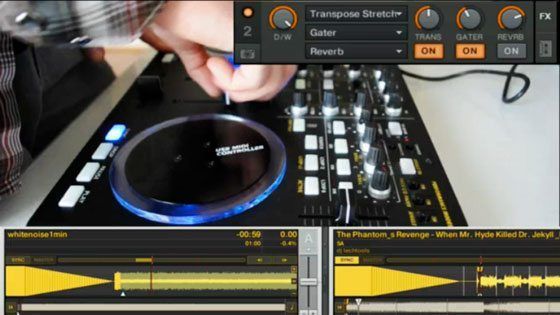
Over the years we have managed to crank out a surprising number of Traktor FX tutorials, many of which teach fundamental FX tricks that can be used with any controller or software. NI recently asked me to film a few of my favorites for the release of the new X1 controller. We were happy to oblige, and all 4 FX tutorials, along with a comprehensive list of our other FX video tutorials, can be viewed after the break.

PART 1- UPGRADE YOUR BEAT MASHER

PART 2- FREEZE TRANSITION

PART 3- LOOP SYNTH

PART 4- JUGGLE SAMPLE

ADDITIONAL WATCHING

Here are a few of the other Traktor FX tutorials we have posted over the past few years:

Dynamic Build Ups

Using White Noise as an Instrument

The Original Freeze Video

Crazy Drum Fills

Full Performance Tutorial

Scratch and Pitch

Going wayyy back to a time when I look young and Traktor looks old:

Playing with Filters and Phase

Rocking Digital Doubles

Filter Basics

Full legal section disclosure thingy

As some of you may know, online writers are required to disclose if companies in their articles provided any free equipment or money to them. NI paid me (Ean) as an artist to create some cool FX videos that show off Traktor Pro and the X1. DJ Tech Tools did not get paid in any way to post them on this site – and never takes any money from manufacturers to post articles. We are not promoting or endorsing the products used in these videos, but feel the information contained within might be helpful to all of our readers. Our main interest is in creating a community of really talented DJs; the equipment that you use to get there is totally up you!

52 Responses to “Traktor Pro FX Tutorials”

  1. dean

    February 3rd, 2010 at 2:59 pm Quote

    Great tutorials, thanks Ean.

  2. braden

    February 3rd, 2010 at 3:03 pm Quote

    the kontrol looks so sick, might have to get me one of em, articles always high quality as expected

  3. Mr. Whiskers

    February 3rd, 2010 at 4:46 pm Quote

    That loop synth idea is really unique Ean, great tutorial. I’ll definitely have to try it. And of course, it’s so simple, makes perfect sense! It’s just like wavetable synthesis, with an LFO applied to the filter. Instant dubstep wobble!

  4. seemartinbreak

    February 3rd, 2010 at 5:53 pm Quote

    thank god!!! i soo needed my djtechtools fix.

    EAN whats the name of the song you use in the video with the beatmasher, 92low, and iceverb??? sounds great by the way!!!

  5. Anonymous

    February 3rd, 2010 at 6:14 pm Quote

    So Fresh!

  6. MonkeyMo

    February 3rd, 2010 at 6:44 pm Quote

    Ean:
    Can the Kontrol x1 be used side by side with the vci-100se? ie control c/d decks.

  7. Ean Golden

    February 3rd, 2010 at 7:03 pm Quote

    Ean:
    Can the Kontrol x1 be used side by side with the vci-100se? ie control c/d decks.

    Yes- Absolutely. That would be a good setup although you can control those decks with the VCI right now too.

  8. sine143

    February 3rd, 2010 at 7:08 pm Quote

    I’m also interested in a track ID for the beatmasher vid, I was really catching a groove to it.

  9. teenagesounds

    February 3rd, 2010 at 7:32 pm Quote

    Ean? In your opinion, is the X1 really necessary if you already have the VCI-100? do you feel that it improves/makes a difference and is worth it?

    thanks!

  10. jorge muniz

    February 3rd, 2010 at 11:07 pm Quote

    would love to see some of these fx on ableton =(.

  11. Gameboy

    February 3rd, 2010 at 11:39 pm Quote

    The Track in the Beatmasher vid is Poison Lips by Vitalic http://www.youtube.com/watch?v=I2dfGC1oziE

  12. Pieter

    February 3rd, 2010 at 11:45 pm Quote

    Wow, i think these are definitely your best fx tuts yet!!

  13. seeMARTINbreak

    February 3rd, 2010 at 11:57 pm Quote

    Gameboy: Thanks a lot!!!
    These tutorials are great. cant wiat to get my new computer to test these tricks out since my last to a dive during a show >/

  14. Dutch

    February 4th, 2010 at 1:06 am Quote

    This is the shiza.

  15. Anonymous

    February 4th, 2010 at 1:31 am Quote

    im seriously considering buying a kontrol x1 to use with serato. having a hard time finding a solid review that covers whate it can/cant do in scratch live though.

    e.g. will the hotcue button act as a “shift button” in MIDI to allow similar the same functionality, like internal controls (as printed on the buttons) and cue buttons (as printed on casing of the controller) when the hotcue button is engaged/disengaged?

    would love to see the LED feedback in serato too, but this may be asking too much :)

  16. myrobotlove

    February 4th, 2010 at 1:32 am Quote

    whoops didnt mean to post anonymous on that last one. its late!

  17. Pete

    February 4th, 2010 at 2:15 am Quote

    Ean,
    I see that you are in the pocket of Traktor now……. Have you sold out?
    Why is there so little on Serato – Ableton, is this because you have climbed into bed with NI?
    Even the videos have the NI and not DJ tech tools intro…..
    Independent?

  18. Shog

    February 4th, 2010 at 2:15 am Quote

    Awesome videos Ean.
    Will be there any new fx tutorials for the VCI anytime soon?Im sure you have something special under your sleeve. :D

    Cheers.

  19. Double DutchDj

    February 4th, 2010 at 3:57 am Quote

    I’m loving the vids you did for NI, but your drums fills effects are still my fav, and for me really shows the importance of how to chain effects in the correct order to get quality results, plus the Freeze out echo for for dramatic bpm changes is such an effective use of straight forward fx use.

    @ Pete, thats a pretty childish comment to make! I know Techtools is about digital dj’n, but for the last 2 and bit years a chunk of the posts have always revolved around Traktor tips. Which is why NI employed Ean to make some promo vids for them. Plus to be fair, in recent months many posts have been aimed for the whole digital community! Its not the case these days but In many ways Techtools was originally a Traktor community site anyway. Really sorry for off topic moan, but I don’t get how people can spit there dummy out over a great FREE service, just because a post come’s up that doesn’t do it for them!

  20. GRiNSER

    February 4th, 2010 at 5:06 am Quote

    Ean,
    I see that you are in the pocket of Traktor now……. Have you sold out?
    Why is there so little on Serato – Ableton, is this because you have climbed into bed with NI?
    Even the videos have the NI and not DJ tech tools intro…..
    Independent?

    Didn’t you read the disclaimer below the article? He was paid for this videos by NI so therefore the NI intro… He is just posting it here because it can be useful for us too. Additionally you can reproduce it simply with any controller and DJ tool that has similar effect possibilities (Thinking of Torq or the new Serato/Itch)…

  21. Abyrne7

    February 4th, 2010 at 6:24 am Quote

    Ean specializes in traktor, Always has. Why would someone complain about free tutorials? I wouldn’t complain about a guy giving ableton tips??? The man is sharing his knowledge for free!!

  22. Dutch

    February 4th, 2010 at 8:28 am Quote

    Exactly. Pure quality vids.

  23. Ricky Stone

    February 4th, 2010 at 8:32 am Quote

    Ean Golden = Legend – Respect

  24. Pete

    February 4th, 2010 at 9:03 am Quote

    @ Pete, thats a pretty childish comment to make! I know Techtools is about digital dj’n, but for the last 2 and bit years a chunk of the posts have always revolved around Traktor tips. Which is why NI employed Ean to make some promo vids for them. Plus to be fair, in recent months many posts have been aimed for the whole digital community! Its not the case these days but In many ways Techtools was originally a Traktor community site anyway. Really sorry for off topic moan, but I don’t get how people can spit there dummy out over a great FREE service, just because a post come’s up that doesn’t do it for them!

    Possibly a little childish I accept………
    Should I have read the article better before posting a comment, most certainly
    Sorry just was worried that DJTT had lost its independence!

  25. dj ally

    February 4th, 2010 at 9:19 am Quote

    Well written article as always. Definitely demonstrates the effect (pardon the pun) of knowing how to use your set up to the fullest.

    Keep the advanced tutorials coming!

  26. mcbusta348

    February 4th, 2010 at 9:52 am Quote

    Love the tutorials :). I’ve been using the Delay freeze effect to assist me with transitions for awhile now. Cant wait to experiment with the beatmasher one :)

  27. Ean Golden

    February 4th, 2010 at 11:11 am Quote

    Ean,
    I see that you are in the pocket of Traktor now……. Have you sold out?
    Why is there so little on Serato – Ableton, is this because you have climbed into bed with NI?
    Even the videos have the NI and not DJ tech tools intro…..
    Independent?

    It makes me sad that anyone would think we have sold out- when its really quite the opposite. (notice the lack of outside advertising).

    That being said I do agree with you- the content does tend to be Traktor heavy so we are working on getting more material in that teaches concepts in Ableton and Serato. The problem is that we have set a very high standard of quality for ourselves, and I am not personally an expert in either of those programs. Its been hard finding people like me that work with those programs but if you know of anyone, please send me an email as we would love to publish their work.

  28. Rolfski

    February 4th, 2010 at 11:41 am Quote

    Ean,
    I see that you are in the pocket of Traktor now……. Have you sold out?
    Why is there so little on Serato – Ableton, is this because you have climbed into bed with NI?
    Even the videos have the NI and not DJ tech tools intro…..
    Independent?

    I have reguarly shared my critism here because I thought the quality of some DJTT articles could use improvement. The last thing you can DJTT accuse of is lack of independence though.
    Your comment on the intro’s of the video’s clearly shows you didn’t get the background behind these tutorials or even didn’t take the time to read it: Ean got paid to by NI to make them. Nothing wrong with that, especially because he has been very clear about this. Therefore, good advertisement for Kontrol X1 as well as DJTT; very informative for the viewers. Everybody wins.

  29. janzak

    February 4th, 2010 at 11:44 am Quote

    That third one was fucking RICH

  30. Alfred

    February 4th, 2010 at 1:08 pm Quote

    Hey guys, I am very close to laying down cash for the arcade VCI… Do you guys think this X1 is a good substitute? I felt that the VCI was more versatile…

    These tutorials are bad ass by the way… I’m new to the scene and everytime I log on to the site I learn more about my Traktor Pro…

    Thanks Ean & team….

  31. logikal

    February 4th, 2010 at 1:46 pm Quote

    Awesome as always. DJTT is the best resource djs have.

  32. dj stylus

    February 4th, 2010 at 2:28 pm Quote

    just ordered my kontrol x1..
    can you (how)use that with a vci 100 at the same time?
    this info would be helpful to many djs here

  33. TheBigBlaa

    February 4th, 2010 at 2:36 pm Quote

    Hi Ean,

    4 great effect setups. But DJs shouldn’t be configuring these during a set right?

    So maybe it would be good to set these up and assign them to macros and dial them in with the MIDI controller.
    OR
    with Traktor having 4 FX units now, set up each unit to match your favourite top 4, and then have the controller select the FX unit

  34. Really Rami

    February 4th, 2010 at 2:37 pm Quote

    I have also just ordered my X1 and want to use it along side my VCI. I haven’t updated the firmware on my VCI yet, so I suppose I gotta step that up first.

  35. Alfred

    February 4th, 2010 at 2:52 pm Quote

    I undestand the VCI to be a mixer/controller where we could manipulate efects already… what would be the purpose or benefit of joining the X1 with the VCI? Would it not create conflict? Sorry if this is a newbie type question. And thanks for your responses.

  36. Double DutchDj

    February 4th, 2010 at 4:25 pm Quote

    There seems to be a bit of confusion comparing the x1 to the vci 100, remember guys that they essentially can be anything you desire as there midi controllers. Tho for out the box plug and play, the X1 is really aimed towards dvs dj’s who already have turntable’s/cdj’s and a mixer, but need an easy solution to getting access to Traktors other obvious feature’s, without having to touch your laptop. The vci 100 is an all in one solution, a scaled down dj set up in a small package. But once you apply Ean’s mapping you virtually have an musical instrument that brings the power of sowftware right to your fingertips. Tho it would be possible, the X1 wasn’t really designed as a stand alone unit. I don’t own either, but if I was combining the two, I would be doing it for better access to all four fx units and all four sets of hot cue’s. The question you got to ask yourself is, do you need direct access to all four decks/fx units, if not the vci !00 is more than enough until you feel ready to step up.
    +++++
    @ Ean, I salute your diplomacy sir! It must be very hard/frustrating to read some of the comments left by some of us know it all dj’s. But on the other hand it must be very rewarding, that so many beginners will one day be rocking quality creative sets all thanks to you. The level never dips, the more seasoned of us do appreciate that there’s a lot of newb’s who find the more basic/ish posts incredibly helpful.
    +++++
    @ serato owners, the problem is your using a dj software that has as many features as a spoon. If you jump ship to the more open ended creative, feature heavy world of Traktor or Ableton the only thing you’ll miss is the way serato looks.

  37. HCLC

    February 4th, 2010 at 5:27 pm Quote

    You should cover the Maschine sometime too. Wish you would make a great midi template for it.

  38. Strategy

    February 4th, 2010 at 6:12 pm Quote

    im seriously considering buying a kontrol x1 to use with serato. having a hard time finding a solid review that covers whate it can/cant do in scratch live though.

    e.g. will the hotcue button act as a “shift button” in MIDI to allow similar the same functionality, like internal controls (as printed on the buttons) and cue buttons (as printed on casing of the controller) when the hotcue button is engaged/disengaged?

    would love to see the LED feedback in serato too, but this may be asking too much :)

    whoops didnt mean to post anonymous on that last one. its late!

    Here’s the link to the serato overlay for the X1:

    http://www.native-instruments.com/#/en/products/dj/traktor-kontrol-x1/?page=1222

    So you can see exactly what it does! Remember thou, it’s a full midi controller an therefore can be mapped to anything you like -> you even get a blank overlay so you can write down you personal mapping onto the X1!

  39. Josh Robbs

    February 4th, 2010 at 7:09 pm Quote

    HI HI HI Hater!! LOL Ean keep on doing what your doing man. I love all the videos & wealth of knowledge I have gained from both your vids & the awesome community that has formed here. I havnt found another site that has so much to share, Whether its tips tricks, mappings, ideas. Anytging I have ever been looking for I have found on this site.

  40. myrobotlove

    February 4th, 2010 at 11:38 pm Quote

    im seriously considering buying a kontrol x1 to use with serato. having a hard time finding a solid review that covers whate it can/cant do in scratch live though.

    e.g. will the hotcue button act as a “shift button” in MIDI to allow similar the same functionality, like internal controls (as printed on the buttons) and cue buttons (as printed on casing of the controller) when the hotcue button is engaged/disengaged?

    would love to see the LED feedback in serato too, but this may be asking too much :)

    whoops didnt mean to post anonymous on that last one. its late!

    Here’s the link to the serato overlay for the X1:

    http://www.native-instruments.com/#/en/products/dj/traktor-kontrol-x1/?page=1222

    So you can see exactly what it does! Remember thou, it’s a full midi controller an therefore can be mapped to anything you like -> you even get a blank overlay so you can write down you personal mapping onto the X1!

    Thanks for the link Strategy. I aware of its MIDI mappability (tongue twister), just curious about the 2-way communication functions with the LEDs etc as i know Serato doesnt have much MIDI customization options when (and if) it sends MIDI data BACK to the controller.

    I may just have to bite the bullet and find out myself!

  41. DJ Resistor

    February 4th, 2010 at 11:39 pm Quote

    Hey all,

    Got the last Kontrol X1 in stock at the Guitar Center in San Jose last week and have been playing around with it for a few days now, so I hope some of those curious about this controller come back and check out the comments.

    (Mine did NOT come with either a Serato or a blank overlay. I have Scratch Live (SL1) and Traktor Scratch Pro and I find comparing the two to be an interesting exercise for another time. I will be trying to get these from Native Instruments’ support.)

    The X1 is a perfect complement to a “full-sized” Traktor setup – timecode and external mixer – which is exactly why I got it. My VCI-100SE is a complete /replacement/ for that same setup.

    The VCI gives you 4-deck control, transport and jog wheels, mixer section and pitch faders, and robust effects control. It also fits in my laptop bag, which my battle case does not.

    The X1, however, gives me back effects control when I use my tables and basic-but-trusty 2-channel Tascam mixer. It’s sized really well, feels solid, and oozes that great NI design. The layout and default control setup is quite good, but some of the transport control is redundant when I’m using the timecode records. I look forward to remapping those :) I haven’t tried using it for Scratch Live yet, but without Traktor’s effects, it’s not really a priority.

    For those without a timecode setup, I think the X1 would do fine as your only controller in a pinch, especially if you’re making full use of the grid and letting Traktor match beats for you.

  42. Pete

    February 5th, 2010 at 1:55 am Quote

    Ean,
    I see that you are in the pocket of Traktor now……. Have you sold out?
    Why is there so little on Serato – Ableton, is this because you have climbed into bed with NI?
    Even the videos have the NI and not DJ tech tools intro…..
    Independent?

    It makes me sad that anyone would think we have sold out- when its really quite the opposite. (notice the lack of outside advertising).

    That being said I do agree with you- the content does tend to be Traktor heavy so we are working on getting more material in that teaches concepts in Ableton and Serato. The problem is that we have set a very high standard of quality for ourselves, and I am not personally an expert in either of those programs. Its been hard finding people like me that work with those programs but if you know of anyone, please send me an email as we would love to publish their work.

    I have always been a Traktor user and have followed DJTT for some time and have managed to use the wealth if info to better my sets in ways I cannot have expected. I think its great! I am trying very hard to get to grips with Ableton but seem only to be able to find people that don’t know how it works (but think they do), but just dabble with the auto sync feature.
    The possibilities of it however are mind boggling!
    Wish I had the money to give up the day job and focus on what I could achieve.
    Didn’t mean to insult, just wanted to make a point, (probably made in the wrong way tbh).
    Pete

  43. Strategy

    February 5th, 2010 at 10:37 am Quote

    Thanks for the link Strategy. I aware of its MIDI mappability (tongue twister), just curious about the 2-way communication functions with the LEDs etc as i know Serato doesnt have much MIDI customization options when (and if) it sends MIDI data BACK to the controller.

    I may just have to bite the bullet and find out myself!

    Hh, I’m afraid I can’t help you there…as I don’t use SSL, I don’t know if it has midiout-options/mappingcapability to control LEDs and there output….Traktor does have this fine feature! ; )
    greetz
    Strat

  44. dr

    February 6th, 2010 at 2:52 pm Quote

    Hi, this is imposible without controller?

  45. ManDingo

    February 6th, 2010 at 5:10 pm Quote

    Mandingo will be using an x1 with his VCI 100 SE just cause he feels like it. And for you ladies out there bitching about Ean’s deal with NI, I have a knuckle sandwich for you, you and you!!! How dare you take a stab the man (EAN) who has done nothin less then feed your starving minds with sooooo much info and knowledge.

  46. greig

    February 7th, 2010 at 1:40 am Quote

    Thank you, Ean. Great set of videos, esp. the loop synth. I was already doing something similar, using micro loops, digital lofi + gater + delay and the the mixer filter. But with this chained effect set, and the key knob, you’ve skyrocket this trick to a whole new level of playability. Now i just have to remap my nanokontrol to handle both effects sets at the same time. P.S. I wasn’t very interested in the x1, but you just made it look awesome..

  47. jasonmd2020

    February 9th, 2010 at 2:33 pm Quote

    Loving that Beatslicer tip. I alternate between turntables & keyboards. Wondering how running an external signal from a synth to the Audio8’s inputs would work for looping. Twisting live vocals would kick ass!

  48. guy

    February 12th, 2010 at 11:06 am Quote

    hay i wonder if you have any recomendation on a leptop for djs

    any model compeny

    i will be glad to here from you

    djguy

  49. guy

    February 12th, 2010 at 11:12 am Quote

    hay i wonder if you can give me a name or a model comeny for leptop

    for dj use

    tanks

    djguy

  50. Paul the computer technician from Perth

    February 19th, 2010 at 4:32 am Quote

    hey man,

    Another great set of quality tutorials.. thanks! its great that you offer your templates for the vci and the midi fighter on here and you offer the mp3s to go along with your demo tracks so we can do the examples ourselves, you are very generous and you inspire me to be more creative myself. keep up the great work Champ!

    Paul

Leave a Reply

  1. Quote selected text

First Time?

This site is dedicated to digital djs. We develop performance tools and teach cutting edge techniques that enable creative expression. Visit tutorial videos on youtube, equipment reviews in the blog and a very helpful community in the forum. New articles every Mon, Wed, Fri.
In the Store
 

Categories:
Follow us:
You're going to need Flash 8+ and JavaScript to use this site. How'd you get this far without it?

Dig through the Crates

Readers are Saying

  • And what of it?: Surely on a cruise line they’d want you to get involved with party and game organising, themed shows,...
  • Whyte: Funny to see this article here. I’m spending a winter season here in Canada at the moment, and have been playing...
  • Jonny: I notice a post about being with ‘deadmau5′ ‘on that one’. He has little option as the guy...
  • Jack Creamation: Whens the next contest?
  • virtual dj tutorial: just read your post. thank for good info. I’m still learn to you.cheer
Contributing-Writer-Ad