Third-Party Utilities for Traktor Pro
By Hedgehog
Native Instruments doesn’t offer any API or plug-in interface for Traktor Pro so that the program can be as stable as possible. However, some brave developers out there still try to get even more out of Traktor Pro by creating their own tools to work with it. In this article, I try to cover all of the available Traktor add-on apps. If you know of any more, please let us know about them in the comments.
DATABASE/PLAYLIST MANAGEMENT
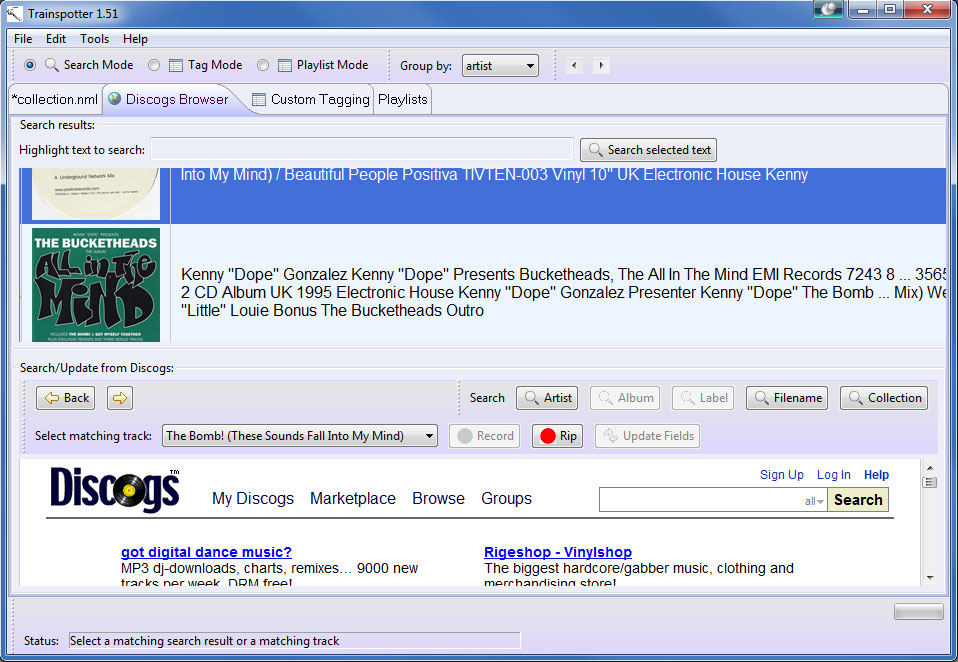
TRAINSPOTTER
This applications queries Discogs for missing track-data and cover art. It also allows you to create dynamic playlists by tag, year, key, import date or even advanced custom playlists by using XQuery-statements. It also lets you encode your wave-files to flac or mp3 and create+record or rip tracks based on Discogs data.
Works with: Traktor 3 – Traktor Pro 1.x (tested with Traktor Pro only)
Platforms: Windows; OS X (Java-based)
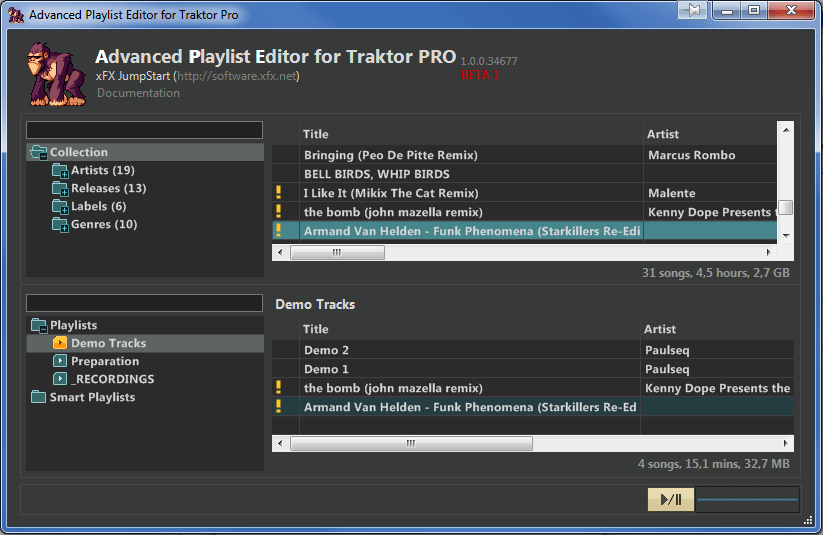
ADVANCED PLAYLIST EDITOR
This simple utility lets you create Playlists for Traktor using its library. It also lets you edit your music files’ tags.
Works with: Traktor 3 – Traktor Pro 1.x
Platforms: Windows; OS X
RAPID EVOLUTION 2
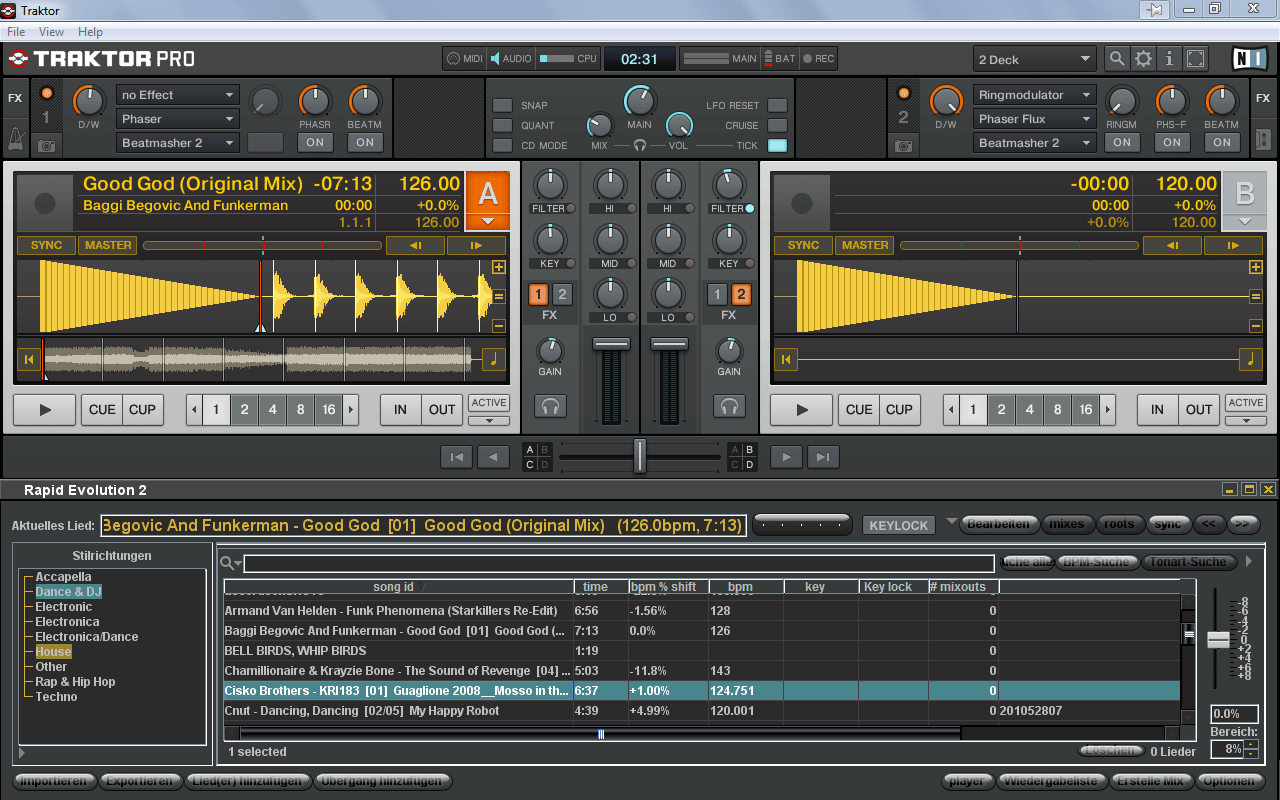
Here’s a music-database program that helps you in finding the right track to play next while you mix. It helps you look for songs that will best fit with your current one playing, taking into consideration BPM, style, key and time signature. (It can also detect the BPM and key of your music files). You can even share all of that data with other Rapid Evolution users. RE2 can directly import several DJ-programs’ databases, including Traktor’s. During mixing, you can put it above the Traktor library and drag your chosen tracks directly onto a deck, which can look like the screenshot included here.
Note: Rapid Evolution 3 is in the works and should be available shortly.
Works with: Traktor 3 – Traktor Pro 1.x
Platforms: Windows; OS X; Linux (Java-based)
TWITTER APPS
TRAKTOR SCROBBLER
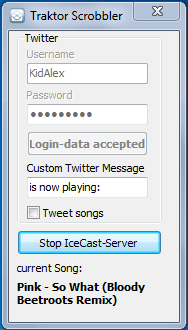
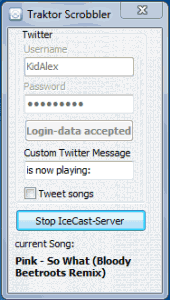
This is my own tool.It doesn’t require a running IceCast Server to determine the running track, but can be used while broadcasting. Support for other plattforms such as Last.fm is planned.
Works with: Traktor Pro 1.x
Platforms: Windows
TWITTER DJ
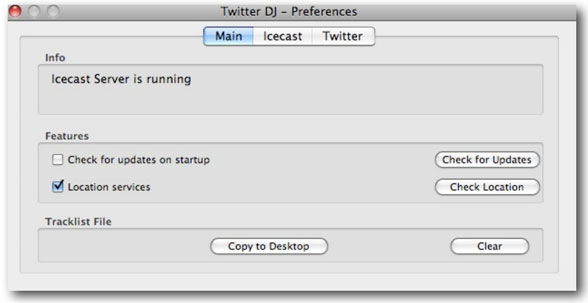
Probably the most famous 3rd-party tool for Traktor Pro, Twitter DJ was programmed for Richie Hawtin’s label M-nus. It tweets your currently played track, but requires IceCast Server in order to run.\
Works with: Traktor Pro 1.x
Platforms: OS X
TRAKTOR METADATA LISTENER
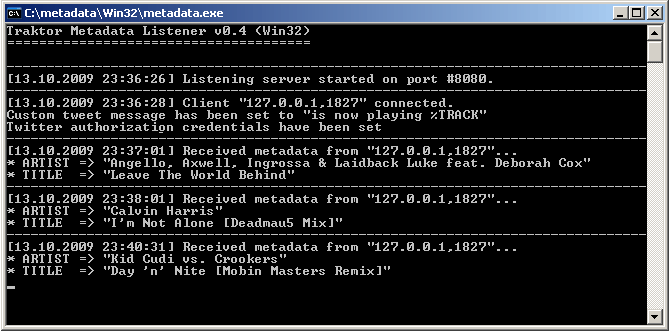
This tool is minimalistic. It is a console application and doesn’t need IceCast to work. You just write your Twitter username, password and a customized message for your tweets into Traktor Pro’s Broadcasting preferences, and you’re ready to rock.
Works with: Traktor Pro 1.x
Platforms: Windows; OS X; Linux
MISCELLANEOUS
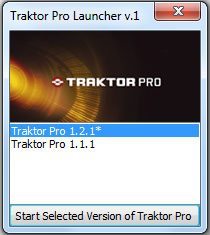
TRAKTOR PRO LAUNCHER
This is another one of my tools. It lets you start up different versions of Traktor Pro. Basically it just swaps in and out the corresponding settings.tsi file, a task that is pretty tedious to do on your own in my opinion. I am planning to introduce an extended version that gives you the ability to define different Traktor Profiles.
Works with: Traktor Pro 1.x
Platforms: Windows
TSI-VIEW & PRINT
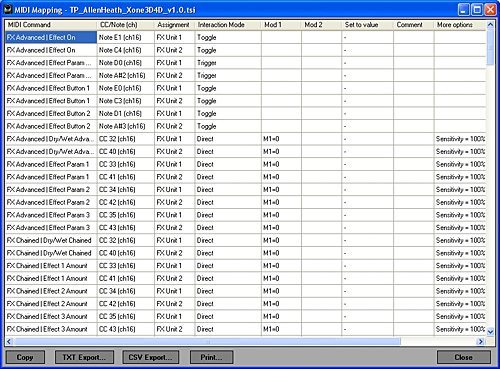
Here’s a program by RainerH, the writer of the Traktor Bible. Have you ever been annoyed about the small windows showing all MIDI & hotkey assignments? If so, then this tool might be handy for you. It displays your assignments and allows you to print them. Sadly it doesn’t work with Traktor Pro 1.2 yet. There is also an online version of this tool.
Works with: Traktor Pro 1.0 – 1.1
Platforms: Windows for the downloadable version; any for the online version.
DEATH BY 1.2
A couple of Traktor Pro-oriented utilities have been made basically obsolete with the Traktor Pro 1.2 update. But if you’re planning on sticking with Traktor Pro 1.0-1.1 for some reason, Traktor Tools (Windows-only) includes three different tools: TSI Merger merges the hotkey or MIDI assignments of multiple tsi-files; Channel Changer swaps the MIDI channel for assignments in a tsi-file; and Deck Remapper remaps the deck assignments to another deck.
There is also the Traktor Modifier Viewer (Windows-only), which shows the current Modifier values in the titlebar of Traktor Pro 1.02. ?Isn’t needed anymore, as Traktor Pro 1.2 added the Modifier panel in the MIDI-Mappings.





November 16th, 2009 at 5:58 am Quote
wow… good stuff here
cant wait to try them out!
will leave feedback on how it goes
November 16th, 2009 at 6:02 am Quote
Nice markkus!
I’m really sad about the TSI viewer not working in the 1.2.x versions of traktor, the mapping interface of traktor is awfull, I’m a beginner midi-mapper and I found it a pain to map with this screen and funcionalities.
I want to automate more things and view my TSI on a larger window, with Filters on the top row and things like that.
As Rainer told in the forums, NI had cryptographed the .tsi files for better performance
November 16th, 2009 at 6:04 am Quote
what i said sounds strange, i think that cryptographed is not the best word as it would degrade the performance instead, but I’m not finding the topic that rainer explained what happend…
November 16th, 2009 at 7:33 am Quote
Trainspotter is awesome for tagging your tracks and getting your collection file all sorted out. I believe most of the kinks have been ironed out at this point.
November 16th, 2009 at 11:06 am Quote
CloneThing – allows you to adjust any of Traktors GUI elements (as well as any other app) and move them around/stretch them to your liking.
http://www.djtechtools.com/forum/showthread.php?t=5489
November 16th, 2009 at 11:40 am Quote
If you make a Traktor-specific version which is easier to use I will include it in my list.
November 16th, 2009 at 12:52 pm Quote
I would REALLY like a tutorial on how exactly to use Traktor’s broaddcast feature.
I have tried to set up scrobbler, but ran into problems. Maybe a tutorial on that too would be helpful.
November 16th, 2009 at 1:10 pm Quote
I just wanted to give props to the author of this post, Hedgehog (Alexander Zigelski; http://www.ali.dj). He created some of the tools listed here, but he’s not in our system, so it says “Written by markkus” at the very top. Cheers.
November 16th, 2009 at 1:45 pm Quote
fantastic article
thank you
November 16th, 2009 at 2:25 pm Quote
Oy, that awful mapping interface is the bane of my existence as a sometimes DJ. I love experimenting with different controller layouts but I just can’t deal with that mess.
The plaintext TSIs of past versions of Traktor were at least negotiable but I’d love for someone to reverse-engineer whatever encoding they’re using now. If they played by the rules and saved the settings as real XML I would be happy to build an better editing tool, if only for my own use.
November 16th, 2009 at 3:59 pm Quote
Agreed 100 times! O what I would do for a plain text .TSI! To be able to batch configure and write your setting instead the click, click, click, learn, assign, check.
I’m currently building my Reloop DJIE2 config and damh it’s hard. I have so much more respect for Ean now seeing as he can put out a TSI that works without hundred thousand quirks to it.
November 16th, 2009 at 6:14 pm Quote
Cool post, love’n the Traktor pro launcher. Especially the different profile loader idea your brewing up, I guess there won’t be a mac version? Great work regardless tho!
November 16th, 2009 at 8:21 pm Quote
Wicked article, i love the diversity of posts we’re seeing on DJTT lately :)
Gonna try out metadata with my weekly netradio show tonight to see if it’s not too spammy.
November 17th, 2009 at 1:48 am Quote
@Double DutchDj:
Yeah this will be my first multi-plattform tool, but give me some time. I have to finish another project beforehand.
November 17th, 2009 at 4:20 am Quote
First of all i would like to mention i’ve been visiting this site since a year or so, but until recently the articles just keep coming~!
Really great stuff, keep on going!
November 17th, 2009 at 5:21 am Quote
PM me as user fleater in the forum and I will go through what I know. I have been broadcasting for some time now….
November 17th, 2009 at 7:02 am Quote
Someone needs to make a simple “SKIN” changer … would be Awesome to get some different color’s in there …. REALLY ….
November 17th, 2009 at 8:44 am Quote
Is there any talk of a video mixing software add on like serato?
November 17th, 2009 at 5:14 pm Quote
sweety post =)
November 17th, 2009 at 5:34 pm Quote
I post something on this thread:
http://www.djtechtools.com/forum/showthread.php?t=6345
t’s a little plug-in that allow you to customize your desktop color. I found that it really useful for Traktor’s user
http://nocturne.en.softonic.com/mac
November 18th, 2009 at 6:37 am Quote
please… if anyone makes a skin changer for traktor i will cry. have you seen the state of virtualdj?
November 18th, 2009 at 1:04 pm Quote
You can use this!
http://nocturne.en.softonic.com/mac
November 19th, 2009 at 10:42 am Quote
i still hate that in traktor pro there is no option to lock a playlist completely. i know consolidating clearly, but it is not the same, any ideas about a workaround to lock a playlist?
cheers
chill
November 24th, 2009 at 8:40 am Quote
HI Ean thanks for developing this…
http://www.native-instruments.com/forum/showthread.php?t=58636
November 28th, 2009 at 7:37 am Quote
are there any plug ins for traktor to run the wave forms vertical and next to each other like serato?
November 29th, 2009 at 8:13 am Quote
I think Trainspotter was sold short by you:
“Tags all tracks that you have previously mixed together by querying your playlist history – now when you search for the current artist and track name in Traktor, the results show all the tracks that have followed it.”
I think there is a lot of potential in this app that lifts it far beyond being yet another “fix missing fields in id3 tags” tool.
January 3rd, 2010 at 8:46 pm Quote
I know it’s been said already, but I want to throw my “The TSI editor built into Traktor is horrible and needs to be fixed” comment in here too in case NI’s counting.
The lack of ability to even *resize* the window is just absurd. I just programmed a LaunchPad and Nocturn to Traktor and it was the most tedious thing I’ve done in a long time. Considering the release of their new X1 controller, it seems more time’s being spent on how to sell you hardware than it is to let users expand the possibilities of their software.
January 3rd, 2010 at 8:47 pm Quote
Oh, and thanks for the article too, it’s a great resource.
January 23rd, 2010 at 9:16 am Quote
does anyone know of an utility that allows for swapping TSI’s when using traktor LE? I have 4 TSI’s and I have to manually rename them everytime I’m going to use traktor in a different setting…