

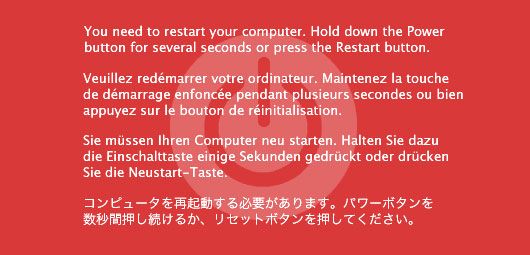
Handle a Crash the Sullenberger Way
By: DjNvidia
Being a digital Dj has its definite advantages. The equipment is smaller, cheaper and most importantly, more powerful than conventional turntables. With today’s massive hard-drives, you have access to more music than anyone can possibly carry in vinyl form and dj software allows us to do things with the music that musicians haven’t even thought of. In these strengths also lies the biggest weakness; being so reliant on computers, the digital dj is susceptible to random crashes.
In this post, I will suggest some ways to prepare for crashes, prevent them and how to professionally handle a crash the Sullenberger Way (professionally) .
Prepare for the Worst
Most crashes occur because of problems with the RAM (Random Access Memory). RAM is the computers way of remembering what it is doing at that moment. Computers can only do one thing at time, though they do it very quickly. To the user it seems like the computer is surfing the web, while playing music in iTunes and running Microsoft Word all at the same time, but in reality the computer is juggling the programs, stopping each one for a nanosecond, to work on another program, then going back to it.
Most new computers come with 2 gigs of RAM. That means there is 2 gigs worth of programs that the computer can remember. Each program takes up a certain amount of memory to run. For example, Safari takes up 150MB and Traktor Pro takes up to 1 Gig. When the amount of memory the programs need exceeds (or come close to) the total amount of RAM, you get freezes and crashes.
One way to get the most out of your RAM is to get rid of all the programs you don’t use. Macs don’t have this problem, since they don’t come with gimmicky trial programs (or so I have been told by the Mac commercials). But if you’re using a PC the way to get rid of the software is to go to “Start Menu” –> “Control Panel” –> “Add/Remove Programs.” Go through this list and get rid of the stuff (like Rhapsody or Yahoo Toolbar) you don’t use.
Invest in Computing
In addition, I recommend upgrading the amount of RAM you have. I have 4 gigs in my MacBook. This is overkill for most people, but for Djs who are dependent on their computer, it cant hurt to have as much as possible. A good place to buy RAM (for cheap) is at Crucial.com.4 gigs cost me less than $60 and they even give you instructions on how to install it.
Back Up Your Collection
The last and most important thing you can do to prepare for a crashes, is to back up your computer. For Macs and PCs this process is extremely different. Watch the respective video below to learn how back-up your system.
Mac BackUp System
PC BackUp System
Both Mac and PC users will need an external hard-drive and I highly recommend the Iomega portable Hard-drives. They are small (in size), large (in capacity), cheap, durable and have options for both USB or Firewire.
Last but not least, I recommend having a recorded performance on your iPod (or Mp3 Player of choice) that is at least 1 hour long. Should a crash occur, an long mix will give you the time and peace of mind to figure out the problem. If you don’t have a mix (or the time to make one) there are ton of hour long mixes (on myspace mostly) but I recommend using Ean Golden’s Physical. Make sure that you have the proper RCA adapters on hand to plug in your iPop through the headphone jack.
Prevent the Crash

You have done everything necessary to prepare for a crash; you have gotten rid of all the programs you don’t use, you have upgraded the RAM of computer and backed-up your system with an external hard-drive, but you don’t want to have to use any of this if you don’t have to. The following steps will help you to marginalize the chances of actually having a crash.
Focus on Your Job
When you are working, you should only have one program running: Your Dj software. For Macs, this is easier to ensure. Every program that is running, will be on your dock and have a blue dot underneath it. For PCs make sure your system tray icons (bottom right side) is clear. And if you are running Vista, make sure your “Gadget Sidebar” is closed. Many of these gadgets connect to the internet and will eat up a lot of processing power and RAM while open.
Cut off Yourself from the World
To go along with only running one program, make sure you turn off any auxiliary connections you may have (like WiFi and Bluetooth). These two will eat up RAM and increase your chance of have having a computer crash. In addition, you don’t want you audience trying to connect to your computer while you Dj’ing and send you messages, like requests. Mobile phones are very powerful these days, and this is a very realistic possibility (especially with the new iTunes feature iTunes DJ)
Keep the Laptop Awake
Almost everyone has a nifty screensaver but no matter how cool your is, you don’t want them popping up during a performance. Though you may be doing a lot with a midi controller, the computer does not think its critical and may go to sleep. A simple solution is to go to your computers preferences and turn off the screen saver before every gig. The quick fix is the free program called Caffeine (for Mac and PC). It is a “one-click” program that will prevent your computer from activating the screensaver or locking up.
Handle a Crash the Sullenberger Way (Professionally)

Be Calm
Don’t Panic, you have prepared for this. First thing you do is grab your iPod and press play (it should allready be plugged in). After you have started your hour long mix, go back to your computer and re-open Traktor Pro to see if it will work without a re-start. If it does, process to the next step. If Traktor won’t open after a crash, then try restarting the computer. If that doesn’t work either, you may have to employ your back up system. Remember to bring you external hard-drive with a back up disk installed. Booting directly from a disk that you know will work should fix the worse case scenario.
Test Thoroughly
Now that you have Traktor Pro Running properly. Don’t just plug in and start playing again, take advantage of the long mix you wisely prepared and test out Traktor to ensure it is back on track. Load a few tracks, do some mixing, and even play with the effects. If you can remember the exact tracks you were playing while the crash happened go back to them and load them up again. Make sure it was only a fluke and not something fatally wrong with those tracks.
Fade in Like a Pro
Once everything is back and running smoothly- its time to get back in the game. Don’t just yank out your iPod and start playing immediately, instead handle the transition like a pro Dj. Load your favorite track (or the crowds favorite track). If you have a mic, you might consider saying something like, “I got something special for ya’ll.” Then slowly turn down the volume on the iPod, plug your set-up back in, and rock the house. And don’t forget to smile because you just succesfully navigated a potentially fatal crash without a single casualty and 90% of your audience didn’t even notice.
Summary
Prepare for the Worst
- Remove Unused Programs
- Improve RAM
- Back Up Computer & prepare mix on iPod
Prevent a Crash while Performing
- Focus on Dj’ing (only have Dj program running)
- Cut of Auxiliary Connections (WiFi, Blutooth)
- Turn Off Screan Saver
Professionally Hand a Crash
- Be calm & plug in iPod (with mix)
- Test thoroughly (make sure it all works)
- Fade back in like a pro (and smile)






April 19th, 2009 at 7:23 pm Quote
Needy guide! Been there a couple a times, never nice.
April 19th, 2009 at 7:36 pm Quote
One this id recommended to anyone if they have room in their laptop is to add in another hard drive/ load in your OS and all the basic stuff you need to dj on a 30gig partition
April 19th, 2009 at 7:47 pm Quote
I’ve implemented the iPod trick and held up my laptop to my friends so they could see the blue screen of death.
April 19th, 2009 at 11:21 pm Quote
Wow! One of the best articles I’ve ever read on this site :) keep going!
April 19th, 2009 at 11:27 pm Quote
One more idea is to perform a crash-proof test. Create the most hostile environment possible and test your setup there.
Some of the ideas are: remove groundung on all your equipment(not smart), connect 2-5 refrigeratos/electromotors/coffemachines to the same line where your amp and laptop is connected, put a calling cellphone over your wires(usb, firewire, audio), plug your laptop power supply in and out, conenct a semi-powerfull strobe-light to the same outlet as your other equipment.
Those are just some of ideas.
April 20th, 2009 at 12:25 am Quote
lol
You should also say “Do it at your own risk. I’m not to be held responsible for any hardware damage”
April 20th, 2009 at 12:26 am Quote
Great article.
One question though: What to do when you feel your system is about to crash, i.e. when the OS seems to be acting strange
even though playback is still going on? Do we kick in the iPod as a prevention or just keep it rolling until it actually crashes?
April 20th, 2009 at 12:47 am Quote
you can tweak xp for max performance
http://www.soundonsound.com/sos/sep06/articles/pcmusician_0906.htm
you can find some basic one here
for more advanced users
http://www.arctic-quest.com/docs/dawtweakxp.pdf
ps
EDIT YOUR REGESTRY AT YOUR OWN RISK YOU COULD MESS THINGS UP REAL BAD
April 20th, 2009 at 2:26 am Quote
I had a problem when using the search inside traktor, the whole thing locked up. I just let the track play out and force-quit traktor (cmd+option+esc) and restarted it, worked fine.
The only other thing I recommend to do is make sure you twiddle all your midi rotaries and press all the buttons before you start playing again after a crash.
I had the problem where the volume faders on my controller were at 70% but in Traktor they were on 0% and I had already started playing a track on that deck and couldn’t change it (the are in relative mode too). Ended up saving the mix by using the filter and eq’s to ramp up the audible frequencies of the track to the point where it could barely be heard (while in the mix) and then quickly moving the fader up to max and down again so Traktor could recognise the correct position.
April 20th, 2009 at 5:17 am Quote
If you notice the “pre-cursors” of a crash, then I would recommend keeping the iPod very close to you or plug it then (if you have the inputs available). I would even load the mix in the iPod (like going through all the necessary menus until you get to the “last click” that would play it).
Then keep playing the set you have and pray the thing doesn’t crash.
April 20th, 2009 at 5:21 am Quote
An extra tip that might save you on whatever source crash…
Have the auxiliary player (ipod,mp3 or even better a rugged portable CD) connected at all times and ready on track.
In it you place a message that would distract/entertain the crowd just seconds after the sound black out. I use a soundforged sample of “This is an experiment, please do not disturb” (with a female airport-like voice) repeated several times while at the back a machinery rhythm takes gradually over. After that you may have the pre-recorded mix.
You may alternatively use something more laughable… or even better have choices of EMERGENCY MESSAGES. The idea is that if you slip it in fast enough, it’ll change people’s mind about what is happening or at least surprise them into knowing you are handling the situation well.
Obviously you need to come back WITH A DIFFERENT TRACK altogether. I dont know why, but everytime I’ve witnessed the same track restarting after a sudden stop -whatever the cause- the energy goes down…
April 20th, 2009 at 9:28 am Quote
@ Nacho:
Now that is a good tip. Much thanx for that. Do you have a specific track that you use that starts with an “emergency vocal” or similar?
April 20th, 2009 at 9:52 am Quote
Club Robbers – Bugsy s Attack
Foremost Poets – Moonraker
“Please do not be alarmed, remain calm. Do not attempt to leave the dancefloor. The DJ booth is conducting a troubleshoot test of the entire system.
Somehow while the party was in progress an unidentified frequency nas been existing in the system for some time.
…”
Hei, if you get acapella of that voice, please PM me @ forums.
Hehe, and I’m supposed to be a DnB DJ.
April 20th, 2009 at 10:10 am Quote
If you’re savvy enough I recommend you install two copies of your OS. One for typical use and one for performance use. Setup the performance partition without unnecessary services, drivers, and software. Setup the typical partition as you would… well, typically. When you play out make sure you boot into the performance partition and there’s much less of a chance you’ll experience a “fluke crash.” Also, if you do crash and burn, you have a different partition on hand to restore from without counting on any CD’s, DVD’s, or USB drives that you might lose, break, or forget. Not for those who are more dj than geek, but probably the best solution for those who aren’t. I also carry a bootable USB thumbdisk in my wallet, it’s easier than a full usb drive because it’s that much smaller.
btw, there’s a couple typos in the article… ;)
April 20th, 2009 at 10:32 am Quote
…
For Mac users use Onyx and Applejack once a week, check your fans (use icyclone) and your battery (coconut).
…
April 20th, 2009 at 11:34 am Quote
For those who use the likes of Serato Scratch Live – i.e. timecoded CD’s.
Make copies of the CD’s. I know Rane/Serato has a WAV of the timecode on their website. Instead of just having a CD containing a timecode, fill up the CD with some emergency tracks.
If the worst happens, all that’s required is to flick onto the next track on the CDJ.
Not sure where I saw this originally. I’ve never had to use it but it’s good to know it’s there.
April 20th, 2009 at 11:49 am Quote
Thx for the track tips. I also think I found a good almost Acapella beginning of with a needle slip….
@ ToS You got Mail (PM)
April 20th, 2009 at 12:04 pm Quote
April 20th, 2009 at 2:59 pm Quote
Great Read and excellent pointers. 12 years ago I became a Digital DJ and these are the same tricks I have always used! One note: I have always had some form of Back up, redundancy built into every rig. Years ago it was Denon MK11 then Pioneer CMX3000 now it is Cortex HDC-1000 and an iPod. These are great additions to layer music or just show off playing 4 manually beat matched songs together but It also allow for you to switch from Software to hardware seemlessly ( or atleast make it look like your crash sound like you just really were annoyed but the track – I personally used to toss records or blank CD’s if there was an issue)
Last Point: a good small battery back up! Any non lappy powered piece of equipment should be on one: Hard drive, controller hub etc NEVER trust anyone’s power.
April 20th, 2009 at 4:36 pm Quote
Like my crash test, a advice from DJN is on the same track.
Back in the days of suffer (also known as “DJing with FastTrackPro”) one od audioforum members gave me advice to use 12V bigger rechargeable batteries (acumulators) to power my soundcard in order to make it work longer than ~one hour.
Now, I know many like myself use a backpack (and like giging with JUST ONE backpack) to bring your gear and thus the idea of lugging aroud a pack of batteries is a step back (where you can re-use your trusty vinylcrate to transport 50kg worth of batteries).
But, quality UPS devices that clean your power line of any problmatic spikes and downs ( http://www.apc.com/products/family/index.cfm?id=67 ) or power converters (wall warts) that are more quality and has more mA that the one your manufacturer has chosen for the ie. powered USB hub.
I wonder would power insertion usb cables work ( like the one that I’ve built for FTPro: http://tos.network.in.rs/media/ftpro/diagram.gif ) to avoid poor USB-laptop-power-suplly problems.
April 20th, 2009 at 8:03 pm Quote
Never thought of bringing an external HD that was bootable. Simply brilliant, Ean. Thanx.
April 20th, 2009 at 9:28 pm Quote
Very nice comment!!!
Really helped me to get more performance for music.
April 21st, 2009 at 1:58 am Quote
Adam Freeland – Under Control (miles Dyson Remix) is another emergency intro. Saw Adam Freeland use it himself while setting up for his set at Rhythm and Vines in New Zealand at New Years.
April 21st, 2009 at 11:57 am Quote
Maybe you should’ve mentioned the swapfile, too?
It’s always helpful to have this one setup to a proper size!
April 21st, 2009 at 6:19 pm Quote
For backing up Windows XP and NTFS partitons, we use WISP – the “Working Installation Storage Platform” – http://www.bahj.com/wisp/
It’s a bootable, Linux-based CD that allows quick recovery from a stored backup image in case of a Windows problem or non-hardware crash.
Once you get your system and software “just right” you make a backup image. If you have a problem, pop in the WISP bootable CD, restore the image and off you go. It’s quick, reliable and it’s free and open source. We do computer animation and it’s 10 to 20 minutes to bring up a computer from the image.
You can restore to and from CDs, DVDs, Hard Drives and Network Storage – so it’s pretty flexible.
April 22nd, 2009 at 9:42 am Quote
So far the comments above seem to give better advice for a DJ recovery than the “Sullenberger Way to Handle a Crash” original article…
It looks like djtechtools could organize them and post a “Dj Techtools way to reacover from Crash” @ the digital Dj tips area.
Nacho
April 23rd, 2009 at 2:17 pm Quote
Just to add a bit to my comment, a 12GB Windows install plus all the software we use compresses to around 4.5GB – which would fit on a DVD-R. There’s also options for not compressing the WISP image which may lead to even faster recovery times. YMMV.
April 23rd, 2009 at 7:57 pm Quote
At Windows XP I aways go to Start > Execute > msconfig (enter) and uncheck some features at the “starting” page. But only uncheck those things you know what is, like MSN, AIM, Windows Desktop Search, Google search and all stuffs like those.
Next time you restart your PC will be cleaner, just hit ctrl+alt+del and see the process runing to know if you are with more RAM free…
You can use the software called CCleaner to correct Registry issues and cleaning temporary files at Windows.
http://www.ccleaner.com/
I use it every week…
And next time consider buying a MAC, i will buy one soon :)
April 24th, 2009 at 9:15 am Quote
THANK YOU FOR THIS!
I need caps for that comment, cause my system crashes all the time! I’m on my 3rd sound card and I need to crash-test it before I dare to play a club again.
djTT, you rock!
April 24th, 2009 at 5:36 pm Quote
Great, great article.
April 26th, 2009 at 12:06 am Quote
The article is cool, but a bit green-eyed in my opinion…
1. Be careful with the RAM! Don`t buy cheap one or you can get very nasty errors during performance after one year usage and so on…
it is always the combination of hardware, and cheap hardware does crashes, so use high quality – tested! – RAM.
2. Keep your System clear (minimum 20GB free space on hard drive)
have a partition ONLY for your system, the others for media,ect..
3. For Mac Users – You NEED TO DO Maintenance!
But Don`t use Onyx – instead use Yasu (http://jimmitchelldesign.com/projects/yasu/) Yasu is using Unix Scripts which are more “softer” than 3rd party software and does not harm your system. Also do uninstalling software with “AppDelete” or similar to delete linked files – the trash-bin is not enough :)
Slow system start by the way occurs because of a big Font-Folder ;)
4. Never use anything else than a Mac on stage! And I`m not saying this because Mac is cool or something. It`s because of the hardware which works very well hand in hand (yeah i know there are cases where it did not – but thats what a gurantee is for). Windows is either unstable or using system ressources for crap and there are to many different hardware “manufactors” – more possible crashpoints!
5. If you use external backup – use FireWire/eSata Drives and not the cheapest ones. If you need to run TimeMaschine while you are on stage because the “worst case” came true and you will have to reset your system partition with 100GB of data – USB will take too long!
…by the way Mac does have hidden background tasks – so the dock is not your friend regarding running programs. Running a Mac is safer than running Windows – but you still need to take care…
April 26th, 2009 at 12:09 am Quote
…I forgot: just removing programs @ windows is total crap…
you need to do much more to have a stable and reliable windows system because of registry, drivers, anti-virus(!) – so I really would not go on stage with a windows machine
April 26th, 2009 at 12:32 am Quote
Arno, I must disagree. If you know how to tune and test your Windows it won’t fail you. And let’s not forget that there are other brands which pick fine components for their laptops.
Please stop favorising Apple like the God himself crated the os and Steve Jobs. He is not an angel, he evolved, and he has evolved, like us others, from four monkeys having a butt-sex with a squirrel-fish.
Please don’t be offended, you can find more info here: http://www.youtube.com/watch?v=OO_gvrqU7vI
Keeping a separate partition for music won’t help you much, neither installing a separate windows on separate partition. My two WinXP setups work just fine on one 120GB partition, alongside with xxGB of mp3s.
So if it just happens to be that you don’t know how to tune windows os dont go around telling people that Apple is solution.
April 26th, 2009 at 2:46 am Quote
Not a big windoz fan here but for both OS X and XP Vista whatever you do need a separate partition for music from the OS. Period Running OS, and apps use the hard drive for local storage, temp files and the like. This causes fragmentation and leaves bits of data that cause more fragmentation. OS X does a little better job of defragging on the fly but both should be maintained and optimized. If the OS is not using the same drive or partition as the music the less problems you will have with the directory structure (missing files) or non continous mp3s (pops and dropouts) during playback.
If your running a clean dedicated system your less likely to notice this but it doesn’t mean it is any less true
April 26th, 2009 at 10:49 am Quote
I have used windows for about 8 years and spend a lot researching and testing and finally got a stable system, but I don`t recommend it for reliability (on stage) because I think for the average user its too much knowledge she/he needs to gather to have his system running for a long time. (Routines, Installation, Driver cleaning,…)
so far is my opinion.
My mac had a very bad crash right after one month when i bought it – so I do know that there is no perfect maschine :)and I do love south park…
But mac does give you more time in performing and beeing a musican or artist because you don`t need to care about so much things like you do in windows. Backup and “rewinding” with time maschine is great so you do not need external programs like windows need because apples system utilities are fine from the beginning.
Another reason for me was vista (because xp runs out after a couple of years) – I didn`t like it from the first day, XP is still the best of the windows OS family.
So its personal preference – like the WAV/MP3 discussion of beatport.
You need to decide which way you work.
April 26th, 2009 at 8:00 pm Quote
April 26th, 2009 at 8:21 pm Quote
I wish I could reply that nicely.
Agreed.
May 7th, 2009 at 8:26 am Quote
Really nice article, good point about having the ipod up and running already ;-) But:
When your computer runs out of memory, it does not crash or freeze directly, it starts swapping to the harddrive. The swapfile on the harddrive (or virtual memory) is used whenever programs need RAM but there is none left. This sounds flawless, but it ain`t: often, when an audio application has to swap, it produces glitches or stutter, because using the harddrive as virtual RAM is sloooooooooow :-( Live e.g. might have problems with buffering clips.
Another general point in Laptop usage for audio purposes would be: use your device exclusively for your gig purposes – do not install other programs or use it for any other . Of course you can ensure that there is no other software running in the background while you perform, but: the more software you have on your system, the more filesystem mess-up happens – a messed up fs on your harddrive can really ruin your day as well!
June 20th, 2009 at 11:16 pm Quote
Phenomenal article. Very well synthesized and thought out. A DJ techtools must read.
August 7th, 2009 at 4:01 pm Quote
Guys!
What about the fans? If you have dead air for half a minute, they’re gonna get antsy.
At a big festival, I saw my friend and someone else tag teaming on the stage with ableton live; the other guy’s laptop got mistakenly unplugged by a stage tech, so his computer was out of service for close to ten minutes. My friend grabbed the mic and started talking to the crowd, asking them how they’re doing, if they’re having fun, make some noise. He also gave shoutouts to the organizers, and also asked the crowd where they were from. If everyone’s dancing for a few hours, it’s okay to take a break. Just keep entertaining some other way. Beatbox! Bust out a catchy rhyme.