Digital and analog DJing may employ very different tools, but they all are aimed at the same goal: blending finished songs together into a continuous mix. Effectively accomplishing that with any tool requires the same fundamental knowledge of music, song structure and frequency behavior. Because new technology now lets people enter the world of DJing much easier, it seems appropriate to go back to the basics and cover some fundamental principles of DJing which everyone, new and old, can always use.
Archive for February, 2009
Korg Nano Juggle Routine Tutorial
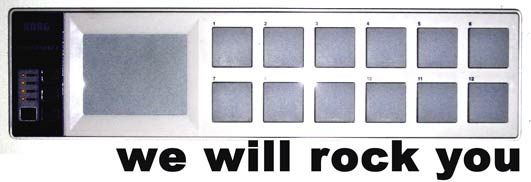
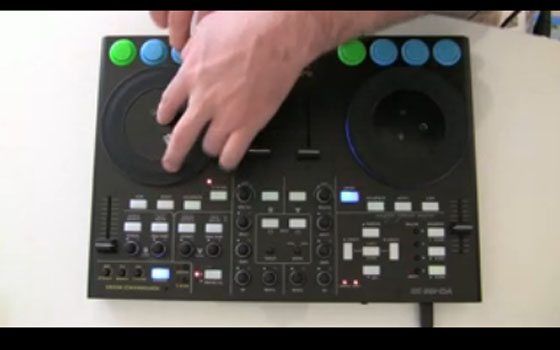
Its amazing how the simplest of things capture peoples imagination. The Korg Nano demo that I posted on you tube, featuring an off the cuff remix of we will rock you, is on the way to be one of our top videos. While it was a relatively simple routine I created in a few minutes to show off the nano, many of you have asked what exactly I was doing. Check out the video above for a breakdown and then download the TSI and mp3 files after the break.
The Shelves Have Been Bare
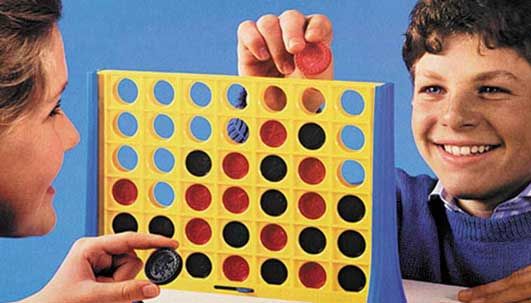
Good news for those that have been waiting on products to show up in the web store. We have a few popular items back in stock and more showing up next week. Since I run a very small operation here we cant really afford to buy in large quantities and unfortunately the products often sell out quickly. In addition to getting some things back in stock, there are new products that will be showing up in the store soon, including one that is featured right here on this page somewhere. Can you spot it? *Hint its not in grandma’s cart, although she does have strange buying habits!*
iTM DJ: iPhone MIDI for Djs
Reviewed by: Nico
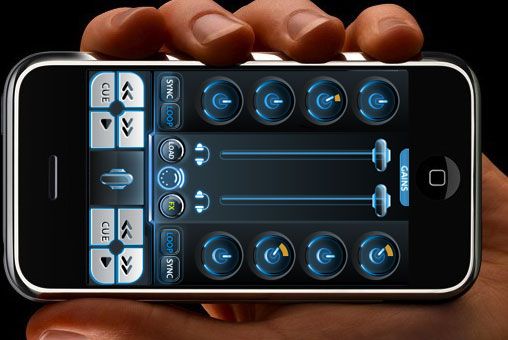
You may remember this previous article: Controllerism with an Iphone, where Dj Mei Lwun used the iTM Matrix to trigger samples from the dancefloor. Well, looks like the guys at iTM got inspired as they have just put out iTM DJ, a fully fledged controller for Dj software that runs on an iPhone. Check out the screenshots after the jump!
The Future of Control?
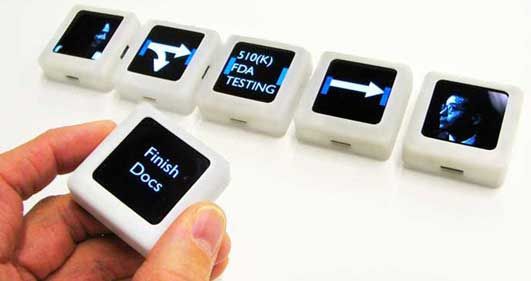
Interactive musical blocks have emerged big time over the past year. The Reactable, which toured with Bjork, was an amazing example of table top synthesis. Audio cubes from Percussa brought that concept into your own living room through affordable plastic blocks which recognize proximity and can be rotated. While both of these products are amazing, neither provided a idea of how this type of technology might find a place in the dj booth (Ableton sets non-withstanding). However in January, at the prolific Ted Talks, a new version of interactive blocks were introduced that did offer a glimpse at what the future of djing might be like. They are called siftables, and may just take dj control in a totally new direction.
Get Connected
We have built a great international community of like minded people here, and I want to thank you for all of your participation and enthusiasm in making it happen. Sometimes its nice however to make connections on a local level and actually meet your fellow DJ’s, share ideas and create local communities of your own. Lately we have been brainstorming ways to do just that and will be rolling out some new tools that will enable you to connect with your fellow TechTools community. Two of those tools were introduced today but we need your help to make them really work.
Update In the Oven
If your a Traktor Pro user, keep your eye on the service center for a free update coming your way soon. Its a big improvement that smooths out a few bugs and adds important functionality. Read on for the full scoop.
Scratch N Pitch Tutorial
..
In this post about live loop recording inside traktor I was using a simple technique to re-voice static samples that I called Scratch N Pitch for a lack of a better term. Juggling cue points is a lot of fun but using the same sound over and over again can get really stale, so spice it up with some pitch variations. Scratch N Pitch uses the jog wheel to make big changes in pitch, creating a scratching sound and re-voicing samples up or down an octave. Watch the video above for the full scoop on how to do it yourself.
Track Shopping Just Got Easier
Its a great time to be a digital dj, with your sources for good quality mp3s and digital dance tracks increasing every day. Not that long ago the only option was converting vinyl to digital but now you can build a set in a matter of minutes. Several sites are offering new features that will make the important part of music discovery that much easier.
Basic Smart Knobs in Traktor
Continuing our Traktor Centric week of next level tips, here are 2 easy ways you can enable smart knob functionality inside Traktor Pro without using midi translators. For those that are new to the blog, here is a post that will describe smart knobs, essentially one knob that does several different things at different stages. In the case of FX its desirable that one knob will turn on different fx at different stages for wild twisting fun.
Record Yourself Inside Traktor- Tutorial
As a follow up to last Fridays post demonstrating live recording here are the steps required to set up live loop recording inside Traktor. Why would you want to record loops in Traktor live? Well, for a number of different reasons including sampling snares and kicks from tracks to recording controllerism routines to build songs on the fly. The technique is really quite simple and involves a beat masher set to a 4 count length. As soon as the beat masher is engaged it grabs anything that comes through the FX slot in the next 4 counts. So, you could have 3 decks all set to one FX slot record and 4 bar loop and continue to mix on those decks. In theory, with this technique, you could actaully mix up to 12 tracks at once from just 4 decks! Read on for a video tutorial on how to set up live loop recording.