Ah, the mysterious and appealing life of a jet-setting DJ. Who has not seen a show featuring the latest out-of-towner and wondered: How did this punter manage to get paid for traveling the globe? While there are several roads that lead to that elusive goal, most take years to accomplish and involve a fair amount of right place/right time kind of luck. So, for those of you that don’t have a record-label contract or a cover of DJ mag, here are five immediate ways you can use DJing as a vehicle to travel and other kinds of gigs most people usually overlook.
Archive for November, 2008
Korg Nano Reviews
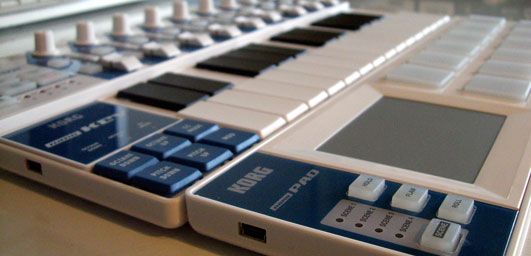
Perhaps you’re looking for a convenient way to add a little functionality to your existing dj controller? Building your own is easy and low cost but at $60 its hard to pass up the nifty Korg Nano series for a quick controller add-on. They have 3 models that each target a different typical dj/producer scenario in a convenient footprint. The shape and size is designed to fit perfectly in front of a 13″ mac book. That’s enough to get me excited as there is almost always enough room in front of the laptop for a thin line of controls. While the Nano pad is the most promising of the 3, the other 2 also could be very handy for many djs out there. They look great in the photos but was Korg actually able to make a robust product for around $50?
Continue reading Korg Nano Reviews
Otus is ready
After we exposed the world to the EKS Utus, there was a lot of buzz but no word as to when it might actually come out. That is until news came across the desk today that they are in full production and will begin to take orders as soon as tomorrow. It’s still too early to report on performance but we should be getting one into the office shortly and will make a full report as soon as we do!
According to EKS the pricing will be:
EUR 649 (+ VAT 22% in EU countries) +shipping & handling
The webshop will open during the weekend or Monday at the latest
This is an exciting controller and we are anxious to put it through the paces. Personally, I wish they had released the Otus RAW at the same time which is equipped with cue point buttons and a sliding pitch fader. That release is apparently scheduled for some time in 2009. Nonetheless, this first version is going to be a hot commodity as well if they managed to nail the performance.
Mix Smart
- Main Entry: 1smart mixing
- Pronunciation: \?smärt ?miks\
- Function: noun
- Etymology: from Old English smeart/ akin to Greek mignynai to mix
- 7 a: aided mixing <software enviroment>b: operating by automation <a smart machine tool> c: intelligent 3
Smart Mixing is the process of allowing technology to automate certain tasks so that you are free to have more fun with the music. That does not mean putting your software on auto pilot or taking the challenge out of djing. It means creatively setting up your controllers so that the software helps you mix better than you could before. Our own BentoSan, who does an amazing job of moderating the forums, first used the term in his article on combining Traktor with Ableton. In this article, we will adopt the term into a more general use. Smart mixing can be a tremendously powerful tool that automates certain no-brainer tasks to free up your attention. Here are a few excellent examples of smart mixing that you can incorporate into your own sets right away.
Digital Record Profits – Gone Baby Gone?
The digitization of dance music has mostly benefited DJs around the globe. Customers in every country have increased access to a significantly larger catalog of music, and newly formed labels can now reach those DJs without a big investment of money. It may even be reasonable to attribute the resurgence of dance music’s popularity to the inevitable conversion to an online format. After a long slump in 12-inch vinyl sales, many dance labels are making a comeback or even re-entering the market after closing their doors.
I went to several labels and producers who have weathered the ups and downs of the past 10 years and asked them a simple question: “Are you better off now that everything is digital?” Their answers may surprise you.
Bust out your video Gear
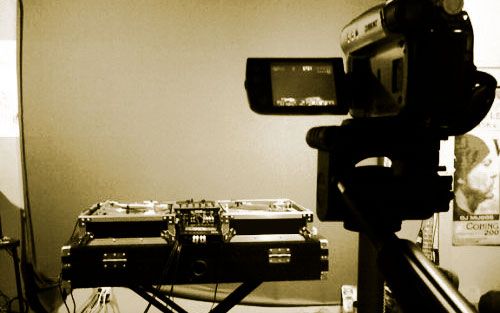
There is only 2 weeks left in our digital dj contest so its time to brush off the camera and upload a video to YouTube. Not only is this possibly the best first prize I have ever seen but its a great opportunity for digital djs. We created this competition as a chance to expose the world to our readers and spread the word about the craft so this is your opportunity to show what you and digital djing can do. DjTutor.com did a great job when they created the first mini mix competition but their competition was dominated by cd players and turntables with digital gear heavily under-represented. This is your chance to show the world that controllers and software can not only compete but also do a lot more than people might imagine.
Dont just enter this competition for yourself, enter it for me and our community. I want to see 100 bad ass videos and at least 30k views by the end of the month. That will send a serious message that digital djing is here to stay. To help you in that goal here are 5 tips and tricks you can use in making your own video truly memorable.
VCI-100 Pro Edition Video
What would a TechTools mapping be without a you tube video? Well it wouldn’t be up to our standards, so we made one to explain the new features of our VCI-100 pro edition. A few things in terms of work flow have changed so if you downloaded the TSI file from this post on Monday then watch the film to get a good run down. Like what your seeing? Want to make a few changes or suggestions? Get off the bench, join the forum and jump in the game buddy!
VCI-100SE + Traktor Pro = sweetness!
12 months ago I set out to create a mapping for our readers that would tap into the hidden powers of Traktor 3 without requiring a giant controller interface. Using the VCI-100 as a template, I designed a layout that made working with controllerism creative, fun and straight forward by combining many functions on single buttons knobs and faders. That work caught the eye of Vestax and became the VCI-100 special edition controller, which 100 lucky people own today. After that limited run sold out almost immediately we created a firmware upgrade kit and overlay package that allowed regular VCI-100′s to upgrade their own controllers and get the special edition performance.
With Traktor Pro, Native instruments has included many of our custom features including direct FX selection and dual filters into their software directly. This allowed me to duplicate and even improve on all of the functions that we created for Traktor 3 but with one major difference. The new mapping will work with every single VCI-100 out there including firmware versions 1.2 and 1.3! That means if you own ANY VCI-100, you can download the TSI file and try out our performance concepts of our VCI-100SE layout for free.
how do I work this thing?
We are getting emails and even phones calls left and right from people asking about using Traktor Pro. for those of you that downloaded the demo and are not quite sure how to get started with the basic transport controls- this video is for you. I go through button by button and show how to use the basic transport controls in Traktor Pro which include:
- moving around inside the song
- Setting a cue point
- storing a cue point
- mapping it to a hot bue
- creating a beat grid
- using loops
The good news is that using Traktor pro is actually much more streamlined than previous versions. You just need to know what is what, so check out this video for some simple answers.
Upgrade Your VCI-100 CrossFader
Those who do a lot of heavy scratching and crossfader tricks on their VCI-100′s have some minor complaints about weight of the fader being too light. Luckily however one of the users of our Forum going under the name of PaddyDj has successfully integrated a Pro X Fade into his VCI-100. We were able to get hold of PaddyDj who was kind enough to make a wiring diagram that will make doing this mod just that much easier.