Today is Friday, October 31st so that means its time for tricks and treats in digital dj domain. Here is the letter of the week:
I just read your tagging tutorial and you mentioned you will/did? do a part 2. I looked around (maybe not thoroughly enough) but I could not find it. I am looking forward to purchasing a vci-300 in the future and started tagging my files and would like to see how you and others do it.
Any help on this would be great.
Stephan
Thanks for the letter Stephen, and for pointing out we never did a tagging part 2. For those that didn’t see the first one I recommend you start by reading that article here. There are so many ways to go about organizing your music and I am sure our readers will have many more great suggestions than I do. Here is one trick I have employed that works really well and will be even more relevent in Traktor Pro. Continue reading Tag your Songs
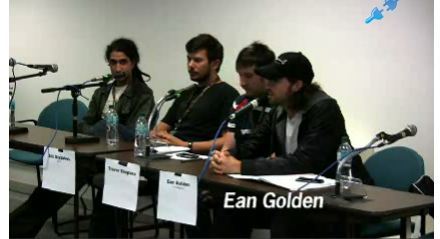
I recently moderated a panel in San Francisco during the AES convention about the future of djing. Those of you in countries around the world may enjoy the video above which captured the entire program. There is even a special surprise appearance from Toshi Nakama, the president of Vestax, where he gives his take on the future of djing. He brought up an interesting topic about the concept of finding music on the fly. This is one area that digital has not really improved at all and they seem to think the future is in how djs discover new music during the mix. Many other interesting topics came up and as usual we want to hear your opinion on the subject in the comments!
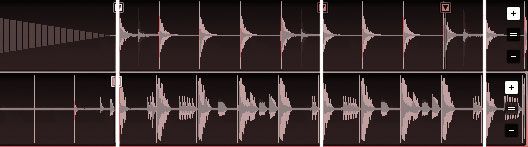
Last weeks post showed how the SYNC function can help keep multiple loops in time with each other and tighten up a complex mix. The topic brings up a bigger question about how SYNC works and how you can make it work better. If your going to use SYNC, its not enough to just push a button and expect Traktor to keep songs in time. As with Ableton, its essential to also do some prep work if you want perfect results. Here are a few techniques that will help ensure that SYNC keeps tracks aligned perfectly all the time.
You may have noticed that native instruments recently uploaded a series of interesting videos with Ritchie Hawtin explaining his work flow with Traktor. Mr. Hawtin was legitimately one of the first proponents of digital djing and did some very creative work with music and visuals at Mutek several years back, but he has not shown us anything new in a while. So it was nice to see a fresh take on his current work flow which exhibit 2 excellent techniques that you need to know. Thats brings us to our letter of the week:
I need help with traktor. If you watch this video,
Richie Hawtin somehow gets all of his 4 decks to sync up after he kicks out of his loops. How is this done? I know he assigns a sync button to the loop button as a double function, but how is it actually done? Thank you
~Newbie Aj
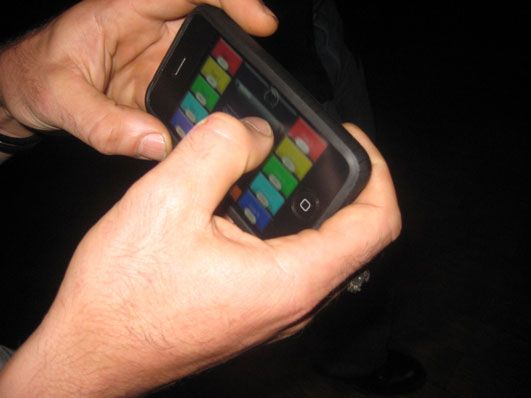
Our friend Dj Mei Lwun invited us down to his club in San Francisco to check out a new toy he has been playing with. Its a fully configurable midi app for the Iphone that allows you to essentially create your own midi interface with custom labels and all. Mei-lwun is a fan of all things ironic so he thought is would be funny to tap out “i got hoes” on his iphone in the middle of the dance floor. We have similar tastes and sometimes they collide in interesting ways. You might remember my ironic guitar hero performance (he shot the video) or the faux communist party he and I created back in 2004 that “distributed” mash-ups to the masses. We also teamed up to create the greatest dj equipment review ever. How could I pass on filming this one?
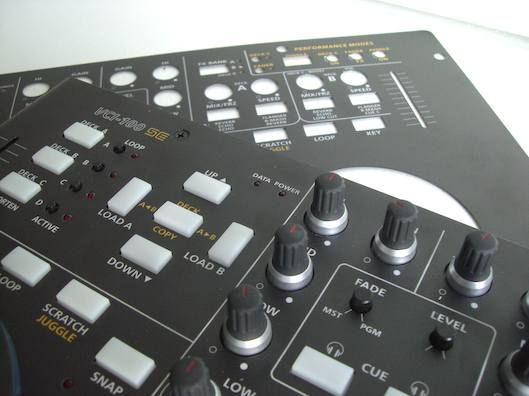
After our Black special edition controllers sold out, we created these overlays to give every VCI-100 owner the same look and performance. These are not vinyl stickers but durable Lexan, the same material and quality found on Rane mixers and many other top dj products. Its impossible to scratch off the labeling and they will never stretch or change shape. Just remove the protective backing, apply it directly to any VCI-100 and you will have a factory quality label that will last for years.
Some important announcements came down the pipe this week and both have big implementations for the future of djing. Traktor Pro, which was announced yesterday, continues shifting its fundamental philosophy more in the Ableton direction and farther away from the traditional 2 deck paradigm. Not to be outdone, Serato has countered with their own release which might suggest they don’t plan on being left behind.
Today a press release announced that Ableton and Serato are “happy to announce a partnership, which will pave the way for the future of Digital DJing”. While its not clear just what that means exactly, some info can be gathered from the statements:
“Ableton and Serato take different approaches to modern musical performance,” says Ableton CEO Gerhard Behles, “But both companies live by the philosophy that software should be straightforward, easy to use, and most importantly, reliable and stable onstage and in the studio. Ableton has never had an answer for the DJ who wants vinyl control, and rather than try to emulate what Serato do so well, we simply make sure that our products work well together.”
Native instruments has announced the newest release in their dj line today. It is called Traktor Pro and will replace Traktor 3 and Traktor Scratch with one unified piece of software. Owners of the audio 8 will still be able to control Traktor Pro via time code but every user will now enjoy the same features and share a common software. The underlining technology behind Traktor has been re-written, unified and improved on a number of different fronts that have resulted in some important changes.
I had the fortune of spending a lot of time with the Traktor team in Berlin this year working with the new software as it was developed and during beta testing. This has gave me the chance to understand more about the concepts that went into the new version and work with the new features extensively.
There is a nice thread going on in our forum right now about fixing the “waaaah” sound that some users have experienced when trying to scratch with a VCI-100. This was not the hardware problem that originally reared its head when the VCI first came out but a user having the same issue with a brand new vci-100. The always helpful forum members on djTT found a solution to the problem that I also came across several months back. I only now noticed that the actual public TKS files were never addressed. In order to fully grasp the problem, and the solution- let me explain how the jog wheel works so you will walk away with a better understanding of hardware in general.
I get a lot of mail from people every week asking different questions about digital djing. Even though its impossible to answer each and every question fully, dont stop sending them in. The kind letters you send are what keeps me going and helps put a personal feel on this sometimes distant internet thing.
When we recieve an email with a complicated question, I usually respond that its best to post those types of questions in the forum where everyone can benefit from the answer and a discussion will get started. Most of the questions are great but sometimes they take a little bit longer than an email to properly answer. So to answer some of teh common questions in a public forum, we want to try a something new. Every Friday, until you get sick of it, I will answer one letter in detail. So without further ado here is the letter of the week!
We are proud to announce the anticipated mini.Translator program and its first patch which allows the VCI-300 to work with programs other than Serato Itch. Even after converting to midi we were able to keep the jog wheels and pitch faders high resolution so they will still be very precise. The best part though is that its free for you to try.
Enter your email bellow and you will receive links to mac and windows versions as well as updates on when the newest patches are available. This is the first beta release and there may be minor bugs, so please report them or post questions here. We are working on a full preset for the VCI-300 and Traktor that includes effects mapping and a matching TKS file.
DJ's out there that who's already used this kind of midi controller, I actually bought this last week, i was likely used it as for recording of my... […]
hey guys, I'm an electro producer and was just wondering.. will midi fighter run alone without excess software or hardware? i run logic in massive... […]
Im using Traktor Pro 2 with the VMS4.1. I downloaded a mapping and all the controls seem to work fine with the expection of my crossfader. No matter... […]