


I hate to revive this old argument about mixing inside software or outside but it came up again last night while I was spinning at a friends party . The axe for the night was a new template we are working on for the vci-300 and Traktor. The controller was working well, but my mix sounded like garbage. I cant help but feel that, while the deaf dj must take some responsibility- it was largely because there is no headroom when mixing inside dj software. Has anyone else had this experience or might have found a way to combat this truly troublesome problem?
The complaint is not a new one, as digital summing of multiple audio signals is just never going to compare to the analogue counterpart. I know, for example, of many a sound engineer that will run several groups of a song (stems) out to an analogue mixer for the final summing. That’s not to say that you can some-how magically turn up the signal louder in the analogue domain. No, the analogue distorts at the same point but the distortion itself is night and day. Take that classic Mo-Town sound that we all love and associate with being rich and fat- its just bucket loads of good distortion.
As the night progresses and djs tend to want to turn things up louder and louder, there is just no where to go in digital land. Well you can always turn up the master channel- you might counter. Not exactly, because the problem is this constant balance of sonic levels between the tracks as you mix. Some songs for whatever reason, even after auto gain- just require a little extra pump when in the middle of a mix. Once you have hit the digital ceiling, which is un-bearably low- then it’s all bad from there.
If they really expect everyone to mix in a computer, digital dj companies need to start making their software more dj friendly. Which means expecting us to turn it up too loud and putting rich, warm compressors on every channel.



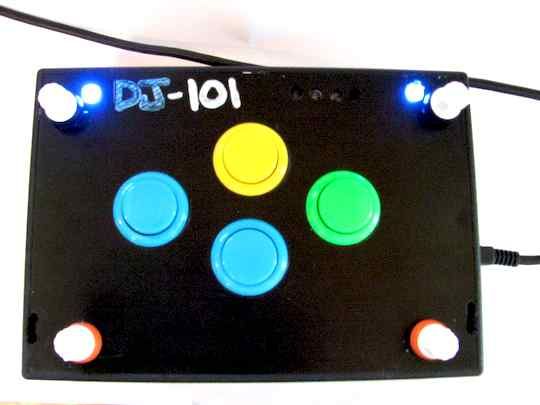




is that gerlach in the background?
In Traktor, my master volume is @ about 1 o’clock. When I need more volume, I pull it from the mixer or soundcard. That 1 o’clock setting keeps a clean and respectably loud signal coming out of the software and my gain compressor doesn’t have to do any work. I set it byt grabbinb 2 of the loudest songs in my collection (as discovered by Traktor’s analyze column) and I let them play. I don’t even worry about it being on beat. I back down the volume until there are no red peaks and there you have it. It should still be loud enough for any gig and just get the volume from the sounccard or main mixer input or output.
I don’t know how other dj software handles this, but djDecks has a soft limiter/compressor enabled by default.
This means setting the gain higher for some songs when you need it doesn’t have a too devastating effect on the sound quality.
I also don’t really see the problem with turning your master volume a little down to get some extra headroom and just turn your amplifier up a bit.
Here’s my three observations on the subject (from my limited experience) - It’s not only when things get loud that there are problems. I’ve found that if I kill the bass, mid or hi with Traktor it doesn’t completely kill the sound. I’ve heard you judge a good mixer by it’s ability to kill the levels you choose (or all of them for a good test). Maybe I’m missing something but I cannot kill the bass 100% in Traktor, or anything else for that matter.
Also, I find that there is an ever so slight delay in the Midi action (hitting the crossfader) and the software catching up. Not a problem in progressive transitions but a total pain for hip hop or turntabl/controller-ist type transitions where you need to be beat exact. You cannot even pre-empt it (by setting off early) for example, to cut in a snare of one track and back to the other is completely impossible.
Add to that the higher quality knobs and faders on pro mixers v’s midi controllers and sadly, I don’t thing software mixing is in the running (yet). Which is a real shame as they offer a compact and relatively inexpensive alternative for DJs.
Just few blog posts before I was complaining on summing tracks. When summing up two tracks via traktor’s internal mixer, I feel the sound change-ing in a weird way. As I restore the low freqs. I get the idea that other freqs. become a bit “softer”.
This post was not about peaking-out your digital mixer(I’m also running my TDS master at -4db), this is the same difference as with today’s transistor and, older, tube amps.
Tube amps(so people say) give warmer sound and sound gets better as tubes become warmer. In the same manner, summing up electricity and bits is not the same, bits will always be just ‘1’s and ‘0’s. You have to incorporate a rnadom number algorythm in your summing functions and that still ain’t analogue, it is just emulation.
I’m smacking myself in the forehead for not buying a soundcard with at least 6 ouputs(I have 4output soundcard).
Still, I remain in the digital domain, it is cheaper, easier to mantain/sort/obtain and on top of all FUN!!(especially with building custom controllers, I’m gonna post some pictures and videos of that soon.)
Volume should come from your Amp, not from your soundcard. Before you mix, as part of your setup you should start by cutting all your mixer levels to half their maximum level and doubling the Amp. Then test by turning up your mixer output to it’s maximum and the Amplified output should be WAY too much. And that’s your starting point - if you start with your audio signal loud and amplify that, there’;s nowhere to go upwards. If you don’t find the maximized output to be offensively loud, you need better amplification and any amount of limiting and compression will not solve your problem. I am guessing nobody at the house party went through this setup process.
The desirable effects you are talking about are compression effects when you push the input signals beyond their limits. Traktor has no way to insert a mastering effect or VST into the output sound chain so all you have is “pure” digital mixing. You don’t get soft limiting, you just get audio mixed up to the point where the signal hard-clips (which you should never allow). That’s a drawback of having no processing on the output, but I fail to see how it’s the fault of “digital mixing” itself.
Maybe it’s time to stop using the free and bundled effects that come with your software and start experimenting with the expensive Pro VST plugins that claim to model exactly the effects you are looking for. Those adverts in SoundOnSound and Sweetwater’s catalog aren’t there for decoration!
If that is so then I was utterly wrong. But that traktor’s “pure digital mixing” aint that pure. I believe.
Ean,
what do you think about creating a “perfect” dj mixer using reaktor? You could route your traktor decks to a virtual soundcard input, I guess you know the tools better than I do ;-) and from the virtual soundcard output to reaktor inputs. One drawback is, that you loose all traktors internal mixer functions, but reaktor could give you more fx,eqs, compressors and there are for sure good imitations of analogue equipment.
Actually they do expect you to try to turn it up too loud, that’s why just about every piece of dj software includes a brick wall limiter to avoid digital clipping in favor of soft clipping. Soft clipping sounds much better than digital clipping, but it doesn’t sound better than a properly mixed signal.
djLP: If I was trying to produce the loudest sound I can by playing my two loudest tracks, I would most definitely beatmatch them.
That’s good advice people! Basically, you should try to get the amp turned up as much as you can and lower your signal (either from the mixtable or the dj software) accordingly. This way you can have ample digital headroom. If by doing it you got the noise floor up too much in the analog part, then try to strike a balance, raise your signal a bit and lower the amp volume. Your aim is to have the lowest signal/noise ratio and best volume possible. During the night, if you still need more volume, you can always turn up the amp again, noise floor won’t be as much an issue.
If you are already at 11 on the amp, then that is as far as the volume will go. Adding distortion, even analogically, is not a good idea, even if it looks like the music seems louder. You will tire people ear faster, and the sound clarity will be degraded.
The ear has a built in limiter, the more exposed it is to loud sound, the more it kicks in, and the more time it will need to get back to normal (sometimes weeks). So start quiet, build up, and if you see that you can’t go much higher in volume, back down. A loud sound is loud by contrast, if everything is loud then nothing is loud.
On the other hand, there is a minimum sound pressure needed to be able to immerse people in music. If you don’t have it, you have to try to get the interest of people musically rather than by ’sonics’ alone.
@ean: the problem with gain you describe happens even with an analog table, you just can’t raise the track gain indefinitely. At one moment, you should, at the same time, lower your track gain and raise the master volume to get headroom back inside the mix table.
@tos: Tried to raise the track gain to +12dB (in T332, finally got around to installing it), and lower the master to -12dB.Listened to the sound. Put both gain to 0dB, listened again. There is obviously a limiter on each Traktor track, independent of the master limiter. It is quiet soft, but if it bother you, you should try to not engage it by lowering the gain of each track (try -3 or -6dB, didn’t tried it myself). Then use this as base gain.
[b]@Adion:[/b] Traktor has got that option too. Can imagine you plugging your great software though! :D
[b]@Ean:[/b] Someone Probably mentioned this already, but you can always try to arrange this when combining faders/gain knobs, master volume and master volume limiter.
Now could be time to start using those faders & knobs. ;)
Ean: I’m with you on the “more headroom” issue. As far as I know, traktor only has a 16-bit audio engine (I couldn’t find anything on their website to confirm or deny this). This should provide about 96 db of theoretical maximum dynamic range, which will be reduced by the noise floor of the audio interface. While this is similar to playing a CD on a consumer grade boom box, it certainly isn’t what we want for live performances or club audio (which, historically, has to be better than home audio to get people to come out). Consider the noise level in a club or a live venue due to A/C units and crowd noise, the actual dynamic range is going to be even less.
While industrial grade audio equipment can produce dynamic ranges around 120 db, more in line with human hearing, digital circuitry is limited by physical factors to a dynamic range around 115 db, regardless of it’s internal bit depth. This suggests that 24-bit audio should be more than enough to cover the limitation of the hardware and fall in line with both human hearing and professional audio equipment, provided you have a low noise floor.
With all of that set aside, the issue of boosting a track mid set could be solved by setting the auto gain lower. You’ll set aside a couple db so it doesn’t really hit the master limiter. The problem is the cost of all of your normal audio being slightly quieter (since the master amp should be set to handle the maximum volume your source will put out, which is a boosted track) and the normal auto-gained program will be slightly less dynamic. It might be worth it if we’re only talking about a difference of 3db or so and you’re really set on giving a track a boost.
If all of your program is hitting the master limiter, you might be best lowering the auto gain just to get a more dynamic sound and avoid the limiter. You could use the external amp to boost the signal back to the level you want so long as you don’t boost any gains internally.
Usually in the clubs I have been to the audio is very loud, and there are a lot of people. If you are talking about sound quality, I think you will always hear more details at home in a perfect environment than in a club.
Furthermore, no-one really complained about the low quality of vinyl records (estimated dynamic range of about 50-60 dB, and hardly any content higher than 18kHz), so I don’t think it’s a problem to lower the digital signal by a few dB’s even if it’s only 16-bit.
It would surprise me if Traktor doesn’t internally mix at more than 16-bit though, but I haven’t tested that yet.
Digital mixing is, for the moment, not an option for a pro DJ. It is a cheap and easy way to learn to mix, or to use at small private partys, but you cant really compare it with an Allen & Heath mixer etc.
I think if the MIDI-controller manufacturers want to get in the pro DJ market, they have to come up with controllers without a mixer section and without a jog-wheel. Please bring me an asymmetric controller as the size as a laptop, thats focus on looping, hotcues, beatjump, the effets, with just faders, knobs and buttons. And it would be nice with an extra long motorized fader for the tempo adjustment.
So if we were to create a method for setting up your gain staging before each gig- what would that be? So far I have:
1: play loudest track with auto gain off- reduce master out so it hits at approx -3db
2) load 2 loud songs in each deck with auto gain on and then reduce the gains of each -2/3 db
It seems like using auto gain in conjunction with a digital gain knob might also be partially to blame.
Just turn up the amp to the max (or maybe less than that if you then have too much noise from the analog chain). This way, you have the maximum loudness possible at your disposal from the sound system. Normally, if the speakers are well matched to the amp, they will perform the best when the amp gain is turned close to all the way up. Then, either with your mixtable or with the DJ software, find a correct master volume setting. If it is quite low, then fine, as long as the noise/digital aliasing is low too. That means you have plenty of headroom and will be able to raise the volume during the night, which will be needed because people in a room absorb sound and also because people hearing will adapt to loud sound.
Use the autogain. If you need to raise the gain of a track while it is playing, consider just turning up the main volume instead. You should use the track gain only to match relative tracks loudness. This way, your tracks gain won’t escalate. If you have nevertheless escalated the gain or EQs, raise the master volume while lowering the gain/eqs to get headroom back.
If you are short in master volume during the night, try raising the amp gain, if you are short on amp gain then use the tracks gain, then if it is still not enough the eq. If you got to that point, the sound system was not adapted to the situation and the sound will be lame. Consider progressively lowering the volume to let people adapt to a less loud sound, then start building up again.
I don’t know what is the internal precision of T3 in bits, I don’t know if it outputs only in 16 bits or adapt to the soundcard. I’ll try to run some tests and let you know. Going in vacation tomorrow for a month, so this may not be soon. Have a good summer everyone!
Love all the discussion of gain structure. I run my master in Traktor at full, use auto gain and limiter, and my VCI-100 Channel faders at around six. I mix with my channel faders rather than the crossfader, and watch the meter closely so as to not squash the signal to oblivion. This gives me plenty of headroom for quieter parts or softer starting intros. All my volume adjustments through the night are handled after the soundcard output. At one club, I just attach my line outs to the line in on the club’s Pioneer 600. Making sure not to clip through the mixer, I have all the headroom I need.
@DJ G Stefan - lol! I’ve got some $5000 audio cables you can buy to get that “professional” sound.
@Ean - One thing to consider is the cheap fix: slowly bring down the gain on the louder track until you can equalize the levels. I’ve heard Derrick May does this in his mixes, so that it always sounds like things are getting louder when he brings in a new track.
if you go to a high-end car audio store, one that really produces quality sounding non-distorting cars. You’ll see they pay a lot of attention to gain structure.
I’ll come back to this moment.
In my personal opinion, if a DJ turns up the gain more than 10 dB it can be physically painful, I will hear hard clipping and distortion and it will be awful, because just when you want the music to be the clearest, it sounds the worst.
Everyone else’s comments here relate to clipping at the amplifier outputs. I think what you are commenting on his clipping before the amplifier, not after it.
You are clipping in the input stage at the preamplifier level, not the output stage at the amplifier level.
That is what is causing your harsh distortion. Saving some headroom by limiting the voltage into the amplifiers will keep the amplifiers from clipping. But once you need to do is to keep the preamplifier’s from clipping. Mostly because if the preamplifier’s clip within your DJ software program there is no way to emulate “soft clipping” like a tube amplifier. Your fire face soundcard has a bigger brother, the fire face 800 model, which has one of the inputs that has a soft clipping feature for a guitar. However it still does not sound as good as tube distortion.
That Motown sound that you are referring to is not so much clipping, as it is producers taking real care to prevent overloading the analog signal.
A lot of amplification was done with tubes back then, and they used VU meters. But more significantly amplification power was truly expensive. So sound engineers got used to using what is called “gain overlap” to get the most for their amplification dollars per per watt.
Typically they would drive, or overdrive signal no more than 2-3 dB.
There is a compact disc you can buy specifically for use in gain setting.
I suggest you get a copy of this compact disc and its instructions. What’s really great is that they play certain clips with distortion from over driving, that way you can learn to recognize the sound of clipping more readily.
You can use this disc to set gain structure throughout your system because you also have to set gain structure at the preamplifier stage as well as at the amplifier stage. In fact anywhere in the chain where you can manually increase the volume, you should set a gain level. It takes about 3-4 minutes to do this when you know what you are doing.
http://www.crutchfield.com/S-AolesI61Oik/App/Product/Item/Main.aspx?i=503CD104
You should avoid clipping in the digital domain completely. The only place where you should consider a 3 dB overlap is in the amplifier stage.
In regards to the comments about dynamic headroom. Going to a higher bit rate is not the answer. Because of thermal noise which occurs in the output stage of digital to analog converters, no matter how high bit rate, the maximum amount we can get out of the signal is 21 bits. So bit rate currently is not the answer because thermal noise will bury any theoretical headroom which was gained further upstream.
Nightclubs actually have very limited dynamic range. The noise of the patrons and the general operation of the AC really limit the lower-level of dynamic resolution. Also you don’t want to play as loud as a jet engine and injure the hearing of all of your customers and possibly yourself.
Signal-to-noise ratio, however, is really important despite the fact that you may not be able to hear the full dynamic range. Small musical nuance is lost completely when the dynamic range falls below 100 dB. Units that have over 115 DB of dynamic range have the potential to sound better. As you approach 120 dB dynamic range you really have the chance for great sound.
Lots of other things affect the sound is well, most significantly early reflection, the polar radiation pattern of the drivers used, general speaker positioning, and taking into account the actual length of the bass wave.
I think what you are hearing is not so much clipping as an issue, but that many of the mixers you liked have the inverse of the equalization curve of PA speakers. The old high quality rotary mixers of the 1980s had that curve. Because the high-end frequencies were rolled off, he didn’t get so much “high-frequency hash” if you clipped the signal. Also PA speakers of that era had notoriously harsh tweeters.
The sound quality in most of today’s laptop DJ software is much closer in quality to that of home audio gear. They lack the inverse of the equalization curve of PA speakers.
So when you clip the signal within your laptop, you are then sending clipped signal through the preamplifier, and then through your sound card — (which is actually your preamplifier in this case because the digital to analog conversion is done in your sound card) and then this distorted signal is sent to your amplifier. It remains distorted even if you do not clip your amplifier. But when you do clip your amplifier that distortion is made even worse and more audible.
Because that distortion when run through a quality rotary house mixer of the 1980s is attenuated before you feed it to the amplifier, it is not as noticeable. However, that is still not the best solution — the best solution is not to clip the signal anywhere in the audio chain.
I have one possible solution for you, it is not the end-all solution, but it may help.
I use a small hybrid tube amplifier gain stage after my sound card but before the amplifier. It works at the preamplifier level. And when I clip, and I do introduce about 3 dB of clipping, it really rounds off a high frequencies and removes that harsh glare associated with digital clipping.
If you read the manual in the CD I mentioned, you’ll see why they recommend about 3 dB of gain overlap.
Also you have to pay attention to what frequencies you are clipping. It’s really not so bad if you clip and the only sounds present our bass frequencies — but if you clip while pumping up your high frequencies — it is downright painful.
So when setting your gain overlap make sure you use songs with a lot of high frequency material so that it doesn’t sound any worse during your mix, in fact you may want to master the few tracks where you have pumped up the high frequencies and use those tracks when establishing your gain structure.
Now that I have completely bored you to death, and made your eyelids heavy you can go back to your regularly scheduled programming.
If you want one of these tube amplifier gain stages, drop me an e-mail. They are very compact, and are about the size of an iPod — and when used with Ultrasone Headphones they just sound magically good, so they have an additional use outside of the club. They sound good with just about every headphone, but there is amazing synergy with Ultrasone headphones. I use another one of these if I need more headphone gain for myself. I only have parts for about 30 more units and then they are unfortunately gone forever as they use a miniature vacuum tube that is no longer in production (when we run out of tubes- game over)- the tubes are not driven hard and at the very low voltage fed to them will last a lifetime of music. I apply a military grade scratch proof coating to them which is also chemical resistent (spilled drinks) so they stay looking nice.
It is too bad that I sell these units modified, because I sound biased. But I am happy to tell you the drawbacks. They are not cheap- about $650. They are not indestructible but the tubes are protected, and won’t get damaged even if you jogged with them. For me they solve my issues with clipping and sound far better than the RME Fireface alone. I bought the RME fireface 800 and I sold it a week later once I found these. I am now looking for even better soundcards than the RME to use further upstage of this tube buffer (and witout ahving to buy a $3000 + apogee Rosetta 800 I think i have have found some. I do get what I feel is a nicer sound than that of the older Bozak and Urei rotaries. The only issue now is making Traktor see more than one sound card as these sound cards are only 2 channel.
Is there a way to use two two channel sound cards with MAC and Traktor… like aggregating them? Then I think I have a total solution to sound quality using traktor.
Wow John, thanks for the great post. I think we need to do a follow up article on this subject for sure!
Wow.
“Now that I have completely bored you to death, and made your eyelids heavy you can go back to your regularly scheduled programming.”
Nope, I’m still standing, and I want more :)
As for that CD link, the website is currently belly up : “Access Denied
You don’t have permission to access “http://www.crutchfield.com/S-AolesI61Oik/App/Product/Item/Main.aspx?” on this server.
Reference #18.c14dd58.1218576938.8580551″
Is there a way to do the same thing with a testone? We’re cheap round here, you know :)
“Is there a way to use two two channel sound cards with MAC and Traktor… like aggregating them?”
Traktor manual says: ‘Multiple audio interfaces are not supported.’. Not at home for the rest of the month, so can’t check, but doing an aggregate device in Audio MIDI Setup utility may work.
“The sound quality in most of today’s laptop DJ software is much closer in quality to that of home audio gear. They lack the inverse of the equalization curve of PA speakers.”
Can’t we do that with a software EQ at the end stage? I usually put the same EQ on my two stereo out, tuned to what I hear in the room. Any link to common curves, or you just do it by ear?
Btw googling “gain structure” brought loads of interesting stuff, many many thanks for that, I didn’t know that it was called this!