DIY Controller- 59 minutes, $99.

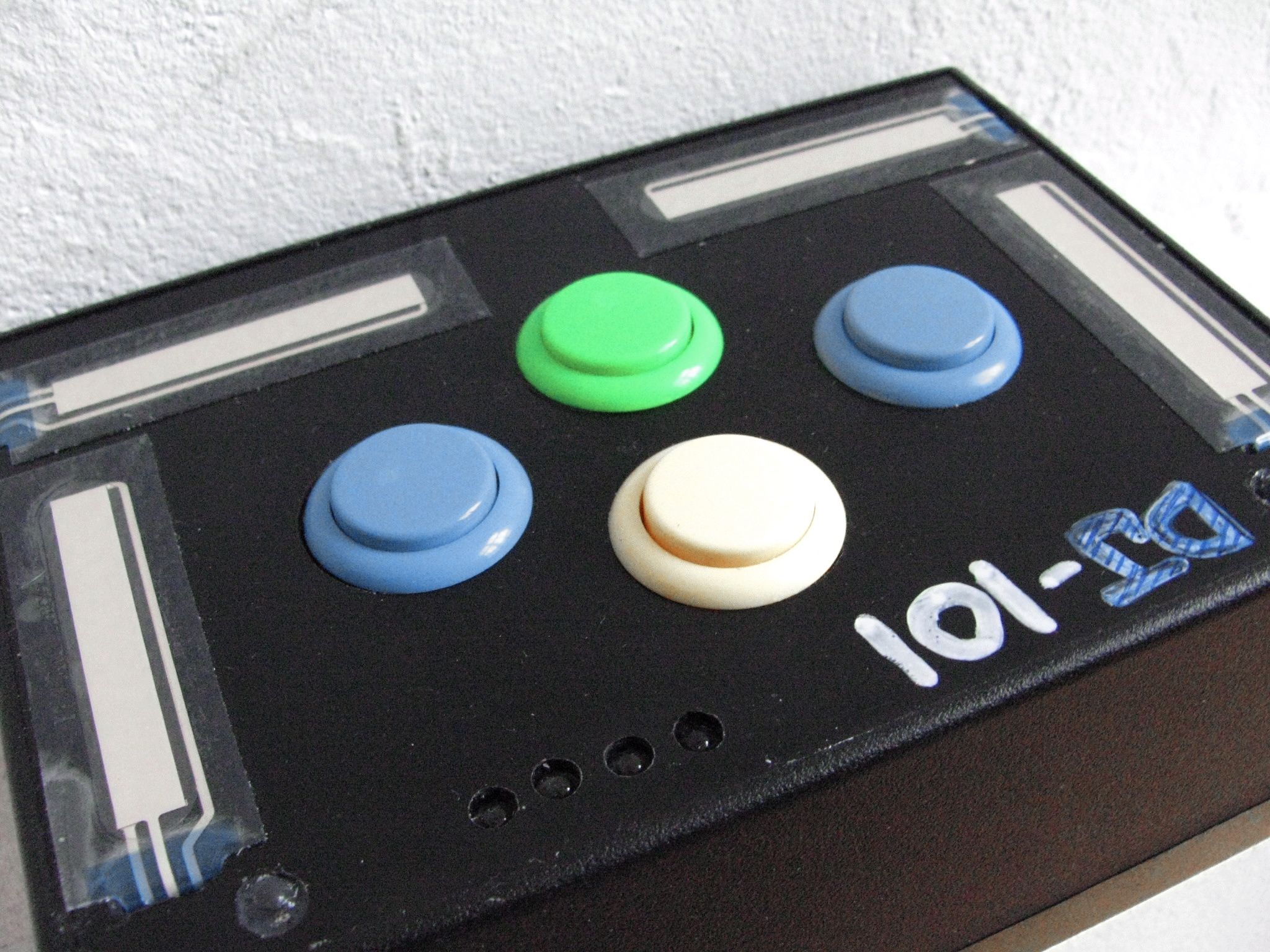
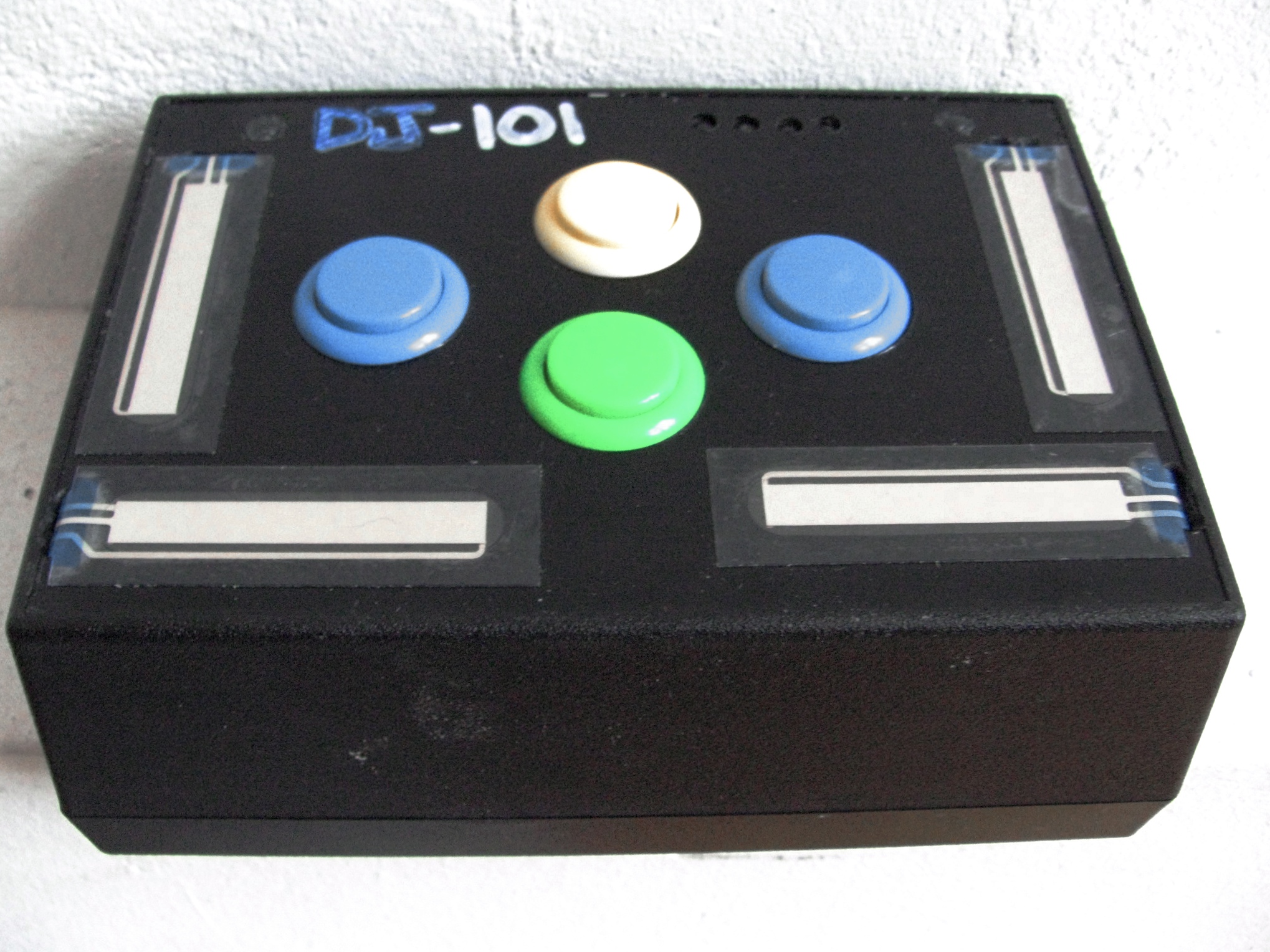
Do you need just a few more controls? Perhaps your wondering how hard it is to make your own controller? Then follow the steps in this 2 part series and build your first midi controller in about an hour for very little cash. Using only 8 electronics parts, a pre-made case and a DIY midi interface that is USB powered- you can build a controller and it wont require a degree in electrical engineering.

First, you need to get some controls. While any other electronics parts, like knobs and more buttons will work (and will actually cost a lot less). The following are the parts I used for the dj-101.

4 ARCADE BUTTONS
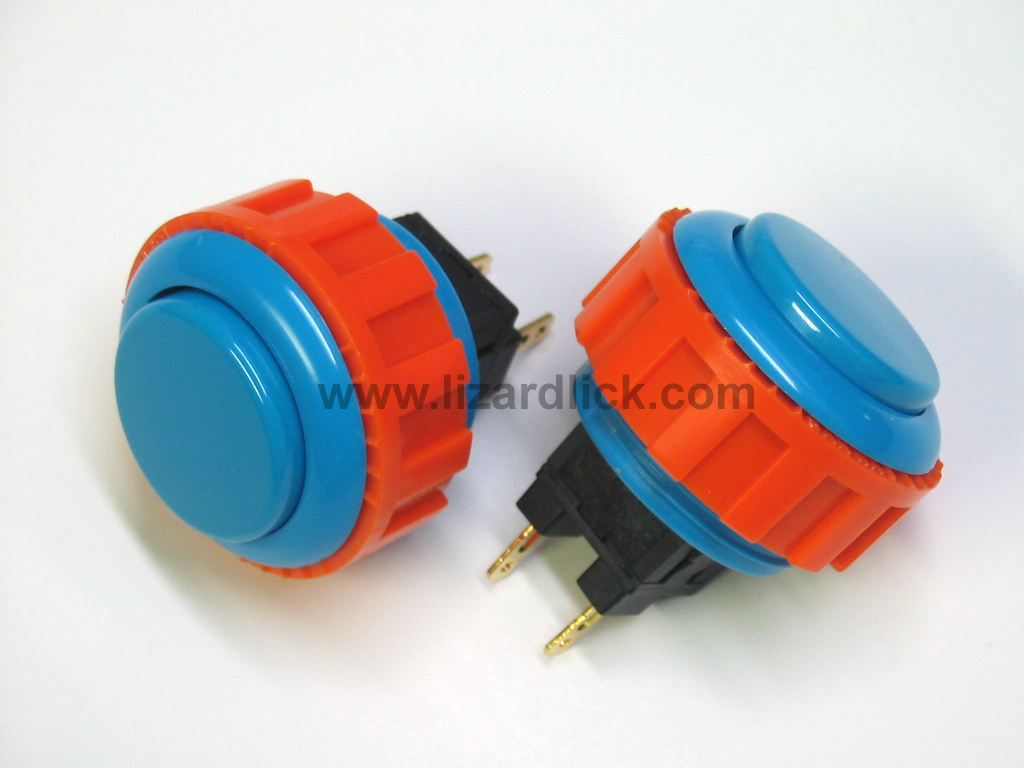
these can be found at the following websites:

Happ Controls

Lizard Lick

total cost: $8

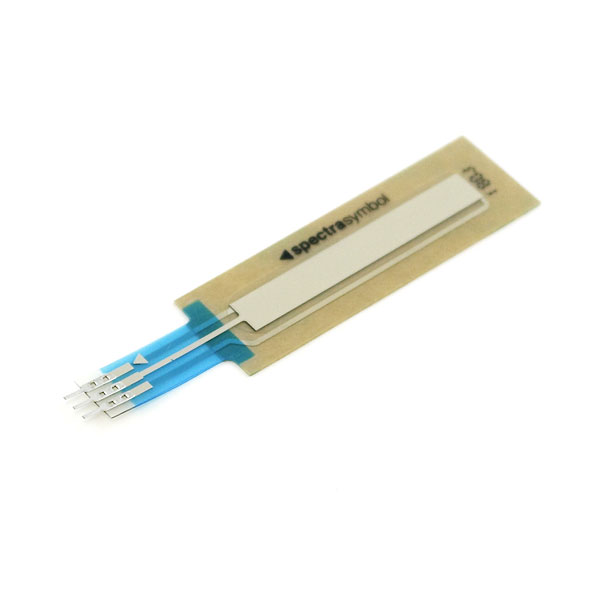
TOUCH SENSITIVE STRIPS

While its cool that these can be used as button triggers and sliders, I might have preferred to use sliders instead. These handy, but slightly expensive strips can be found allong with lots of other interesting electronics parts at:

Spark Fun Electronics

total cost of 4 x 50mm sliders: $51.80

REGULAR KNOBS
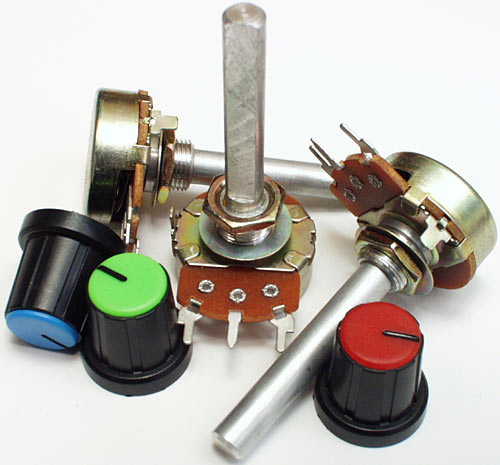
Even though touch sensitive sliders are sexy and cool- I could not get them to work for the life of me. Regular knobs give more precision + a tactile feel and cost significantly less. The only downside? They cant be used as drum triggers and knobs like the touch strips can. The knobs offered more breathing room for the arcade buttons too- which are meant to be played without any concern for accidentally hitting anything.

Any linear panel mount pots from Mouser will work.

total cost of 4 pots: $8

THE CASE
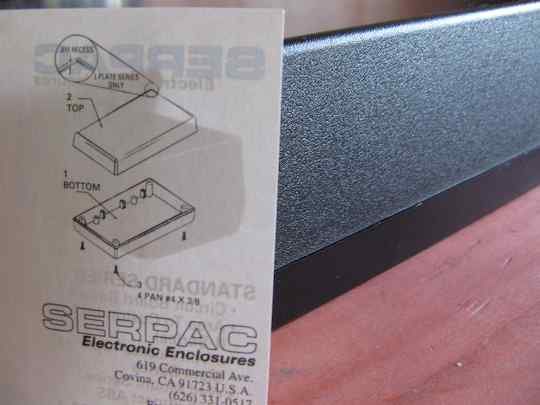
There are an insane amount of cases of all different varietys that you can purchase pre made for very little money. I chose a plastic case because its easier to make the cut outs and abs plastic has that quintessential Atari look. You can buy this one and about 10,000 others at:

Mouser

Total cost: $13.80

THE BRAIN

While there are several DIY midi options out there my criteria was quite narrow.

  • Plug and Play connection via USB
  • bellow $100
  • easy to connect

so that only left me with 2 choices.

Leo Bodnard HID
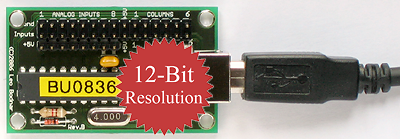
This guy runs a tiny operation, most likely out of his living room, somewhere in england where he makes HID chips designed for computer racing enthusiasts. They are small, inexpensive, high resolution and universally compatible. There is one catch, you will have to convert the HID to keystrokes or MIDI to get the signals working with your dj program.

A word of warning, I don’t think Leo is interested in helping out djs. He failed to return a single email and customer service is not in his vocabulary. So buy at your own risk.

Leo Bodnard

Cost: $34.99

U-HID
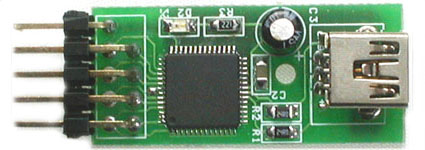
This outfit has 2 excellent HID interfaces. This one fits our criteria and comes in at a very reasonable $29. For more inputs and LED support try this one.

order here

I-CubeX

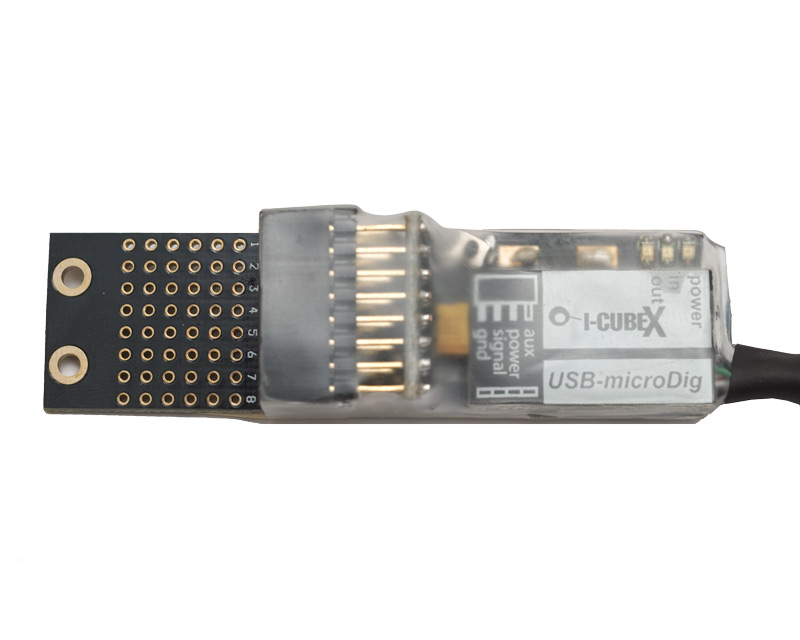
I-CubeX is a small Canadian outfit that specializes in creating out of this world sensors for really experimental midi projects and proto-typing. Unfortunately their sensors and kits also have out of this world prices. The small usb micro dig however, has a more reasonable $99 price tag. Its plug and play, self powered and easy to solder. The only downside? A limit of 8 analogue inputs. They advertise that you can use 8 inputs and 8 outputs (which is not true- its one or the other)

Another word of warning, there is precious little documentation from these guys on how to use the device. Drivers are hard to find as well, and the site is not terribly dj friendly. Then again their service team, including the owner- Axel mulder, were much more helpful over email- always answering questions when they came up.

Editors Note: After trying for weeks to get this product to work I simply gave up and went with the reliable HID interfaces bellow. The drivers, editors and documentation are scarce, scattered and hard to follow. If you have the patience- its the best value out there for a direct USB midi interface but I cant promise it will work.

IcubeX

Total Cost $99

TOTAL PROJECT PARTS COST:

$58.80 (with knobs and U-HID)

Read part 2 of this tutorial here

41 Responses to “DIY Controller- 59 minutes, $99.”


  1. 1 DJ ToS

    Interesting layout. Still, why would one want to build a device with 4 touch strips(which are worse than faders) and four (saucy) buttons for 99$(without led output) when they can make …ie. MIDIBOX with max of 32 analogue inputs, 64 buttons/switches and 64 LED-s. Fully programmable.
    Seems like a waste of time and money.
    I gotta admit though, in DIY world, you wave to start with something small.

  2. 2 Niels

    yeah, i mean come on now were not all seasoned diy pros hear. :)
    as a beginner i would have liked to see more things like this
    good post

  3. 3 Ean Golden

    Interesting layout. Still, why would one want to build a device with 4 touch strips(which are worse than faders) and four (saucy) buttons for 99$(without led output) when they can make …ie. MIDIBOX with max of 32 analogue inputs, 64 buttons/switches and 64 LED-s. Fully programmable.
    Seems like a waste of time and money.
    I gotta admit though, in DIY world, you wave to start with something small.

    Have you tried to build a MIDIBOX controler? While absolutely the best platform for number of controls vs price, its not exactly something that can be done in an hour. most people would look at that site and immediately give up. This project, while not perfect, is attainable by most people. Baby steps.

    plus, it works pretty damn well :)

  4. 4 Alex Weber

    This is totally radical! I’ve always wanted to get some touch-sensitive strips on my MIDI controllers… now I have a way to!

    I hope that some intrepid readers find a readily-available and more reliable source of chips. Any chance it could be done with an Arduino? I know next to nothing about these devices but I hear the word thrown around a lot :-P

    Thanks!
    Alex

  5. 5 DJ ToS

    “absolutely the best platform for number of controls vs price”
    -it is a bit more that that, my favourite is full firmware customisation in C, things that you do in midi pipe, I do in my firmware. And I update it on a daily basis.
    The mbhp site is not beginner friendly but there are ways to start the adventure.
    I have one MIDIBOX in final stage, it just needs all wires soldered to controls. The hardest part of diy midi device is building a casing. It gets harder if you want to make it good and sturdy(as I did).
    Anyone with just a little know-how of electonics can help you build a midi controller’s guts. After that there is a common problem of acquiring good pots and faders, plastic caps for those, quality buttons and as a cherry topping there is casing. And you can do all that by yourself. Some people (like my-dumb-self) tend to build case on their own, some make it out of the shoebox, some just pay good money and order it from a CNC cutting shop. There are ways.
    I do salute this post for luring pack of readers onto the DIY bandwagon.

  6. 6 vic

    demo pls, someone make a youtube video, its not hard…just do it

  7. 7 Ean Golden

    a demo of the controller or a tutorial on putting the controller together?

  8. 8 N2

    great stuff…these kind of articles is why this website ROCKS!

  9. 9 Terry Nutkins

    DJ (I’m boring) toss bag strikes again

  10. 10 Terry Nutkins

    a demo of the controller or a tutorial on putting the controller together?

    Preferably both!

  11. 11 tekki
    a demo of the controller or a tutorial on putting the controller together?

    Preferably both!

    That was me… sorry

  12. 12 cmcpress

    Could you replace the touch sliders with faders?

  13. 13 Niels

    Could you replace the touch sliders with faders?

    yeah, super easy, they both serve the same functionality, and have pretty much the same installation.

  14. 14 Darren Solomon

    I like to point out, you could use an: I-PAC (www.ultimarc.com) or: U-HID (www.u-hid.com)

    Both are probably better than Leo Bodnard HID device. I use an I-PAC for my Arcade joystick (US with my Mac) and I bet I could use it for a DJ tool.

  15. 15 tacopimp

    Could you replace the touch sliders with faders?

    I would like to make a box like this but i want 6 rotary type knobs… any ideas?

  16. 16 tacopimp
    Could you replace the touch sliders with faders?

    I would like to make a box like this but i want 6 rotary type knobs… any ideas?

  17. 17 tacopimp

    i don’t know where to find some decent rotary knobs either…

  18. 18 tacopimp

    I like to point out, you could use an: I-PAC (www.ultimarc.com) or: U-HID (www.u-hid.com)

    Both are probably better than Leo Bodnard HID device. I use an I-PAC for my Arcade joystick (US with my Mac) and I bet I could use it for a DJ tool.

    I looked on that site.. only thing is i don’t see any software for Mac… just PC

  19. 19 Niels

    check out links that were posted for instance, mouser.com for the rotary knobs, faders, etc. you wont get pictures but you can copy paste and search elsewhere for that. the i-pac at least, is cross compatible with any OS, it just takes some simple programing

  20. 20 tacopimp

    check out links that were posted for instance, mouser.com for the rotary knobs, faders, etc. you wont get pictures but you can copy paste and search elsewhere for that. the i-pac at least, is cross compatible with any OS, it just takes some simple programing

    cool thanx for the reply. It says on the site that the U-HID works on Mac, but i didn’t see any software for it… is there something else i would download to use for programing it? I am sorta new to creating my own controllers, thats why this particular one has peaked my interest.

  21. 21 Niels

    no problem. no special downloads, it appears to be all inclusive, as far requirements for hid chip itself is concerned. obviously I can’t know for sure because ive never used the thing, but im sure if after purchasing one you still have any questions there would many people, including myself, happy to help on the forum.if you truly are interested in building your first diy midi controller I say go for it, this is a great beginner setup

  22. 22 BentoSan

    Touch sliders and sliding pots are two completely different devices guys - one isnt better any better than the other, they are both really useful for completely different things!

    Faders are for smooth transitions between one midi message and another while touch strips are designed so that the midi message can go all over the joint depending where you are putting your finger down.

    My personal opinion of touch sliders is that they are very very cool ! i plan on putting some on the midifighter midifidler is making me when get it.

  23. 23 Niels

    alright I stand corrected, they
    can
    serve the same function

  24. 24 Anonymous

    alright I stand corrected, they
    can
    serve the same function

    Could you replace the touch sliders with faders?

    Has any one thought of , or seen (links please :) anyone hacking or modding a somewhat cheap midi keyboard (axiom, edirol, etc) into a custom controller? I have an Axiom25 I hardly ever use, and I have been thinking of taking it apart and converting it. I’m thinking of reusing the knobs and replacing/modding the keys with arcade controls. Imo, it might be cheaper than getting a custom cpu,-

  25. 25 Ean Golden

    I have been trying to find a super inexpensive keyboard that could be re-built but many of them have digital connections- not the kind you can just re-solder to a new control. HAs anyone else found one?

  26. 26 Meph one

    i really like what moldover did with his novation controller. i have an extra 49 key controller and i was thinking about modding it. my korg 49 is a useful controller but has a pretty useless pitch and mod wheel set, an xy joystick that is cool but feels like my son could snap it in half..there is alot of surface space that i think would be good for some trigger buttons underneath the built in sliders.

    i’m new to this whole mod thing but i’ve been in search of a good inexpensive controller and in the process am now the owner of too many midid controllers including a korg padkontrol,oxygen 8,axiom 49 and my korg kontrol49.

  27. 27 Meph one

    i really like what moldover did with his novation controller. i have an extra 49 key controller and i was thinking about modding it. my korg 49 is a useful controller but has a pretty useless pitch and mod wheel set, an xy joystick that is cool but feels like my son could snap it in half..there is alot of surface space that i think would be good for some trigger buttons underneath the built in sliders.

    i’m new to this whole mod thing but i’ve been in search of a good inexpensive controller and in the process am now the owner of too many midid controllers including a korg padkontrol,oxygen 8,axiom 49 and my korg kontrol49.

  28. 28 Jonny Pez

    Great idea Ean! I’m really excited to see how this turns out, but I’m even more excited to see what you do with it!?!?! How will you use the 4 arcade buttons, (and now) 4 knobs in your DJ set? Oh.. and since I know you will probably answer in Traktor, how do you think someone might use it in Ableton as well?

  29. 29 Ean Golden

    Ableton could be interesting if you set it up as a single channel strip controller and moved between strips with a mouse.

    I plan on using it for:

    deck focus select
    cue point 1-3
    loop activate
    loop length
    efx on/blend/freeze
    efx parameter.

  30. 30 DIGITALFORCE

    That’s some cool stuff u doing ean… now u guys got me hooked on maybe making my own controller hmmmm.. or modding one..

    are u guys putting jog wheels or just arcade buttons on your controllers?

  31. 31 Ethan

    I’m about to buy the Leo Bodnar controller but my main concern is finding software to translate to midi. I’m looking to use this with Pro Tools. Any help would be awesome.

  32. 32 Ean Golden

    The software thing is a concern. There are a number of them out there but only one option for the mac.

    there is a full list here:
    http://www.djtechtools.com/2008/02/05/get-a-midi-touch-pad-for-25/

  33. 33 TexZK

    Ok, now $58.80 (with knobs and U-HID) is a resonable price :D

    Next time you can try to add more inputs… I think it won’t cost much more.

  34. 34 Lee

    is there any software for windows that will allow you to do more then 14 buttons? I want to make a full mixer and it looks like there is lots of HID hardware here that could easily have enough inputs, but the only software that seems to allow enough buttons and axis is junxion, which is only for mac (I just switched back to windows a month ago :( ). any software in that list i overlooked?

  35. 35 I-CubeX Technical Support

    First off, a round of applause for Ean’s efforts to get DJs into building their own controllers.

    - For MacOS users, we believe to have resolved the issues Ean encountered, please check our download area. For Windows users, we are not aware of any software problems. We are very actively pursuing software development, expect entirely new (ie. re-written, using different software development tools) releases in the next few weeks.

    - We have already updated the information wrt. using 8 inputs and 8 outputs on our website. Note that your design could be implemented, because the outputs CAN be used at the same time as the inputs, BUT you need to do a wiring hack (for now, until we come up with a plug solution). It just comes down to wiring one lead of each of the LEDs to one pin of a header that’s plugged into the top row, and then soldering a wire to the ground pin of one of the sensor plugs (this ground pin can be taken out of the housing). This wire would then need to be soldered to all the other free leads of the LEDs.

    - To stimulate interest into the MIDI version of the USB-microDig that Ean evaluated, we put the microDig and StarterPack on special, at US$149 and US$199 respectively, ie. each $100 off ! The promotion will last 2 months, ie. until the end of September.

    We are ready to help you out if you’d like to give I-CubeX a try !

  36. 36 Ean Golden

    I have the utmost respect and consideration for anyone trying to start a small business. Therefore, Dj TechTools strives to give every product as many chances as possible to get it right. Unfortunately, in the case of the icubex product, our patience and the deadline ran out.

    The goal was simple, show people a reliable method that would produce predictable results for everyone. If I cant get a interface to work after 3 weeks and dozens of emails with customer service then something is wrong. How will my less experienced readers fare?

  37. 37 haszari

    http://www.flightsim.com/cgi/kds?=main/howto/mind.htm

    I too want buttons and knobs and for little or no money down. The above device allows 6 analogue inputs (knobs/sliders/etc etc) and 24 (i think) buttons, and is recognised on win/mac/linux as an HID joystick.

    I’m still making mine (adding more buttons/knobs/enclosure), but have built the guts and seen it working on all platforms.

    The other exciting possibility is hooking up old ball-mouse rotary encoders to some of button inputs, so as to have rotary (endless) knobs as well, great for pitch nudging and softsynth tweaking.

    Anyway the ATMega16 microcontroller can be persuaded to do USB-HID and is very cheap compared to the prebuilt solutions.
    (note this was my first electronics project)

  38. 38 Anonymous

    I would like to know if its possible just to borrow the HID-USB interface from an old USB keyboard and if this would support analogue inputs (faders) as well as button as this seems like a super-cheap way of doing it!

  39. 39 DJ ToS

    No, keyboards are so-called binary inputs, they are either on or off.
    Analogue inputs have continous change of value.
    You can use analogue inputs ad binary (buttons) but you can’t reverse that rule.

  40. 40 Anonymous

    Ok thanks for that, i suppose you could use a mouse to make a (very small!) controller then but its pretty limited on inputs! Does anyone know where to purchase a HID interface with a bunch of analogue and 0/1 button inputs in the UK then?

  41. 41 udyan

    hi ean,

    greetings form india,
    i am really glad to know that u made such a simple tutorisl for diy dj controller.
    respect…

    now i m makin my own controller, i hav just 1 question b4 i initiate,
    my controller is midi trigger finger alike,
    which will hav 16 buttons atleast 8 t0 10 knobs, and 2 pitch bend wheels.
    for this do u suggest the follwing usb interface will be good enough : http://infusionsystems.com/catalog/product_info.php/products_id/91
    i hav chosen this because i believe that i will not hav to translate the messages to midi in this, as it will be midi. plz correct me if i m wrong.

    if u hav a better idea then this, plz guide me.

    kind regards.

Leave a Reply