Re-Use Your Jog Wheel- 4 Fx.

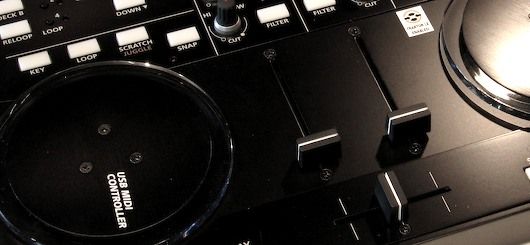
A jog wheel may be good for cuing up a song but the top does not serve much of a purpose after that. So why not double assign it to another function that works when you hold down a shift key? Its a logical conclusion but finding something that actually works well with the jog wheel’s pitch bend type message is another story. Last week I may have found something that fits perfectly.
The Unified Fader Fx Theory
I stumbled upon a great task for the jog wheel that expands on the fader-fx mode I created for the vci-100se. This technique combined with my existing methods for the line faders are a part of a bigger concept I am calling the “unified fader fx theory” :-) – more on that later, for now lets show you how to assign your jog wheel to a beat-mash effect. This tutorial will work for just about any jog wheel out there but will require Traktor to really do it right.
the 3 wise men
The vci-100 jog wheels and many others send out 3 messages we are interested in and traditionally they are assigned in this way:
- note on - Scratch mode on
- CC values above or bellow 64 – Move the deck playback position fwd or back (scratch)
- note off- Scratch mode off
We want to assign them in a different way.
- note on - Effect Button 1 (Beatmasher on)
- note on - Effect Knob 1 (Effect Mix)
- CC values above or bellow 64 – Effect Knob 1 (effect Mix) Rotary 3Fh, Sensitivity @ %8
- note off- Effect Knob one (effect mix)
So this means that when you grab the wheel it engages the beat masher at that point in the song and turns it to 100% effect. Scratching the wheel back and forth then blends the mashed signal in and out of the song and letting go of the wheel turns the beat masher off again. Combine that with the Pitch fader set to “bet mash length and you have a combination of 2 traditional controls re-used in a consistent musical way, the foundation of my Fader fx theory.
Its on!
Cause we are always oh so kind around here at Dj TT. I have made a TKS with only these assignments on midi page 3. So merge this TKS with your current one and then you will have this function on page 3. Those that own the vci-100SE can download the latest TKS here which also now has this feature and many, many others.
The Demo
Download basic TKS
http://www.djtechtools.com/wp-content/uploads/2008/06/jog-fx_scratchtks.zip
Instructions on merging TKS files

http://www.djtechtools.com/2008/03/12/traktor-tks-files-for-controllers/


June 20th, 2008 at 6:03 pm Quote
First!
June 20th, 2008 at 6:32 pm Quote
Cool stuff !
June 20th, 2008 at 8:49 pm Quote
It’s good, messed up the rest of my tks file when trying to switch out of faderfx mode though…. :)
June 20th, 2008 at 8:49 pm Quote
Cool! I don’t have here my BCD3000 to try, but afaik this would work even without a touch sensitive jog wheel, right?
June 20th, 2008 at 8:56 pm Quote
Good deal!
Great way to get easy usage of the beatmasher – one awesome effect.
Keep ‘em coming, Ean!
June 20th, 2008 at 9:34 pm Quote
WE MASHHH ALLLL DAY !!!!!
June 21st, 2008 at 12:23 am Quote
wicked!
June 21st, 2008 at 12:56 am Quote
I’m stunned at the quality of your iSight camera! It looks really, really smooth.
Oh, and fantastic tutorial as well :-)
June 21st, 2008 at 6:28 am Quote
I’d probably assign the loop length to the volume fader, because if you bump the pitch fader later on during the same song the BPM could be totally messed up :S
Still, GREAT use of the wheel. It’s funny because the wheel is one of the coolest things about the VCI, but yeah I don’t use it at all really after a song’s been mixed in.
June 21st, 2008 at 6:44 am Quote
have to give you props for using that warren g track. funny, that tune was just in my head the other day. great quickie (tutorial) on the road!
June 21st, 2008 at 6:48 am Quote
It’s not working for me :-\ Even when I tried the .tks you posted (and added a button on page 1 to change to MIDI page 3) it didn’t work… :-\
I’m on a regular VCI.
June 21st, 2008 at 9:11 am Quote
I guess my main question is, how do you get the jogwheel to turn the effect OFF when you let go? I can’t seem to get it to do that.
June 22nd, 2008 at 5:04 pm Quote
Agh and I?m stuck in the middle of Spain, hundreds of miles away from my laptop and VCI. :(
June 22nd, 2008 at 11:46 pm Quote
Oh God, this is SO much fun!
At fist I thought 8% was too sensitive, but I got used to it quickly. I like mashing at 1/16th, but immediately start “scratching” the jog wheel back and forth so it cuts in that sliver of a beat every 1/8.
Killer mod Ean.
June 23rd, 2008 at 11:12 am Quote
working beautifully on my VCI-100SE
June 23rd, 2008 at 3:28 pm Quote
Still awaiting that second shipment of SE’s BUT, as a side note I must comment that the quality of your tutorial looks AND sounds better from your iSight cam as opposed to when you’re fully equipped. Or maybe it’s just me.
June 23rd, 2008 at 4:06 pm Quote
Oh snap!
that does not speak to well for my fancy camera. Then again everything sounds like garbage after all the down sampling that you tube does.
June 24th, 2008 at 6:37 am Quote
That’s hot. I’ve been looking for a way to be that flexible with the beat masher for a long time. I suppose I’m buying a VCI..and apparently I shouldn’t wait for the 300. I wonder what other control schemes I could get to work with this. So far, I’ve just been going with what I’ve got (an 88-key MIDI controller keyboard). It’s worked out pretty well, but there might be too many keys spread over too wide an area in too nonsensical a manner. I can work with it alright, but I think something like the VCI would help my mix a lot. I think I’ll go for modding it to have arcade buttons like that old post of yours.
June 25th, 2008 at 12:01 am Quote
Is there a way to have it select the beatmasher when I press the jog wheel, not just turn it on? That way no matter what effect I have selected it turns it on?
June 25th, 2008 at 9:48 am Quote
Absolutely, but that will require another assignment and a midi translator.
I can include that in my tutorial on Midi Pipe later this week.
June 26th, 2008 at 5:22 am Quote
Is there a way to keep the jogwheel’s functionality like the original but switch to this mode when I press effect?
June 26th, 2008 at 9:04 am Quote
Yes- Of course, you just need to learn how to use midi pages.
http://www.djtechtools.com/2008/02/04/double-your-controls-in-traktor-with-one-button/
June 30th, 2008 at 2:30 am Quote
is vinyl and scratch mode the same
June 30th, 2008 at 8:07 am Quote
Yes, They are the same thing.
July 2nd, 2008 at 9:20 pm Quote
hm.might this also work with the pitch bend wheel of an axiom 25?
July 2nd, 2008 at 9:28 pm Quote
April 15th, 2009 at 1:20 am Quote
can you explain how to get this to work by doing it manually with a stock :) vci 100, and traktor pro? or is that possible? i’ve been messing with the manual midi mapping for hours scratching my head.
April 16th, 2009 at 5:49 pm Quote
1) Assign the mesage when you put your finger to select the beatmasher effect.
2)Also assign this message to knob of the effet rack which is the wet/dry.
3)Assign messages when the jog wheel is moving to the beatmasher length size.
4) Assign the message when you take your finger off the jog to set the wet mix off.
Download the file and check out how it is done inside the file – that will help heaps :)