DJ TechTools
  • Blog
    • DJ Gear
      • DIY Projects
      • Gear Reviews
      • New Products
      • Controllerism
    • Techniques + Tips
      • Beginner DJ
      • Advanced DJ
      • Producer
      • Finger Drummer
    • News + Culture
      • Editorials + Opinions
      • Artist Interviews
      • Performances + Routines
      • How I Play
    • DJ Software Tutorials
      • Serato Tips
        • Traktor Tips
      • CDJ Tips
      • Ableton Live Tips
  • Store
    • Run by real DJs, not a corporation
    • DJ Controllers
      • Midi Fighter Twister
      • Midi Fighter Spectra
      • Midi Fighter 64
      • View All
    • Accessories
      • Chroma USB Drive for DJs
      • Chroma Caps
      • Chroma Cables Audio
      • Chroma Cables USB-A
      • Chroma Cables: USB-C
      • DJTT Gift Card
      • Midi Fighter T-Shirt
      • Keyboard Covers
      • Earplugs by V-Moda
    • Production Gear
    • Soundcards & Mixers
  • Community
    • Popular Forums
      • General Discussion
      • Buy & Sell
      • Reviews
      • Mixes
      • Music Production
      • Show Your Setup
      • Off Topic
    • Handy Links
      • New Posts
      • Private Messages
      • Register
      • Search
    • Midi Maps
      • Traktor
      • Ableton
      • Serato DJ
      • Midi Fighter 3D
      • Midi Fighter Twister
      • Midi Fighter Spectra
  • Midi Fighter
  • Chroma
No Result
View All Result
DJ TechTools
  • Blog
    • DJ Gear
      • DIY Projects
      • Gear Reviews
      • New Products
      • Controllerism
    • Techniques + Tips
      • Beginner DJ
      • Advanced DJ
      • Producer
      • Finger Drummer
    • News + Culture
      • Editorials + Opinions
      • Artist Interviews
      • Performances + Routines
      • How I Play
    • DJ Software Tutorials
      • Serato Tips
        • Traktor Tips
      • CDJ Tips
      • Ableton Live Tips
  • Store
    • Run by real DJs, not a corporation
    • DJ Controllers
      • Midi Fighter Twister
      • Midi Fighter Spectra
      • Midi Fighter 64
      • View All
    • Accessories
      • Chroma USB Drive for DJs
      • Chroma Caps
      • Chroma Cables Audio
      • Chroma Cables USB-A
      • Chroma Cables: USB-C
      • DJTT Gift Card
      • Midi Fighter T-Shirt
      • Keyboard Covers
      • Earplugs by V-Moda
    • Production Gear
    • Soundcards & Mixers
  • Community
    • Popular Forums
      • General Discussion
      • Buy & Sell
      • Reviews
      • Mixes
      • Music Production
      • Show Your Setup
      • Off Topic
    • Handy Links
      • New Posts
      • Private Messages
      • Register
      • Search
    • Midi Maps
      • Traktor
      • Ableton
      • Serato DJ
      • Midi Fighter 3D
      • Midi Fighter Twister
      • Midi Fighter Spectra
  • Midi Fighter
  • Chroma
No Result
View All Result
DJ TechTools

How to Set Up in a Club

Ean Golden by Ean Golden
March 5, 2008
in Basic DJ Tips, DIY Project Tutorials, How-To Video Tutorials
Reading Time: 3 mins read
0
How to Set Up in a Club
93
VIEWS
Post on FacebookTweet thisUpvote on Reddit

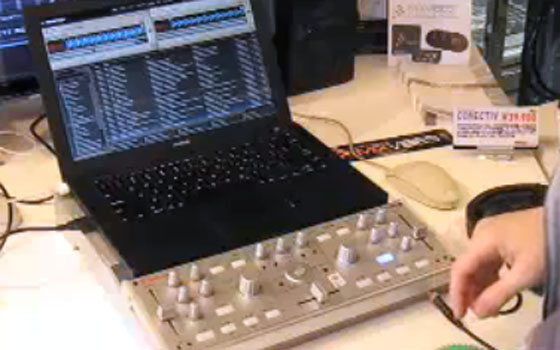
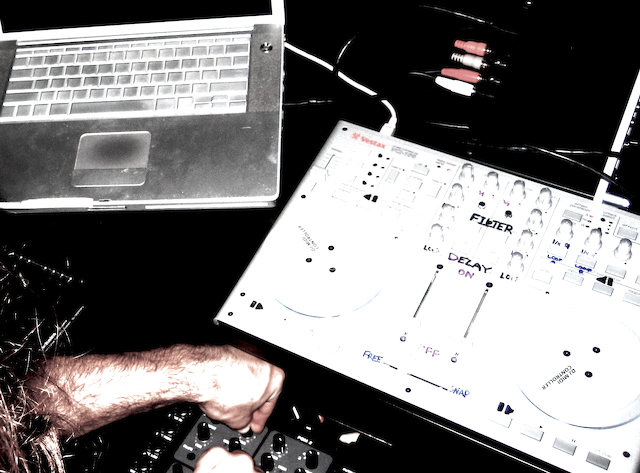
Many of you out there are new to the game and starting to get gigs with your digital dj equipment. As a few readers have pointed out, frequently that gear does not really mesh well with the bread and butter setups clubs have installed. Showing up and plugging in equipment can be a nerve racking affair to begin with but if there is one thing MORE scary- its your first 30 dj gigs. So, if you want calm nerves and smooth sets with digital dj gear your going to need a game plan.

For the past 5 years I have setup my laptop, sound card and midi gear in hundreds upon hundreds of clubs around the world. From a traditional Tico dance hall in Costa Rica to techno clubs in Berlin, there was always a way to make it work. Here are a few helpful things I have learned upon the way.

First of all,

clubs have gotten much more understanding about digital dj gear. The first time I brought traktor 1.5 into Ruby Skye the sound tech told me “we don’t allow final scratch without 48 hours advance notice” I promptly told him to go jump in the shallow end of a lake. The point is, refuse to take any grief from punters that don’t know anything about your craft. Respectfully explain to them that the setup will be very simple (10 minutes top) and if needed, you would be happy to set up before the club opens. If that does not work, tell him your new fancy dj tech tools vci-100 is going to make his patrons buy triple the normal amount of booze. Look very convinced of this, and he will now allow you to set up anything you want.


1)create a digital dj bag

that keeps all your needed cables inside at all times. Only take them out to setup and and put it right back when you are done. That includes an extra power supply for the laptop. It would be VERY embarrassing to tell you how many times I had to put on a 15 minute mix CD and rush back to the house to get my power supply. Fortunately San Francisco is small.

2)space will be limited

so always pack a laptop stand for your midi gear OR my old standard: a piece of grey foam cut to size. I placed this right on top of the turntables to provide a level, slip proof surface and it worked out quite well.

3)use the CD player’s

RCA cables to get your signal into the mixer. Instead of bringing your own cables, bring 1/4″ to RCA Barrel plugs (if you have 1/4″ outs) and plug the CD lines directly into your sound card. Running cables into the mixer takes 75% of the time and hassle in setting up and is frequently when you have the margin for error.

4)get your sound card

and software up and running before you leave for the club. Then all you have to do is open up the programs without any opportunity for settings to get mixed up.

5)if you can- go to the club

before they open. Especially if this is your first time in the place, getting there early will GREATLY reduce your stress and make you appear much more professional. Call it a “Sound Check” and your an instant rock star. 🙂

6)if sound check is not possible

bring a few short options of pre-mixed music. usually 3-4 songs is sufficient. Then instead of setting up while the opening dj is trying to mix (which is very in-appropriate) you can pop in a CD and take your time after he has exited the booth.

7)don’t drink!

Booze is free and plentiful and may even be your only form of payment. If your new to the game,drinking will only make things even more confusing. At least wait till the end of your set when your in the groove to crack open a Heineken.

8)bring a USB penlight.

The lighting always sucks!

9)now take a deep breath

relax and let the songs play themselves. You will do great.

Tags: Dj BasicsTipsVideo Tutorials
Share1Tweet1Share
Previous Post

DJ Tech Tools- Under Construction

Next Post

Vestax VCM-100 Reviewed

Related Posts

Meet the Koala sampler app: a mobile production powerhouse, now with stems
DJ Gear

Meet the Koala sampler app: a mobile production powerhouse, now with stems

February 7, 2023
Tips for DJing in Extreme Cold: DJTT readers share their advice
DJ Techniques / Tips

Tips for DJing in Extreme Cold: DJTT readers share their advice

January 30, 2023
One Thing Ableton Production Tips
Production Tips

One Thing: Super Quick Ableton Tips From Professional Producers

March 10, 2017
Load More
Next Post
Vestax VCM-100 Reviewed

Vestax VCM-100 Reviewed

Want to reach DJTT's audience here?

Shoot an email to advertising@djtechtools.com

DJTT ads
DJTT newsletter
Midi Fighter
Chat with us
  • ABOUT DJTT
  • CONTACT
  • PRIVACY
  • MIDI FIGHTER HELP
  • ABOUT DJTT
  • JOBS
  • CONTACT US
  • ADVERTISE
  • PRIVACY POLICY
  • ACCESSIBILITY STATEMENT

© 2024 DJ Techtools all rights reserved by DJ TechTools on all content unless otherwise noted.

No Result
View All Result
  • Blog
    • DJ Gear
      • DIY Projects
      • Gear Reviews
      • New Products
      • Controllerism
    • Techniques + Tips
      • Beginner DJ
      • Advanced DJ
      • Producer
      • Finger Drummer
    • News + Culture
      • Editorials + Opinions
      • Artist Interviews
      • Performances + Routines
      • How I Play
    • DJ Software Tutorials
      • Serato Tips
      • CDJ Tips
      • Ableton Live Tips
  • Store
    • Run by real DJs, not a corporation
    • DJ Controllers
      • Midi Fighter Twister
      • Midi Fighter Spectra
      • Midi Fighter 64
      • View All
    • Accessories
      • Chroma USB Drive for DJs
      • Chroma Caps
      • Chroma Cables Audio
      • Chroma Cables USB-A
      • Chroma Cables: USB-C
      • DJTT Gift Card
      • Midi Fighter T-Shirt
      • Keyboard Covers
      • Earplugs by V-Moda
    • Production Gear
    • Soundcards & Mixers
  • Community
    • Popular Forums
      • General Discussion
      • Buy & Sell
      • Reviews
      • Mixes
      • Music Production
      • Show Your Setup
      • Off Topic
    • Handy Links
      • New Posts
      • Private Messages
      • Register
      • Search
    • Midi Maps
      • Traktor
      • Ableton
      • Serato DJ
      • Midi Fighter 3D
      • Midi Fighter Twister
      • Midi Fighter Spectra
  • Midi Fighter
  • Chroma

© 2024 DJ Techtools all rights reserved by DJ TechTools on all content unless otherwise noted.

This website uses cookies. By continuing to use this website you are giving consent to cookies being used. Visit our Privacy and Cookie Policy.