

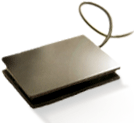
An inexpensive way to add advanced midi technology to a simple controller
One of our active users, Matt, brought this great little device to our attention. Its a stick on touch pad that is designed to duplicate a mouse surface on your keyboard. Great for your Aunt sally’s desk job but its not quite enough to get djs in a tizzy. However, if you consider that this device is a HID (or human interface device) and you happen to know about a handy little program called Junxion. Well, then wheels start turning very quickly and my nerd side runs around the house excitedly. You see, Junxion will take ANY HID and turn it into very usable midi data. Translation. Stick this bad boy on your midi controller, program it with a HID to MIDI software program and bingo- instant X/Y pad on any midi controller.
the software converter options
Stand alone OSX app, free? Difficulty: 6 (1-10)
OSX? Free- requires MAX MSP. It looks simple but I have never used max MSP could be for the really hardcore.
OSX, shareware Difficulty 8 (1-10) wow this thing can do ANYTHING if you know how to program it. downside- only out puts keystrokes so NO continuous controller data.
OSX, VERY EXPENSIVE ($60) difficulty 4 (1-10) this one is easy to use and powerful but pricey.
M-JOY- or MI-JOY (who ripped off who?)
these look to be the best for WIN people- no more info though
WIN- many people said this was good and free but the makers have been kidnapped by spam sites but we tracked down a direct link to an old installer- USE WITH CAUTION!
WIN- no info.
Props must go to the ever informative Create digital folks and Peter Kirn. Their forum was the source of much of the above info .


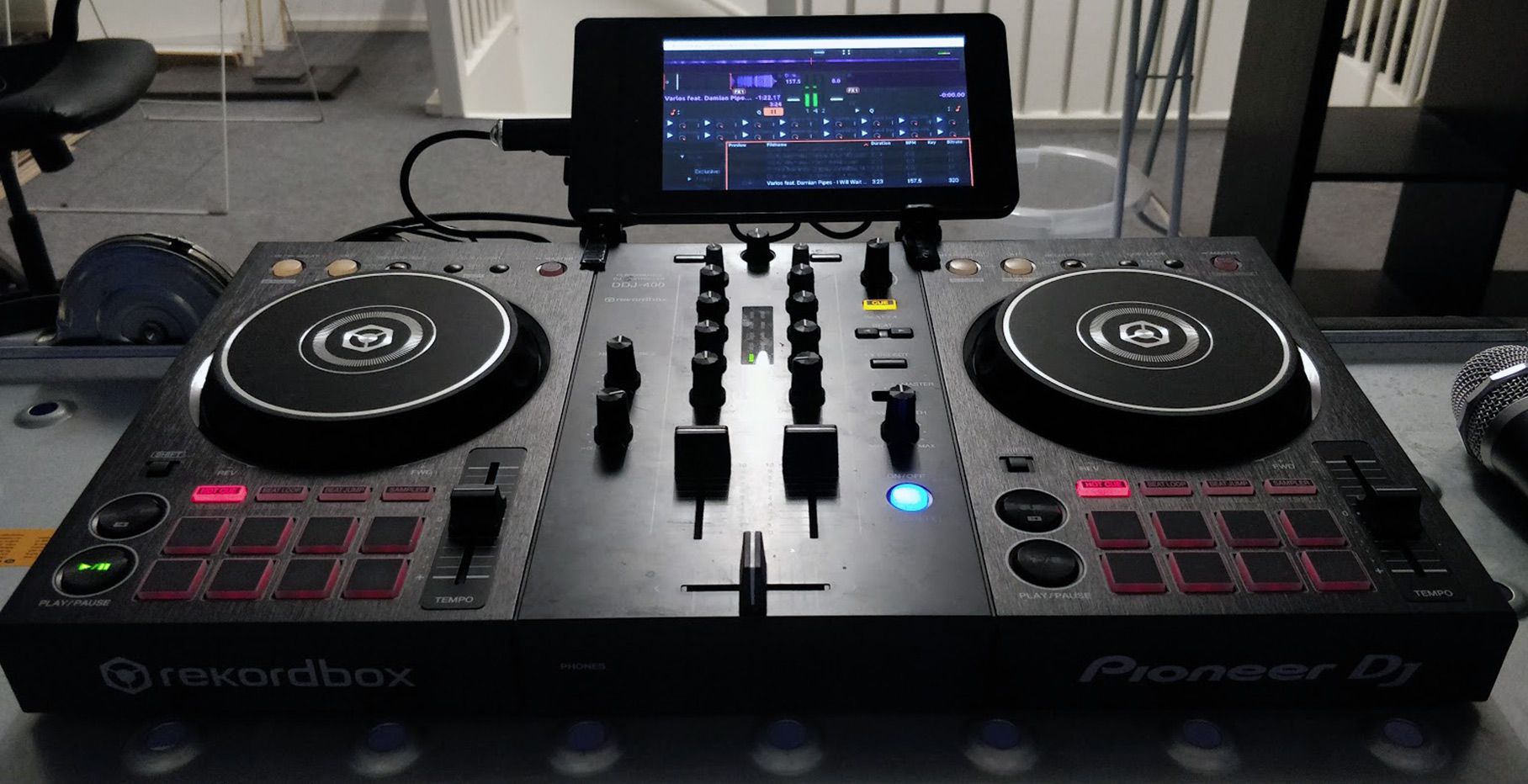


whoa!
also check out http://www.livelab.dk/ it uses your Synaptics touchpad on your laptop as a MIDI controller. VST plugin and standalone. By pressing the buttons of your touch pad you can change midi controllers values like you do Ean with the Vci in Traktor chanching pages.
A wacom all though even more expensive would probably work even better because it’s pressure sensitive.
Thats true and lots of people have been using wacoms for midi I believe. Great suggestions,
There’s a lot of devices used for custom midi manipulation nintendo DS, wii-mote, kaos pad kp3, graphics tablets, and various joysticks among other things. Most I’ve seen used for either x/y effects or pseudo scratching. The more I visit this site the more I’m realizing you guys really should add that forum that was previously talked about so stuff like this could be discussed more.
M-JOY- or MI-JOY (who ripped off who?)
Well, it seems that Virtuasonic’s MIJOY was published before mJoy.
What about GlovePIE?! Latest version has synaptics support, where you can actually measure how much area a finger is taking up on the pad, similar to pressure. I’ve actually mailed the ergonomic touchpad guys trying to find out if these are synaptics. If they are, they’re perfect for glovePIE and livelab’s vst plugin.
Everyone I know who’s used a korg kaoss pad has really liked it. I think it’s all in the interface. This could be a cheap way to get the same great interface.
now thats DOPE! let us know :-) :-)– p.s. if they can do area support like that then it should recognize if you are putting 2 fingers down- 2 finger dj scroll anyone???
Sorry about the noob question but: What is “X/Y pad” how is the function of that? - thanks
Soy about anonymous post above - here am I
glovepie is great. using it to use a wiimote for traktor.
in a week i am getting my snes advantage teamed up w/ my wiimote & my dm2. all toys maped to midi.
btw. i suport the idea of forums here.
thanx for everything ean
the idea is that you can control 2 functions in the software with one surface. as you move your hand to the right- The X Axis controls one function (like FX mix). Then as you also move your hand down the pad- Y controls another function like loop length.
Sorry guys, I thought I posted here yesterday… but I don’t see it now, so it must not have gone through.
These touchpads are not synaptics, so they don’t work with glovepie or live lab’s touchpad2midi vst plugin. If you’re running a laptop, but you’re not sure what kind of touchpad you have, you probably have a synaptics touchpad on it — go ahead and try the touchpad2midi plugin, if it works you do and if it doesn’t… well, you don’t, duh!
Yeah, you could probably hack it to do two finger playlist scrolling when it recognizes more surface area than a normal one finger touch. I think the new macbooks have multitouch pads so you could actually detect two fingers. I think it’d be great to use that to say nudge forward and backward with a two finger rotation gesture. Sorry, I don’t have a macbook to try this.
By the way, P1554NT mentioned the wii-mote, have you guys seen what Johnny Chung Lee is doing with them?
http://www.cs.cmu.edu/~johnny/projects/wii/
Great stuff! I don’t think it’s useful in a club because it uses the ir functions… so you can’t rely on the clubs lighting not messing it up, but awesome none the less.
Got to love that price. I just got back from watching Moldover’s two YouTube videos. Excellent visual description of “Smart Mixer” push-down compression. An inspirational tutorial all round. http://www.youtube.com/watch?v=L2McDeSKiOU
Sooooo…can I just plug this thing into my mac mini and it will be recognized as a midi controller? Or no? Do I need to use control aid or MAX MSP? Does the software that comes with it provide the protocol to a) make this work as a track pad and b) allow this to be a midi controller?
Does anyone know how something like this product could work in an Ableton Live setup?
Hey Tobami, thanks for the Johny Chung Lee link. That is really great stuff.
hi everybody i use the vmidijoy with a $14 dls game controller like a midi controller and works amaizing whit ableton in pc, but you have to install also midijoke to get a virtual midi port. i have 2 real midi controllers but for some reason you never gonna have all the bottons you need.
yes. is so easy to use any midi controller in ableton. the mapping sistem is amaizing
