DJ TechTools
  • Blog
    • DJ Gear
      • DIY Projects
      • Gear Reviews
      • New Products
      • Controllerism
    • Techniques + Tips
      • Beginner DJ
      • Advanced DJ
      • Producer
      • Finger Drummer
    • News + Culture
      • Editorials + Opinions
      • Artist Interviews
      • Performances + Routines
      • How I Play
    • DJ Software Tutorials
      • Serato Tips
        • Traktor Tips
      • CDJ Tips
      • Ableton Live Tips
  • Store
    • Run by real DJs, not a corporation
    • DJ Controllers
      • Midi Fighter Twister
      • Midi Fighter Spectra
      • Midi Fighter 64
      • View All
    • Accessories
      • Chroma USB Drive for DJs
      • Chroma Caps
      • Chroma Cables Audio
      • Chroma Cables USB-A
      • Chroma Cables: USB-C
      • DJTT Gift Card
      • Midi Fighter T-Shirt
      • Keyboard Covers
      • Earplugs by V-Moda
    • Production Gear
    • Soundcards & Mixers
  • Community
    • Popular Forums
      • General Discussion
      • Buy & Sell
      • Reviews
      • Mixes
      • Music Production
      • Show Your Setup
      • Off Topic
    • Handy Links
      • New Posts
      • Private Messages
      • Register
      • Search
    • Midi Maps
      • Traktor
      • Ableton
      • Serato DJ
      • Midi Fighter 3D
      • Midi Fighter Twister
      • Midi Fighter Spectra
  • Midi Fighter
  • Chroma
No Result
View All Result
DJ TechTools
  • Blog
    • DJ Gear
      • DIY Projects
      • Gear Reviews
      • New Products
      • Controllerism
    • Techniques + Tips
      • Beginner DJ
      • Advanced DJ
      • Producer
      • Finger Drummer
    • News + Culture
      • Editorials + Opinions
      • Artist Interviews
      • Performances + Routines
      • How I Play
    • DJ Software Tutorials
      • Serato Tips
        • Traktor Tips
      • CDJ Tips
      • Ableton Live Tips
  • Store
    • Run by real DJs, not a corporation
    • DJ Controllers
      • Midi Fighter Twister
      • Midi Fighter Spectra
      • Midi Fighter 64
      • View All
    • Accessories
      • Chroma USB Drive for DJs
      • Chroma Caps
      • Chroma Cables Audio
      • Chroma Cables USB-A
      • Chroma Cables: USB-C
      • DJTT Gift Card
      • Midi Fighter T-Shirt
      • Keyboard Covers
      • Earplugs by V-Moda
    • Production Gear
    • Soundcards & Mixers
  • Community
    • Popular Forums
      • General Discussion
      • Buy & Sell
      • Reviews
      • Mixes
      • Music Production
      • Show Your Setup
      • Off Topic
    • Handy Links
      • New Posts
      • Private Messages
      • Register
      • Search
    • Midi Maps
      • Traktor
      • Ableton
      • Serato DJ
      • Midi Fighter 3D
      • Midi Fighter Twister
      • Midi Fighter Spectra
  • Midi Fighter
  • Chroma
No Result
View All Result
DJ TechTools

How do YOU mix- Inside or outside?

Ean Golden by Ean Golden
January 11, 2008
in Advanced DJ Tips, Traktor Tips
Reading Time: 3 mins read
0
How do YOU mix- Inside or outside?
59
VIEWS
Post on FacebookTweet thisUpvote on Reddit

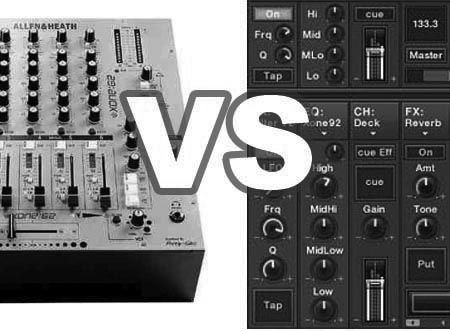
Not inside or outside the house smart guy, inside or outside the computer! If the right controller was out there, would you like it to control all the functions inside the software including mixing? Or, would you prefer to mix on a real mixer and use all the functions of devices like the VCI-100 for other purposes?

INSIDE THE MACHINE

This has several advantages including recording, consistency and centralized control. First of all, if you are mixing inside traktor its very easy to record all of your sets. You can even record them ass mix files live, go back fix any mistakes and then bounce it to audio. Next, consistency is a wonderful thing. You never have to worry about showing up and playing on a janky mixer with terrible EQs. You always get the eq, effects and cue settings you prefer and they will never break! Finally, centralized control is a big factor. while mixing with the vci-100 in a club I often put it to the right of the mixer on top of a turntable. This works out 90% of the time but having all the controls you need in one ergonomic space that you can place right in front of you is better. When I am doing controller-ism or juggling routines then I have to use the crossfader on the vci-100 because it needs to be right next to the controls that are triggering the cue points.

OUTSIDE THE BOX

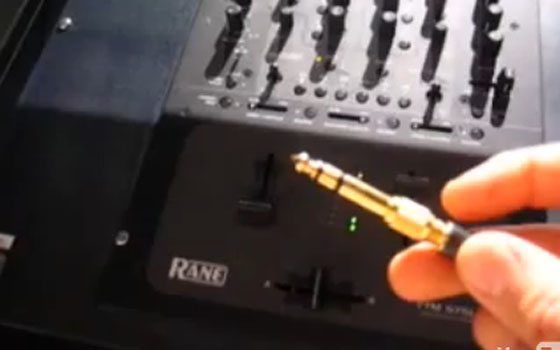
This has several advantages including sound quality, number of controls, layout and convenience but largely its a personal preference thing. First the sound quality is better when you use an analogue mixer. Not only are the EQs and pre-amps warmer and add more sonic punch to your mix but they are going to naturally distort the signal in a smooth way as you turn it up. Inevitably all djs find themselves wanting to turn up the signal louder and louder. With a professional mixer like Rane, no matter how hard you push it their built in analogue limiters will never distort and the mix always sounds pro. In digital and, there is a very low and unforgiving ceiling. once you push it past that point the signal will start to digitally distort and sound really poor, even if your playing high quality files.

The layout and amount of controls on a mixer of course doubles your arsenal. Often, especially on the vci-100, there are not enough midi controls to cover all the different things you can do in today’s software programs. The mixer gives you solid knobs, faders and gain controls that are usually easy to use and well spaced freeing up your midi controller to really tweak out the tracks. Finally, there is a convenience factor. Dj booths are almost always centered around the mixer. All volume controls for the master and booth come from there and the monitors are placed to make that position the optimal spot for listening. Sure you can stick your controller on top of the mixer but that does not look very pro and without some foam your gear will slide around uncontrollably.

If your mixing at home and you don’t own a mixer chances are mixing inside makes more sense financially. if you plan on playing in clubs, however, you may want to give some serious thought to the best way to handle this import part of your dj setup. Ultimately though, we want to know what you think? Do you prefer to mix in or out of the box?


Tags: Dj Basicsdj performance tricksDj TutorialsTips
ShareTweetShare
Previous Post

How To: fix a stiff jog wheel on the VCi-100

Next Post

Setting up gear in the club

Related Posts

Meet the Koala sampler app: a mobile production powerhouse, now with stems
DJ Gear

Meet the Koala sampler app: a mobile production powerhouse, now with stems

February 7, 2023
Tips for DJing in Extreme Cold: DJTT readers share their advice
DJ Techniques / Tips

Tips for DJing in Extreme Cold: DJTT readers share their advice

January 30, 2023
Returning to IRL DJ gigs? Here’s 7 ways to quell stage anxiety without alcohol.
News + Culture

Returning to IRL DJ gigs? Here’s 7 ways to quell stage anxiety without alcohol.

June 3, 2021
Load More
Next Post
Setting up gear in the club

Setting up gear in the club

Want to reach DJTT's audience here?

Shoot an email to advertising@djtechtools.com

DJTT ads
DJTT newsletter
Midi Fighter
Chat with us
  • ABOUT DJTT
  • CONTACT
  • PRIVACY
  • MIDI FIGHTER HELP
  • ABOUT DJTT
  • JOBS
  • CONTACT US
  • ADVERTISE
  • PRIVACY POLICY
  • ACCESSIBILITY STATEMENT

© 2024 DJ Techtools all rights reserved by DJ TechTools on all content unless otherwise noted.

No Result
View All Result
  • Blog
    • DJ Gear
      • DIY Projects
      • Gear Reviews
      • New Products
      • Controllerism
    • Techniques + Tips
      • Beginner DJ
      • Advanced DJ
      • Producer
      • Finger Drummer
    • News + Culture
      • Editorials + Opinions
      • Artist Interviews
      • Performances + Routines
      • How I Play
    • DJ Software Tutorials
      • Serato Tips
      • CDJ Tips
      • Ableton Live Tips
  • Store
    • Run by real DJs, not a corporation
    • DJ Controllers
      • Midi Fighter Twister
      • Midi Fighter Spectra
      • Midi Fighter 64
      • View All
    • Accessories
      • Chroma USB Drive for DJs
      • Chroma Caps
      • Chroma Cables Audio
      • Chroma Cables USB-A
      • Chroma Cables: USB-C
      • DJTT Gift Card
      • Midi Fighter T-Shirt
      • Keyboard Covers
      • Earplugs by V-Moda
    • Production Gear
    • Soundcards & Mixers
  • Community
    • Popular Forums
      • General Discussion
      • Buy & Sell
      • Reviews
      • Mixes
      • Music Production
      • Show Your Setup
      • Off Topic
    • Handy Links
      • New Posts
      • Private Messages
      • Register
      • Search
    • Midi Maps
      • Traktor
      • Ableton
      • Serato DJ
      • Midi Fighter 3D
      • Midi Fighter Twister
      • Midi Fighter Spectra
  • Midi Fighter
  • Chroma

© 2024 DJ Techtools all rights reserved by DJ TechTools on all content unless otherwise noted.

This website uses cookies. By continuing to use this website you are giving consent to cookies being used. Visit our Privacy and Cookie Policy.