

Thanks to all the people who have been sending us loads of great mail about dj tech tools and the videos on youtube.
Sometimes the posts here can get a bit technical and advanced so we want to go back to basics and do a series of videos on basic djing principles in the digital realm. What do you want to learn? Is there something that is really confusing you about your controller? Let your voice be heard and add your comment to this post.
-Dj Tech Tools



I haven’t seen dual controllers covered. Maybe some insights on midi channels is in order?
How far is it to DJ Heaven?
What I ‘m exeperiencing at my brazilian site, Submusica.com, which is somewhat quite similar to this noe here (excepet it’s a more wide on subjects) is that we have lots of newsbies who want to jump the digital djing bandwagon and learn how to invest their precious money. This is more true regarding Brazil, because here the taxes make things way too expensive to a lot of boys.
For me, I’m more interested in advanced midi setups, ’cause I think that’s where the real power of digial djing lies in: you can completely customize your setup and is free of limited ideas and concepts from old skool equipment designers.
At this moment, I’m looking forward to an advanced review for iDJ2, beucase I think this can be the ideal plaform for development, since it is powered by Linux and open source. Vestax made me a disappointed fan because of that huge delay on the firmware release and the ramp up issue which is quite clear within the very first seconds using it, a clear sign that it weren’t tested during production phase. A shame, because I still think that it’s the most well suited midi controller around, although I’m beginning to love the toyish and plasticky Xponent.
How about an introduction to how you preprocess and mark-up your tunes? Do you search out every cue point, have loops scattered throughout your tracks or do you just pick up the raw MP3 and use live markers while playing it?
Just how much effort do you put into preproduction on a mix?
Here at DJ Tech Tools we have a direct link to God so we asked him how far away digital dj heaven is. His answer was vague: “nothing sounds like vinyl man, nothing..” We dont take this as a good sign but rumor has it that Saint Michael gave him Serato and he has been enjoying the censor feature immensely.
Hi,
I had a question (Not sure if this is the right forum however?) I’m a PC user and all of my music software is windows based. I’m in a process of getting a laptop for live dejaying and it seems to me that allot of Djs are Mac users. I won?t start the debate over whose is better! My question is as follows. Are you familiar with how stable windows based laptops (with a powerful dual core etc…) for a 5-6 hour gigs without interferences using Traktor or anything similar.
Love the vci-100 a great tool. Thanks allot for the suggestions and information you provide.
.
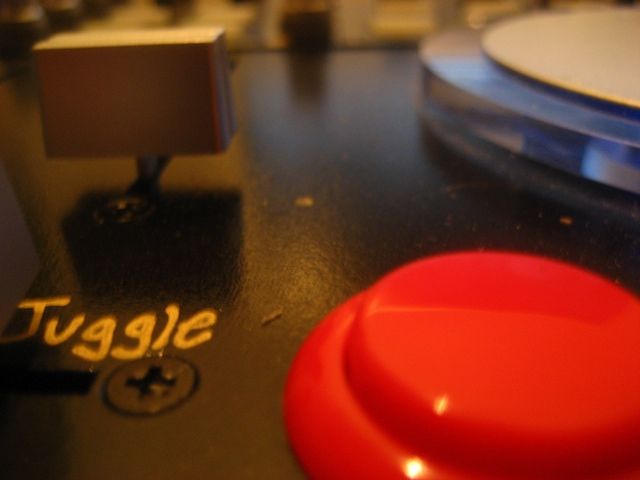
I’m in the process of ordering a set of arcade buttons to install in my VCI100 but I opened my controller and found that there are 3 wires(all white) attached to each button with a total of 12 wires to the four buttons. After watching the arcade button youtube I am a little confused as to what the third wire is for. My vci doesn’t have the brown ground cable either. I recently purchased it so I am guessing it has some changes? any ideas?
Thanks Ian and friends for everything the site is rad.
Those wires should be ground, positive and a positive for the LED. If you trace the poles connecting the original switches to the circuit board you should be able to figure out which cables are what. Ground is shared by all the switches and divided by a resistor. The positives lead to their own connections. Worst case scenario; trial and error. connect some the buttons directly to the circuit board and try different places until you get it right.
good luck,
Ean
at this point all the programs like Traktor, Serato, and so on are really very reliable with a good laptop on either platform. I have had about 5 crashes in the past 4 years and those usually involved a drunk patron un-plugging the data cable! So set up your machine with lots or RAM, get a good sound card and optimize your system and you should have a VERY reliable dj rig for several years.
So I’ve done alot of research and it seems like the VCI-100 is a quality piece of equipment and is a good alternative to using CDs and vinyl. I am interested in mixing drum and bass so I was wondering if the VCI-100 is the right choice for just basic mixing since I’ve been hearing primarily it being used for effects and loop functions. I would be using it with a Macbook and the NI Audio Kontrol 1. So if I could get some advice I’d really appreciate it. Thanks
I’m also looking at the VCI-100 but understand there is a mixvibes pro version out recently. With that in mind how does tracktor compare with mixvibes pro? Another quicky - what’s the difference between the VCI-100 and the VCM-100?
Many thanks
